


In Bitrix24, you can merge CRM items to keep all client data in one record. For example, if a contact has two entries—one with a work phone and another with a personal phone—you can merge them into a single contact. This helps keep your database accurate and improves sales analytics.
Access Permissions in CRM
You can merge these CRM items:
- Leads
- Deals
- Contacts
- Companies
- Invoices
- Estimates
- SPA items
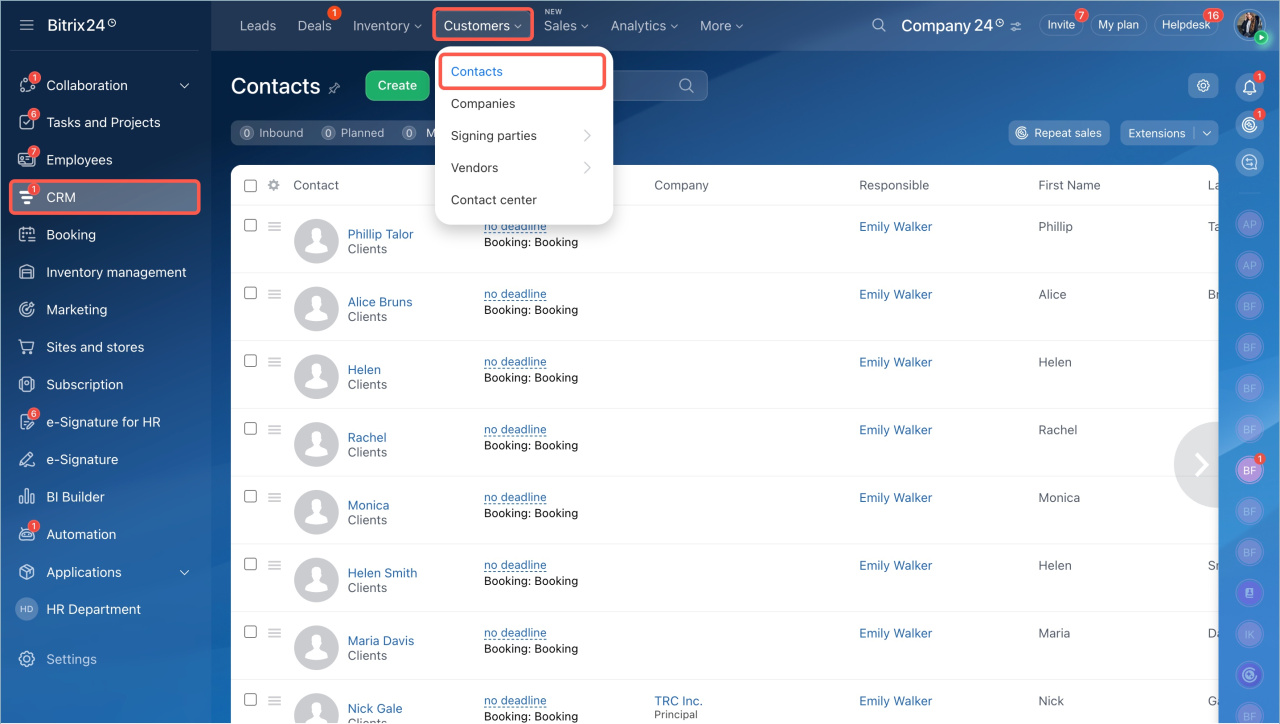
- Go to CRM > Contacts.
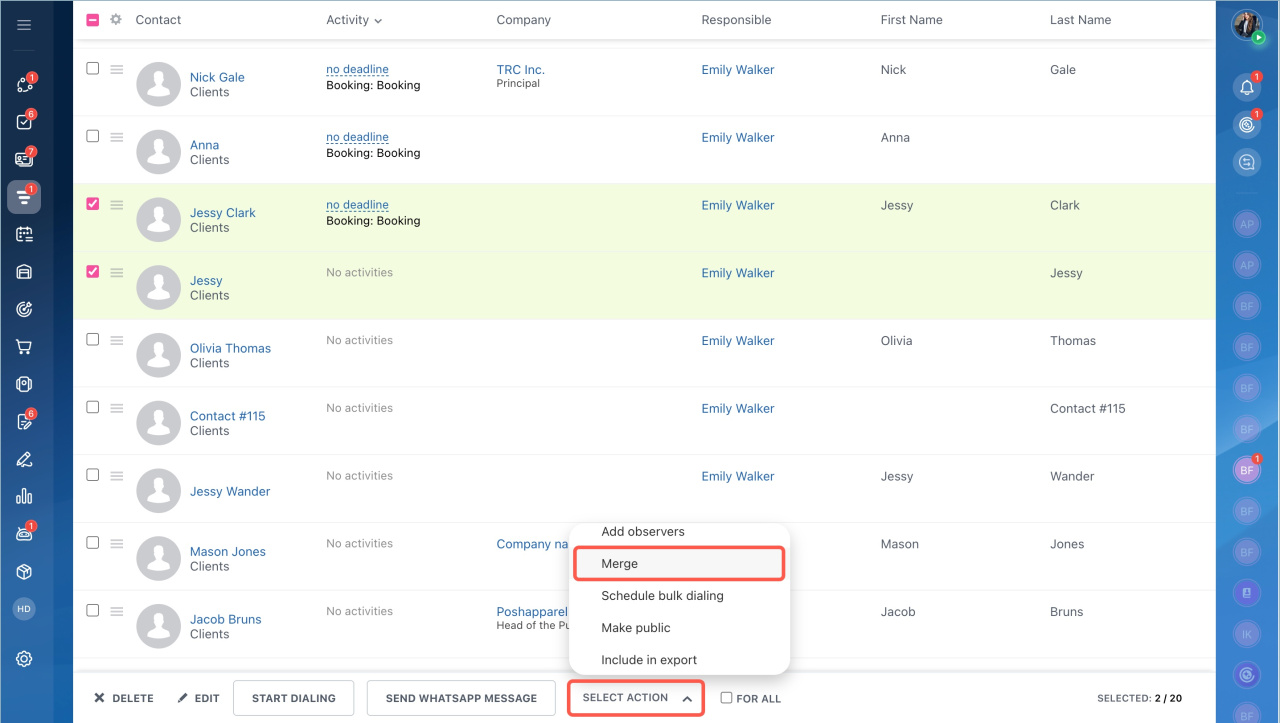
- Select the items you want to merge.
- Click Select action > Merge.
- Click Apply.
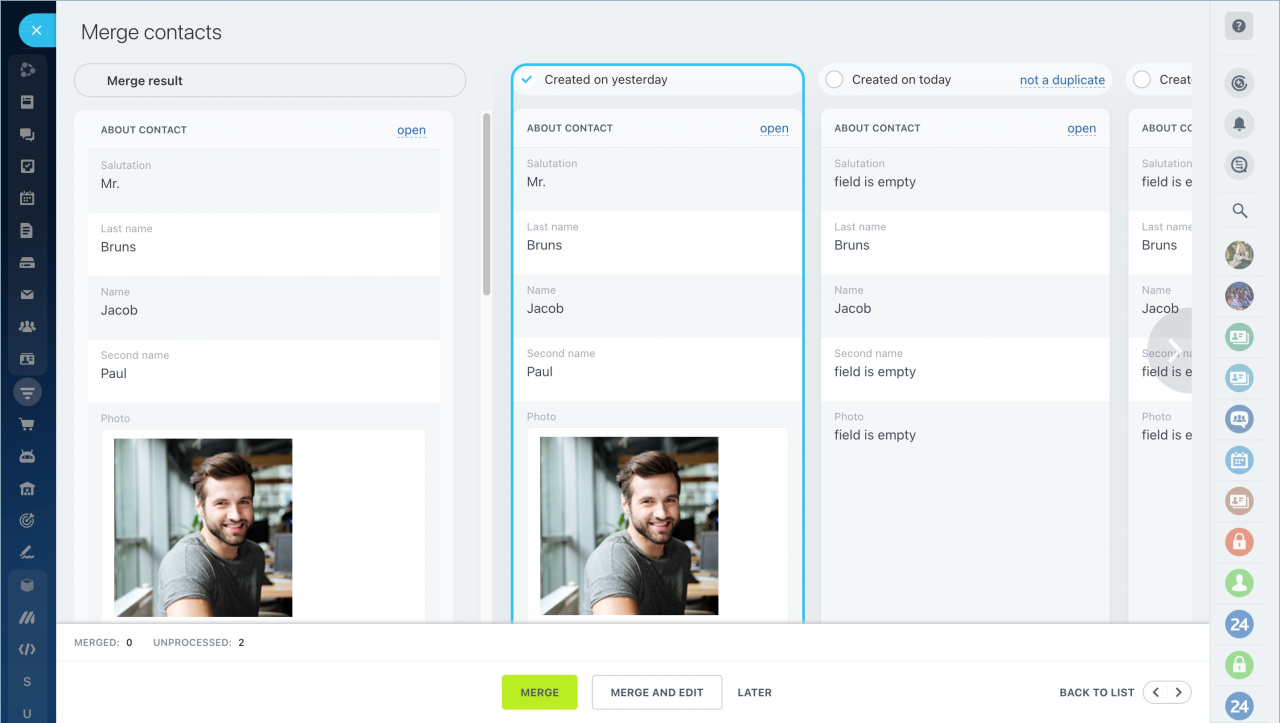
Choose the record that will remain after the merge. Select the checkbox at the top of that form. It will be highlighted.
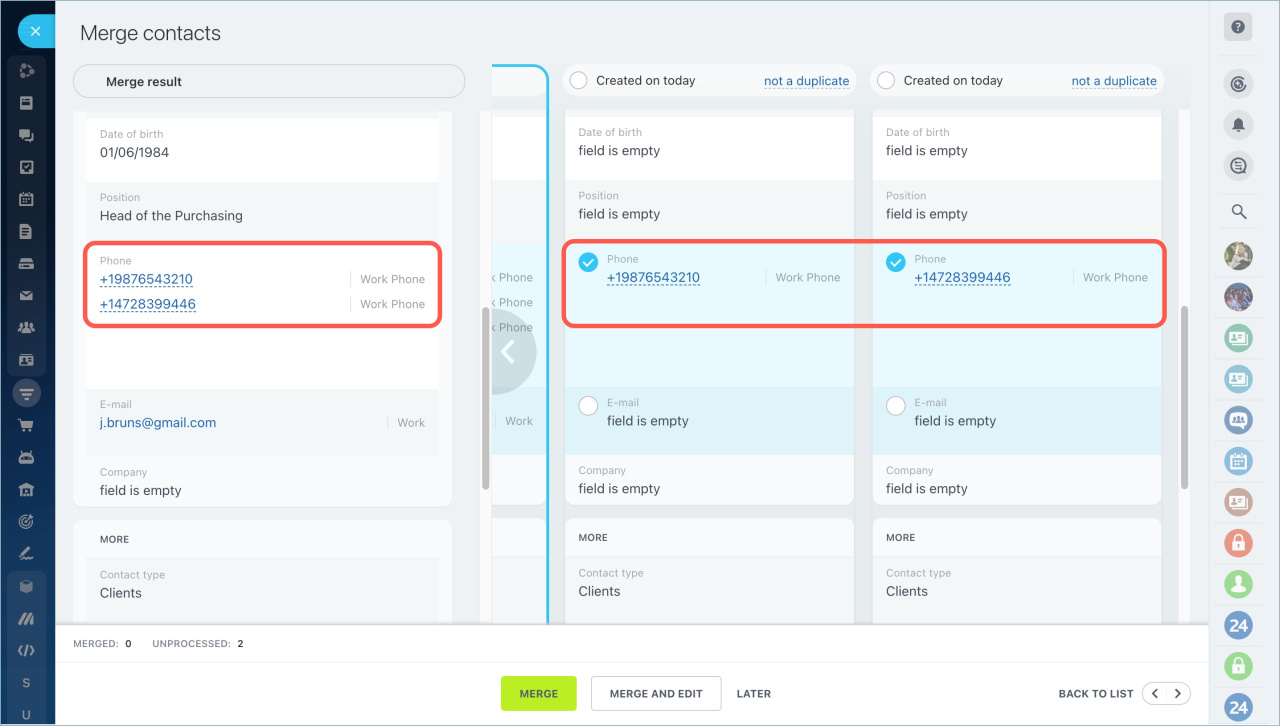
Next, select which fields from the other records you want to keep. Add them to the main record.
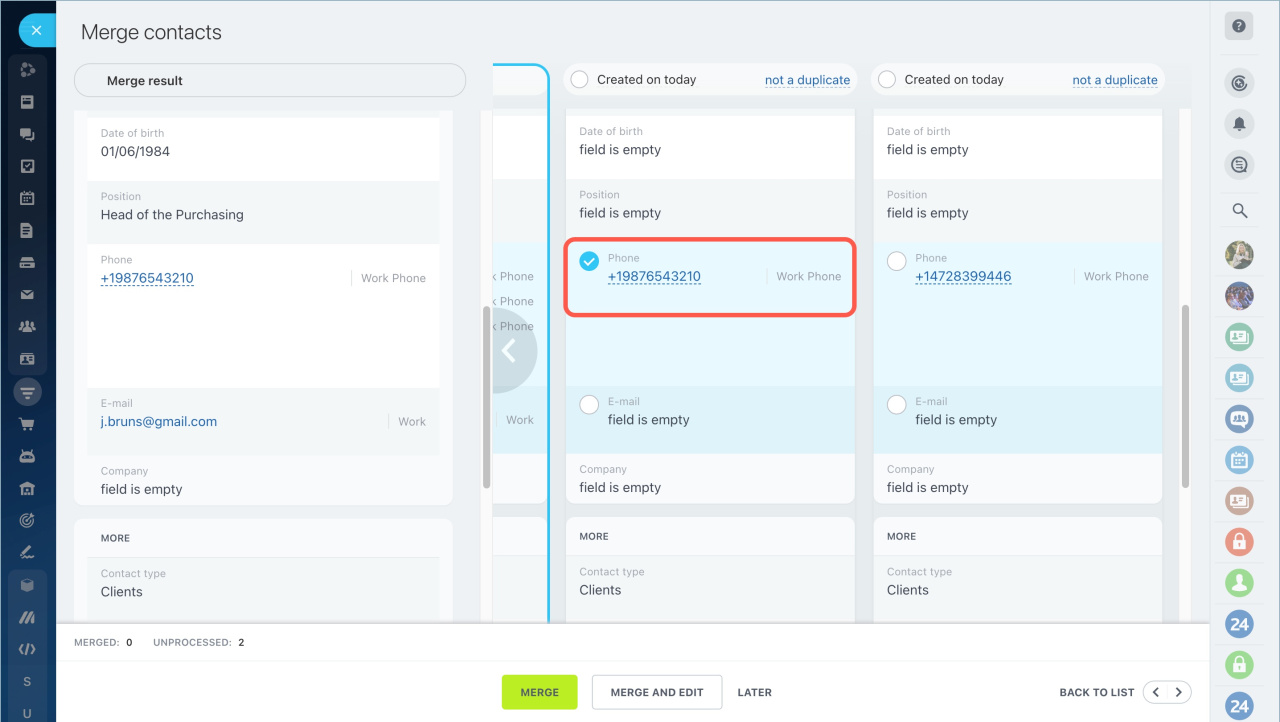
Some fields, such as phone, email, and address, support multiple values. You can keep several entries in these fields.
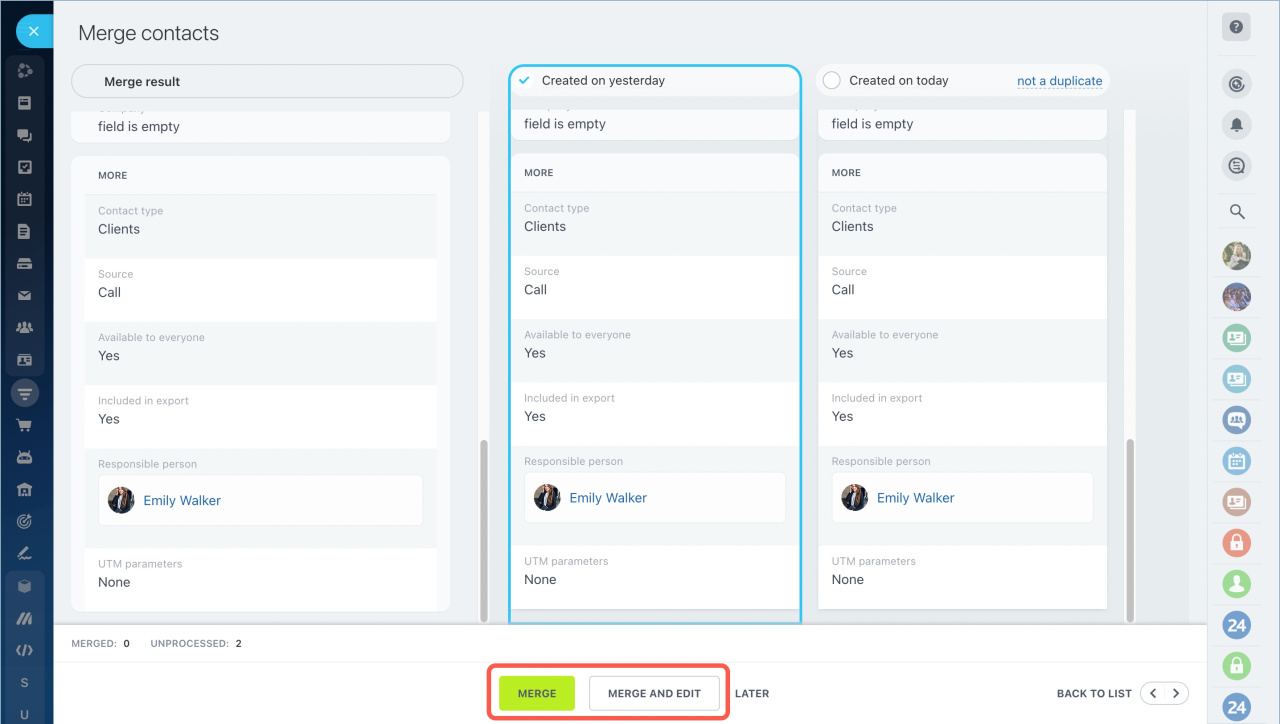
Click Merge to complete the process. To open the record right away, click Merge and Edit.
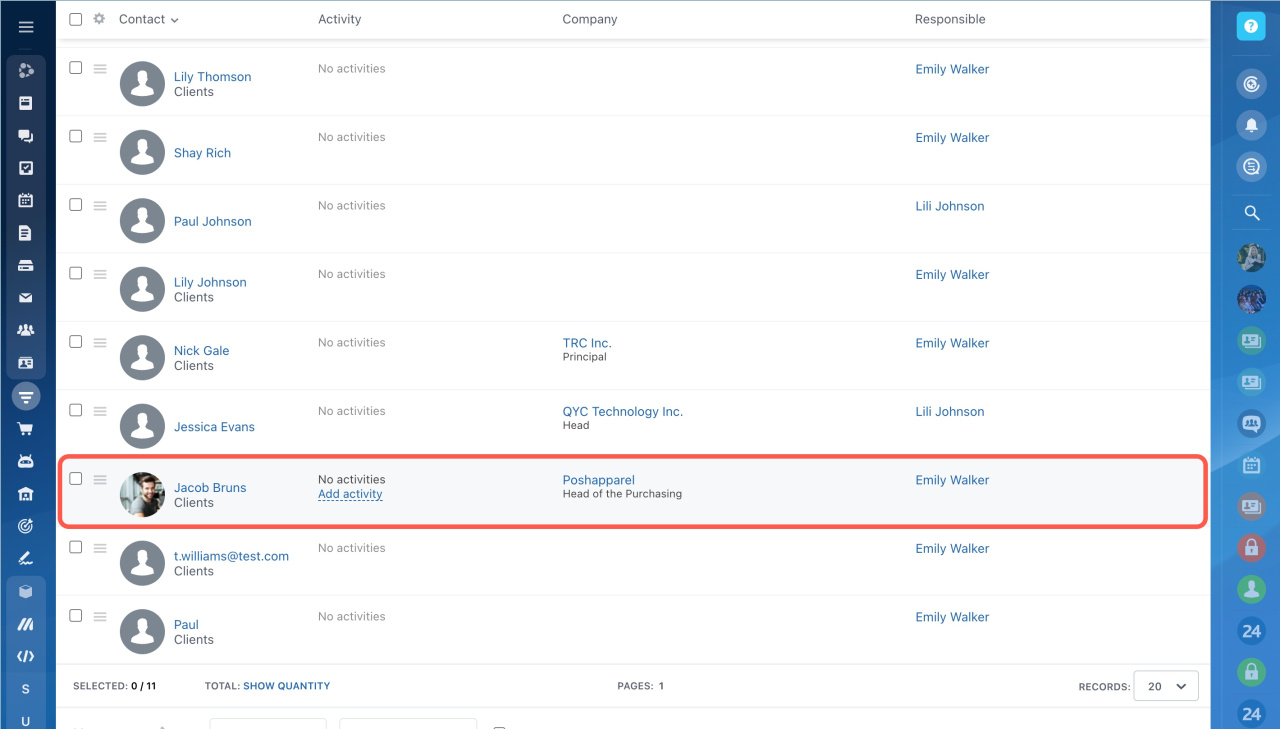
After the merge is complete, you will see a notification. Only one record will remain in the list.
In brief:
- You can manually merge leads, deals, contacts, companies, invoices, estimates, and SPA items.
- You need permission to update and delete items.
- Choose the main record that will remain after the merge.
- Select which fields to keep from other records.
- Some fields support multiple values, such as phone, email, and address.



