
🚚 Miễn phí giao hàng toàn quốc

✅ Tặng Gói Hỗ trợ online trọn đời

✅ Giá cạnh tranh nhất thị trường

✅ Miễn phí tư vấn giải pháp

🚚 Miễn phí giao hàng toàn quốc

✅ Tặng Gói Hỗ trợ online trọn đời

✅ Giá cạnh tranh nhất thị trường

✅ Miễn phí tư vấn giải pháp

Hotline: 0943.199.449

Địa chỉ: Tầng 1, tòa nhà Deli, 75 Hoàng Văn Thụ, P. Cầu Kiệu

Bitrix24 Helpdesk

Disconnect branches

You can disconnect a branch from a branch network in these cases:

  • You are switching from a paid plan to a free plan. Bitrix24 blocks connected branches, so after you disconnect the branch, it can work independently.
  • You are moving a branch to another branch network. Before you connect it to a new network, you need to disconnect it from the current one.
Only an administrator of the main Bitrix24 can disconnect a branch.

To disconnect a branch:

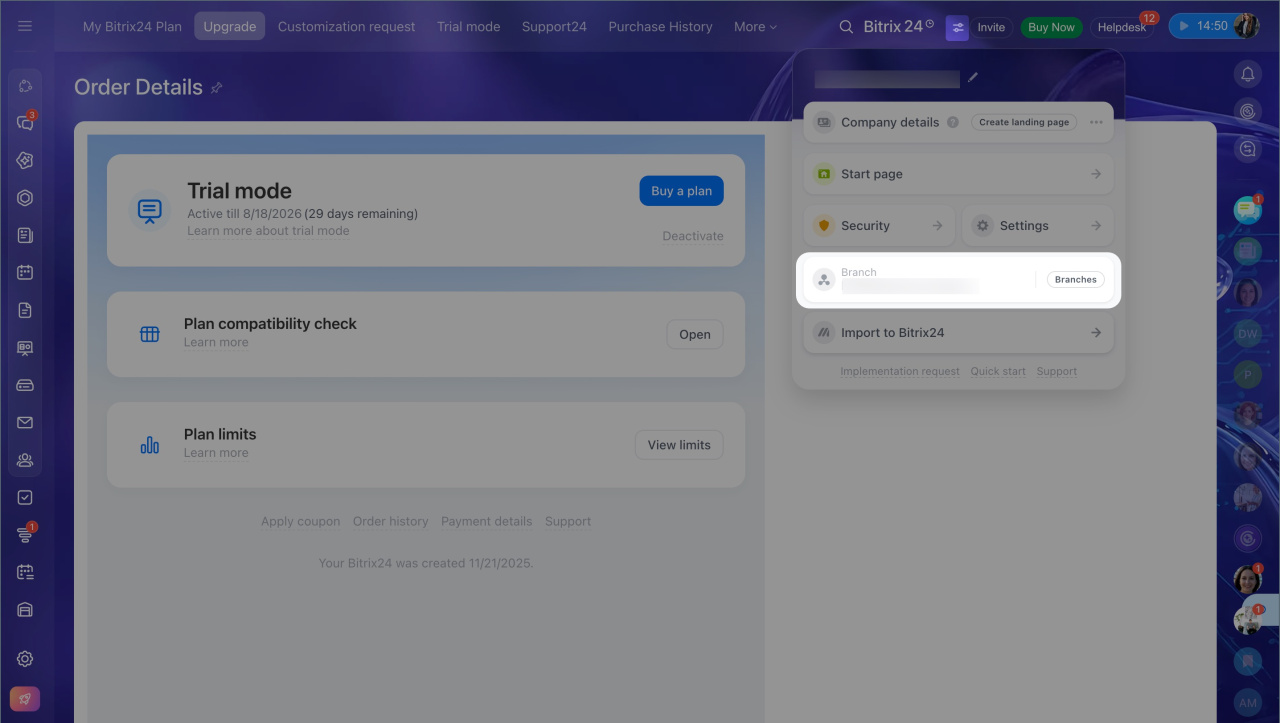
  1. Open the Bitrix24 widget.
  2. Select Branches.
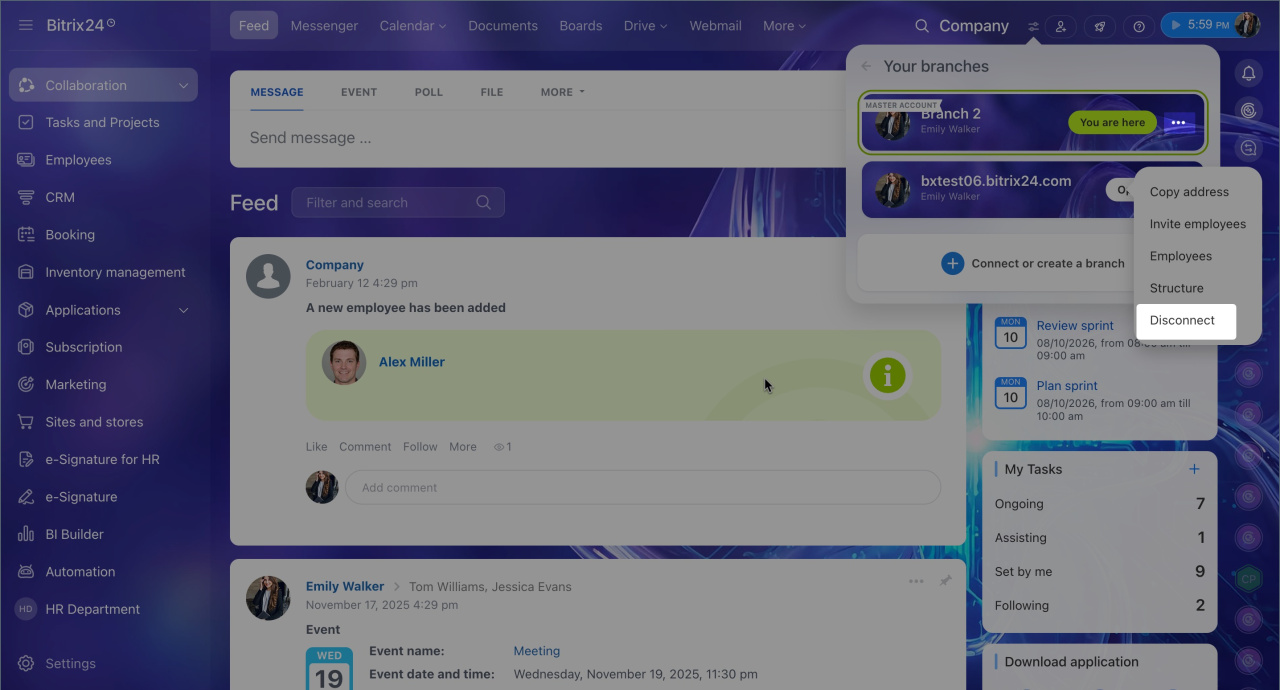
  3. Click Three dots (...) next to the branch you want to disconnect.
  4. Select Disconnect.
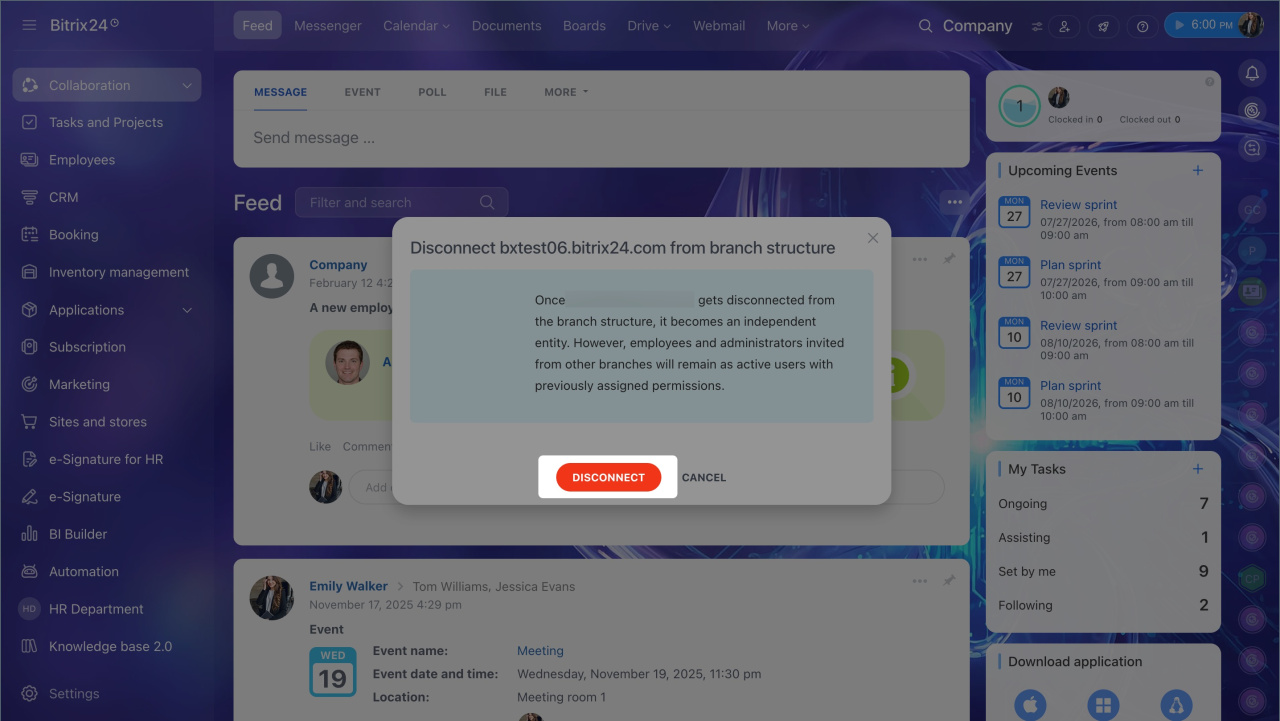
  5. Confirm the action in the dialog.

After you disconnect a branch from the branch network, it becomes independent. Its administrators and employees stay in the account and can keep working.
Was this information helpful?
Thank you for your feedback.
Get Implementation Help from a Partner
That's not what I'm looking for
Complicated and incomprehensible text
The information is outdated
It's too short. I need more information
I don't like the way this tool works
Get your Bitrix24 set up by local professionals
FIND BITRIX24 PARTNER NEAR ME
implementation_helper_man
Go to Bitrix24
Don't have an account? Create for free
Related articles
Activities: Interactive Settings Workflow test log Automation rules and triggers in e-Signature for HR: Document signing Smart activities in CRM Pipedrive migration app Restrict access to Bitrix24 by IP address Troubleshooting Open Channels Bitrix24 On-Premise editions comparison Link deals, contacts and companies Add new list items
Zalo
0943.199.449

