


Each workflow in Feed appears as a form where you configure actions and templates. These forms include all workflows that employees can run in Feed.
This article is for administrators and employees with full access based on permission settings.
For more details about workflows in other tools, see:
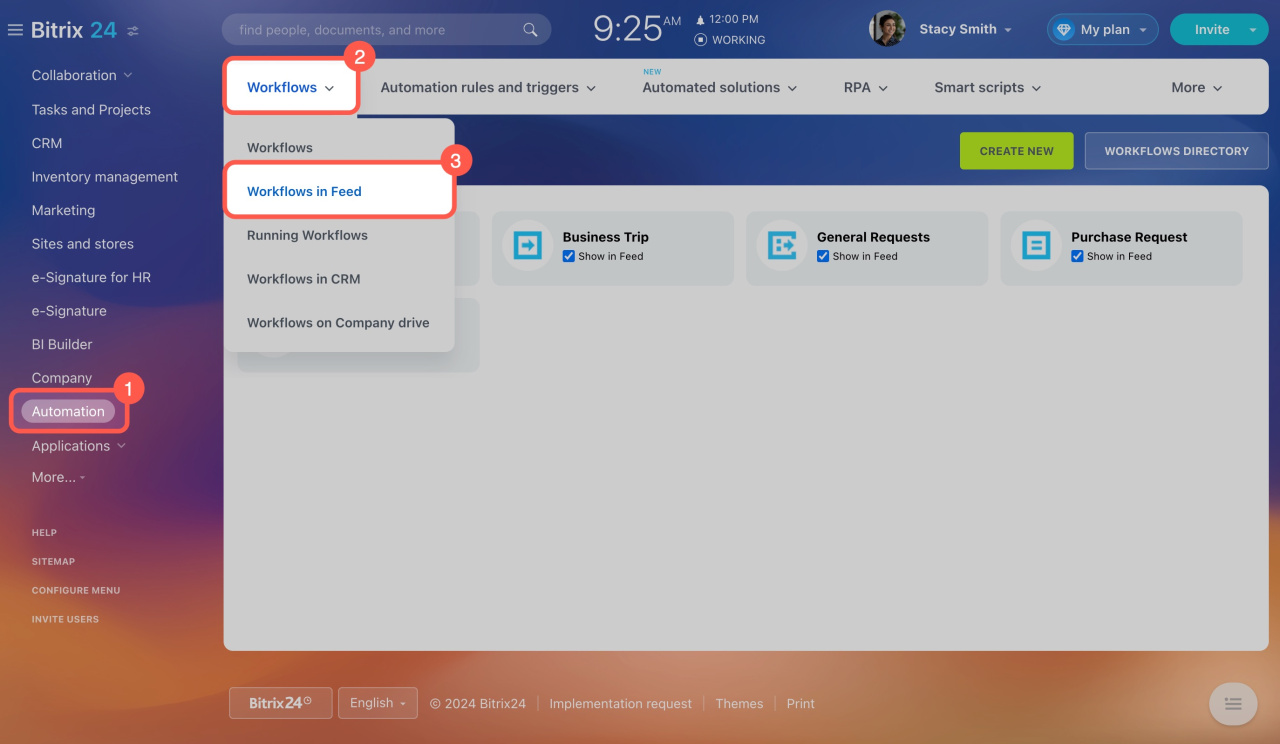
To manage workflows in Feed, go to Automation > Workflows > Workflows in Feed. From here, you can delete workflows you no longer need.
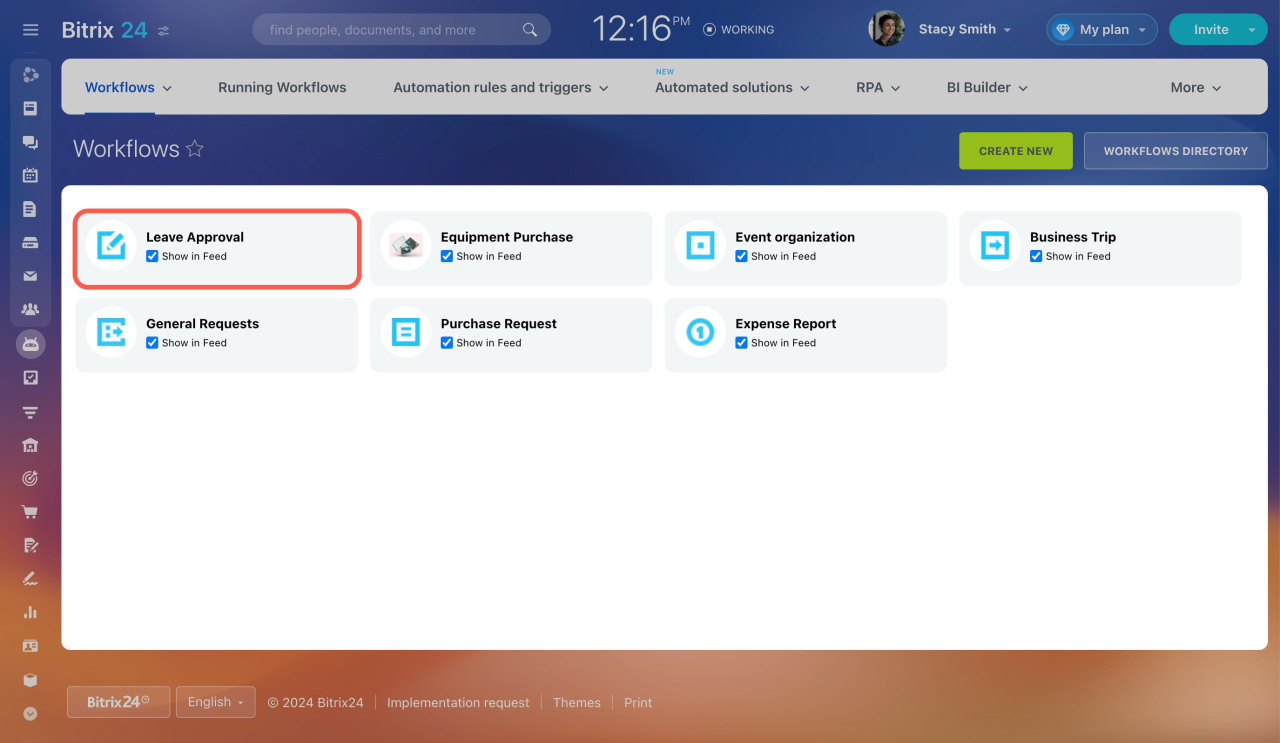
Example: Delete the Leave Request workflow
- Open the workflow form.
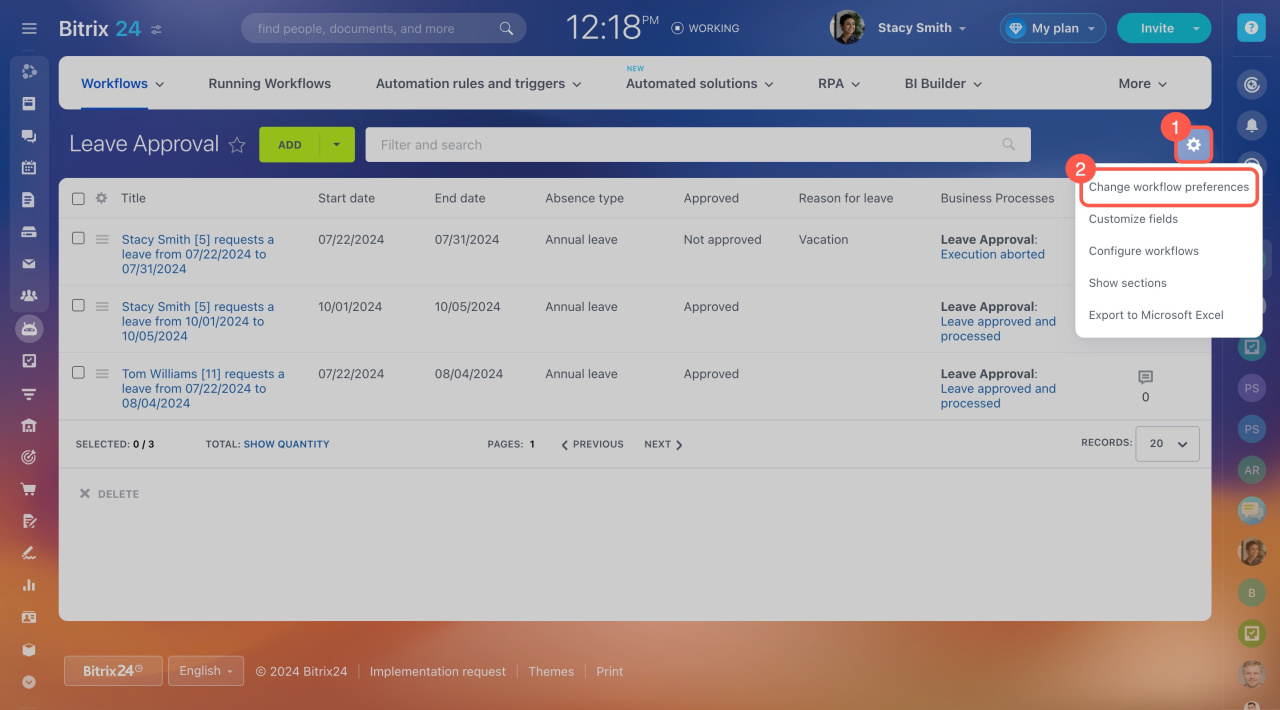
- Click Settings (⚙️).
- Select Change workflow preferences.
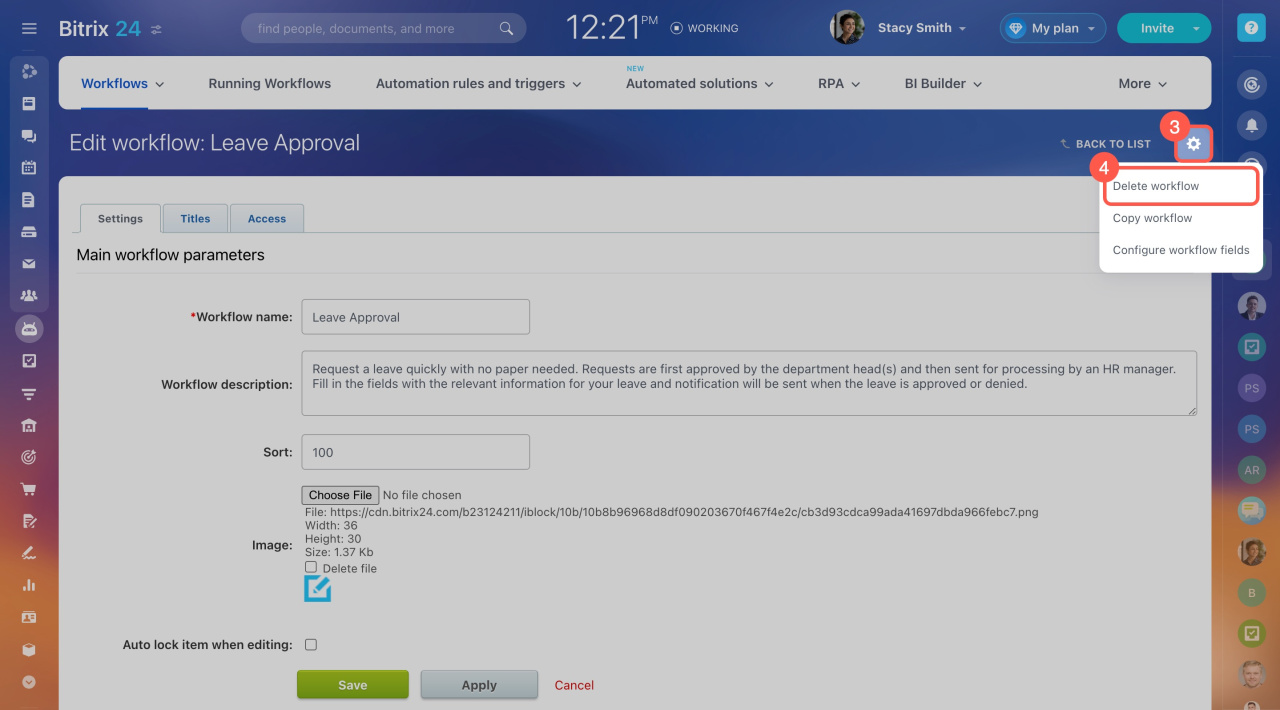
- Click Settings (⚙️) again.
- Select Delete workflow.
- Click Yes, delete to confirm.
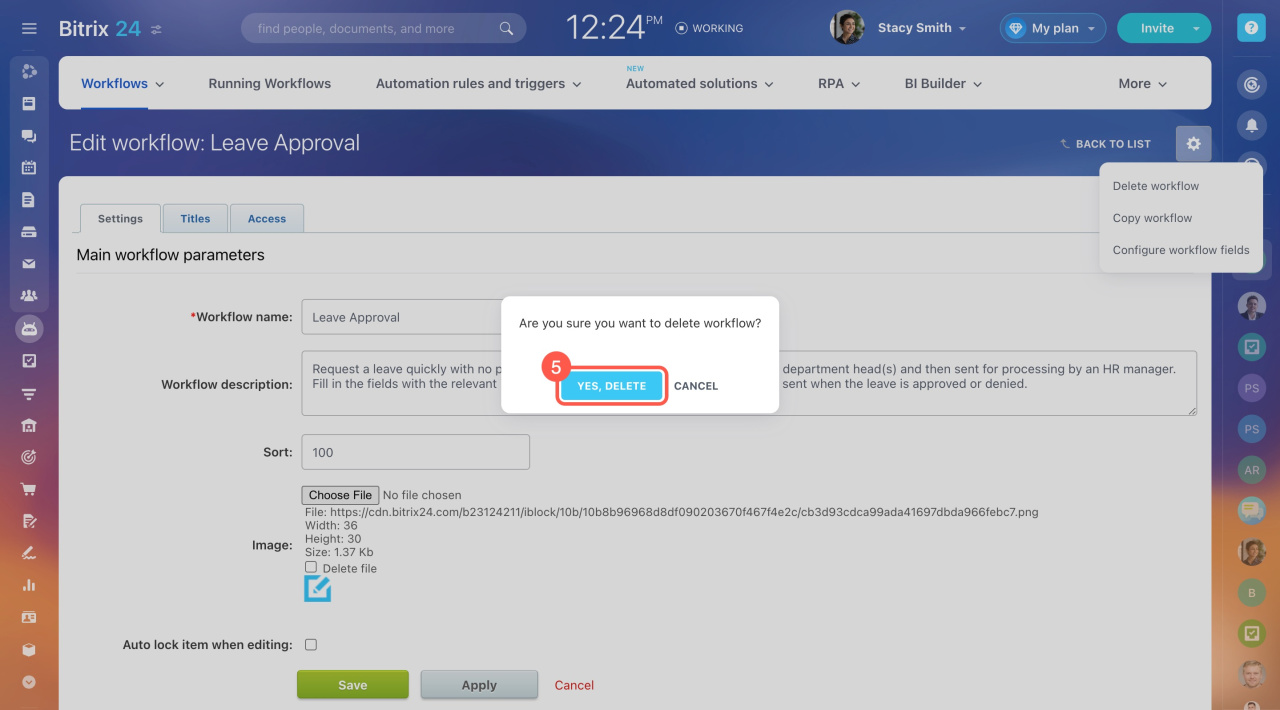
Manually created workflows are deleted permanently. Standard workflows can be restored.
Restore a standard workflow
Bitrix24 includes five standard workflow templates:
- Leave Approval
- Business Trip
- General Requests
- Purchase Request
- Expense Report
If you delete one of these workflows, you can restore it:
- Go to Automation > Workflows > Workflows in Feed.
- Click Workflow directory.
- Select the workflow you want to restore.
- Click Install.
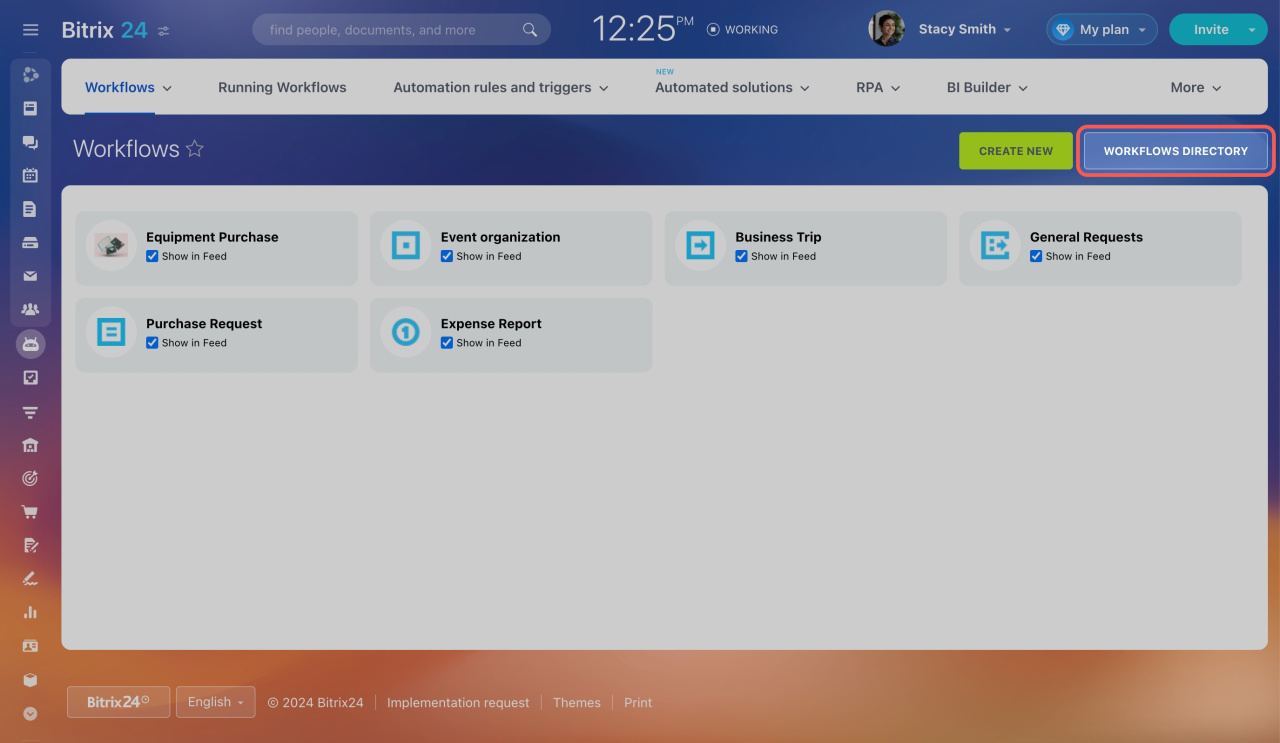
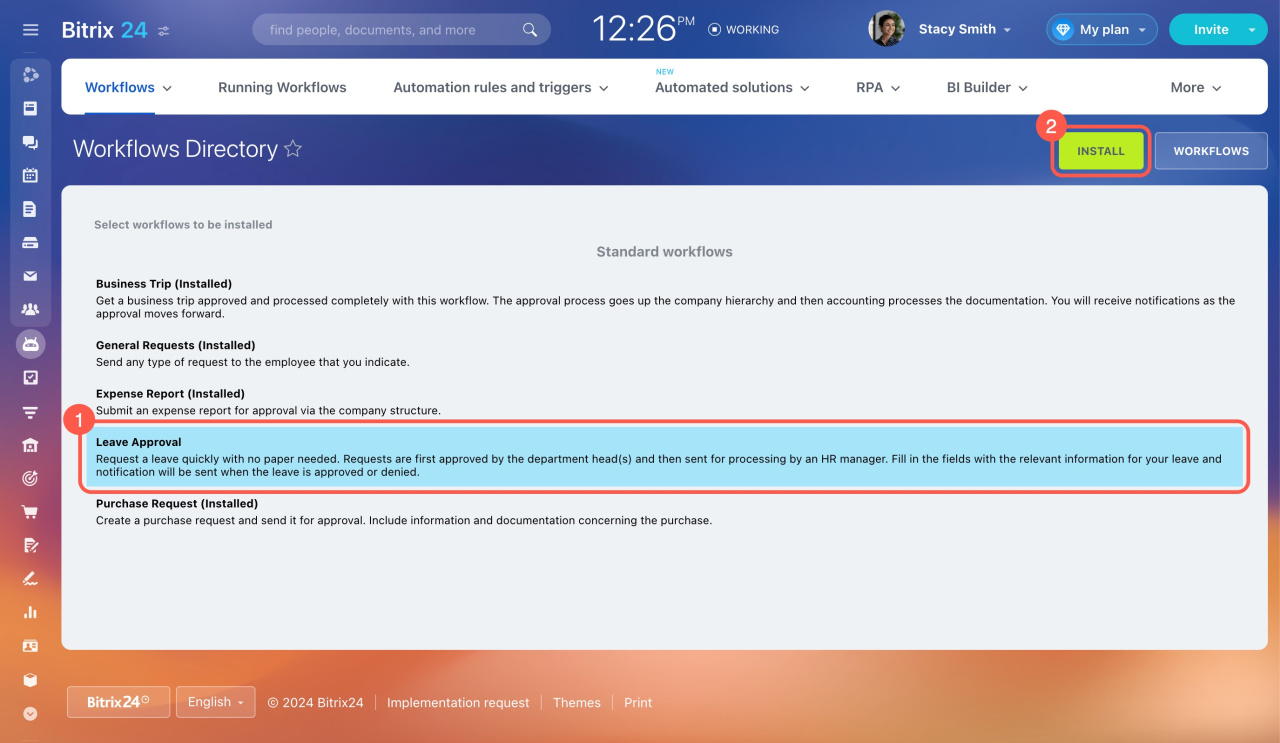
After you restore a workflow, it appears in the list again. Only the preset template is restored. Previously run workflows based on that template are not restored.
In brief
- Only administrators and employees with full access can delete workflows.
- To delete a workflow, go to Automation > Workflows > Workflows in Feed. Open the workflow form and click Settings (⚙️) > Configure workflow parameters > Settings (⚙️) > Delete workflow.
- You can restore only standard workflows with preset templates. Previously run workflows cannot be restored.



