🚚 Miễn phí giao hàng toàn quốc

✅ Tặng Gói Hỗ trợ online trọn đời

✅ Giá cạnh tranh nhất thị trường

✅ Miễn phí tư vấn giải pháp

🚚 Miễn phí giao hàng toàn quốc

✅ Tặng Gói Hỗ trợ online trọn đời

✅ Giá cạnh tranh nhất thị trường

✅ Miễn phí tư vấn giải pháp

Hotline: 0943.199.449

Địa chỉ: Tầng 1, tòa nhà Deli, 75 Hoàng Văn Thụ, P. Cầu Kiệu

Bitrix24 Helpdesk

FAQ: CoPilot

CoPilot is a Bitrix24 assistant powered by AI and built into everyday work scenarios. It can write texts, evaluate ideas, help formulate thoughts, and highlight the key points from long messages. This article answers frequently asked questions about CoPilot.

Find more useful answers in the article: FAQ: Bitrix24 tools.

In which Bitrix24 sections is CoPilot available?

CoPilot is available in the Feed, Tasks, Chat, CRM, Mail, Calendar, and Websites sections.
CoPilot in Feed
CoPilot in Tasks
Chat with CoPilot
CoPilot in CRM

Does CoPilot store data for model training?

Currently, CoPilot uses AI models from third-party providers such as OpenAI. Bitrix24 stores your data for up to 14 days for technical purposes and then deletes it. For more information about how AI providers process data, see their documentation.

What language models can be used?

Currently, CoPilot uses the gpt-3.5-turbo model. More models will be added in the future.

Bitrix24 Settings: new single section
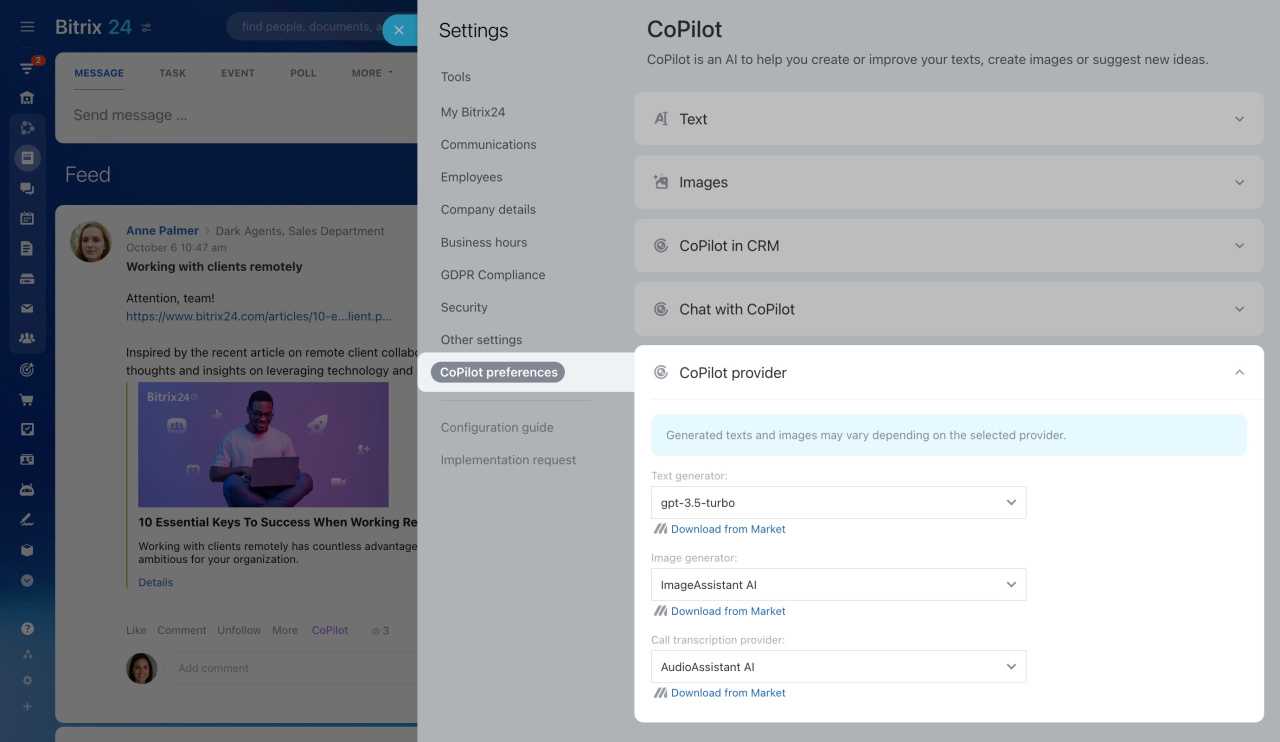
To use a different model, install an app from the Market.

Are there access permissions for working with CoPilot?

All employees in your Bitrix24 account can use CoPilot.

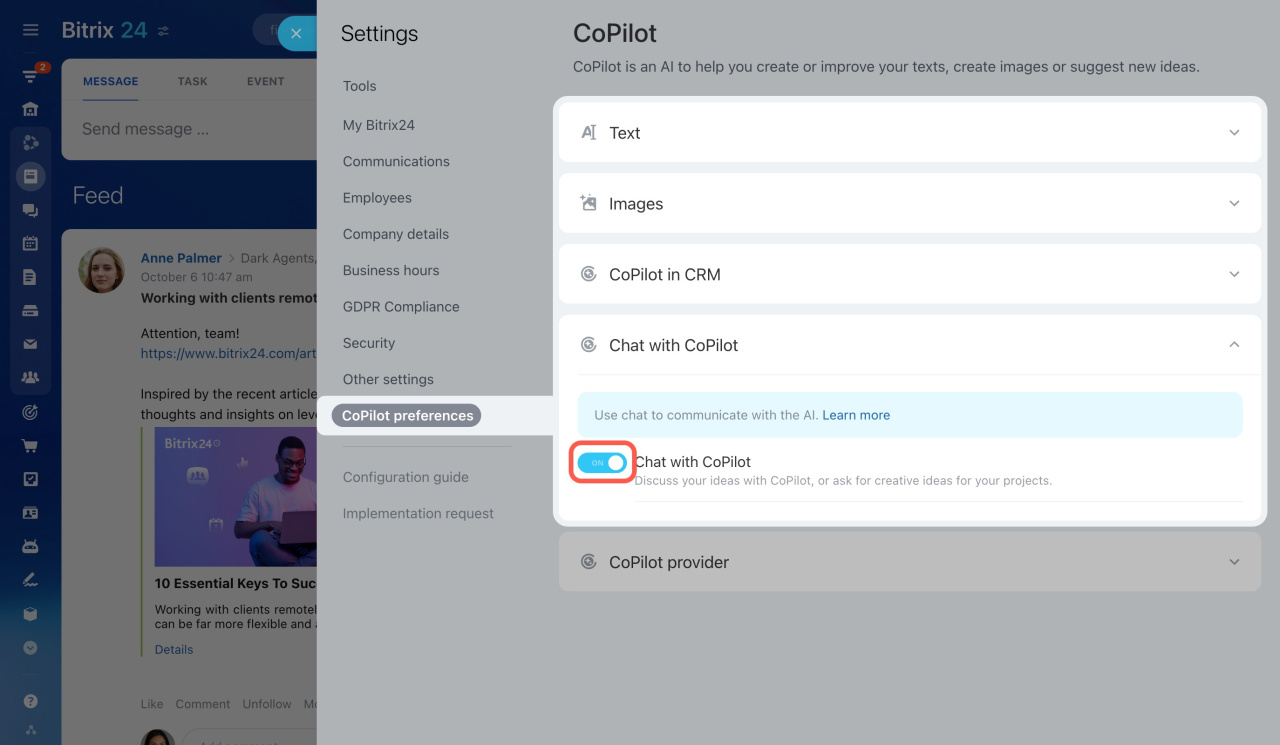
Can CoPilot be disabled in Bitrix24?

You can choose in which sections CoPilot will be available. Open the Settings page and select CoPilot preferences.

How reliable are CoPilot responses?

The main task of CoPilot is to generate responses based on your query and context. CoPilot can help you write a congratulatory message for a colleague, create a marketing email, or prepare a checklist for a sales department.

CoPilot is designed to assist with work tasks. It generates responses based on information used during model training. Always review CoPilot responses to avoid factual or logical errors.

What are the terms for using CoPilot in Bitrix24?

You can read the additional terms for using Bitrix24 CoPilot on this page.
Was this information helpful?
Thank you for your feedback.
Get Implementation Help from a Partner
That's not what I'm looking for
Complicated and incomprehensible text
The information is outdated
It's too short. I need more information
I don't like the way this tool works
Get your Bitrix24 set up by local professionals
FIND BITRIX24 PARTNER NEAR ME
implementation_helper_man
Go to Bitrix24
Don't have an account? Create for free
Related articles
Prompt library: Create prompt templates for CoPilot CoPilot in Bitrix24 Mail CoPilot in CRM: Call transcription and automatic field updates CoPilot, your personal AI assistant Manage Bitrix24 using external AI systems CoPilot providers CoPilot in CRM: Chat summary and automatic field updates CoPilot request limit Role library: Create new roles for CoPilot CoPilot Follow-Up: AI-powered speech analytics for video calls
Zalo
0943.199.449