


CoPilot generates text based on your prompt and the available context. If your prompt is too vague, the results may be inaccurate or incomplete.
CoPilot does not search the internet in real time. Its responses rely on training data, which may not reflect the latest information.
Write effective prompts
Clear and detailed prompts produce better results. Use the structure below as a guide.
-
Define a role. Tell CoPilot what perspective to use. This helps it focus on the right area.
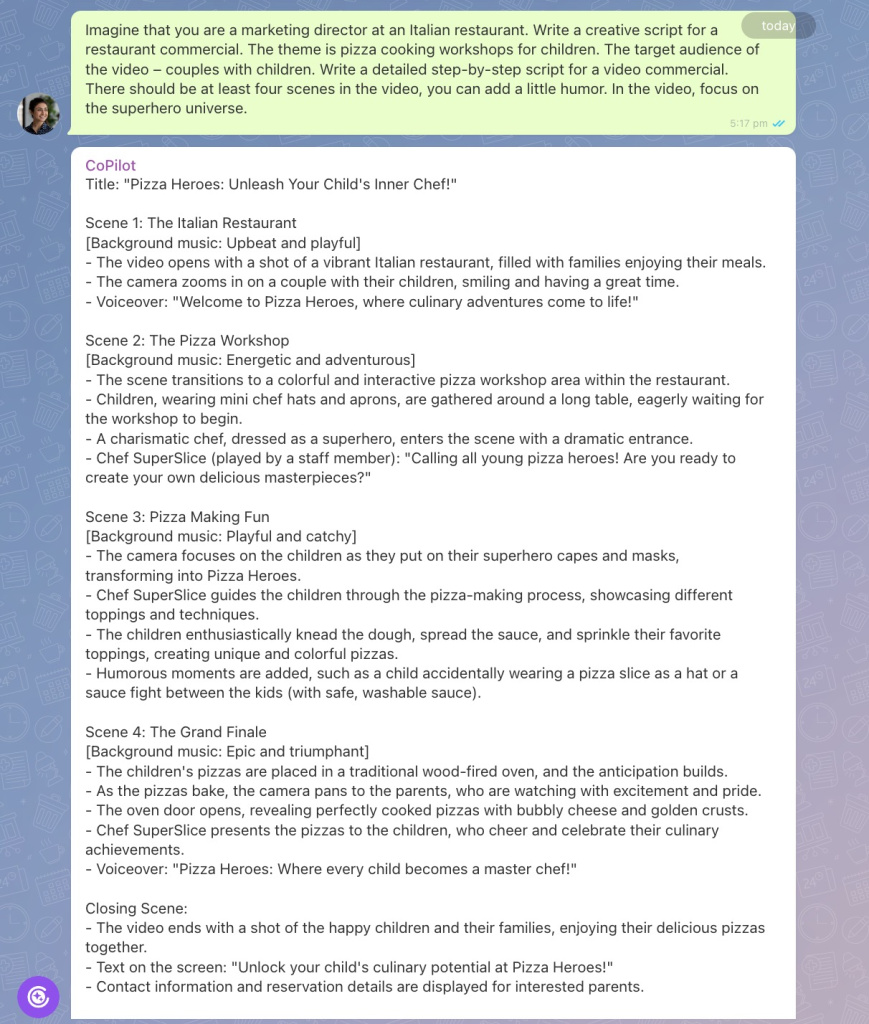
Imagine that you are a marketing director at an Italian restaurant. -
Describe the task. Explain what CoPilot should do. Use simple and direct language. Include all important details.
Write a creative script for a restaurant commercial. The theme is pizza cooking workshops for children. -
Provide context. Add background information. Include the target audience, product details, and how you will use the text.
The target audience of the video – couples with children. -
Set the response format. Specify how the output should look.
Write a detailed step-by-step script for a video commercial. -
Set limits. Define length, tone, style, and any constraints.
There should be at least four scenes in the video, you can add a little humor. -
Add examples. Provide a reference if you want a specific style or approach.
In the video, focus on the superhero universe. -
Refine your prompt. If the result is not what you need, update your prompt and try again. Adjust details until you get the desired output.
Chat with CoPilot
You do not need to use every step each time. For simple tasks, a short prompt is enough. For complex tasks, include more details and context.
In brief
-
CoPilot generates text based on your prompt and the available context. If your prompt is too vague, the results may be inaccurate or incomplete.
-
Always review the output before using it.
-
To get an accurate response, provide a clear prompt for CoPilot. Define a role, describe the task, provide context, set the response format, add limits, and give examples.



