🚚 Miễn phí giao hàng toàn quốc

✅ Tặng Gói Hỗ trợ online trọn đời

✅ Giá cạnh tranh nhất thị trường

✅ Miễn phí tư vấn giải pháp

🚚 Miễn phí giao hàng toàn quốc

✅ Tặng Gói Hỗ trợ online trọn đời

✅ Giá cạnh tranh nhất thị trường

✅ Miễn phí tư vấn giải pháp

Hotline: 0943.199.449

Địa chỉ: Tầng 1, tòa nhà Deli, 75 Hoàng Văn Thụ, P. Cầu Kiệu

Bitrix24 Helpdesk

Connect your online store to Sales Intelligence

You can connect your online store to Sales Intelligence, even if you did not build it in Bitrix24. After you connect it, customer orders appear in the Customer journey field and in Bitrix24 reports.
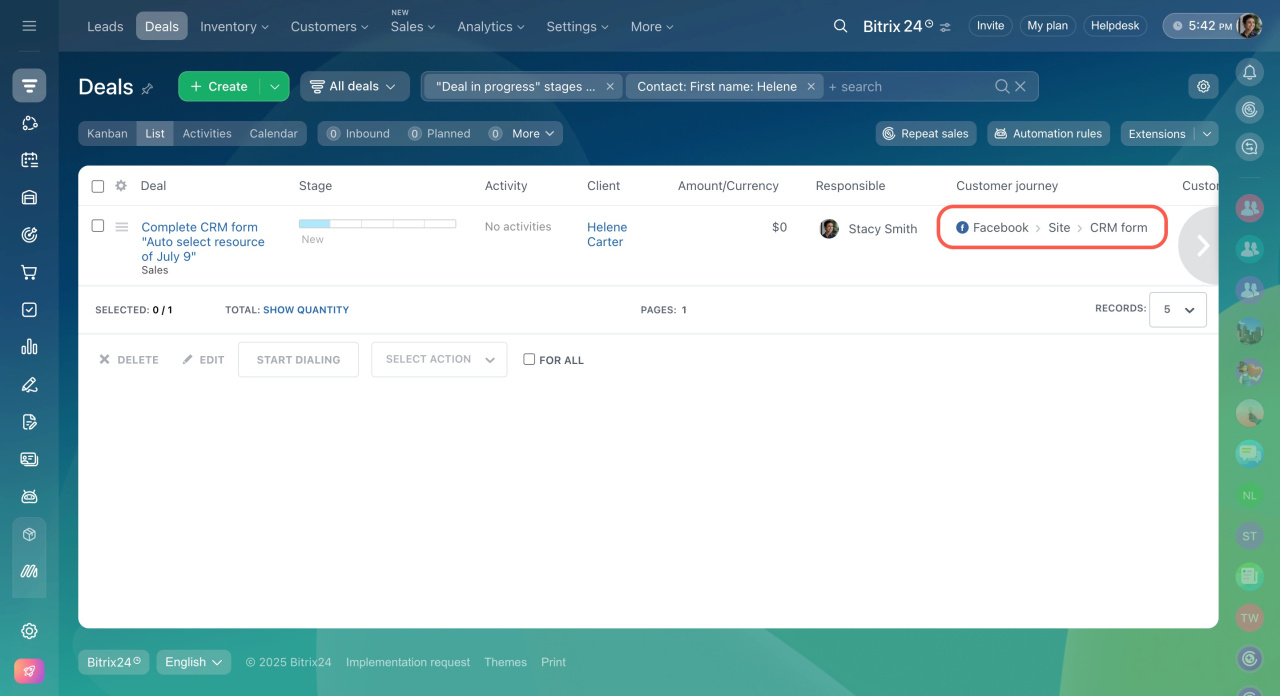
You can process online store orders in two ways:

  • Manual: Add order details to deals yourself.

  • Automatic: Send order data to deals using the REST API.

To ensure everything works correctly, each deal must include an Order ID field.

First, connect your online store to Bitrix24 in the Own site section.
Swap email addresses or phone numbers on the website
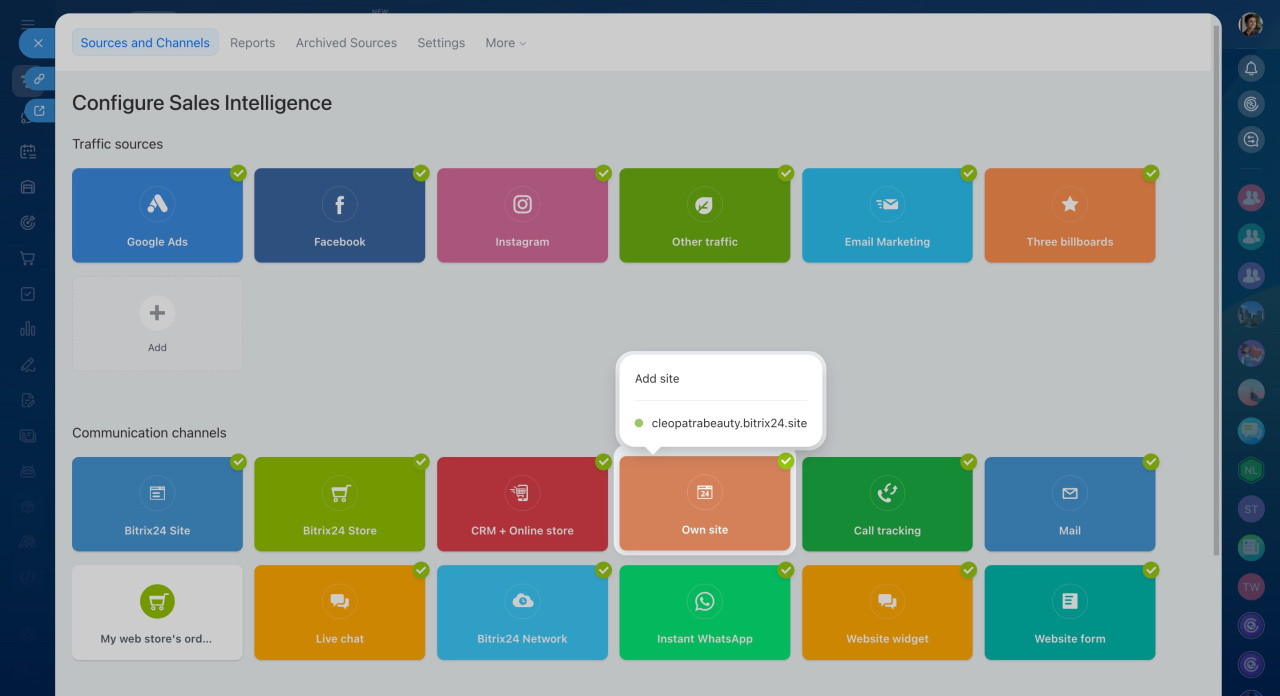
Then follow these steps:

  1. Go to Sales Intelligence.
  2. Click My web store's orders.
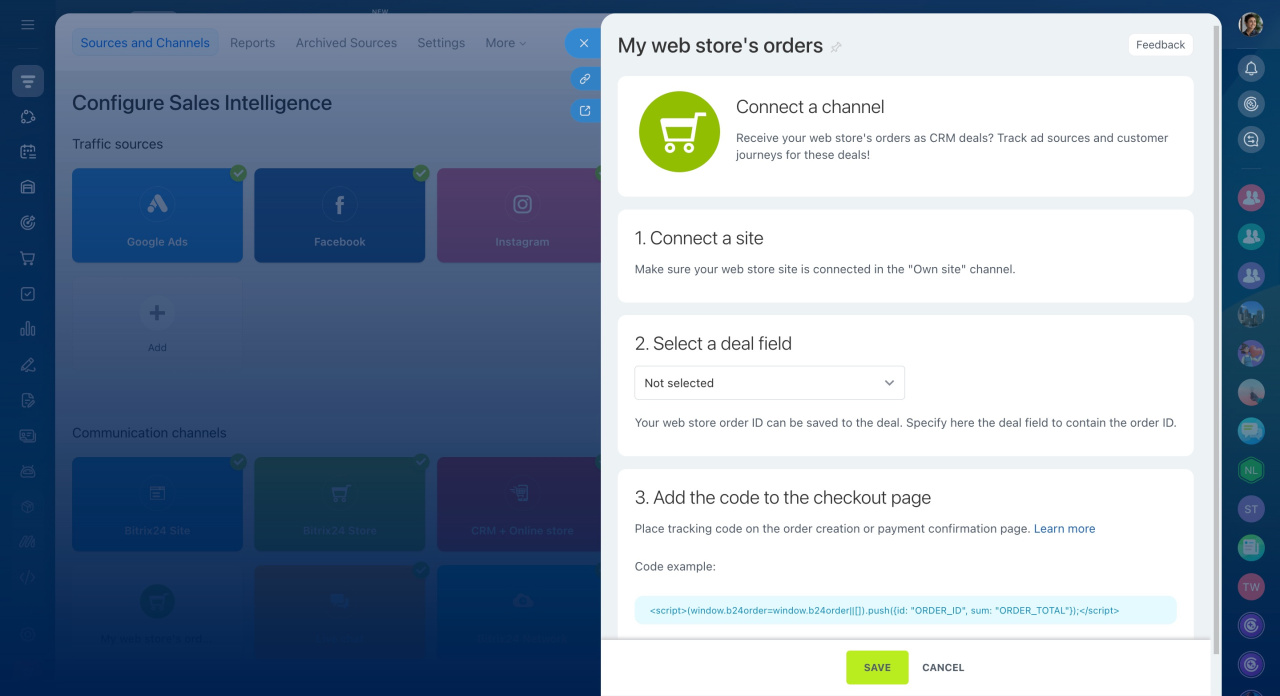
  3. Select the deal field that stores the order ID.
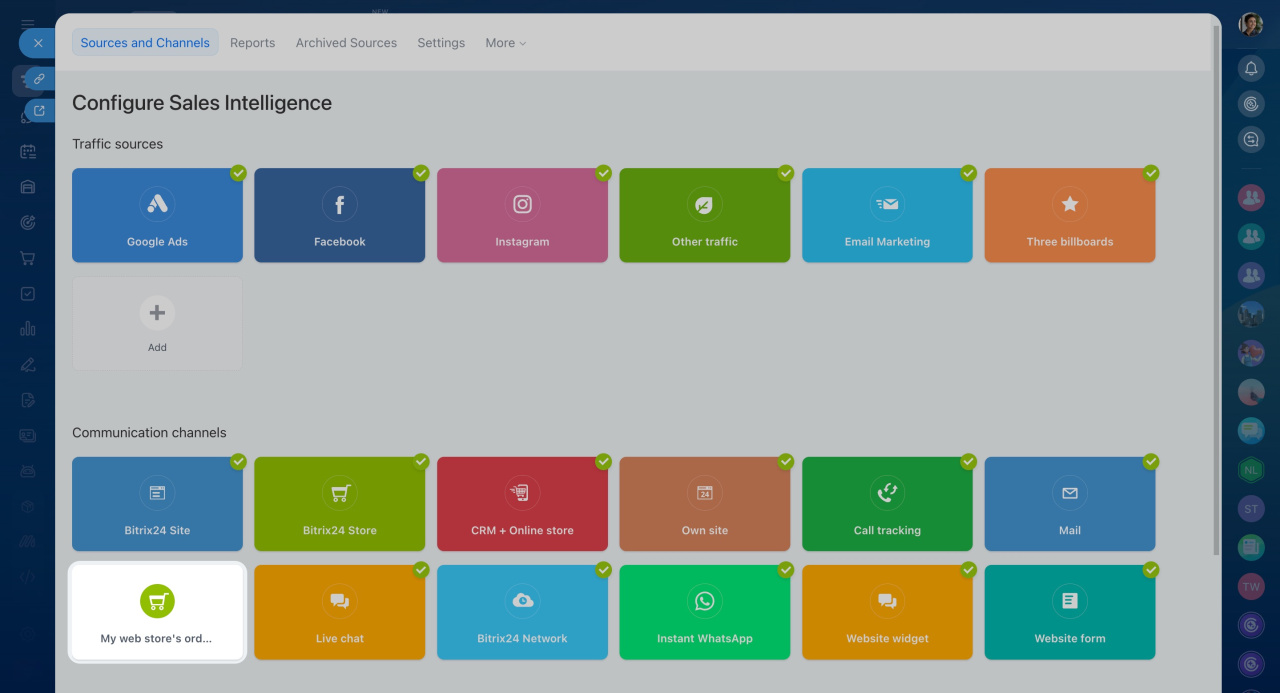
Add this code to your order creation or payment confirmation page:

<script>
(window.b24order = window.b24order || []).push({
	id: "ORDER_ID",
	sum: "ORDER_TOTAL"
});
</script>

Replace ORDER_ID and ORDER_TOTAL with dynamic values from your store.


In brief

  • Connect any online store to Sales Intelligence, even if it is external to Bitrix24.

  • Process orders manually or send them automatically through the REST API.

  • Make sure deals include an Order ID field and add the tracking code to your order pages.

Was this information helpful?
Thank you for your feedback.
Get Implementation Help from a Partner
That's not what I'm looking for
Complicated and incomprehensible text
The information is outdated
It's too short. I need more information
I don't like the way this tool works
Get your Bitrix24 set up by local professionals
FIND BITRIX24 PARTNER NEAR ME
implementation_helper_man
Go to Bitrix24
Don't have an account? Create for free
Related articles
Sales Intelligence settings Swap email addresses or phone numbers on your website Set up UTM parameters for Google and Facebook Ads Check call tracking support Ad cost analysis in Bitrix24 Sales Intelligence Assign phone numbers and email addresses to traffic sources UTM parameters
Zalo
0943.199.449