CRM Analytics lets you build different types of reports, such as sales funnels, performance reports, and sales trend reports.
Learn more in the CRM Analytics article.
You can filter report data by any field, compare different time periods, and track the sales process from a new lead to a closed deal. Processing large volumes of CRM data requires significant server resources and may affect report performance.
When you create a report, the system considers the total number of leads, deals, contacts, and companies in your account. These limits depend on your Bitrix24 plan. See the pricing page for details about each plan.
Bitrix24 plans and pricing
Bitrix24 plans and pricing
If you exceed the limit
Delete outdated CRM items to reduce the data volume. For example, you can remove deals that were closed more than a year ago.
To delete old deals:
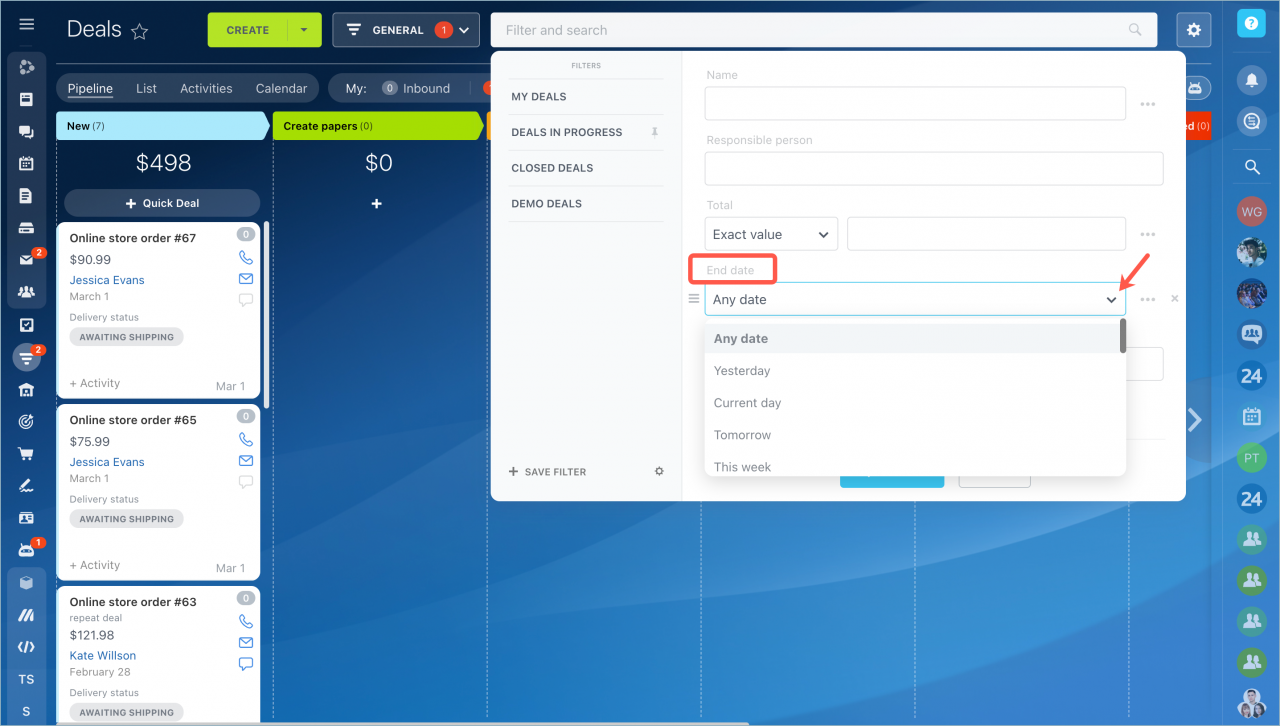
- Filter deals by End date.
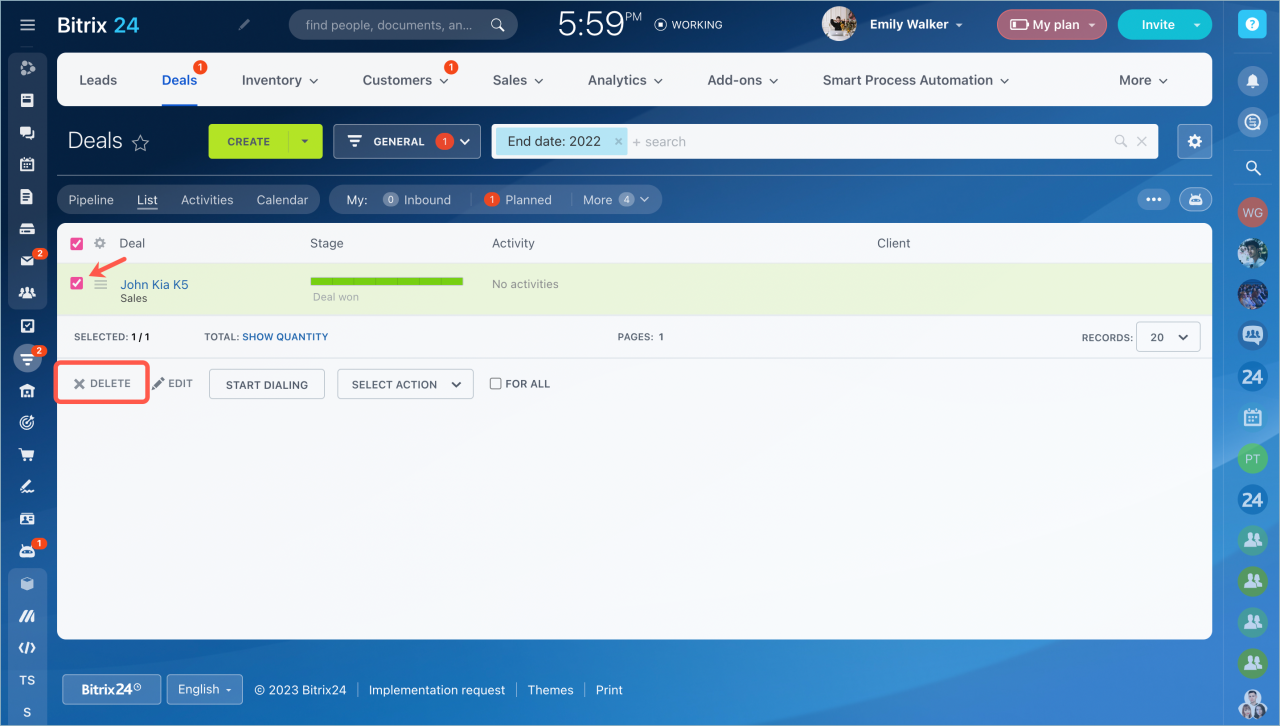
- Select the deals you no longer need.
- Delete them.