
🚚 Miễn phí giao hàng toàn quốc

✅ Tặng Gói Hỗ trợ online trọn đời

✅ Giá cạnh tranh nhất thị trường

✅ Miễn phí tư vấn giải pháp

🚚 Miễn phí giao hàng toàn quốc

✅ Tặng Gói Hỗ trợ online trọn đời

✅ Giá cạnh tranh nhất thị trường

✅ Miễn phí tư vấn giải pháp

Hotline: 0943.199.449

Địa chỉ: Tầng 1, tòa nhà Deli, 75 Hoàng Văn Thụ, P. Cầu Kiệu

Bitrix24 Helpdesk

Connect PayPal (built-in)

Go to CRM > Sales > Sales Center.
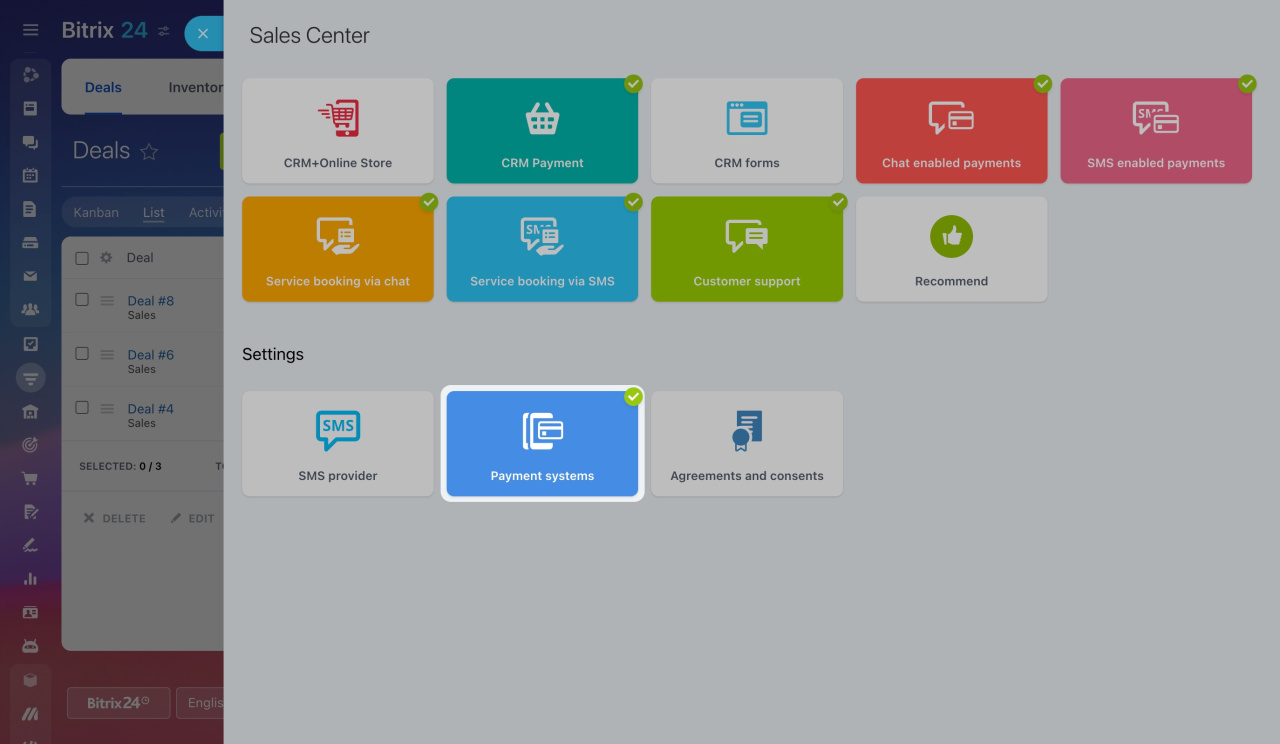
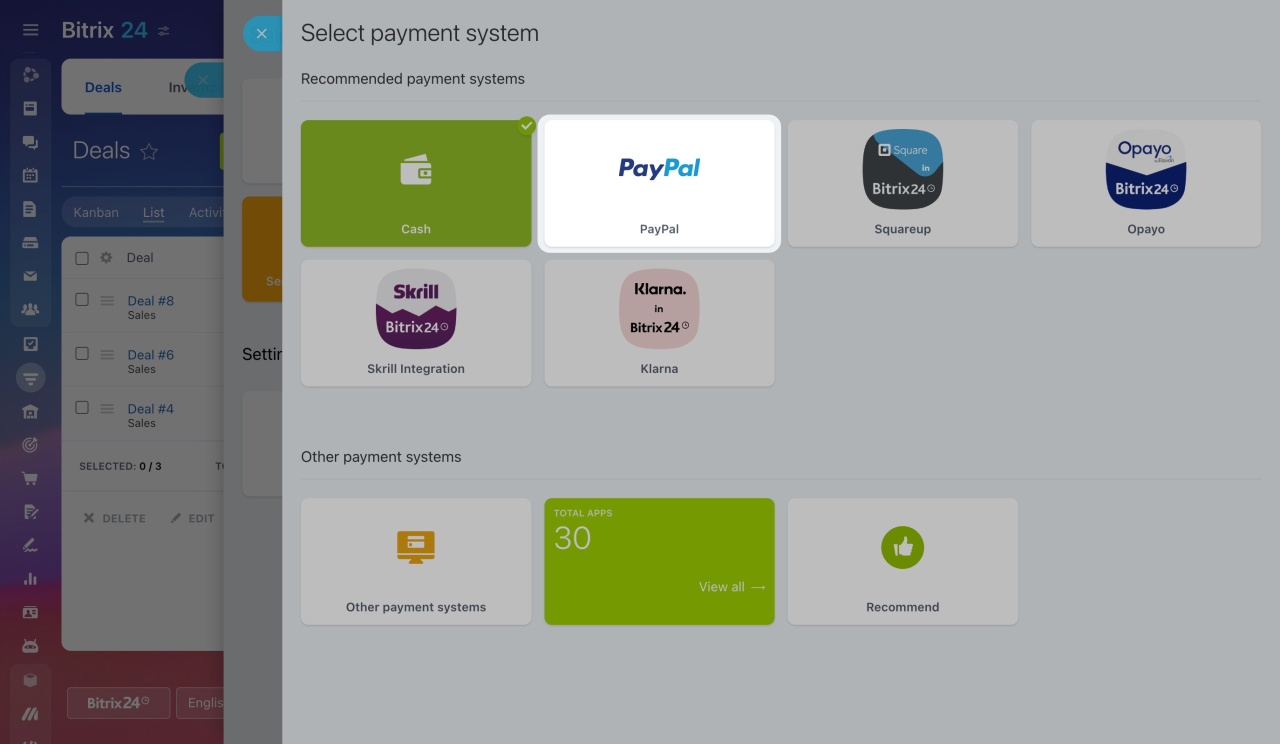
Open Payment systems and select PayPal.
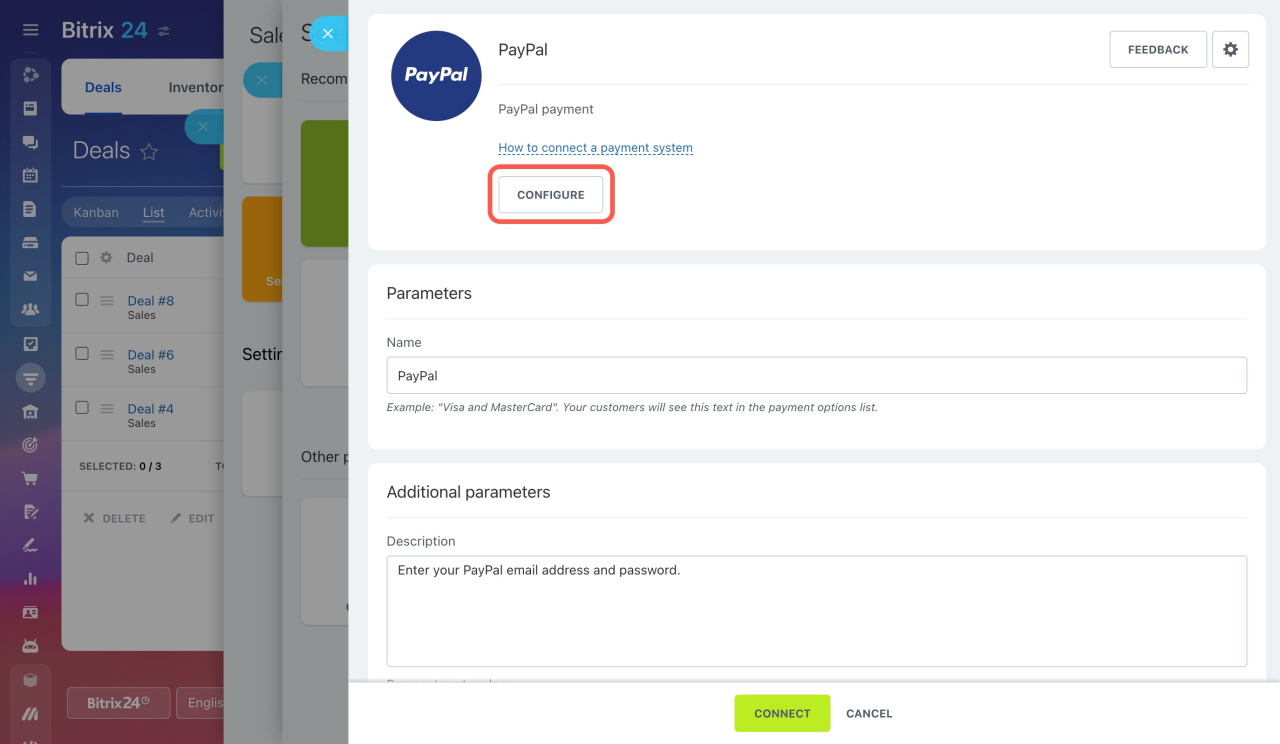
Complete all required fields. Select the correct Payment type for your PayPal account, then click Configure.
Scroll to the bottom of the page and click Show All to display additional settings.
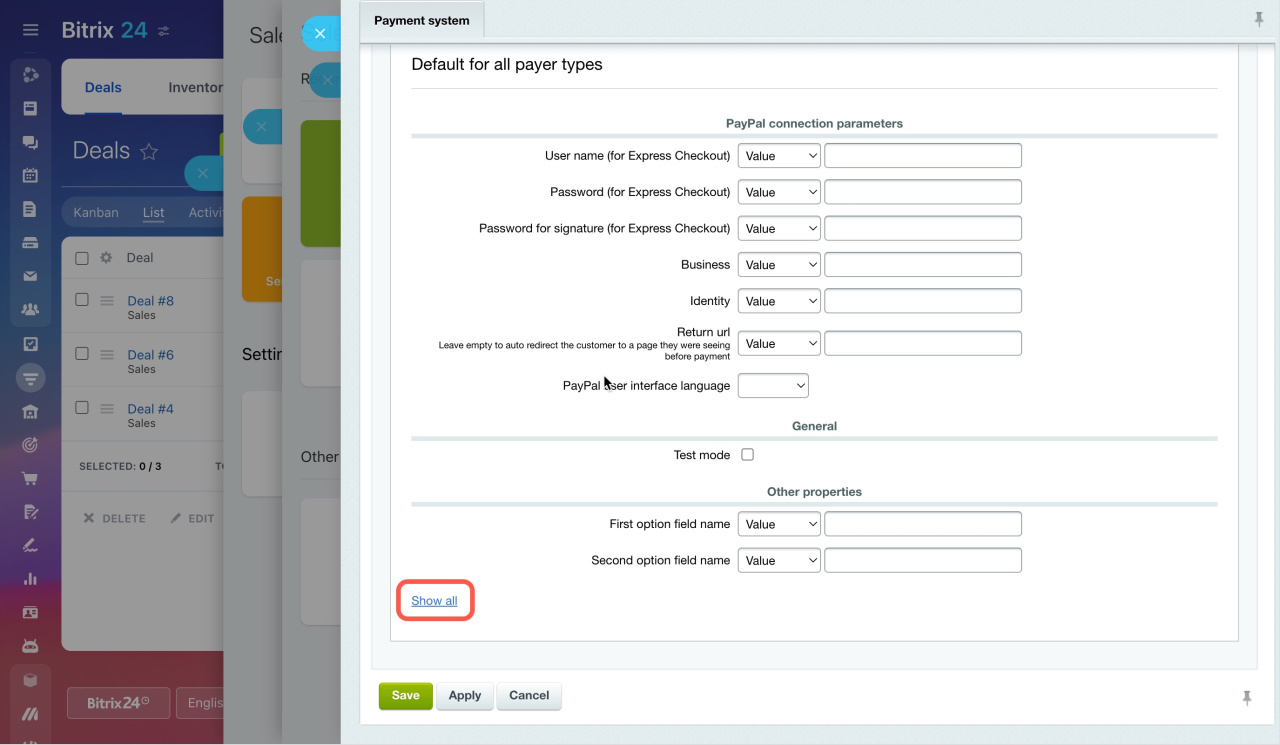
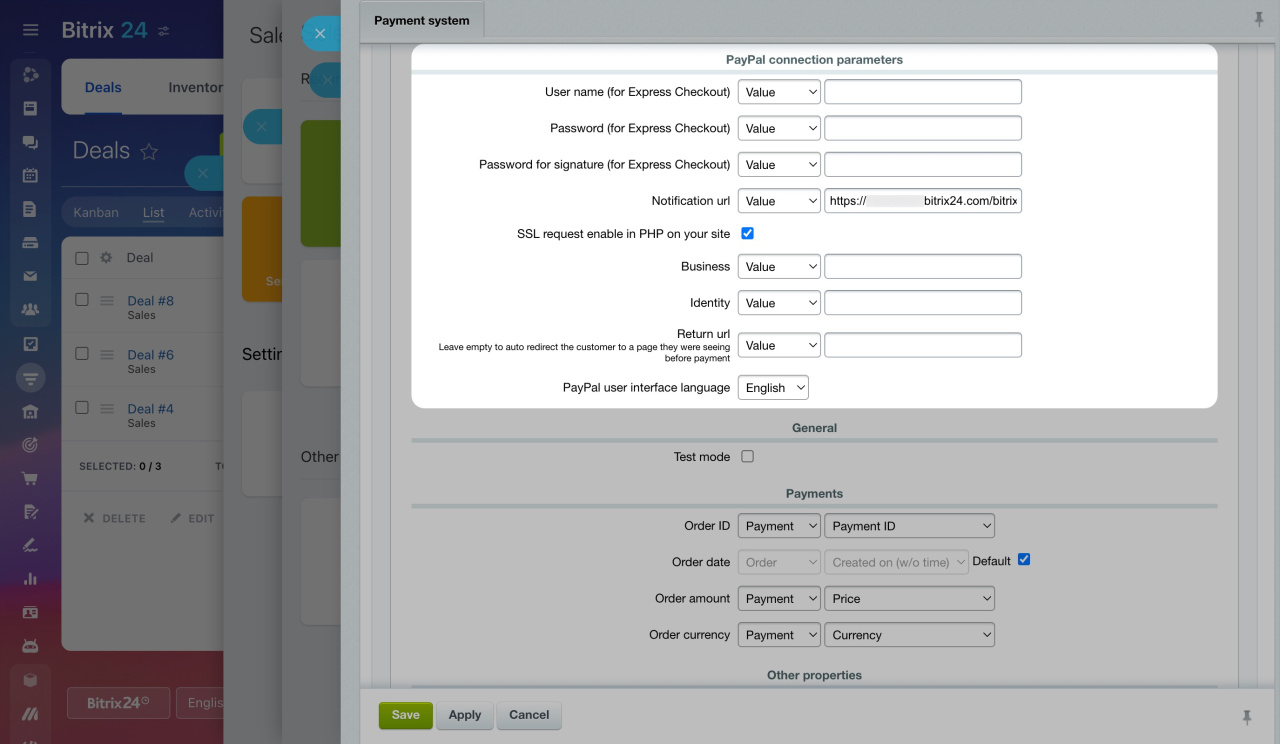
Configure the PayPal connection parameters:

  • Enter the Username, Password, and Password for signature from your PayPal account.
  • In the Business field, enter your PayPal account email address.
  • In the Identity field, enter the Payment Data Transfer ID provided by PayPal.
  • In the Return url field, enter the page customers should see after completing payment.

To make the payment system work correctly, configure the Notification url parameter. You also need to enable Auto-Return in your PayPal account and specify the return page there.

By default, the Notification URL is: https://your_Bitrix24_address/bitrix/tools/sale_ps_result.php
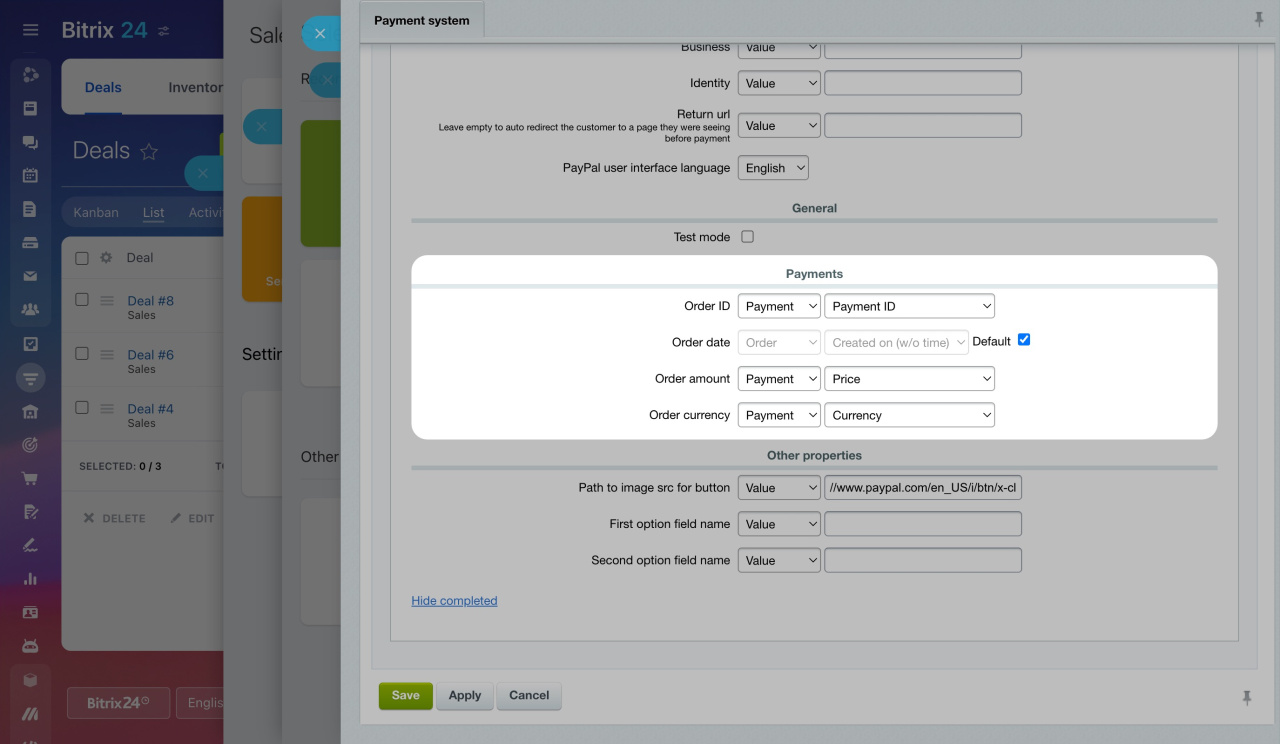
After that, configure the Payments section.
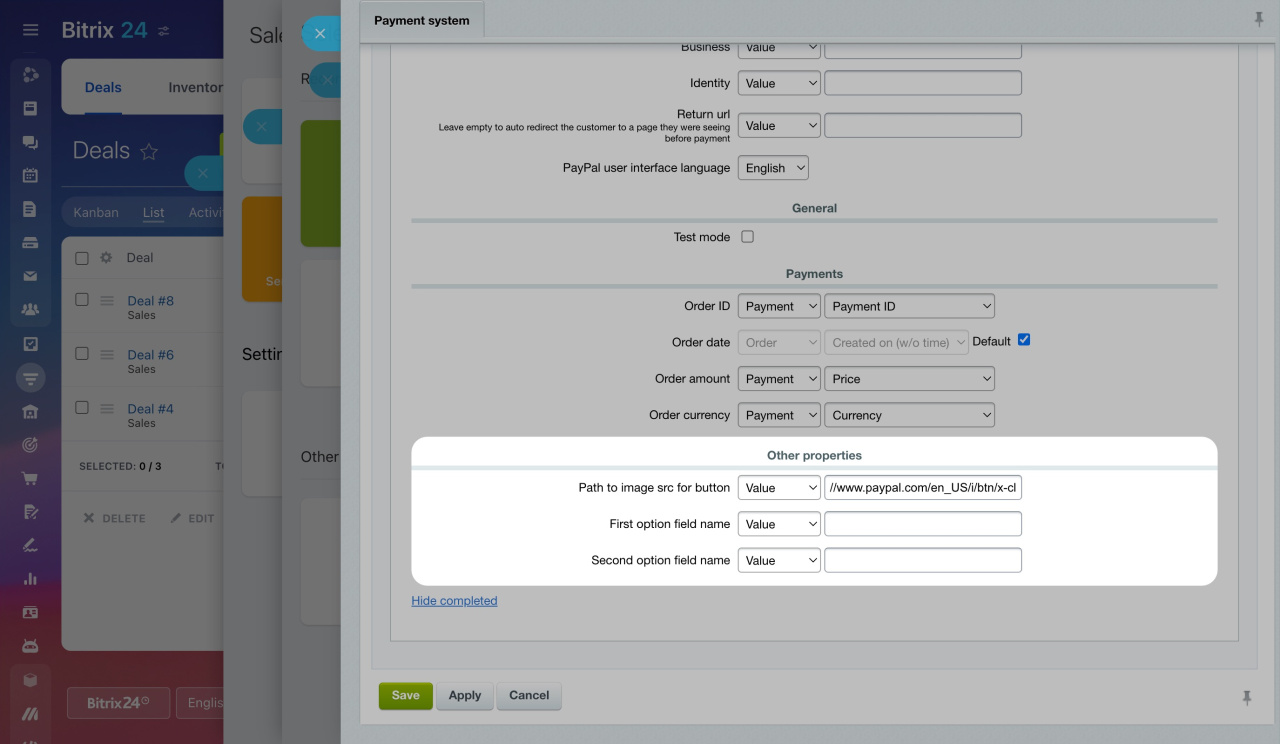
In Path to image src for button, you can add the path to the button image shown on the order page. You can also configure names for optional fields.
That’s it. PayPal is now connected, and customers can pay for their orders with PayPal.


How to pay with PayPal

Customers add products to the cart and place an order. During checkout, they select PayPal as the payment method and click Pay.
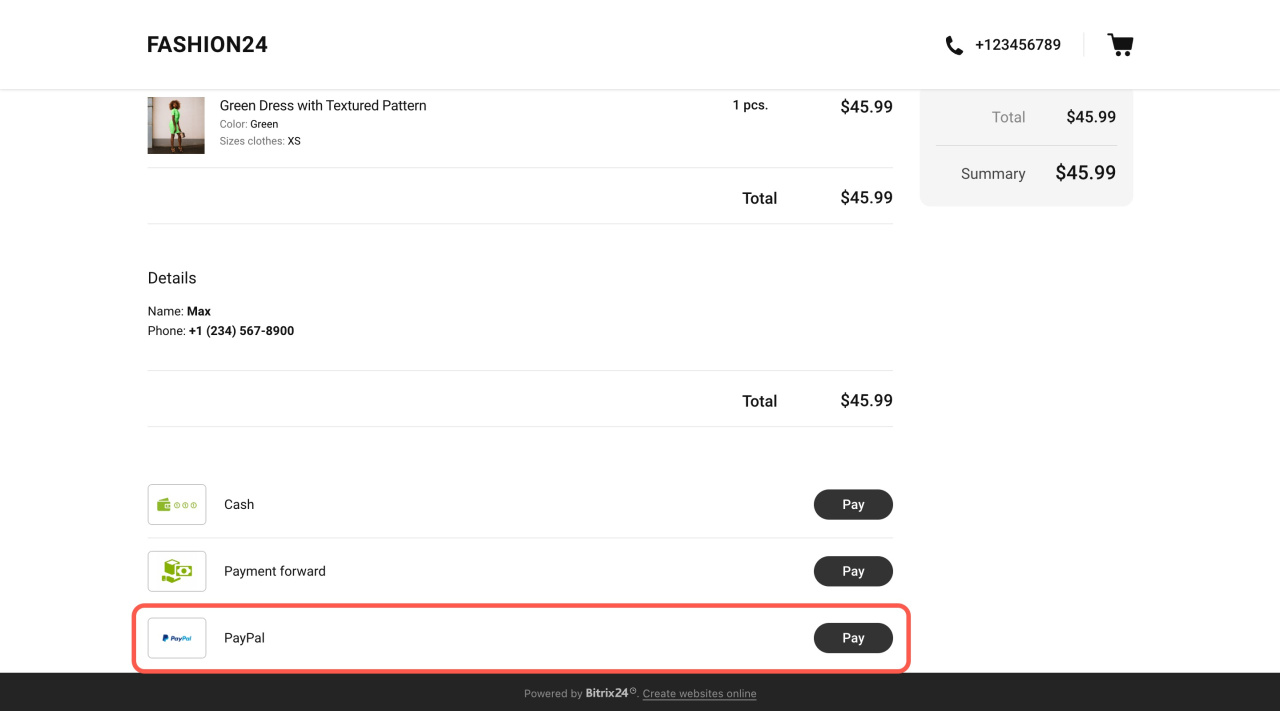

Bitrix24 does not currently support PayPal connections with pre-authorization.
Was this information helpful?
Thank you for your feedback.
Get Implementation Help from a Partner
That's not what I'm looking for
Complicated and incomprehensible text
The information is outdated
It's too short. I need more information
I don't like the way this tool works
Get your Bitrix24 set up by local professionals
FIND BITRIX24 PARTNER NEAR ME
implementation_helper_man
Go to Bitrix24
Don't have an account? Create for free
Related articles
Add pages to the Chat enabled sales online store Personal data processing
Zalo
0943.199.449
