


In Bitrix24, you can send and receive emails directly from the interface using Gmail, Outlook, iCloud, Office 365, Exchange, Yahoo, AOL, or a corporate mailbox.
Bitrix24 Mail integrates with other tools in the system. Some features depend on your plan.
Integration with Bitrix24 tools
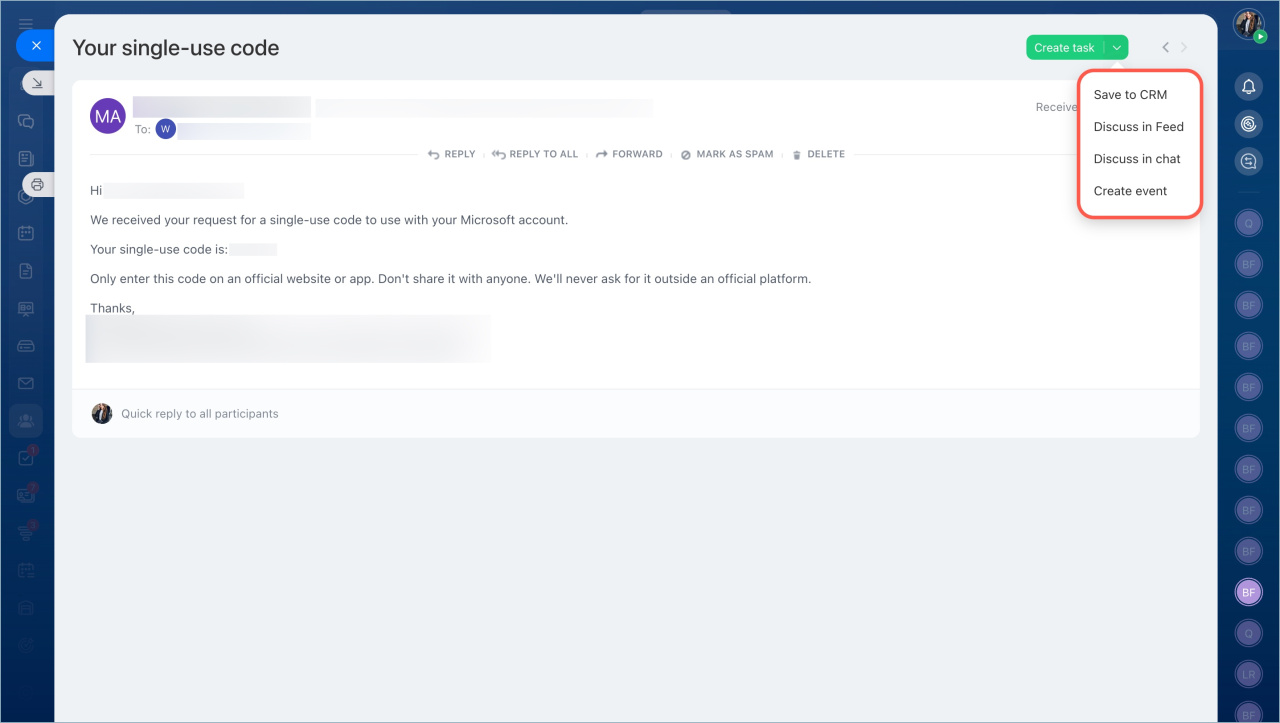
With Bitrix24 Mail, you can:
- Write and read emails
- Link emails to tasks
- Save emails to CRM
- Create a chat with colleagues from an email
- Create a calendar event based on an email
Storage and deletion of emails
Emails in Bitrix24 are copies of messages from connected mailboxes. Emails not linked to tasks or CRM are stored for a limited time, based on your plan.
Mail retention time
Automatic deletion at the end of the retention period.
Emails are deleted from Bitrix24 mail, but remain on your mail server.
Manual deletion.
The email and attachments are deleted from Bitrix24 and your mail server.
Emails on Trial period or when switching from commercial to free plan.
When the Trial mode ends or you switch from a commercial plan to a free one, mail synchronization stops. Emails that are not linked to tasks are deleted from Bitrix24.
Emails linked to tasks.
They remain in Bitrix24 even after the retention period expires. To delete such an email, delete the linked task.
Emails linked to CRM.
When you save an email to CRM, Bitrix24 creates an activity with a copy of the text and attachments by default. Emails are stored for 7, 30, 60 or 90 days depending on the plan. After that they are deleted from the Mail section. Copies of emails and attachments are stored in CRM activities.
Maximum size of attachments: 14.3 Mb on any plan.
Bitrix24 Mail is a convenient tool for managing emails. Mail can be integrated with other Bitrix24 tools, such as tasks and CRM. Bitrix24 mail capabilities depend on the plan.



