


When you create email campaigns in Marketing, you can use these options:
-
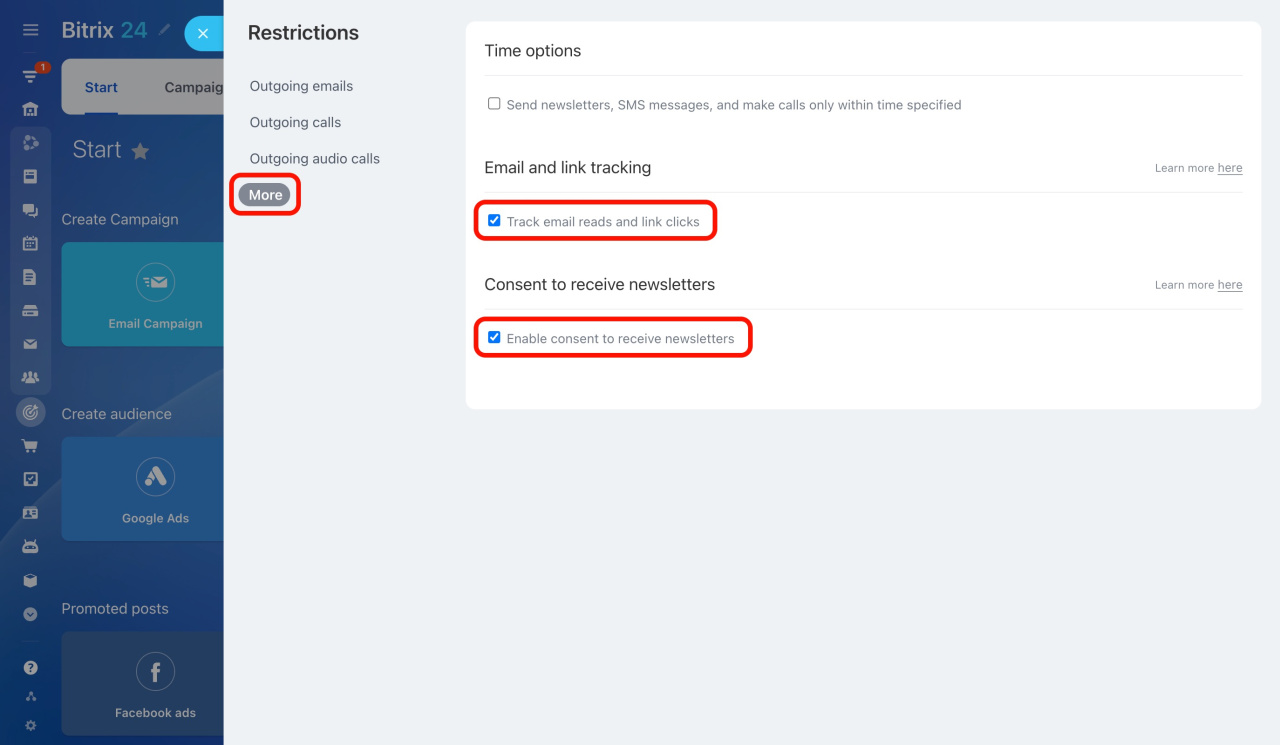
Email and link tracking: Track how many customers opened your email and clicked links.
Some countries restrict email open and link click tracking. In these countries, this option is turned off by default. -
Consent to receive newsletters: Send opt-in requests to customers before you start email campaigns. Customers who have not subscribed yet receive a confirmation email first.
To help prevent spam and improve customer trust, Bitrix24 uses newsletter consent requests. In some countries, local laws require this option. In these cases, it is enabled by default and cannot be turned off.
Enable email and link tracking and newsletter consent
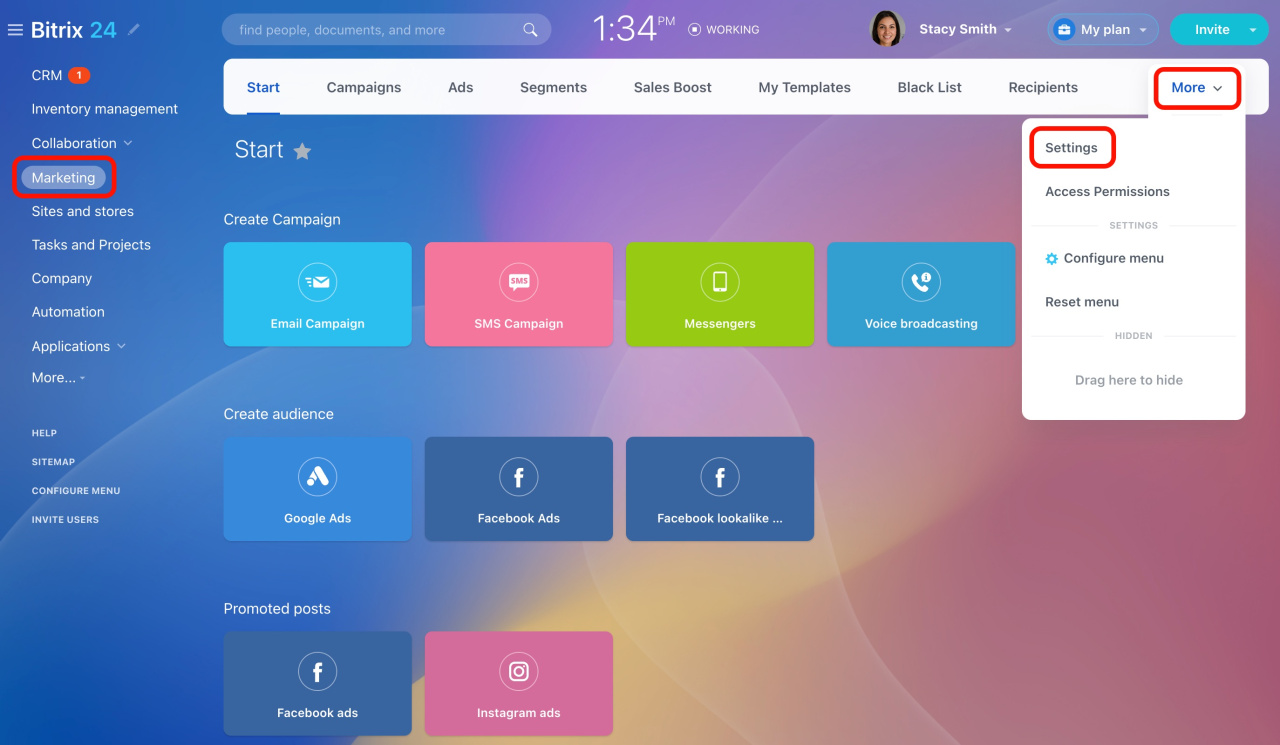
- Go to Marketing.
- Open Settings.
- Open the More tab.
- Turn on the required options.
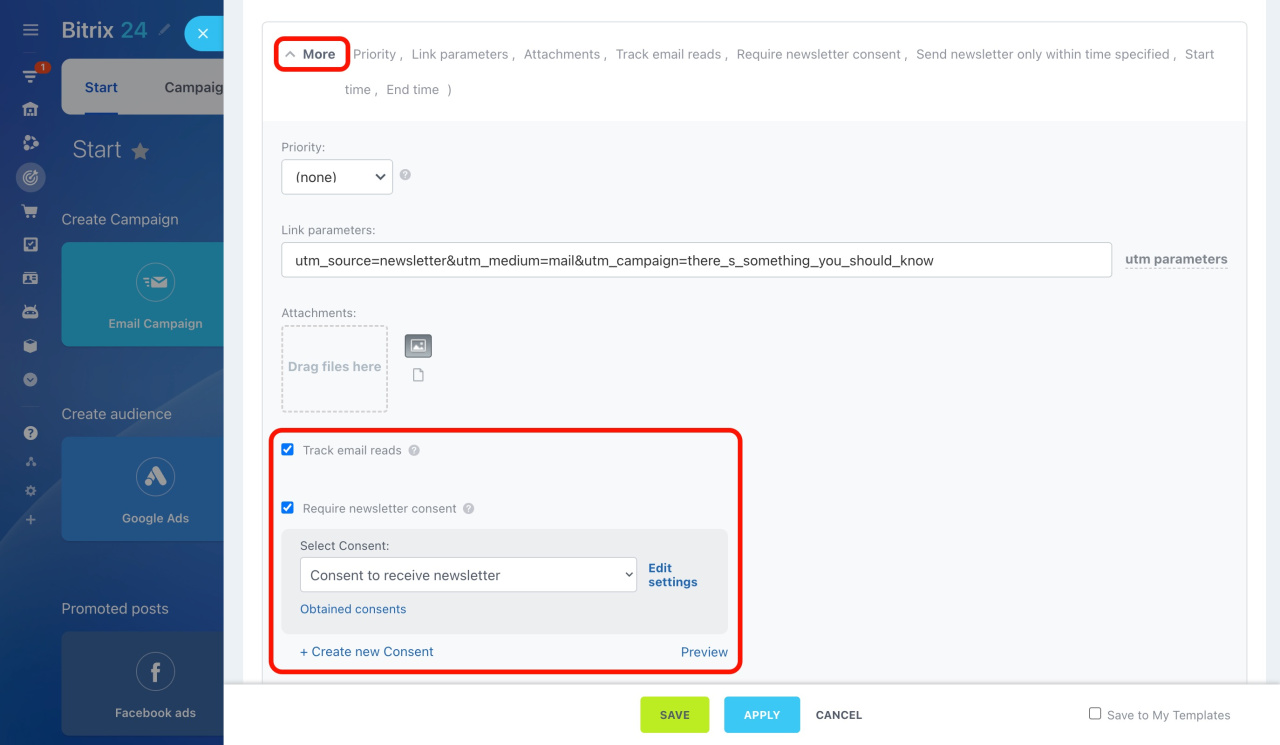
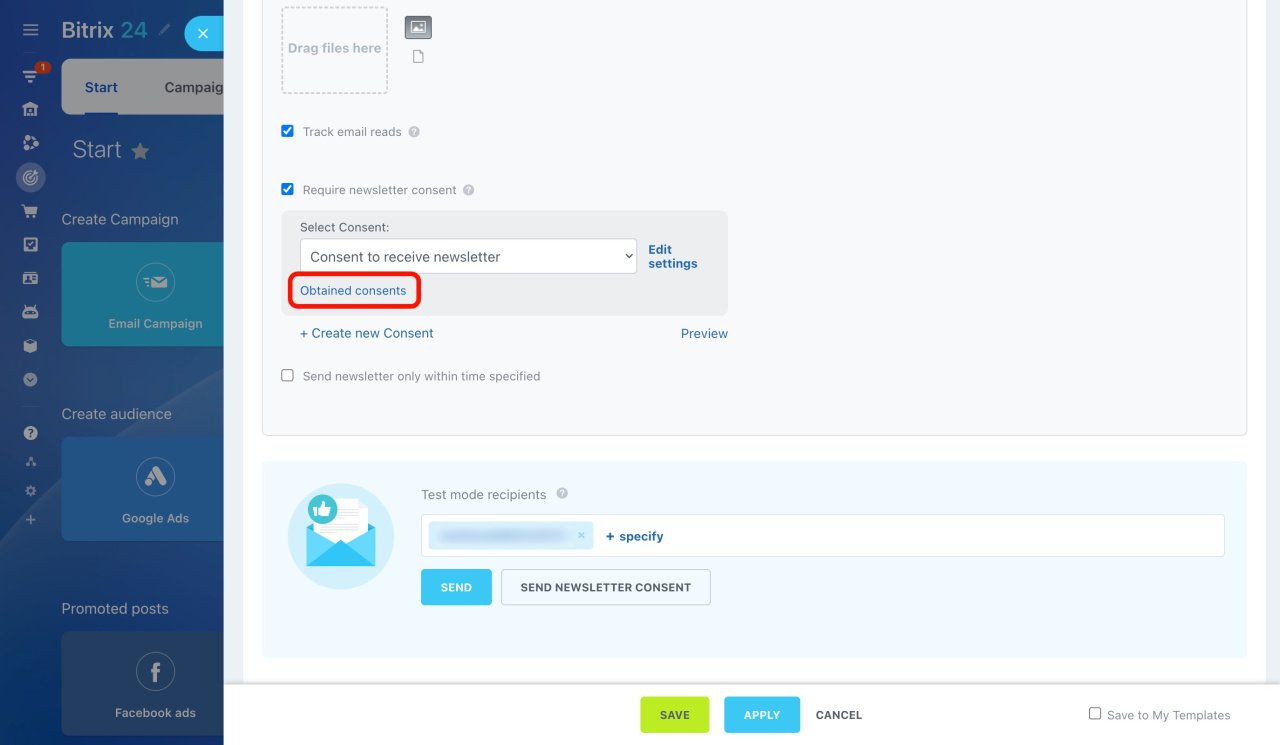
You can also enable Track email reads and Require newsletter consent for a specific campaign:
- Open the email campaign settings.
- Click More.
- Enable the required options.
Track link clicks in outgoing emails
How email and link tracking works
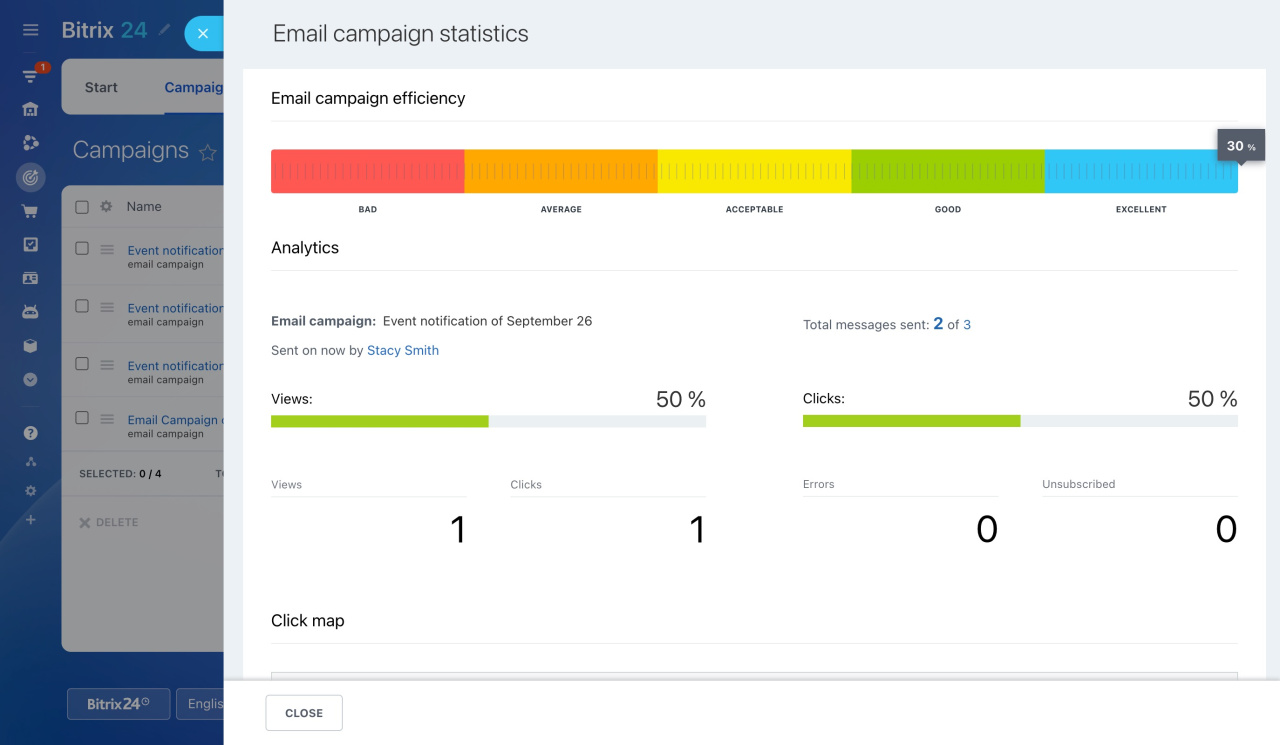
After you enable tracking, Bitrix24 starts collecting campaign data. You can view the results in the Statistics column.
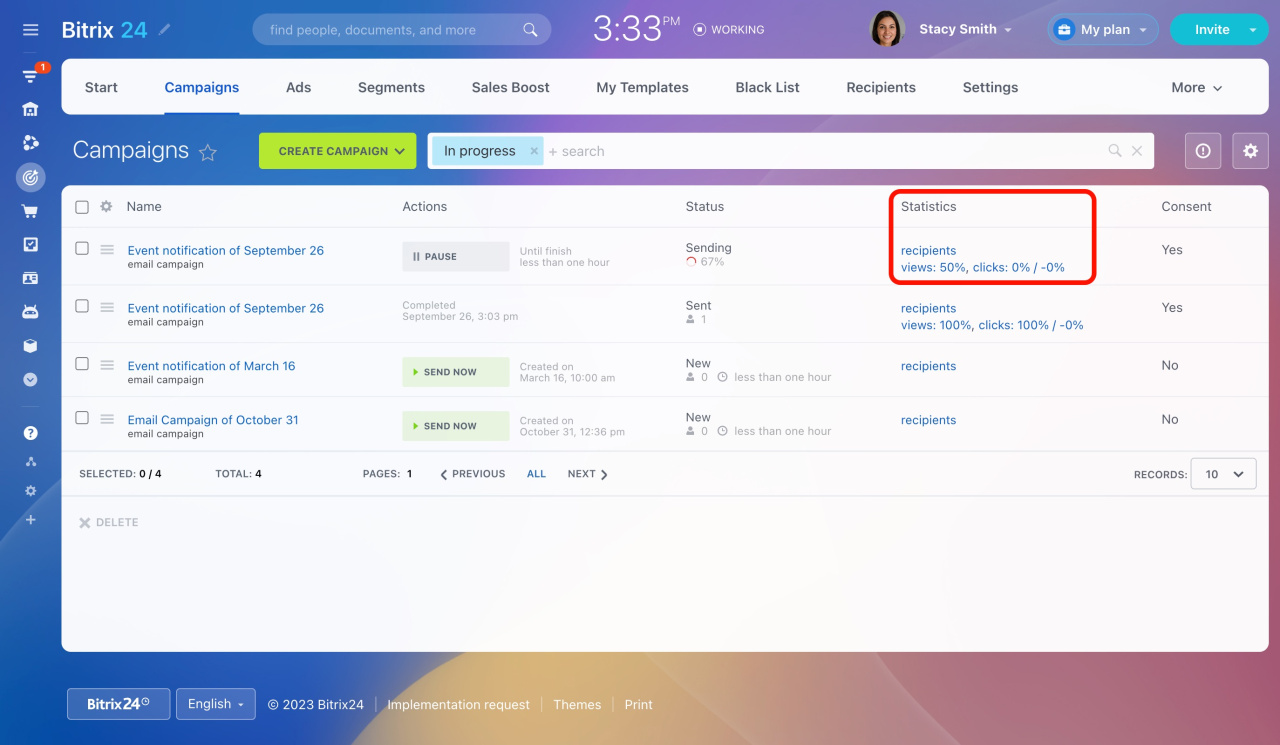
Click Views or Clicks to open detailed statistics.
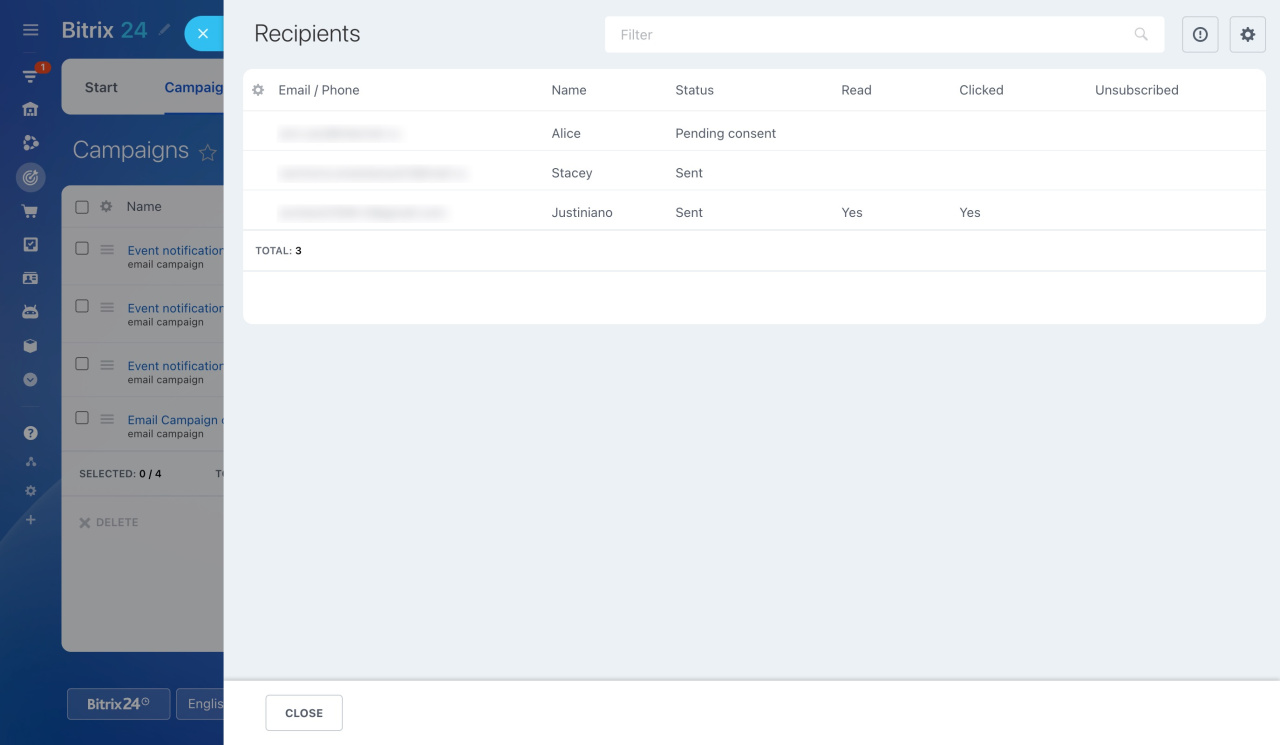
On the Recipients tab, you can see who:
- received the email
- opened the email
- clicked links in the email
How newsletter consent works
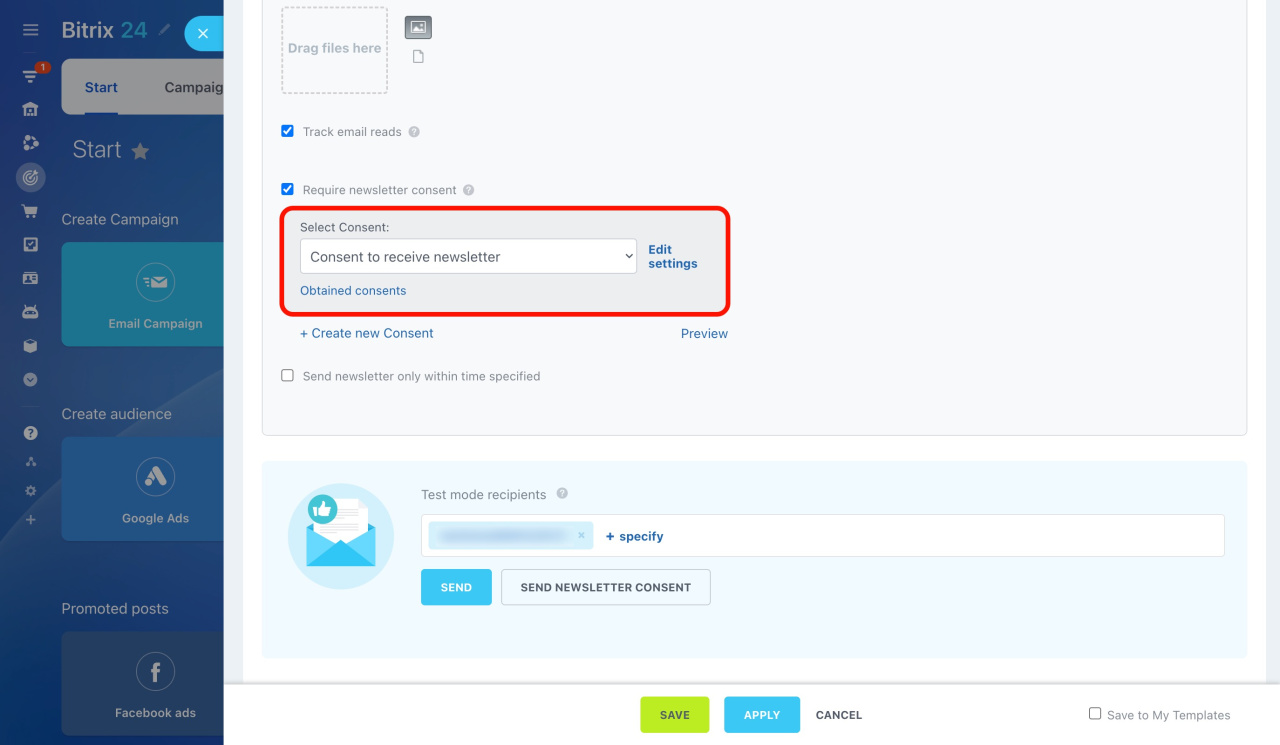
After you enable Require newsletter consent, select Consent to receive the newsletter from the list. You can use a standard consent form in Bitrix24 or create your own message.
When you send your first newsletter, customers receive a confirmation email first. If they agree to receive newsletters, Bitrix24 sends the promotional email after the confirmation email.
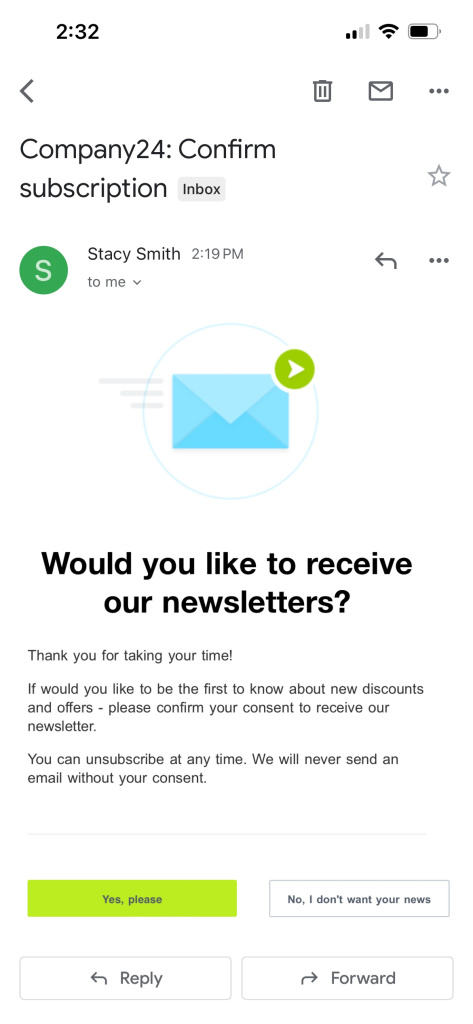
If you enable Require newsletter consent in the campaign settings, new recipients continue to receive confirmation requests until they either:
- agree to receive newsletters
- unsubscribe from future emails
Bitrix24 sends a consent request to each email address only once. You can send future campaigns only to customers who agreed to receive emails. You can find all consent records in the Obtained consents list.
If you email the customer who never consented to receive it, the email will have a Never sent status. This customer will never receive your mailing.



