
🚚 Miễn phí giao hàng toàn quốc

✅ Tặng Gói Hỗ trợ online trọn đời

✅ Giá cạnh tranh nhất thị trường

✅ Miễn phí tư vấn giải pháp

🚚 Miễn phí giao hàng toàn quốc

✅ Tặng Gói Hỗ trợ online trọn đời

✅ Giá cạnh tranh nhất thị trường

✅ Miễn phí tư vấn giải pháp

Hotline: 0943.199.449

Địa chỉ: Tầng 1, tòa nhà Deli, 75 Hoàng Văn Thụ, P. Cầu Kiệu

Bitrix24 Helpdesk

Set up a personalized email campaign

Make your emails more personal with special tags in email marketing. These tags look like #PARAMETER#. When you send the email, they automatically turn into real customer data.


Add tags to your email

  1. Click the three dots next to the subject line.
  2. Search for a tag or browse the list.
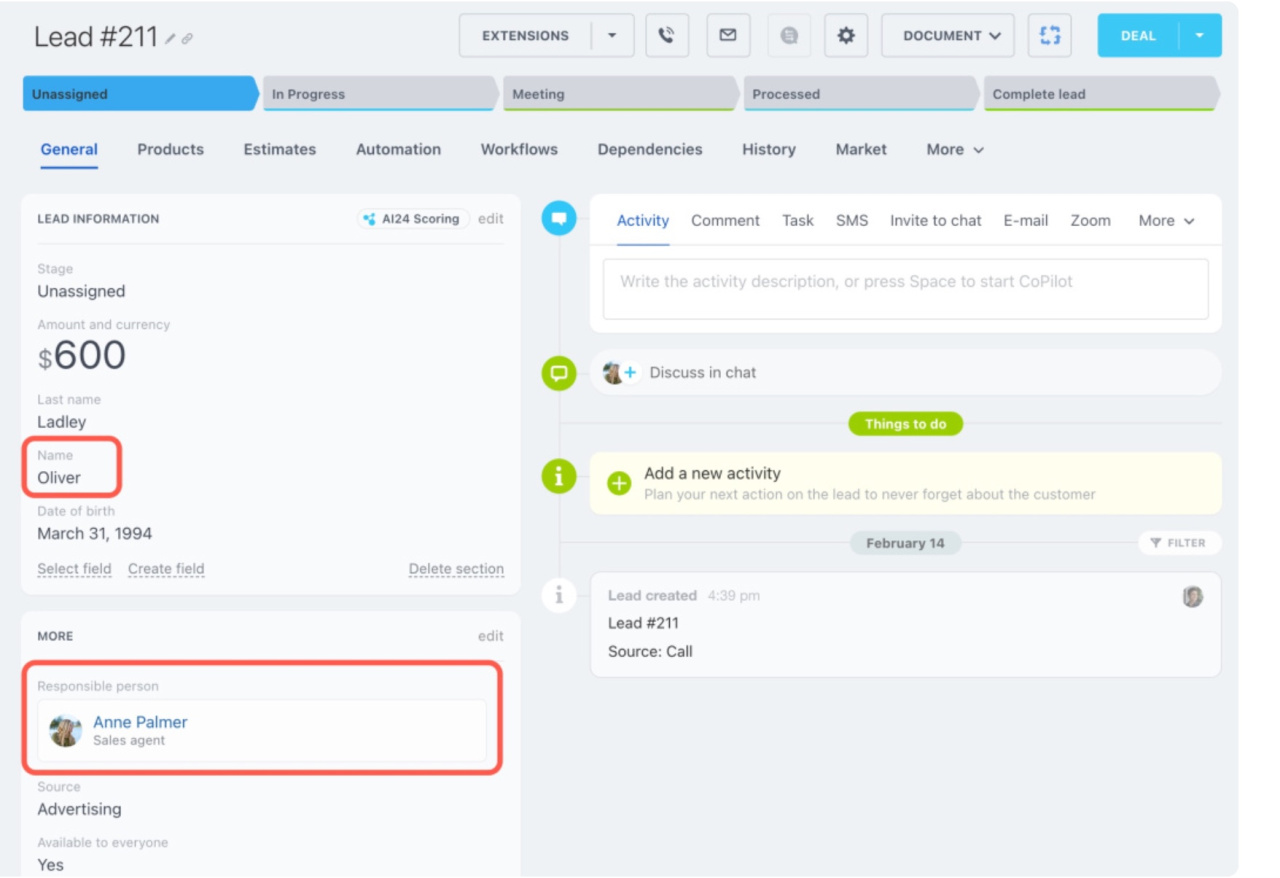
  3. You can select fields from a lead, contact, or company.
  4. Choose a parameter, such as the customer’s first name.
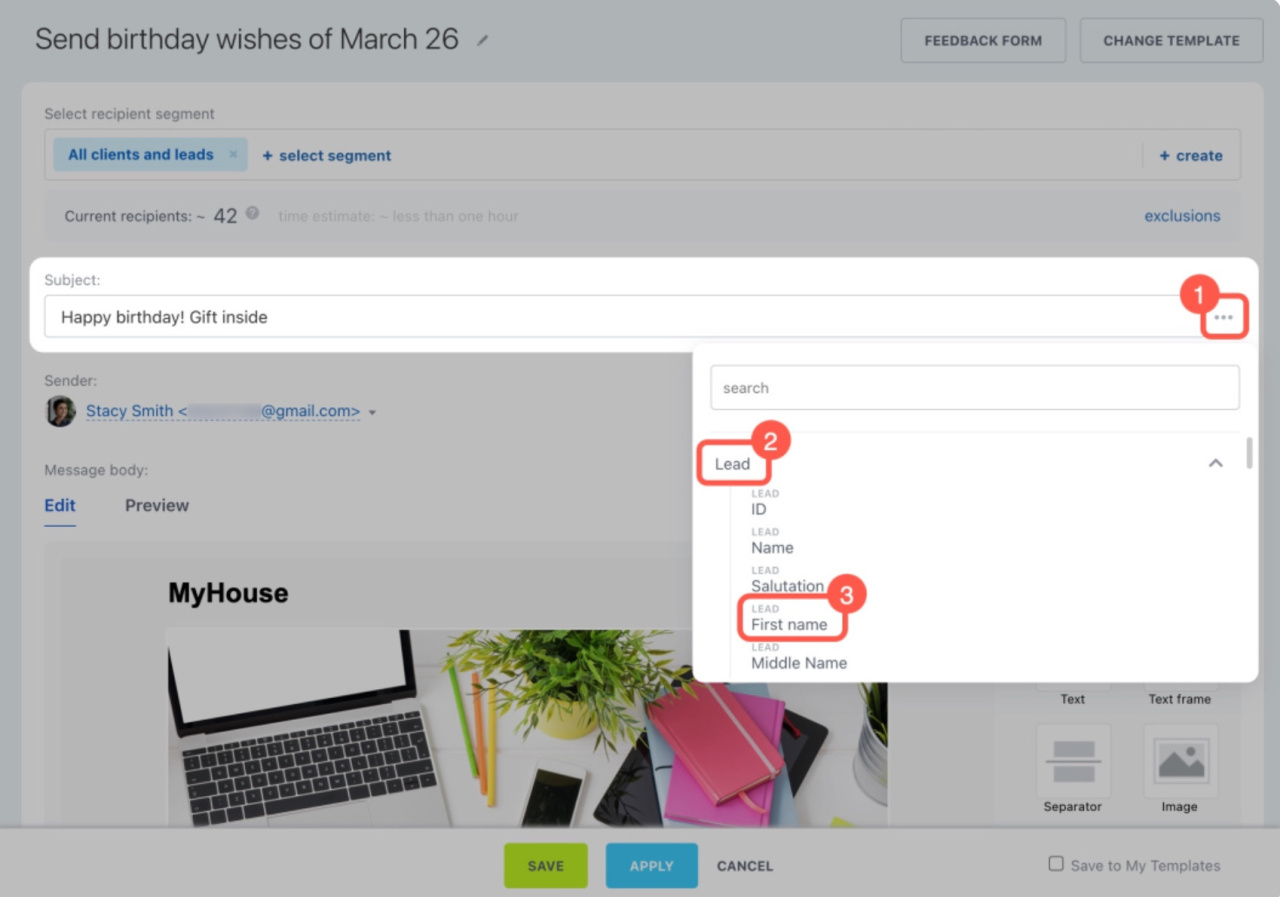
The selected tag appears in the subject line. Copy it and paste it into the email body where needed.
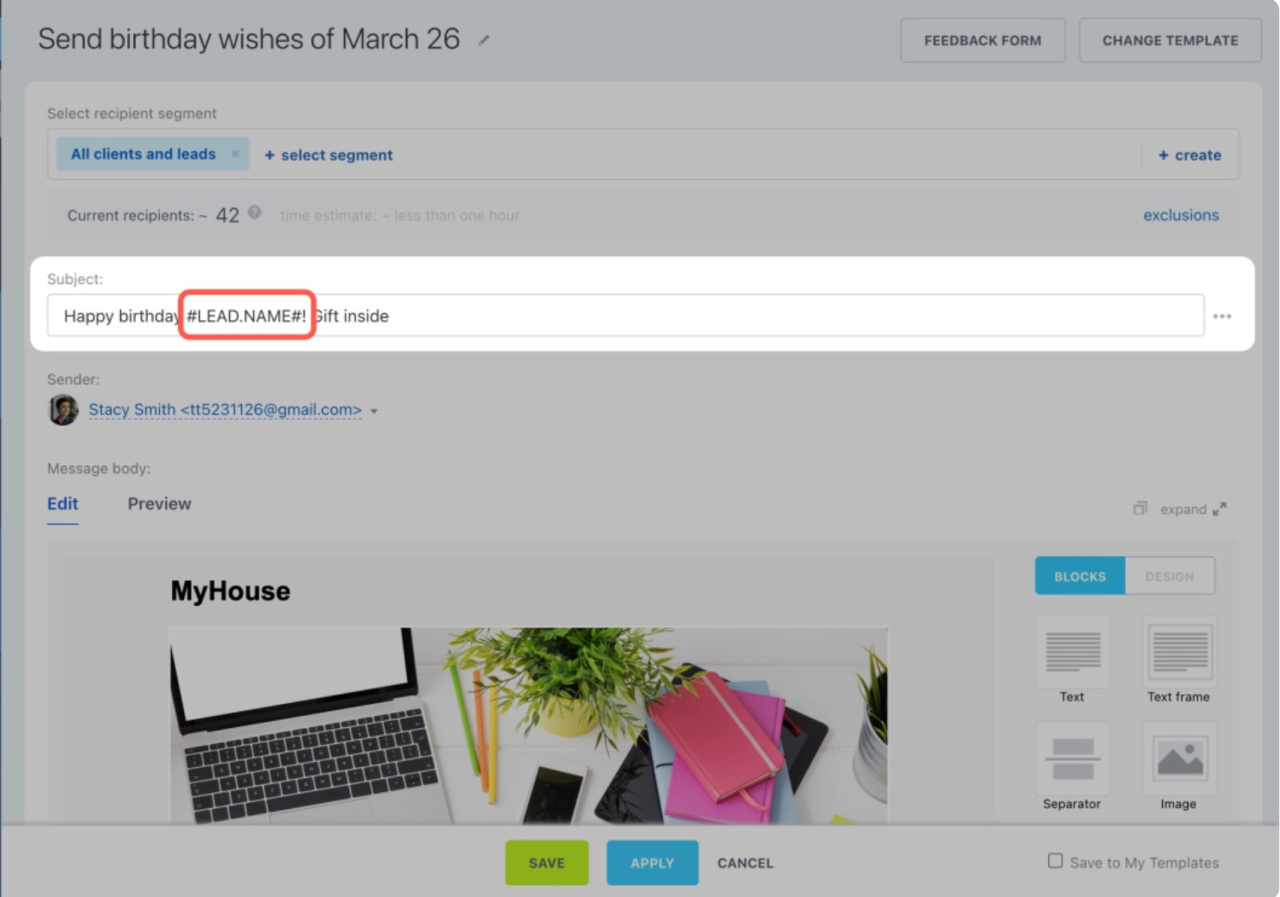
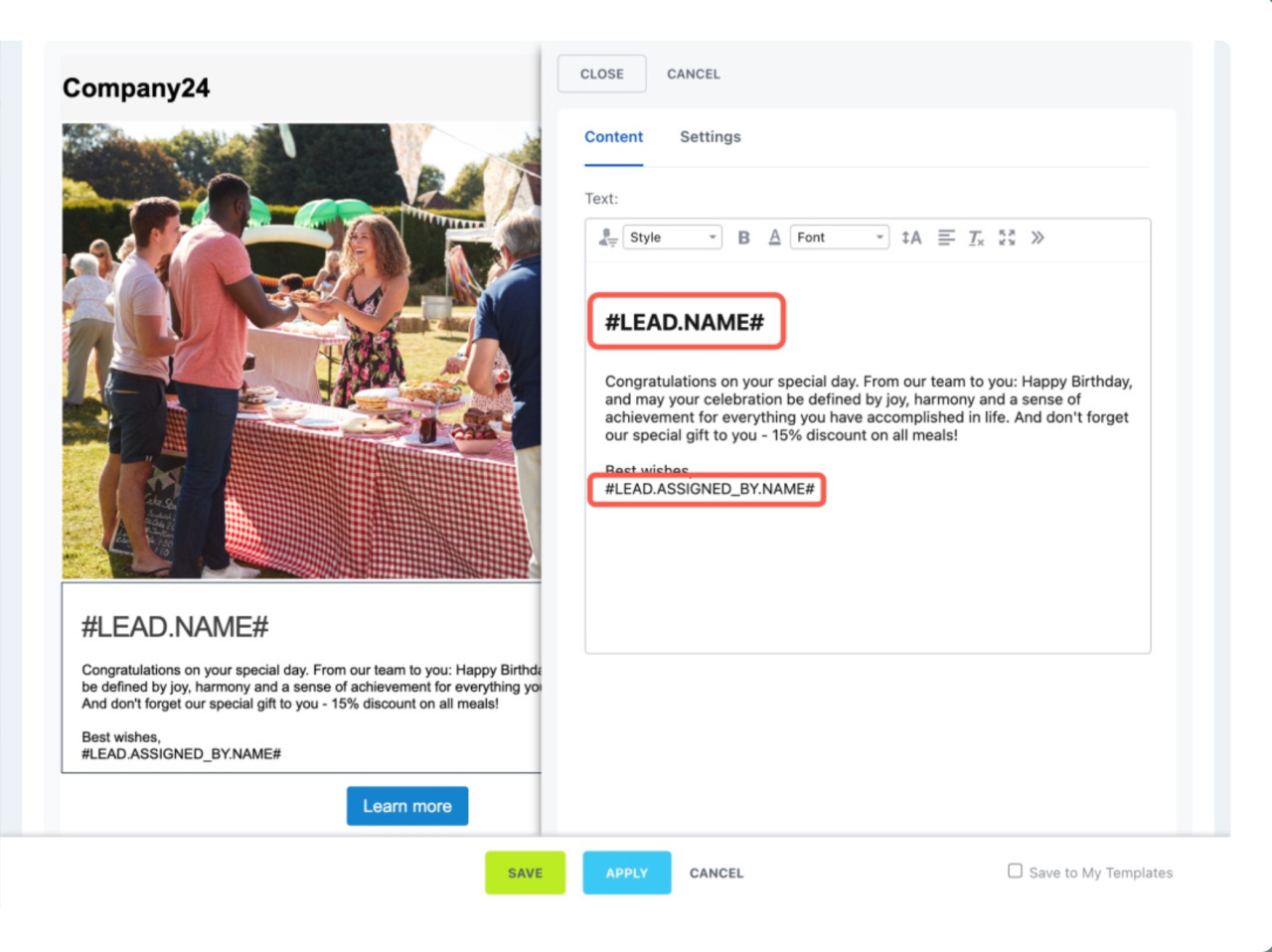
If you’re sending a birthday discount, include the customer’s name and the responsible person’s name for follow-up. Add the tags you copied to your message text.

Prepare the campaign

  1. Click Select segment to choose recipients.
  2. You’ll see the number of emails below the segment.
  3. Review the campaign details.
  4. Save the campaign and choose when to send it.
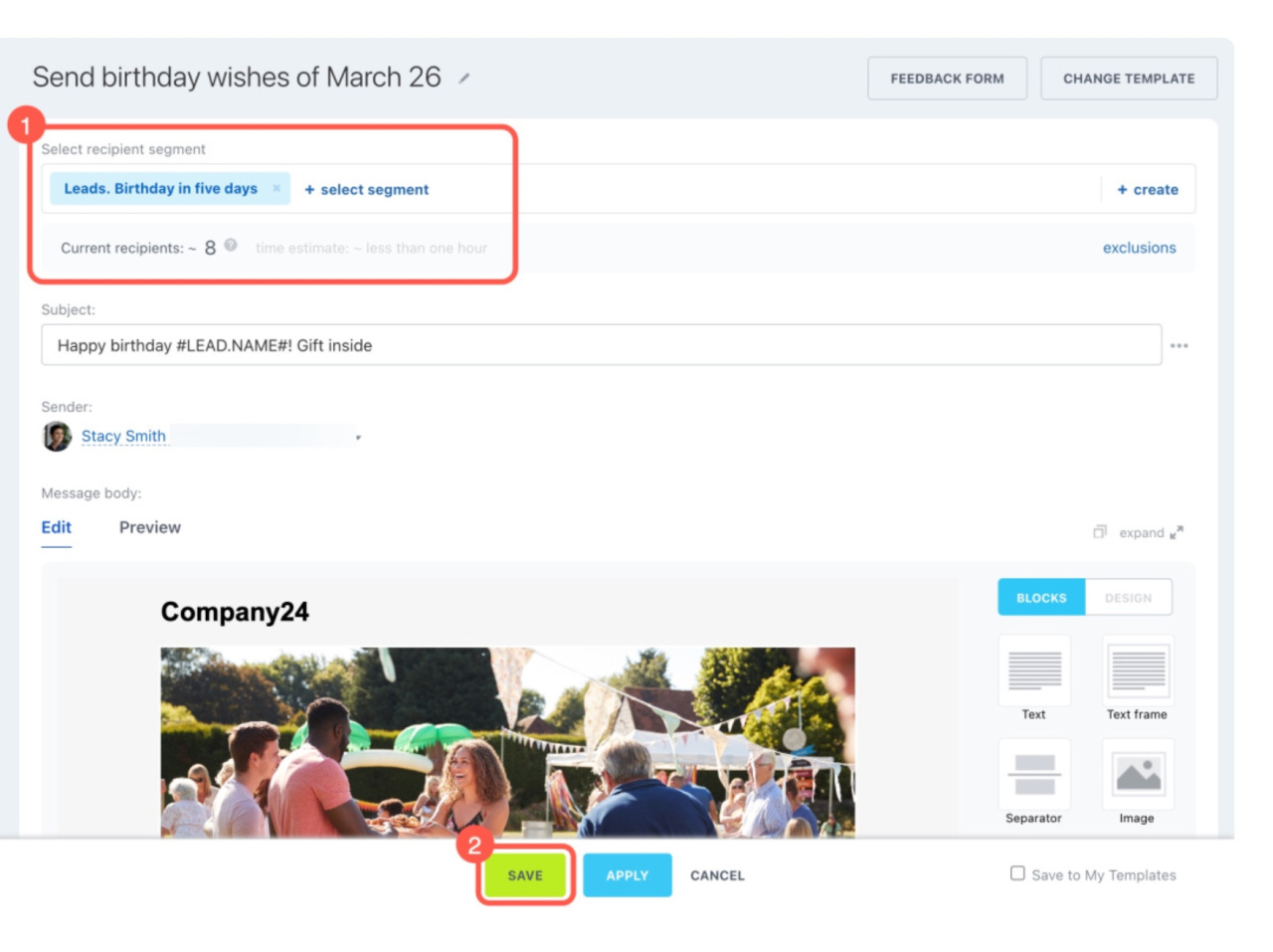
When the campaign is sent, the tags are replaced with data from your CRM. Each recipient gets a personalized email.

Was this information helpful?
Thank you for your feedback.
Get Implementation Help from a Partner
That's not what I'm looking for
Complicated and incomprehensible text
The information is outdated
It's too short. I need more information
I don't like the way this tool works
Get your Bitrix24 set up by local professionals
FIND BITRIX24 PARTNER NEAR ME
implementation_helper_man
Go to Bitrix24
Don't have an account? Create for free
Related articles
Create email campaigns Make voice broadcasting and audio calls from Bitrix24 Email and link tracking and Consent to receive newsletters Subscribe and unsubscribe process requirements Consent to receive newsletters Create campaign Troubleshooting email campaign issues Create and send an SMS campaign Avoid sending messages to invalid emails Send a campaign to messengers
Zalo
0943.199.449
