


You can track when customers click links in emails sent from CRM or marketing campaigns.
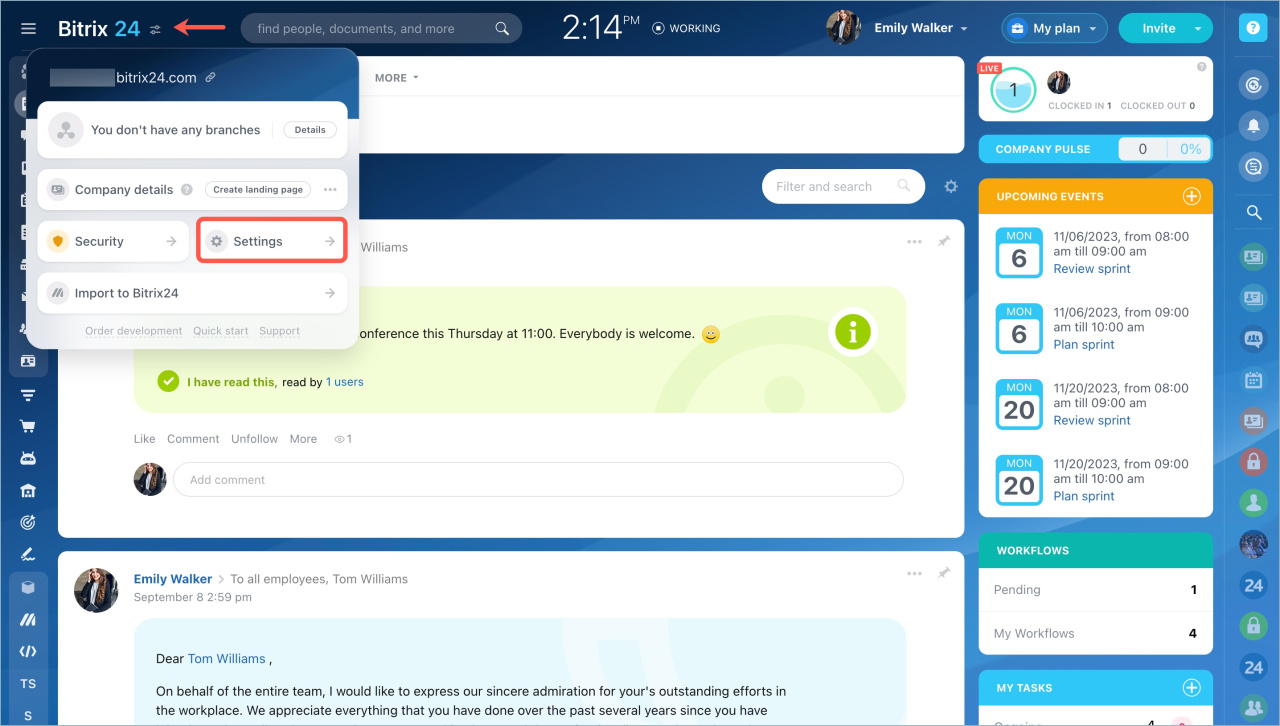
To turn on link tracking, open Settings in your Bitrix24 account.
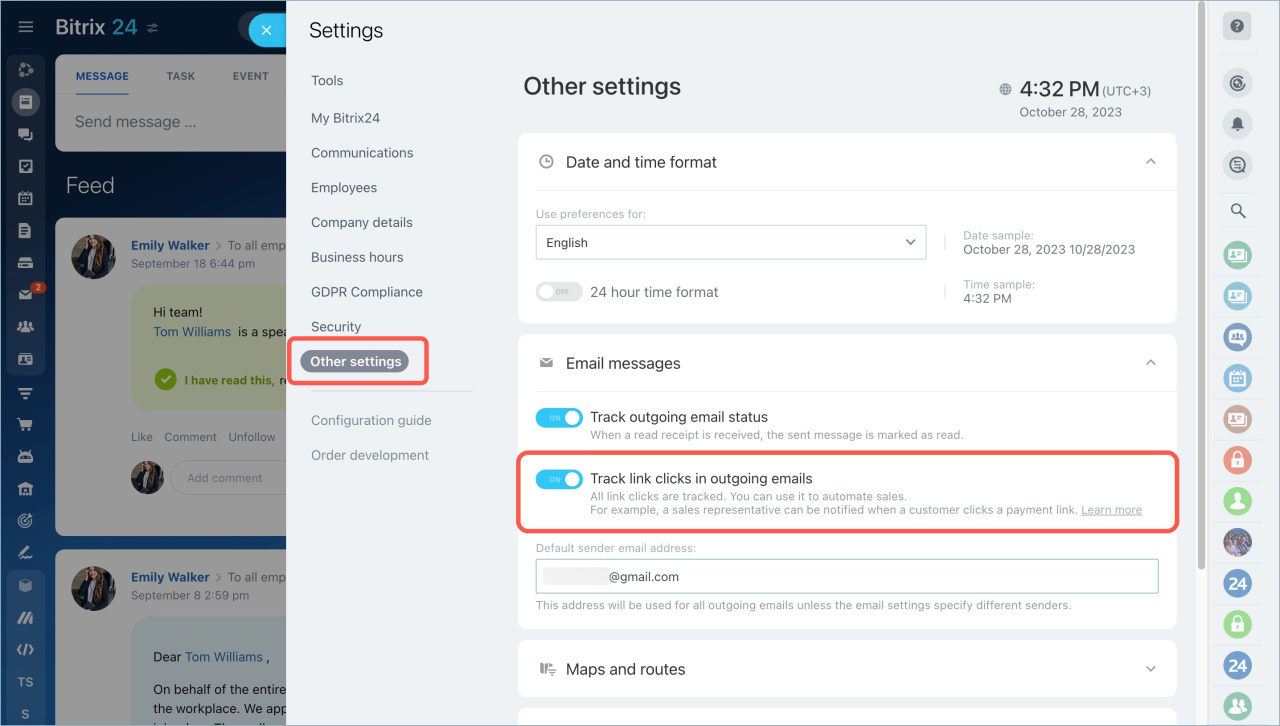
Go to Other settings > Email messages and turn on Track link clicks in outgoing emails.
Use link tracking to analyze your sales and marketing data. You can see which message works best and which offers get customers’ attention.
Sales. After you turn on link tracking, you can automate sales with a trigger. For example, you send a customer an email with a product offer and a link to an order form. When the customer clicks the link, the deal moves to the stage where the trigger is set.
Let’s say your CRM has five stages: Start > Link click > Call > Invoice > Finish. Add a trigger to the second stage. When the customer clicks the link, the deal moves to this stage. This means the customer is interested in the product, and it is time to call them.
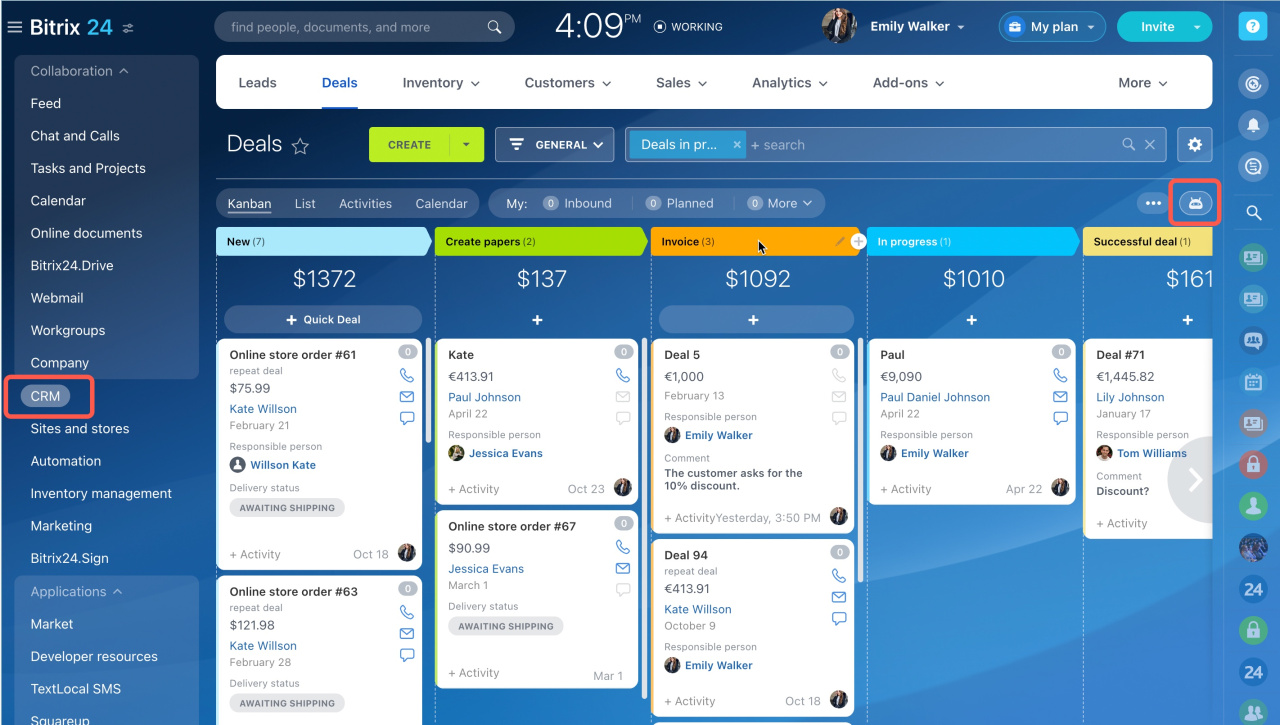
You can add a trigger in the Automation section.
Click the plus button, then select Customer communication > Track link clicks.
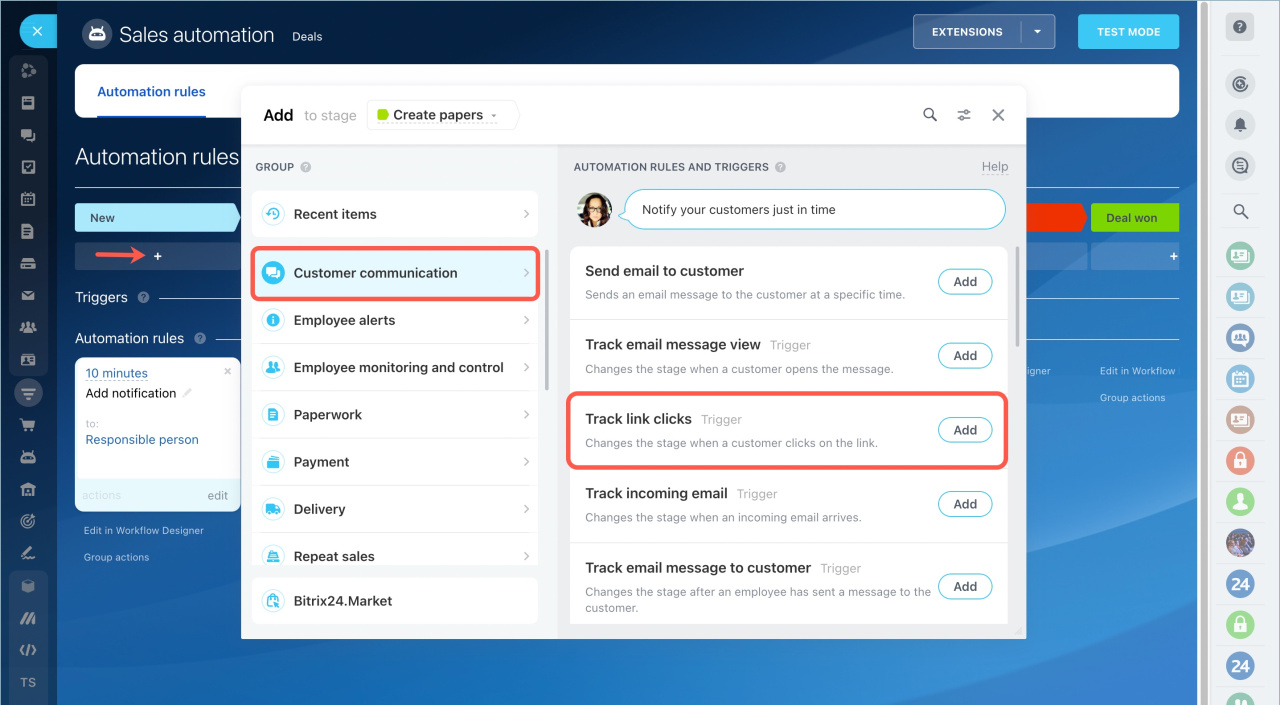
Configure the trigger and click Save.
Create automation rules and triggers
Marketing. After you turn on link tracking in your Bitrix24 account settings, go to Marketing > Settings.
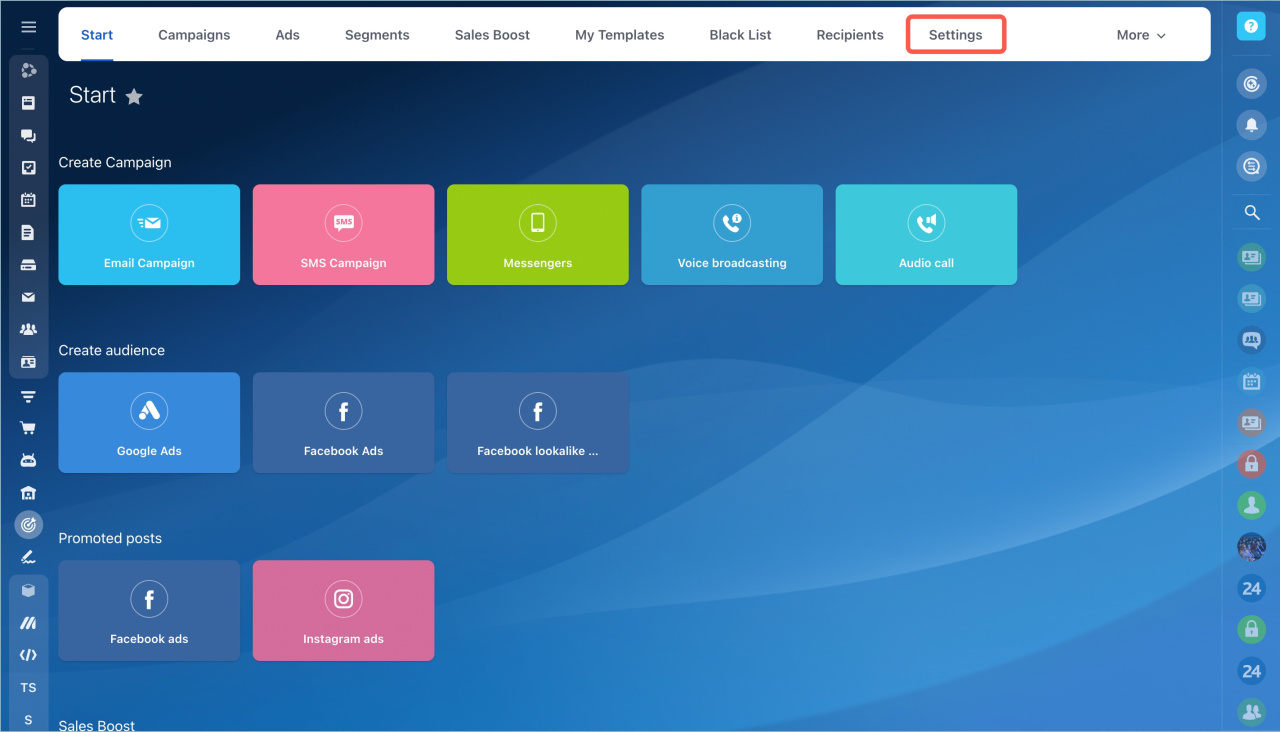
Open the More tab and turn on Track email reads and link clicks.
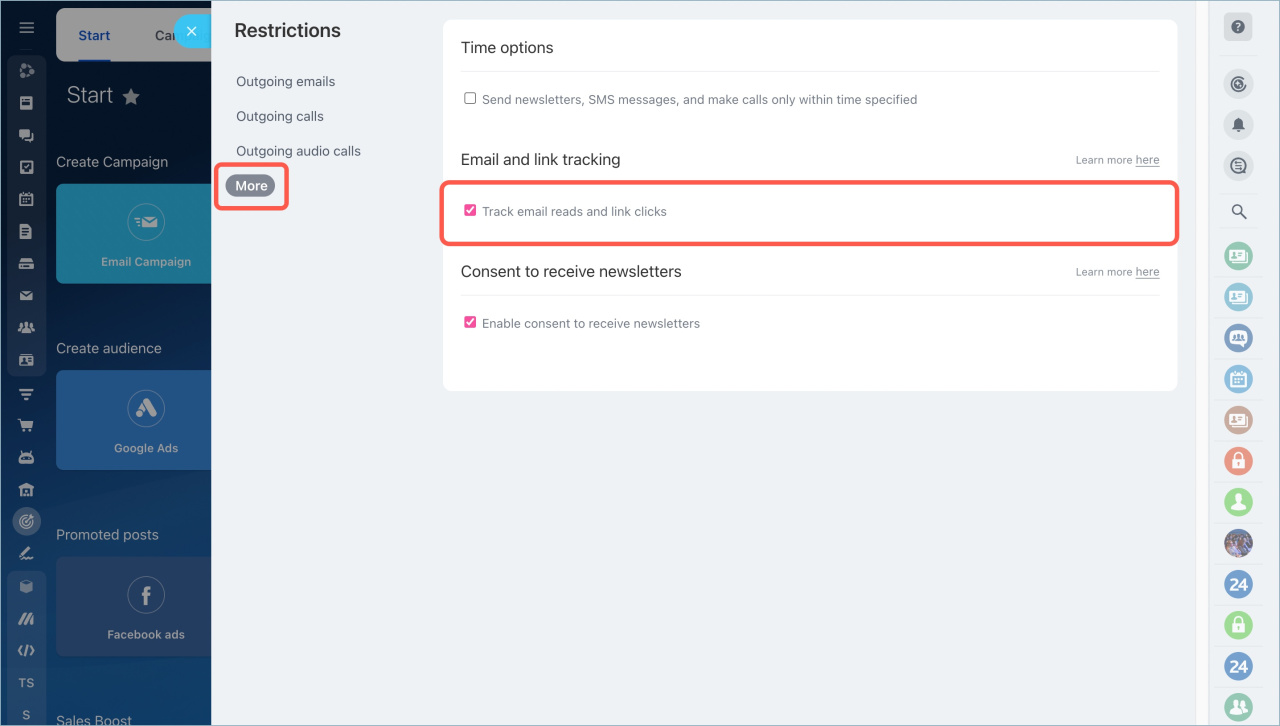
You can now track how many people clicked links in your email.
To view conversion statistics, open the Campaigns page.
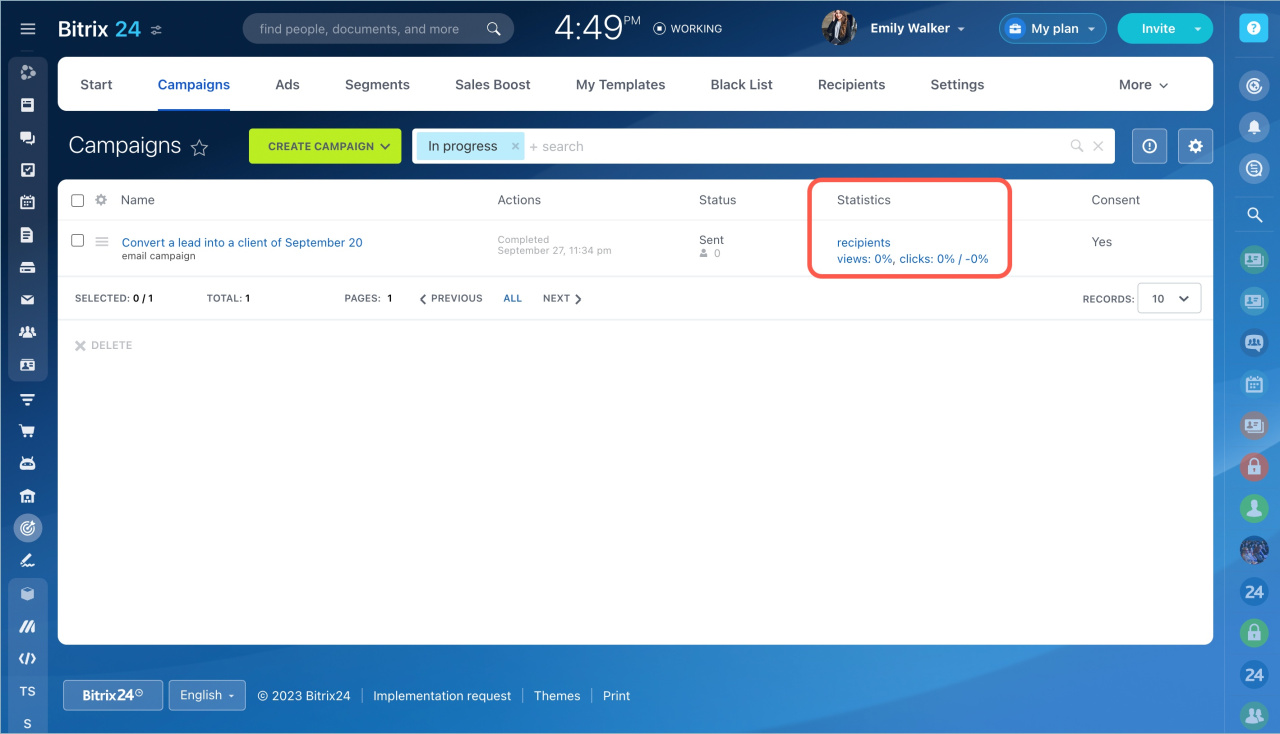
- You can track customer clicks on links in emails sent from CRM or marketing campaigns.
- Link tracking is available in CRM and Marketing.
- Conversion tracking in CRM and Marketing works only if link tracking is turned on in your Bitrix24 account settings.
- Use link tracking to analyze sales and marketing data. You can see which message works best and which offers get customers’ attention.



