🚚 Miễn phí giao hàng toàn quốc

✅ Tặng Gói Hỗ trợ online trọn đời

✅ Giá cạnh tranh nhất thị trường

✅ Miễn phí tư vấn giải pháp

🚚 Miễn phí giao hàng toàn quốc

✅ Tặng Gói Hỗ trợ online trọn đời

✅ Giá cạnh tranh nhất thị trường

✅ Miễn phí tư vấn giải pháp

Hotline: 0943.199.449

Địa chỉ: Tầng 1, tòa nhà Deli, 75 Hoàng Văn Thụ, P. Cầu Kiệu

Bitrix24 Helpdesk

Filter deals by date in Google Looker Studio

You can now filter data by fields with the Date or Date and Time type. You no longer need to upload extra data to apply date filters in your reports.

Add a filter parameter to your report to show deals by the date they were created, modified, or closed.


Filter data by date

In this example, we’ll filter data by the deal close date.

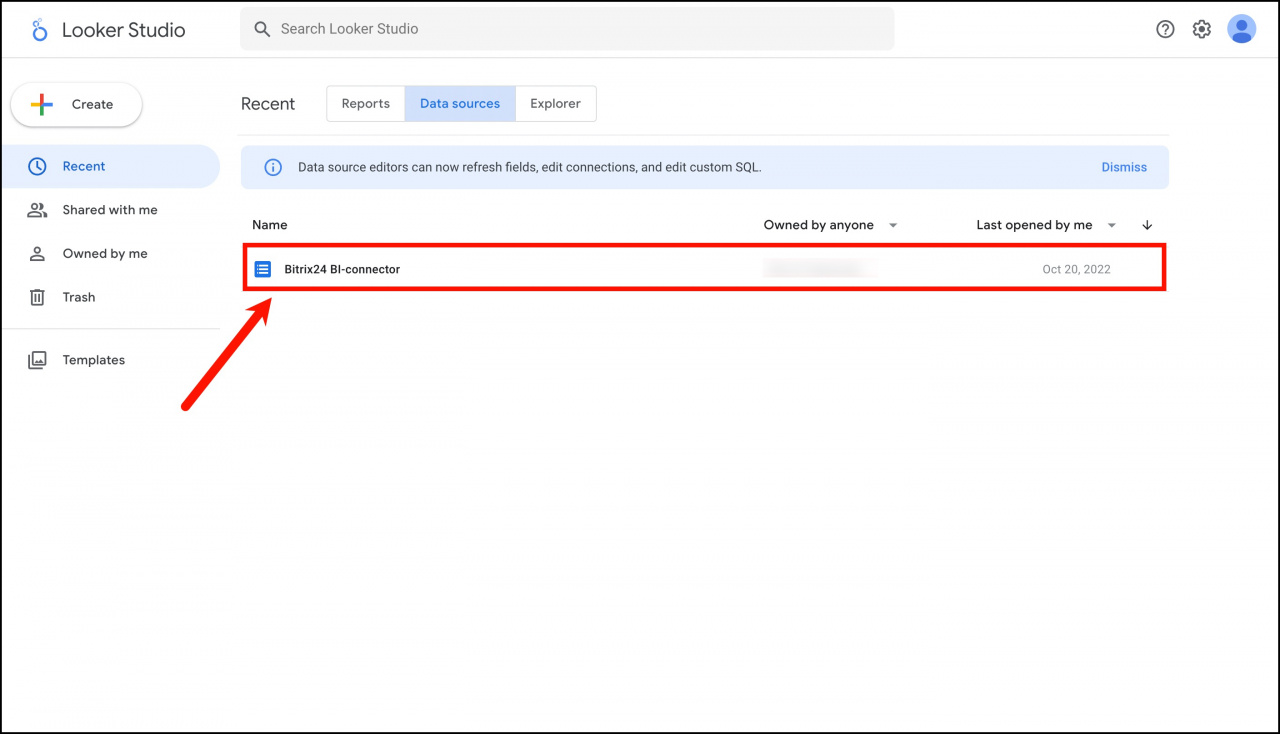
  1. Open the required data source in Google Looker Studio.
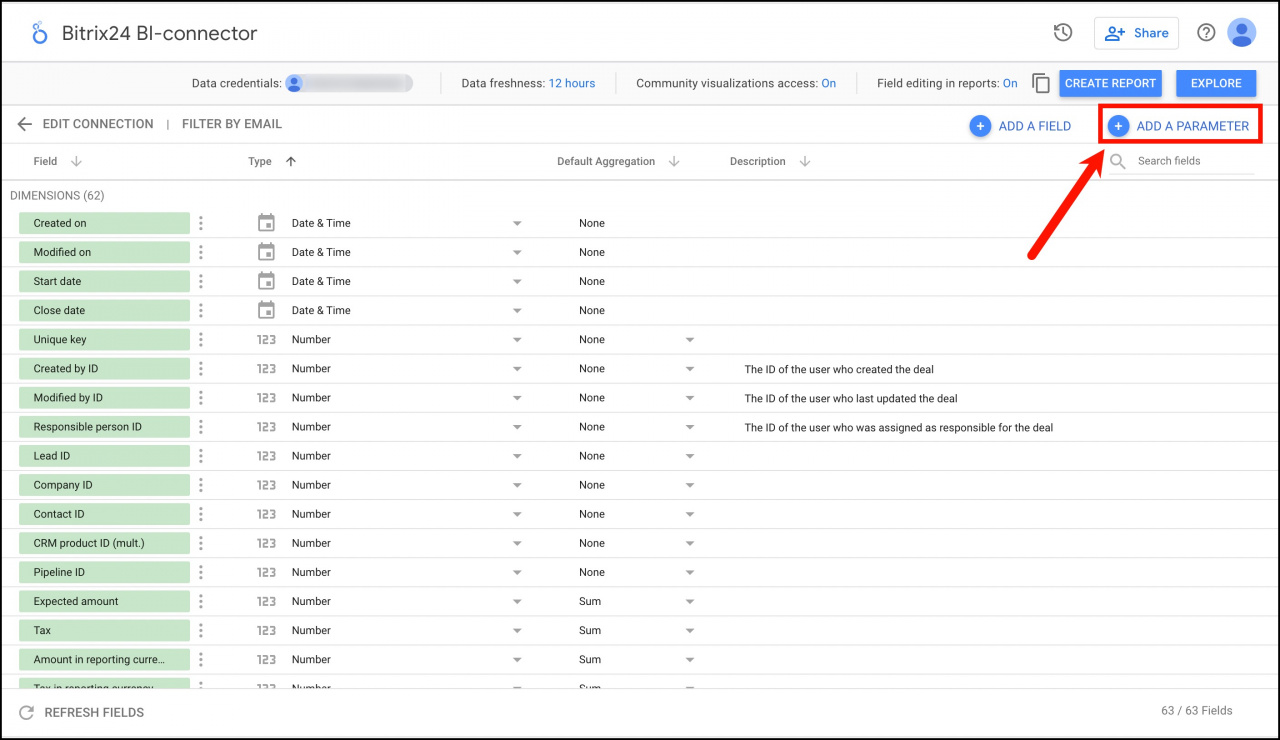
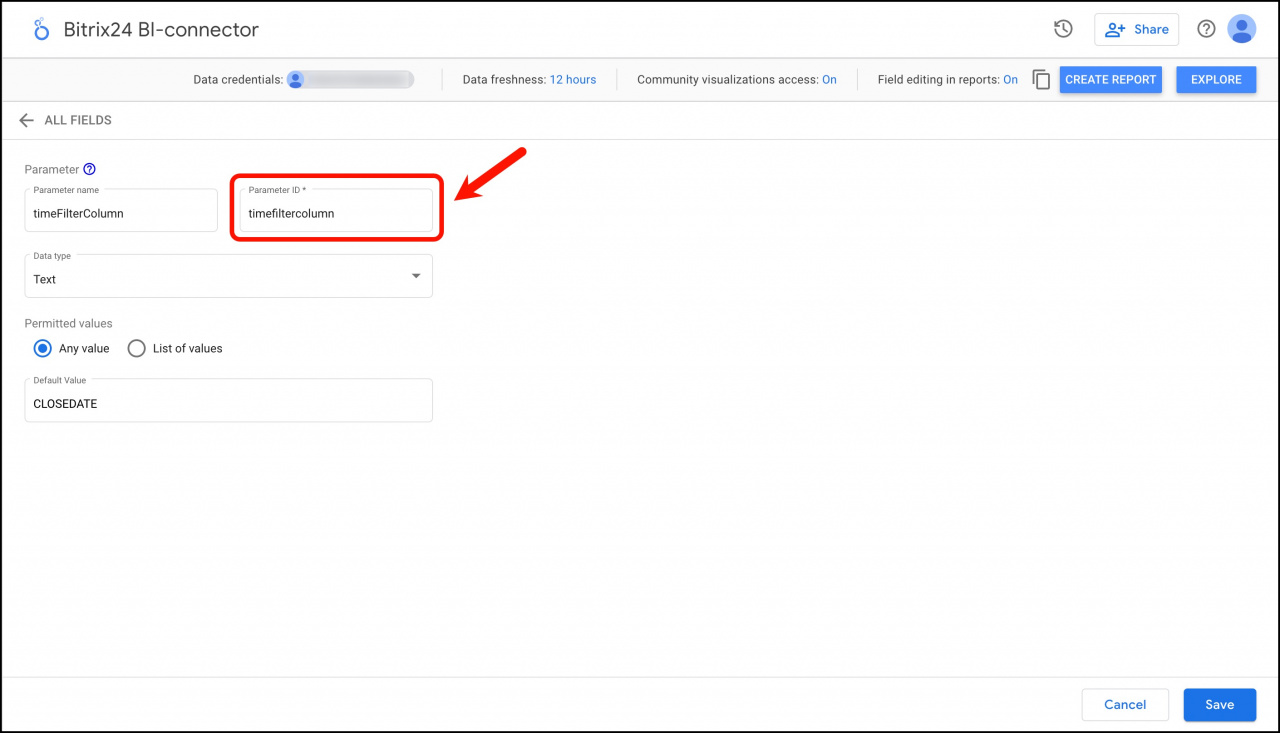
  2. Click Add a parameter in the top-right corner.
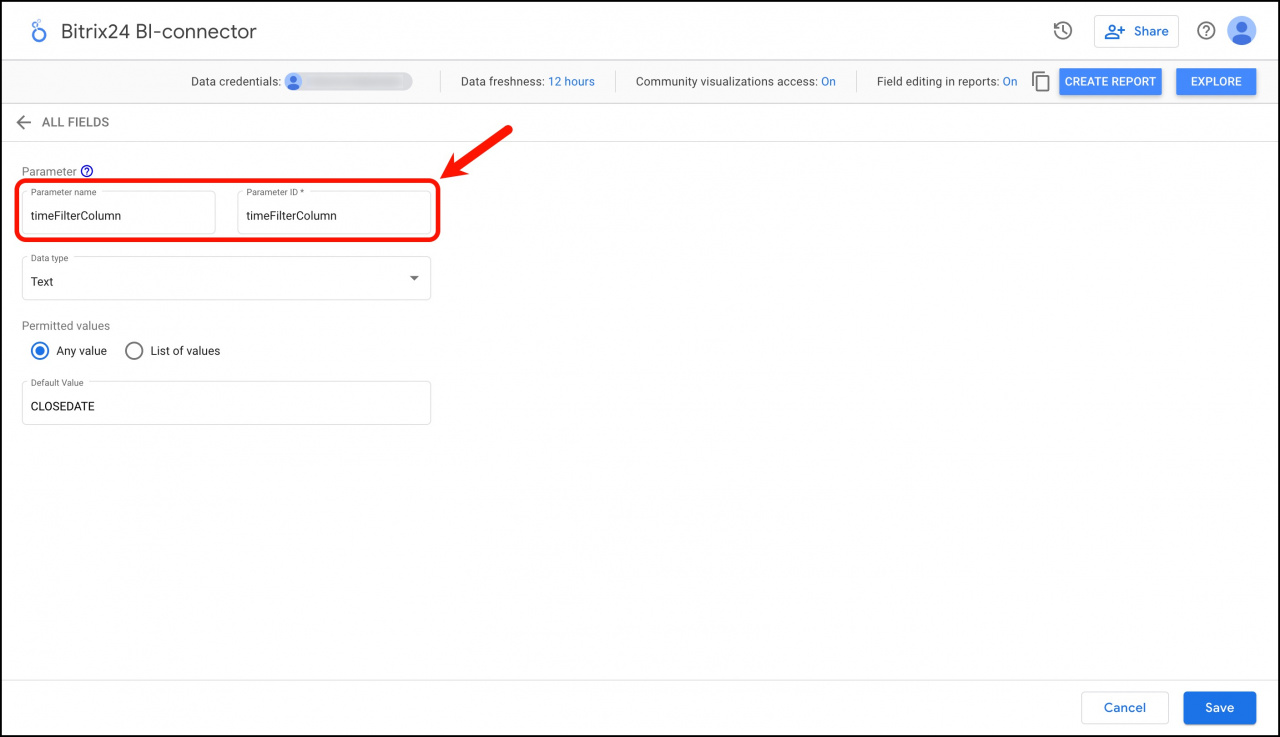
In the parameter settings, enter the following values:

  • Parameter name: timeFilterColumn
  • Parameter ID: timeFilterColumn
  • Default value: CLOSEDATE, DATE_CREATE, or DATE_MODIFY.

Use one of these values to define which date field the report should use for filtering.
Important: Enter timeFilterColumn manually. If you copy or rename the parameter, it may stop working correctly.
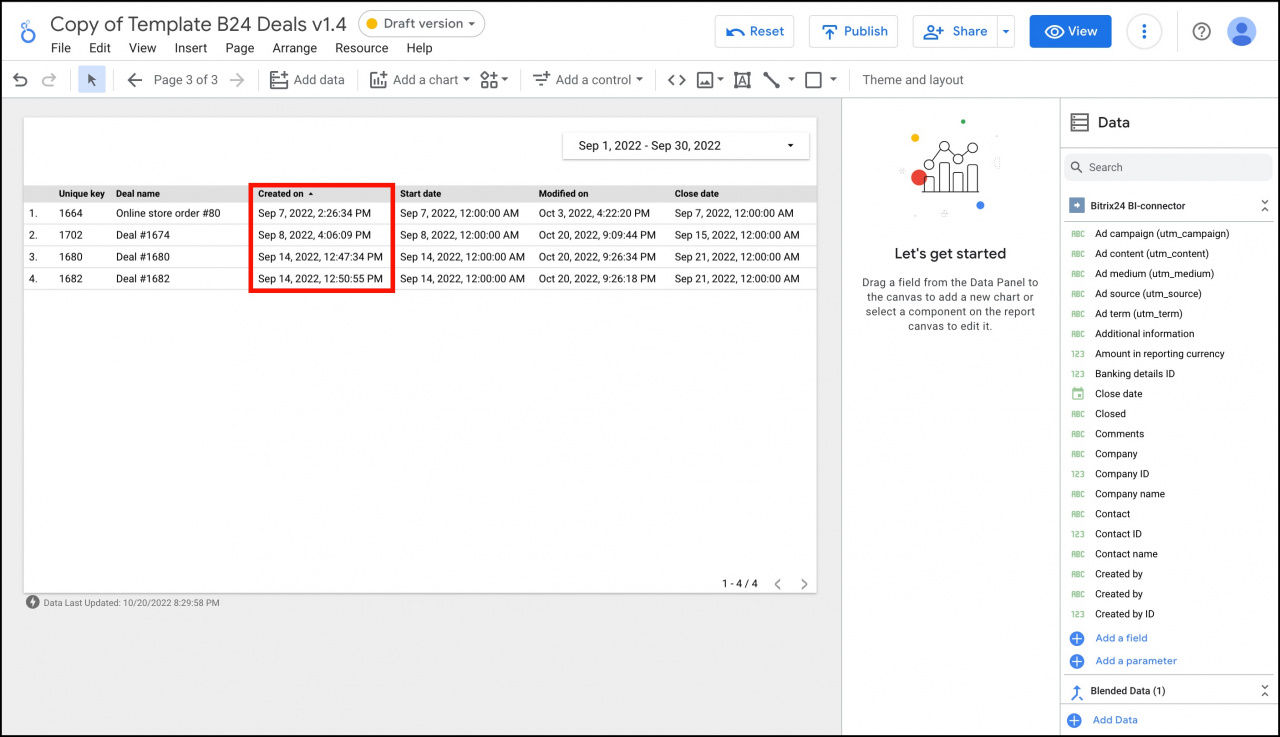
By default, the report filters deals by the creation date.
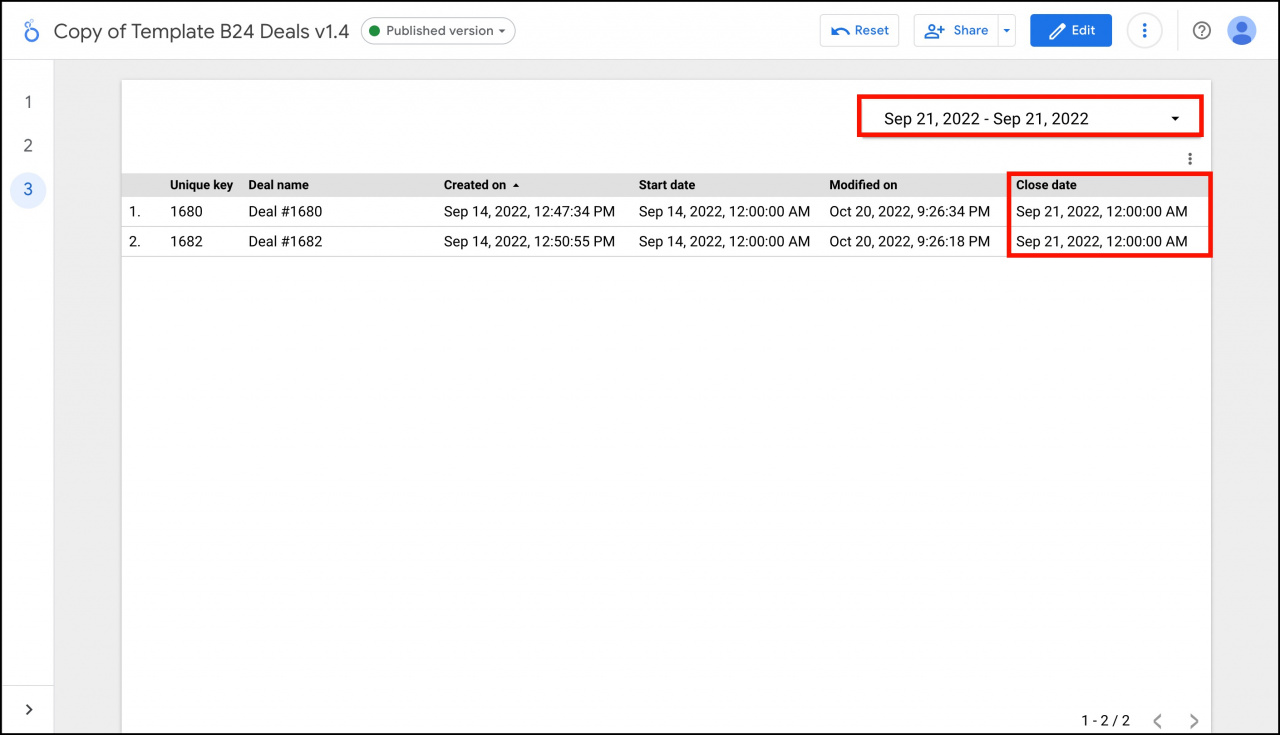
Example: Filter deals by close date

To display deals closed on September 21, 2022:

  1. Select a table in the report.
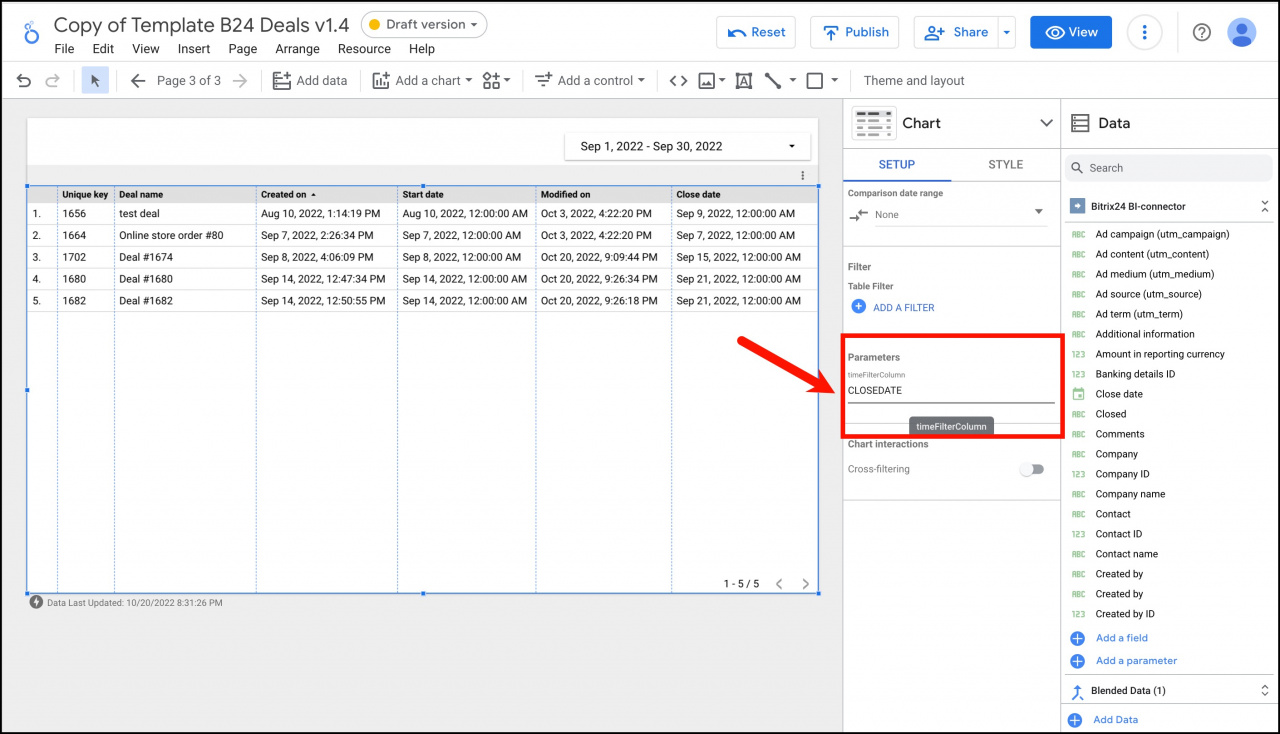
  2. Set the parameter value to CLOSEDATE.
  3. Change the date range in the report.

The report will now filter deals by the close date instead of the creation date.

You can switch between DATE_CREATE, DATE_MODIFY, and CLOSEDATE at any time to quickly filter deals by the required date field.

Was this information helpful?
Thank you for your feedback.
Get Implementation Help from a Partner
That's not what I'm looking for
Complicated and incomprehensible text
The information is outdated
It's too short. I need more information
I don't like the way this tool works
Get your Bitrix24 set up by local professionals
FIND BITRIX24 PARTNER NEAR ME
implementation_helper_man
Go to Bitrix24
Don't have an account? Create for free
Related articles
Limit access to Google Looker Studio reports Blend data sources in Google Looker Studio reports Filter a deal report in Google Looker Studio Blend data on deals and employees in Looker Studio Transfer CRM entities to Google Looker Studio Regular expressions in Google Looker Studio Connect Google Looker Studio Set permissions and share reports in Google Looker Studio Refresh report data in Google Looker Studio Monitor metrics and send reports by email in Google Looker Studio
Zalo
0943.199.449