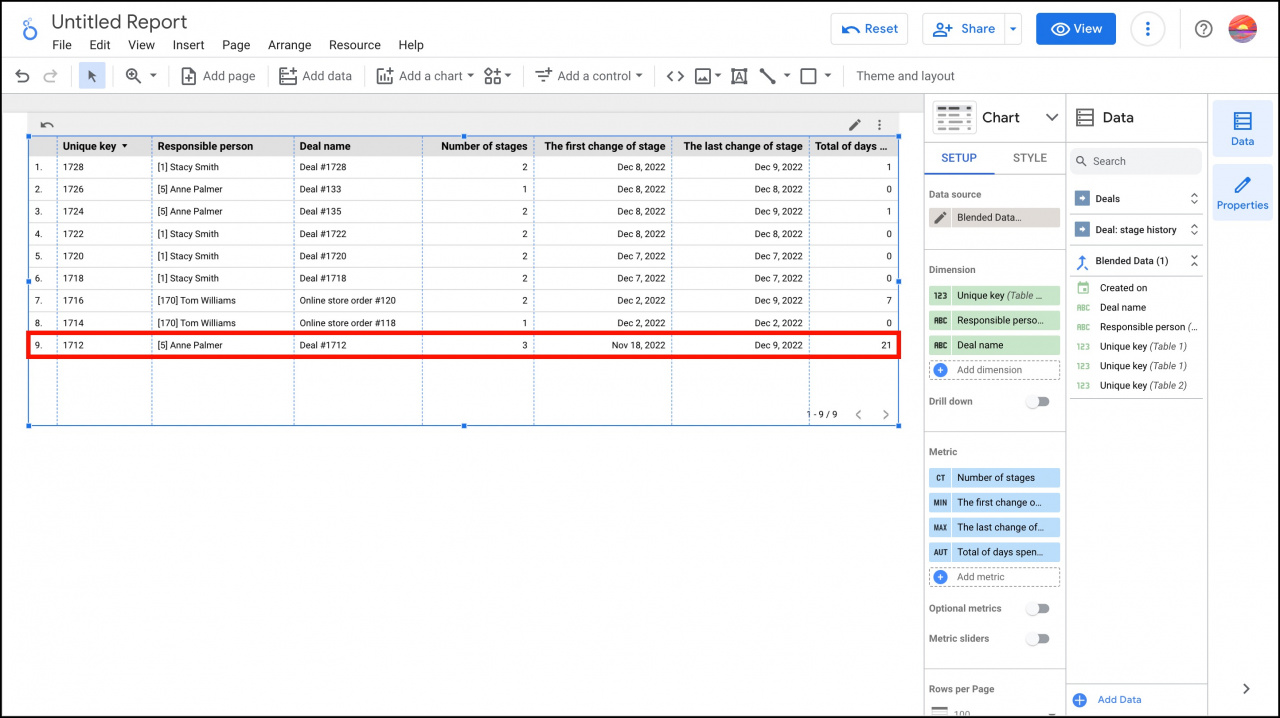
In Google Looker Studio, you can create a report that combines deal data with stage history data. This helps you track how your team works with deals.
You can also monitor:
- How many stages a deal passed through
- The date of the latest activity
- How long a deal stayed in progress
Add deals and stage history to a table
Select the required entities and create data sources in Google Looker Studio.
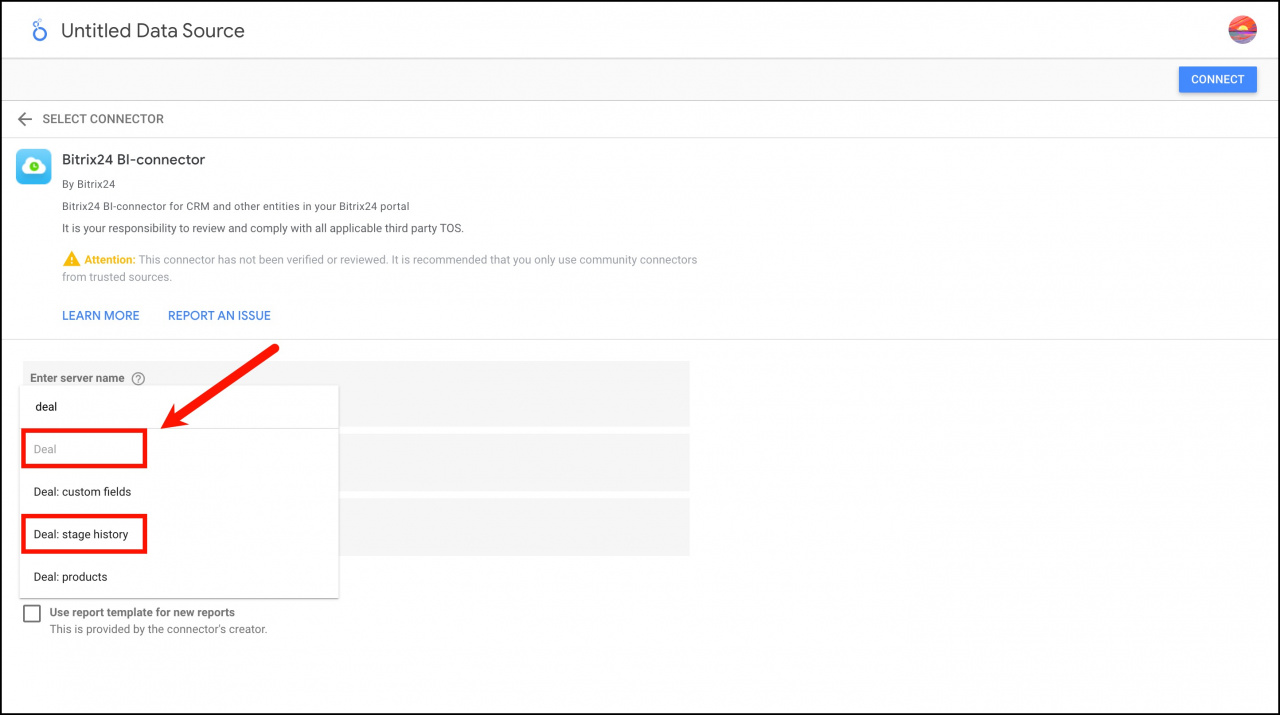
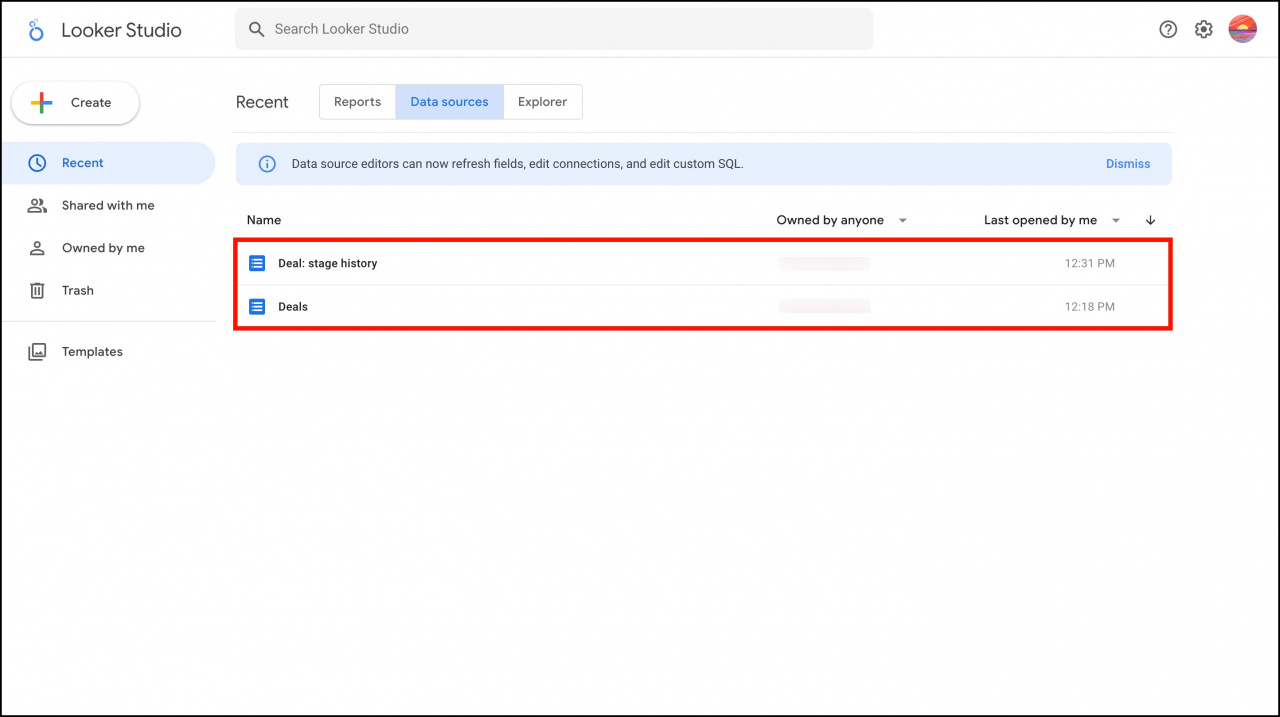
For more information, see the article Transfer entities from CRM to Google Looker Studio.
Create a table and blend data from different sources.
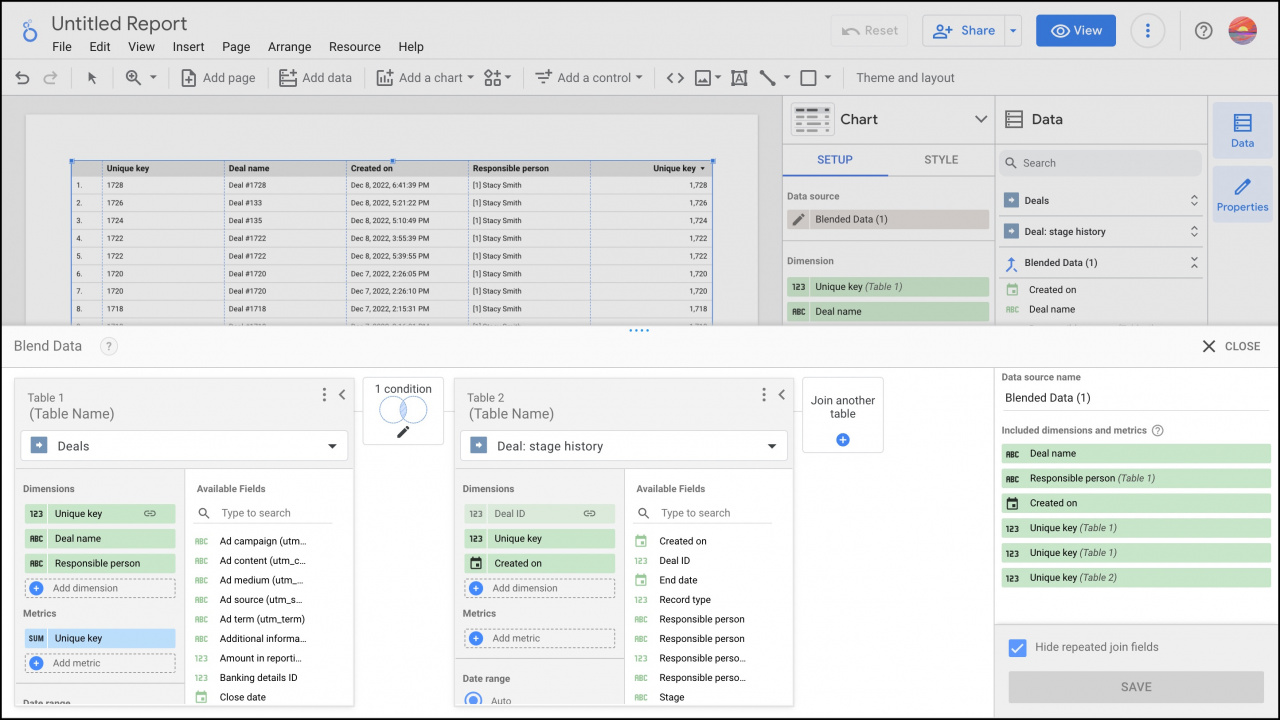
For more information, see the article Blend data sources in Google Looker Studio reports.
In this example, the table uses the following dimensions:
- Unique key: Deal ID
- Responsible person: Name of the responsible employee
- Deal name: Deal name
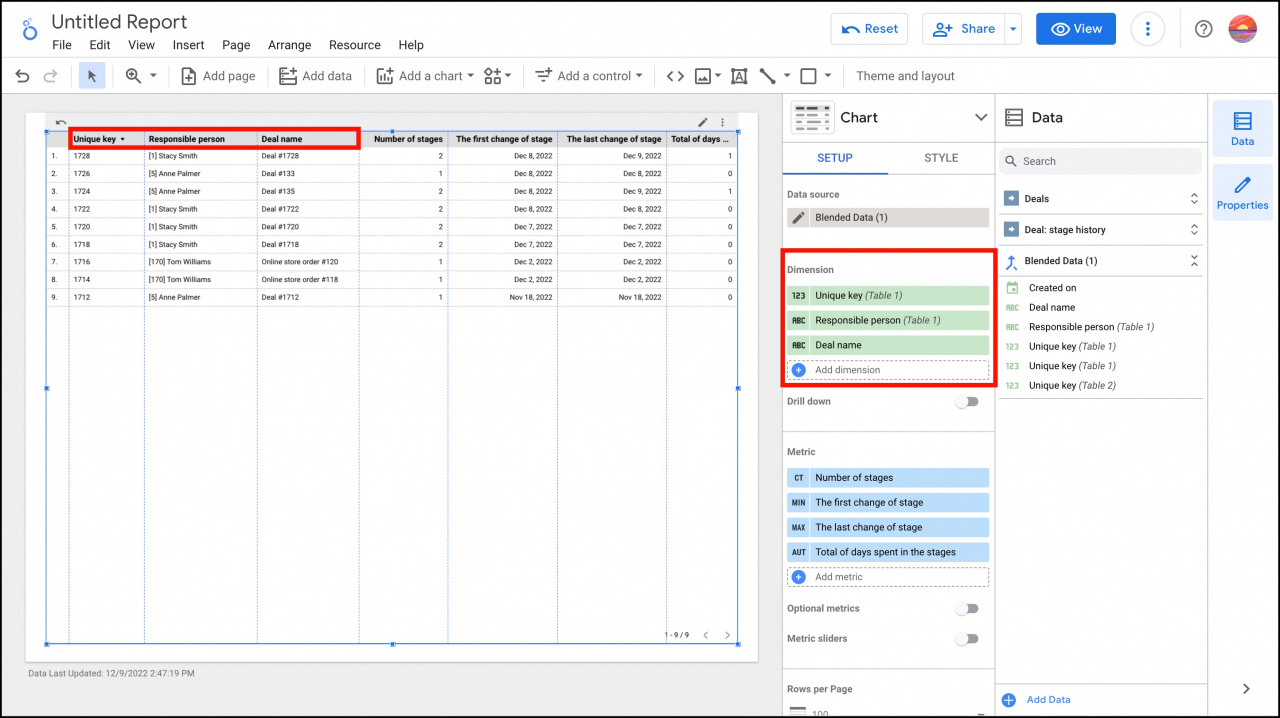
We also added custom metrics to track how many stages each deal passed through and how long it stayed in progress.
- Number of stages: Shows how many times the deal moved to a different stage. The metric uses the Unique key from stage history (Table 2).
- The first change of stage: Shows the date when the deal moved to another stage for the first time. Formula:
DATE(MIN(Created on)). The Created on field comes from stage history and stores the date and time when the deal entered a stage. - The last change of stage: Shows the date when the deal moved to another stage for the last time. Formula:
DATE(MAX(Created on)). - Total of days spent in the stages: Shows the number of days between the first and last stage changes. Formula:
UNIX_DATE(MAX(Created on)) - UNIX_DATE(MIN(Created on)).
For more information about metrics, see the article Time zone in Date/time fields in BI reports.
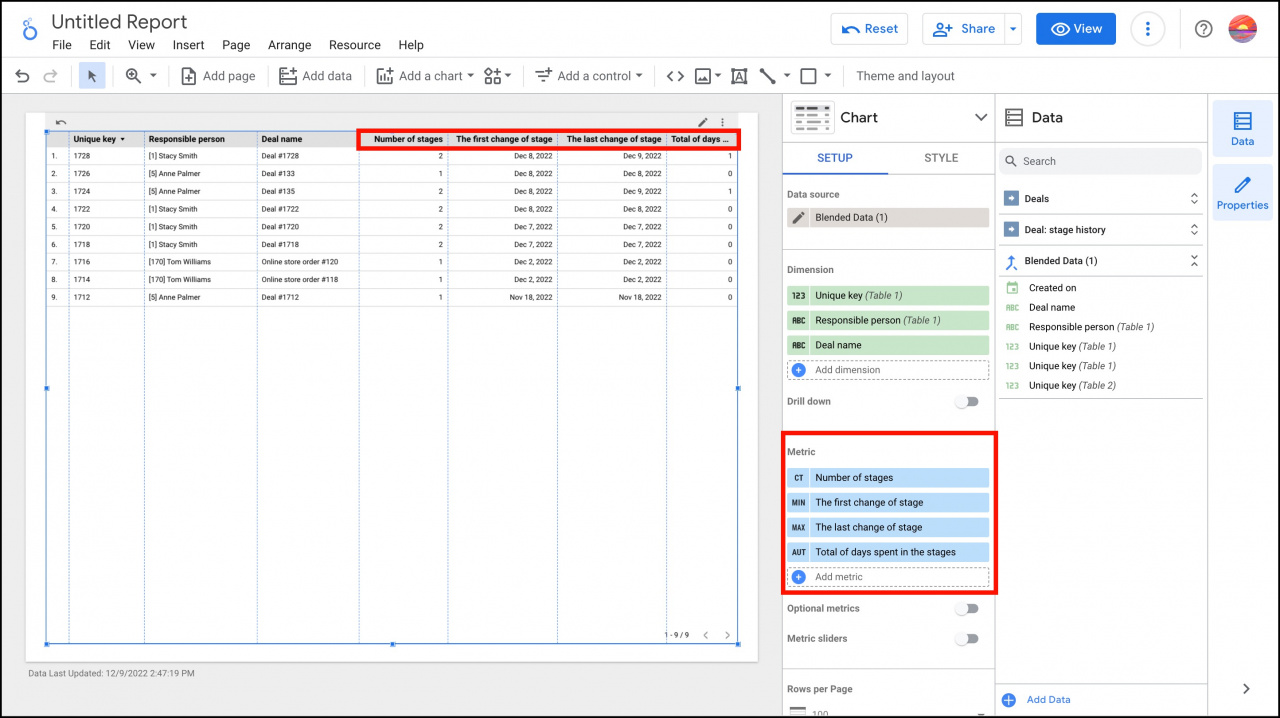
In this example, Deal #1712 stayed in progress for 21 days and passed through 3 different stages. This indicates a significant delay in processing the deal.