🚚 Miễn phí giao hàng toàn quốc

✅ Tặng Gói Hỗ trợ online trọn đời

✅ Giá cạnh tranh nhất thị trường

✅ Miễn phí tư vấn giải pháp

🚚 Miễn phí giao hàng toàn quốc

✅ Tặng Gói Hỗ trợ online trọn đời

✅ Giá cạnh tranh nhất thị trường

✅ Miễn phí tư vấn giải pháp

Hotline: 0943.199.449

Địa chỉ: Tầng 1, tòa nhà Deli, 75 Hoàng Văn Thụ, P. Cầu Kiệu

Bitrix24 Helpdesk

Limit access to Google Looker Studio reports

In Google Looker Studio, you can create a custom field with a rule that controls which report data each employee can view.


How it works

First, create a calculated field in the Bitrix24 BI Connector data source.

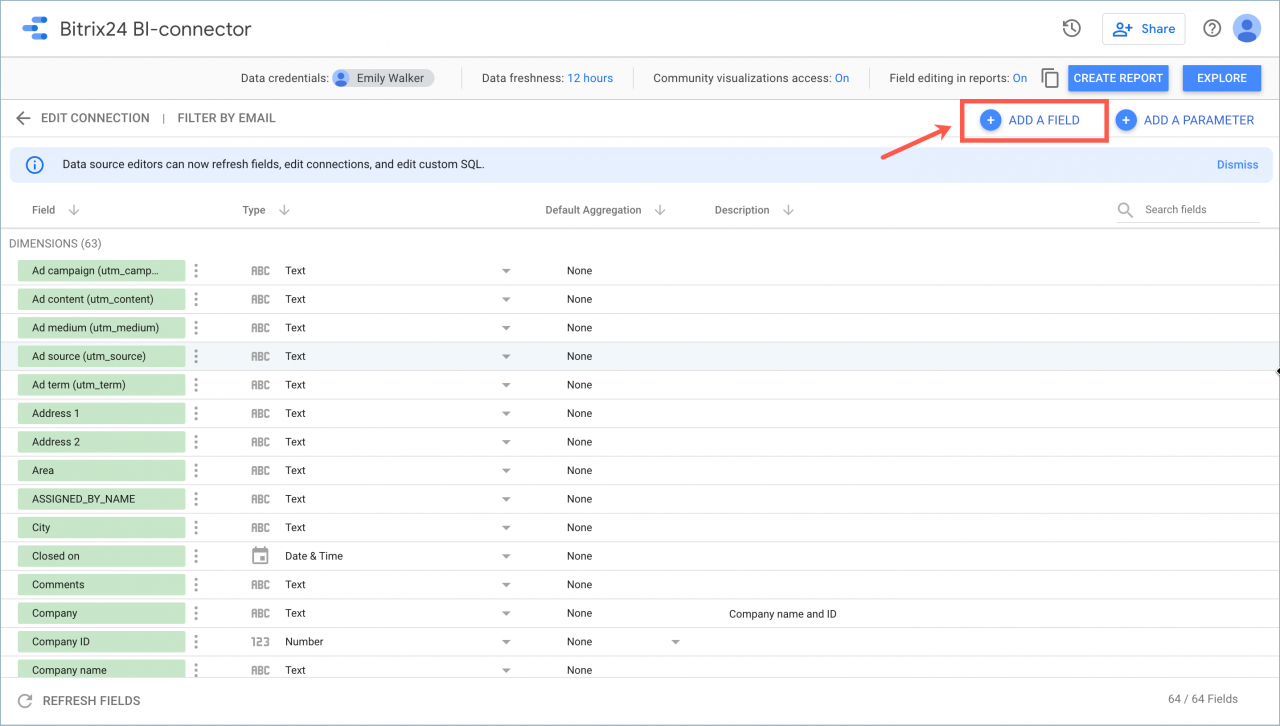
  1. Open the connection settings.
  2. Click Add field.

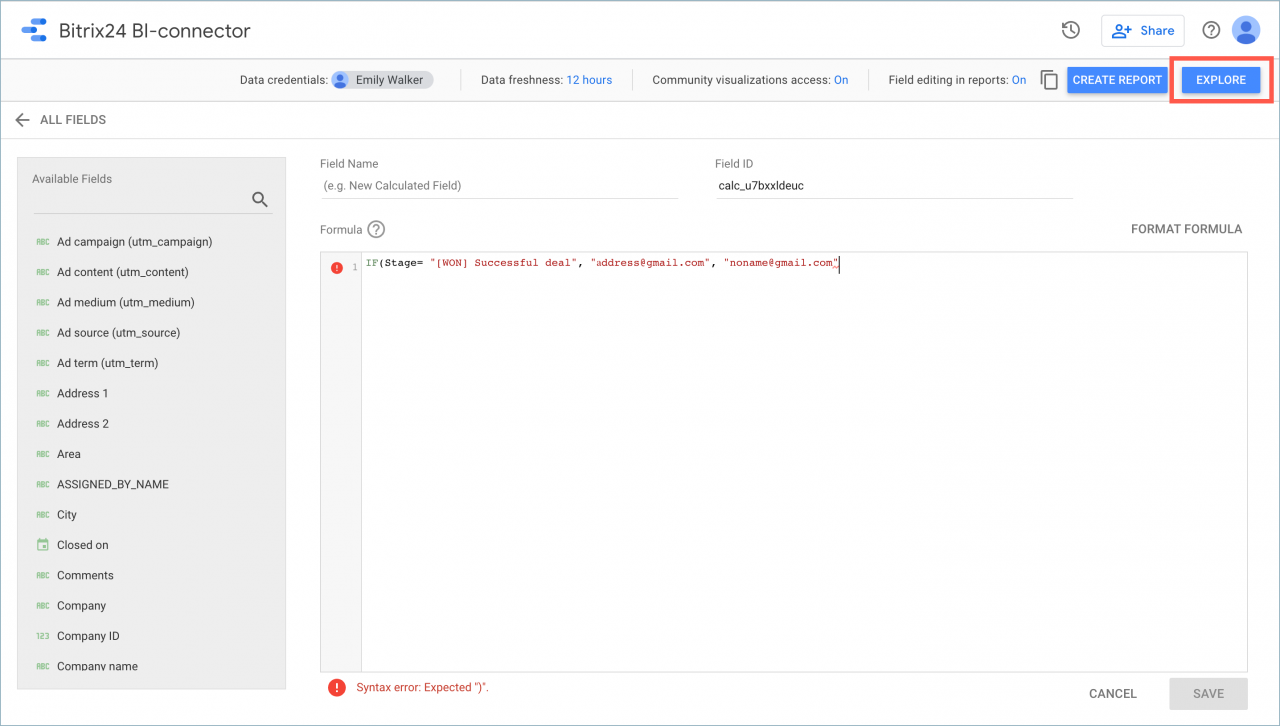
Next, enter a field name and add a formula like this: IF(Stage= "[WON] Successful deal", "[email protected]", "[email protected]").

In the formula, add your employees’ Gmail addresses. This lets you control which report data each employee can access.

In this example, the filter uses the following condition: IF(Stage= "[WON] Successful deal". You can use any condition you need.

Check the new field

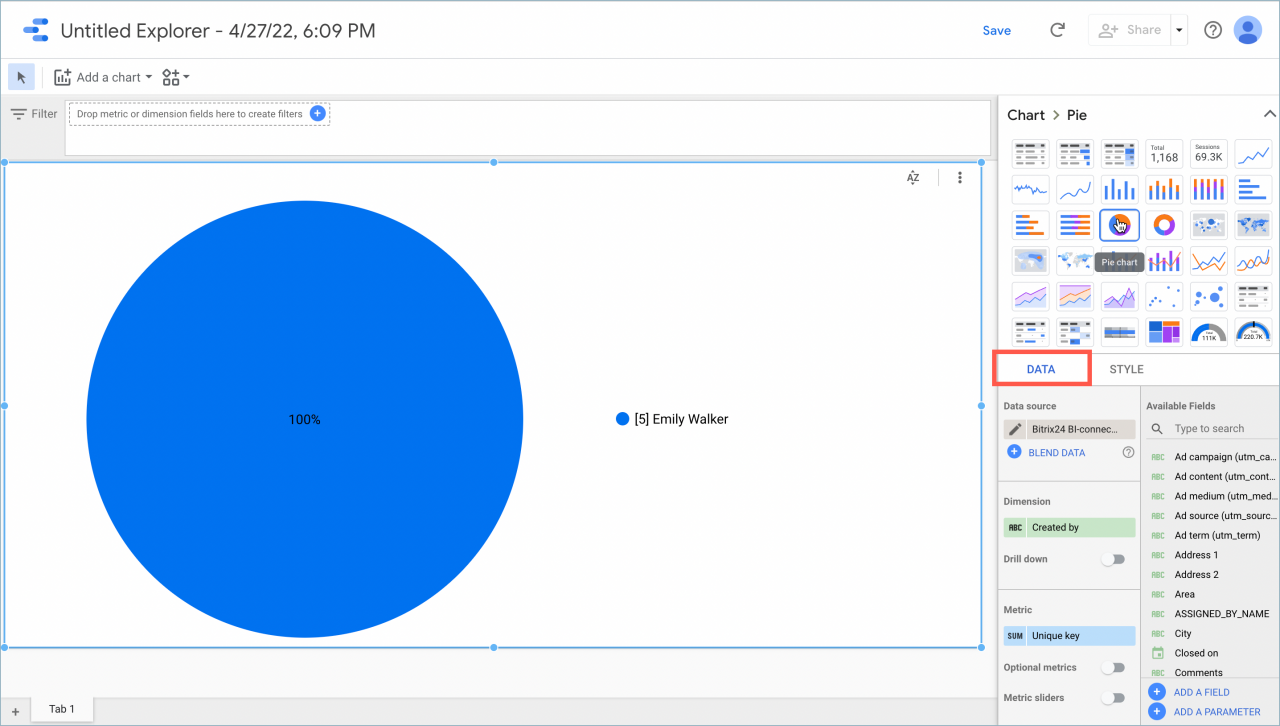
  1. Open the Explore section.
  2. In the Data panel, add the Stage field.
  3. Set the Date Range to the last year.

This lets you view all available stages before you apply the filter.

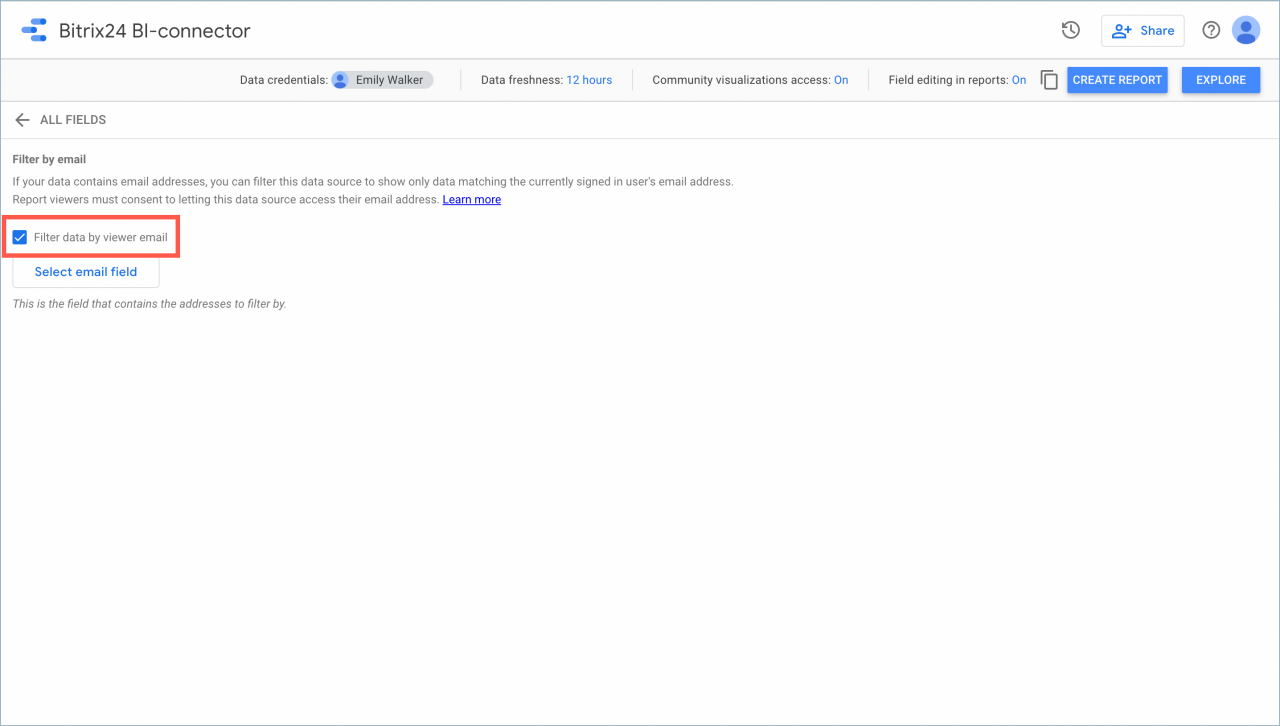
Enable filtering by email

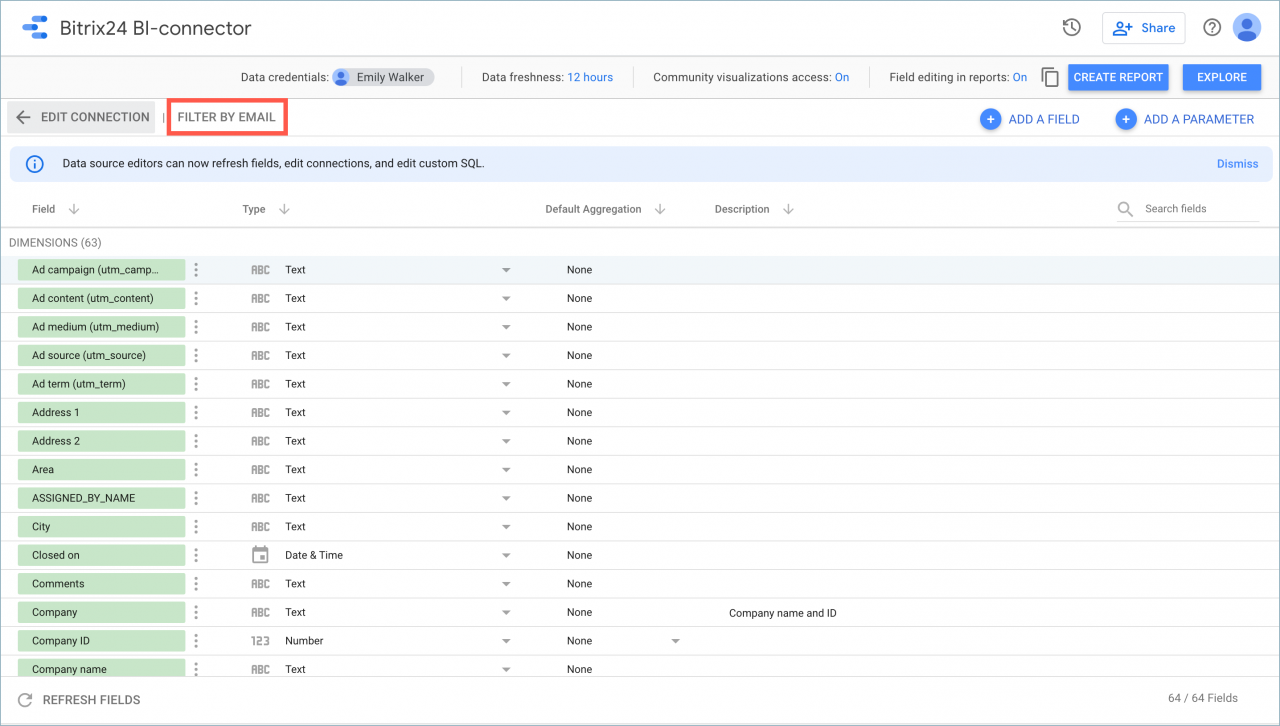
  1. Return to the Bitrix24 BI Connector connection settings.
  2. Open the Filter by email tab.
  3. Enable data filtering.
  4. Select the field you created earlier.
Apply the filter

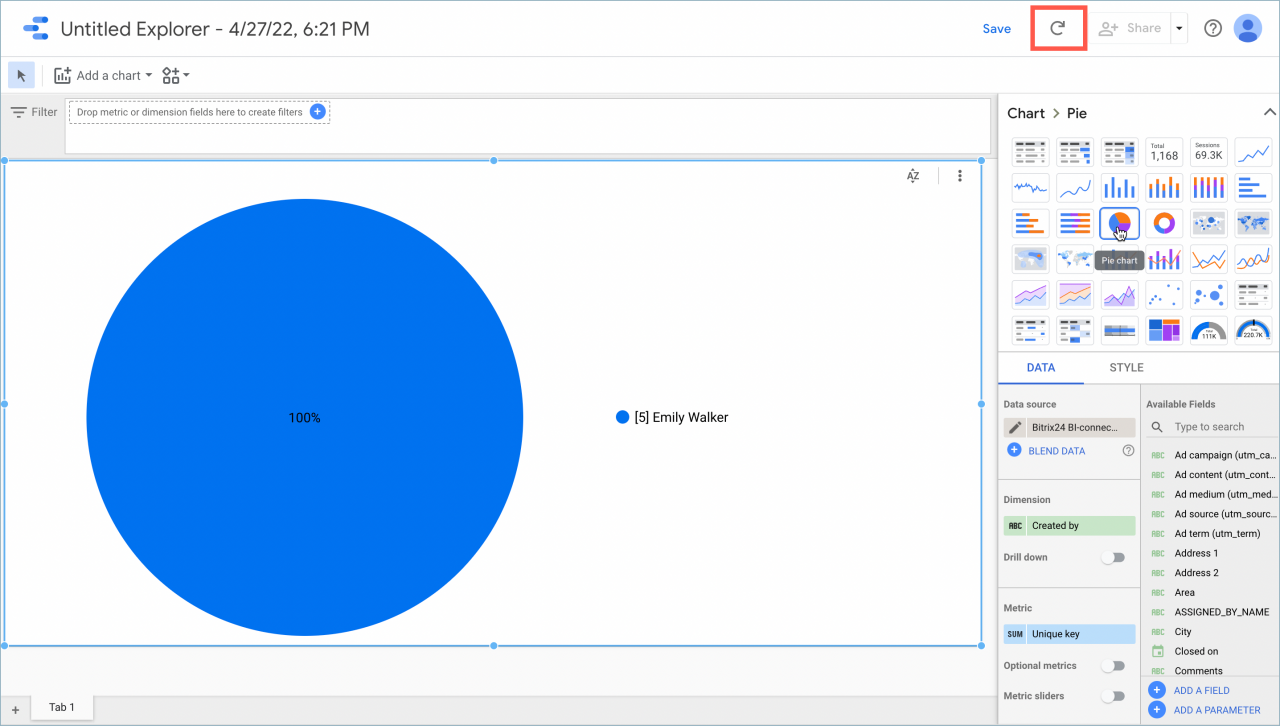
  1. Go back to the Explore section.
  2. Click Refresh.

The filter is now active. Employees will only see the data they are allowed to access.
Use this method to restrict access to specific report data in Google Looker Studio.

Learn more in the Google Looker Studio documentation.

Was this information helpful?
Thank you for your feedback.
Get Implementation Help from a Partner
That's not what I'm looking for
Complicated and incomprehensible text
The information is outdated
It's too short. I need more information
I don't like the way this tool works
Get your Bitrix24 set up by local professionals
FIND BITRIX24 PARTNER NEAR ME
implementation_helper_man
Go to Bitrix24
Don't have an account? Create for free
Related articles
Regular expressions in Google Looker Studio Blend data on deals and employees in Looker Studio Filter leads by status with OR logic in Looker Studio Filter a deal report in Google Looker Studio Use product item datasets in leads and deals Connect Google Looker Studio Set a report date range and embed Google Looker Studio pages in Bitrix24 Transfer CRM entities to Google Looker Studio Refresh report data in Google Looker Studio Monitor metrics and send reports by email in Google Looker Studio
Zalo
0943.199.449