


1. Open the Transform data tab in the Microsoft Power BI desktop app.
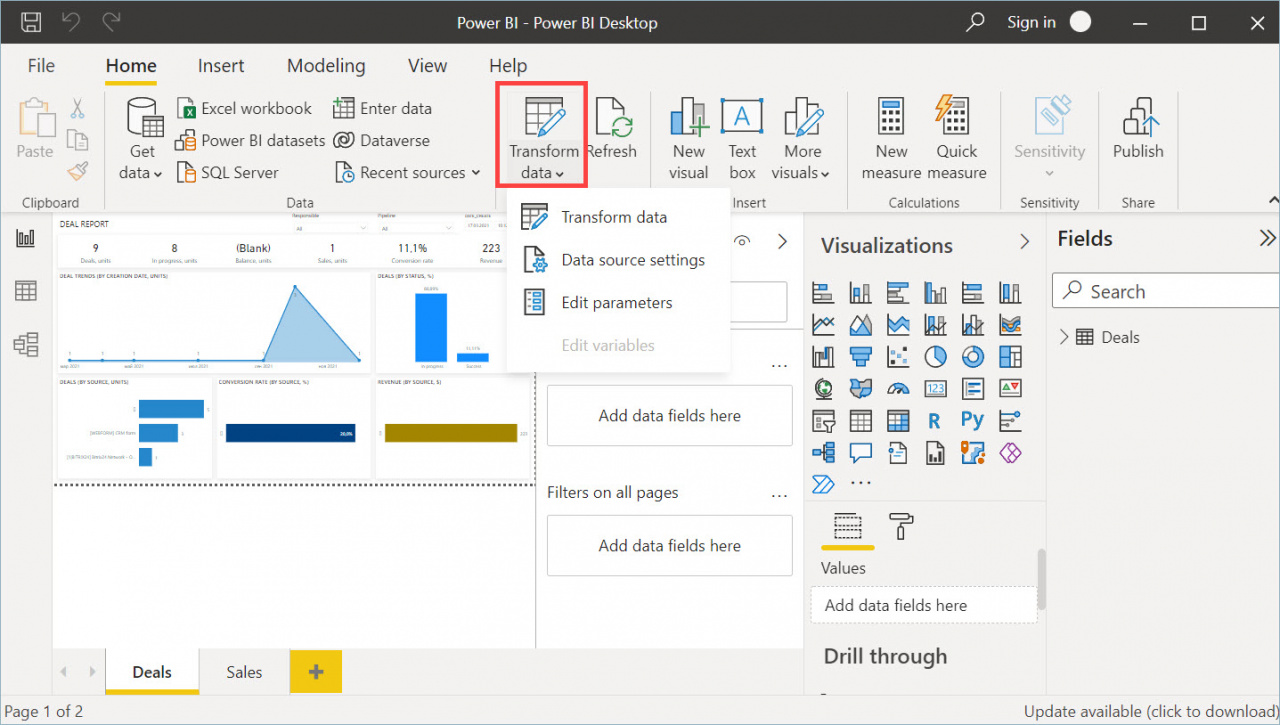
2. Right-click the entity and select Duplicate.
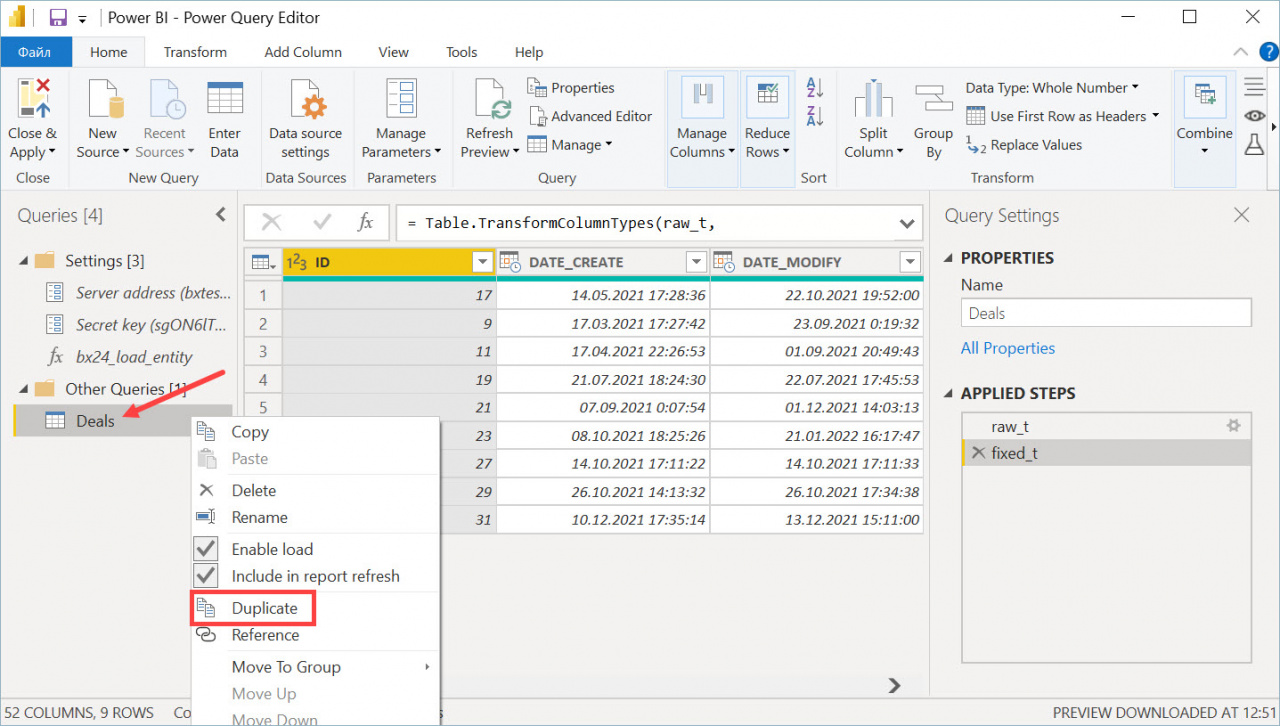
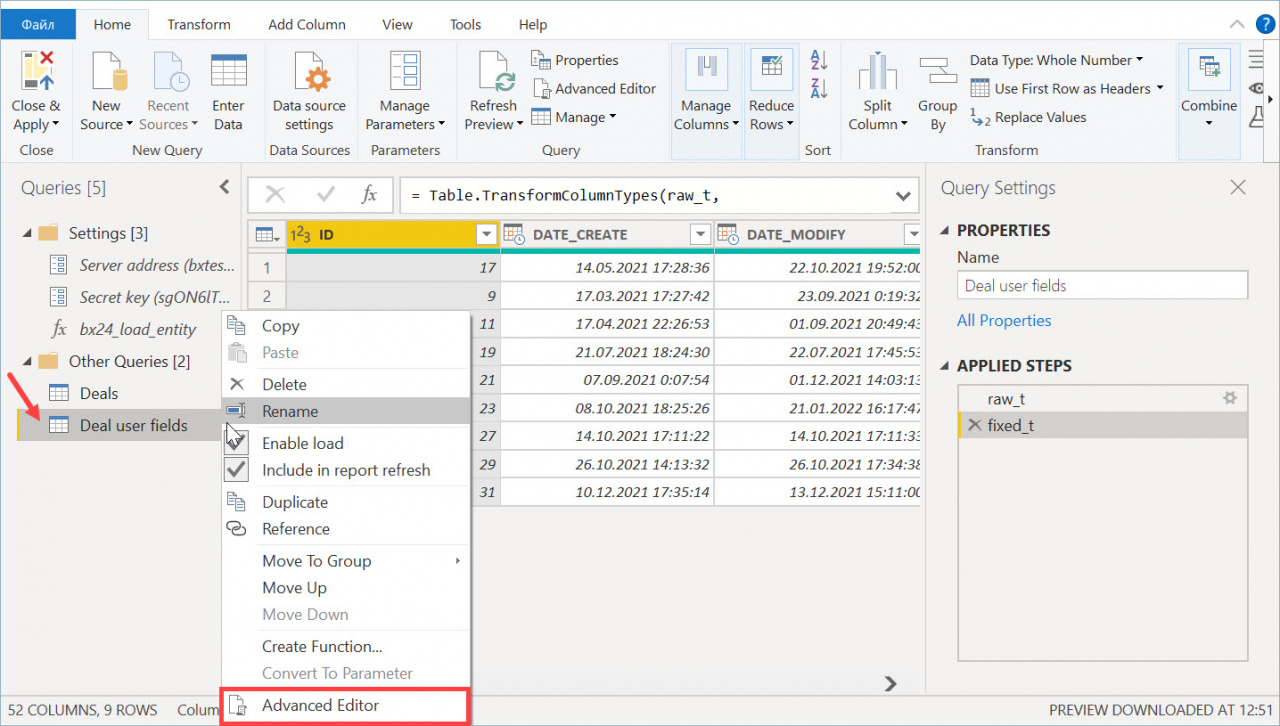
3. Rename the new entity and open Advanced Editor.
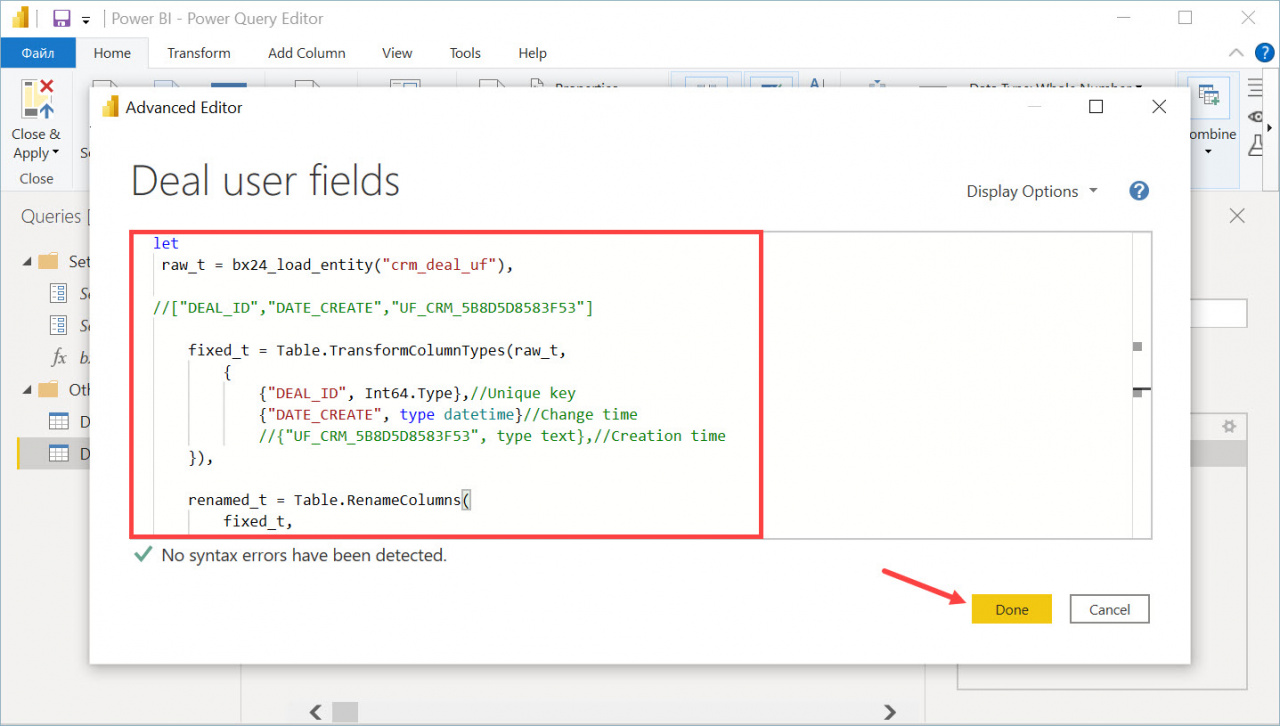
4. In the editor, enter the required parameter and click Done.
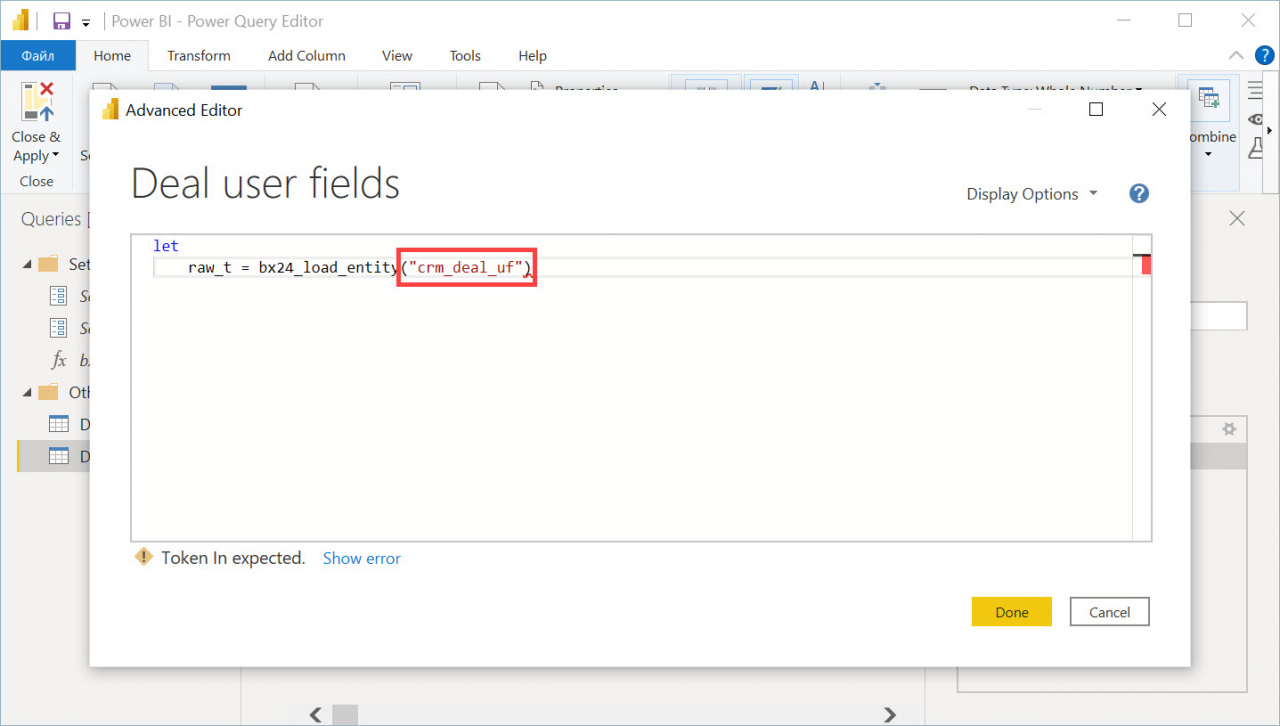
Available parameters:
- crm_deal – deals
- crm_lead – leads
- crm_deal_uf – deal user fields
- crm_lead_uf – lead user fields
- crm_deal_stage_history – deal history
- crm_lead_status_history – lead history
- telephony_call – calls
- crm_company – companies
- crm_contact – contacts
- socialnetwork_group – project
- crm_activity – activity
Example: Transfer deal user fields
Use the following code:
let
    raw_t = bx24_load_entity("crm_deal_uf"),

//["DEAL_ID","DATE_CREATE","UF_CRM_5B8D5D8583F53"]

    fixed_t = Table.TransformColumnTypes(raw_t,
        {
            {"DEAL_ID", Int64.Type},//Unique key
            {"DATE_CREATE", type datetime}//Change time
            //{"UF_CRM_5B8D5D8583F53", type text},//Creation time
    }),

    renamed_t = Table.RenameColumns(
        fixed_t,
        {
            {"DEAL_ID", "Deal Identifier"}
        }
    )


in
    renamed_t
Duplicate the entity and paste the code into the Advanced Editor window.
You can then use the data to build reports.



