


Bitrix24 includes multiple layers of protection to keep your data secure. These include encrypted connections, two-step authentication, IP restrictions, and more. This article answers common questions about security in Bitrix24.
In this article:
Data protection
Bitrix24 uses multiple layers of security to protect your data and maintain stable performance.
Connection encryption. All data transfers use SSL encryption. This keeps your information secure, even on public Wi-Fi networks.
Two-step authentication. Use one-time codes from the Bitrix24 OTP or Google Authenticator apps. Even if someone gets your password, they won’t be able to access your account.
Enable two-step authentication for Bitrix24 login
File protection. Bitrix24 automatically backs up your files in the cloud. You can restore them if there is hardware failure or a virus.
Proactive protection. Bitrix24 uses a built-in web application firewall (WAF). It blocks most common web attacks and is based on years of security experience.
Data hosting
Bitrix24 stores data on Amazon Web Services (AWS) servers in:
- United States (Virginia)
- European Union (Frankfurt, Germany)
You can also use an on-premise version to host data on your own server.
AWS meets major compliance standards, including HIPAA, GDPR, ISO 27001, SOC 1/2/3, and PCI DSS Level 1.
Login history
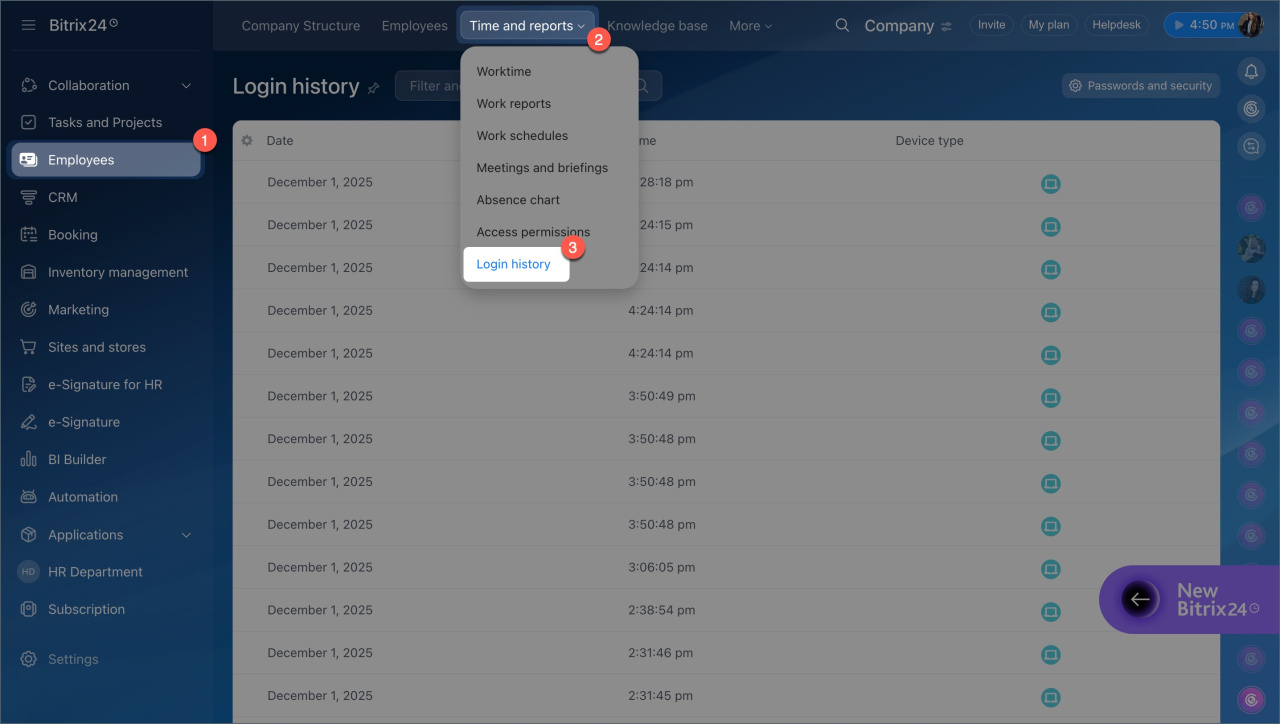
You can track login activity in Employees > Time and Reports > Login History.
- Administrators can view all employee logins.
- Employees can view only their own activity
Employee login history in Bitrix24
Bitrix24 plans and pricing
Restrict access by IP address
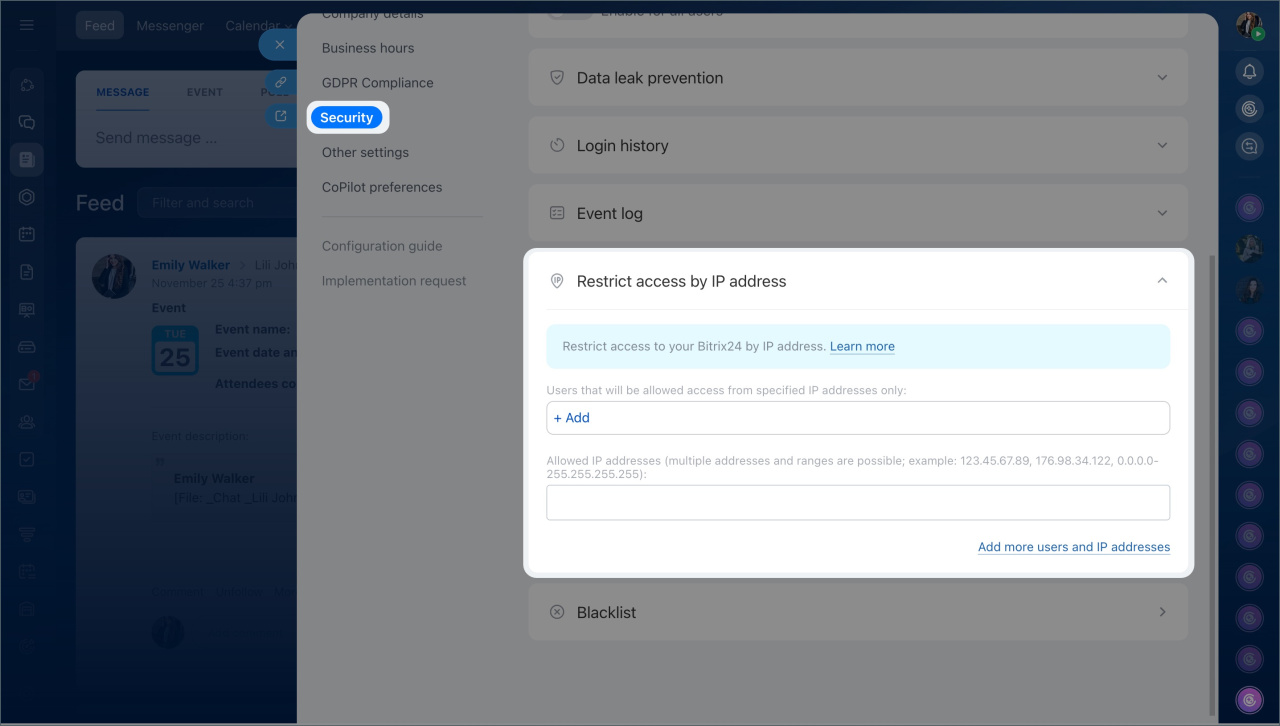
Admins can allow access to Bitrix24 only from specific IP addresses. This helps prevent access from unknown devices or public networks.
Restrict access to Bitrix24 by IP address
To set up IP restrictions:
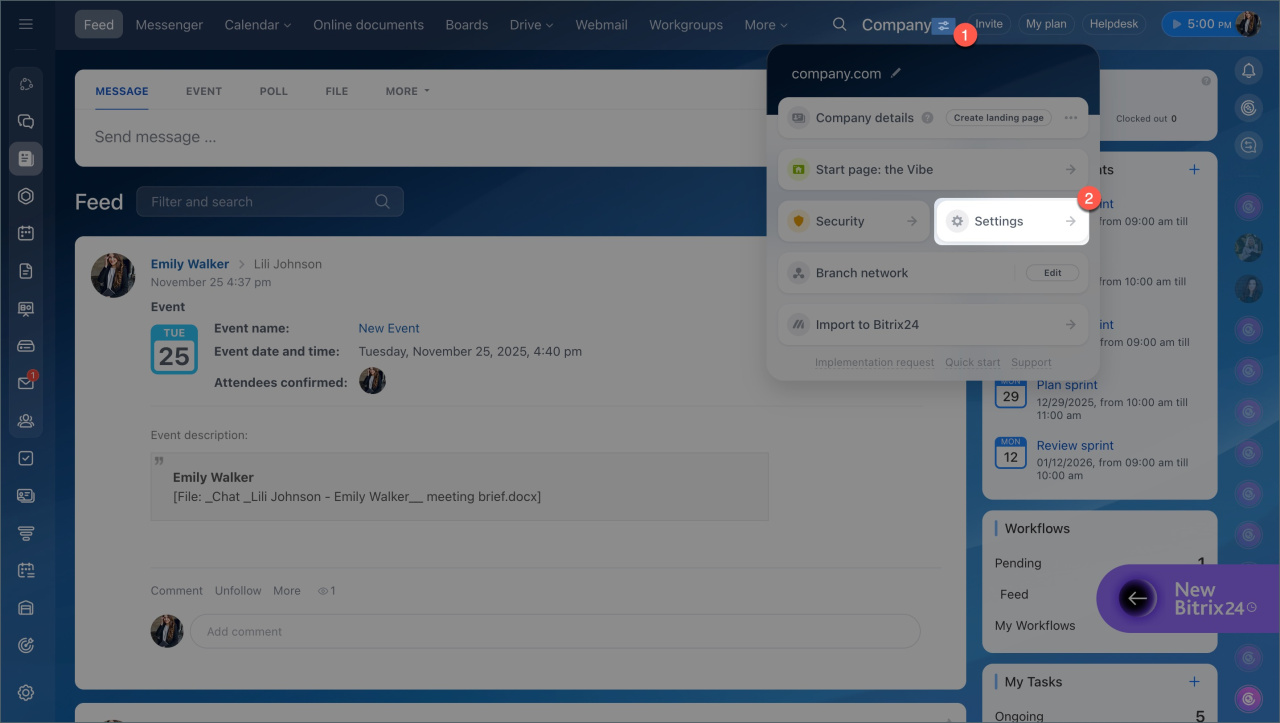
- Go to Settings (⚙️) > Security.
- Select IP address access restrictions.
- Add allowed IP addresses.
- Choose which employees the rule applies to.
- Save the settings.
After that, users can only log in from the listed IP addresses.
Forget login or password
If you can’t access your account, you can restore it.
If you forgot your login:
There are two ways to recover access:
- Ask your Bitrix24 administrator for your login.
- Use a QR code from the mobile app (if already logged in there).
What to do if you forgot your Bitrix24 login or password
If you forgot your password:
- Open the Bitrix24 login page.
- Click Forgot password.
- Enter your login.
- Follow the link sent to your email.
Recover Bitrix24 password
If you still can’t sign in, contact Bitrix24 support.
Contact Bitrix24 Support

Protection against DDoS attacks
Bitrix24 uses a web application firewall (WAF) to monitor and filter traffic.
It applies protection across all OSI layers, up to Layer 7. This helps stop DDoS attacks quickly without slowing down the system. False positives are rare and stay minimal even during attacks.
Security in Bitrix24



