


In the Bitrix24 mobile app, you can restrict employees from taking screenshots, recording the screen, or copying text. This helps protect confidential information from being leaked.
You can enable these restrictions for specific employees or entire departments. For example, for those working with personal data, trade secrets, or other important documents.
Enable information protection
Only a Bitrix24 administrator can enable this protection.
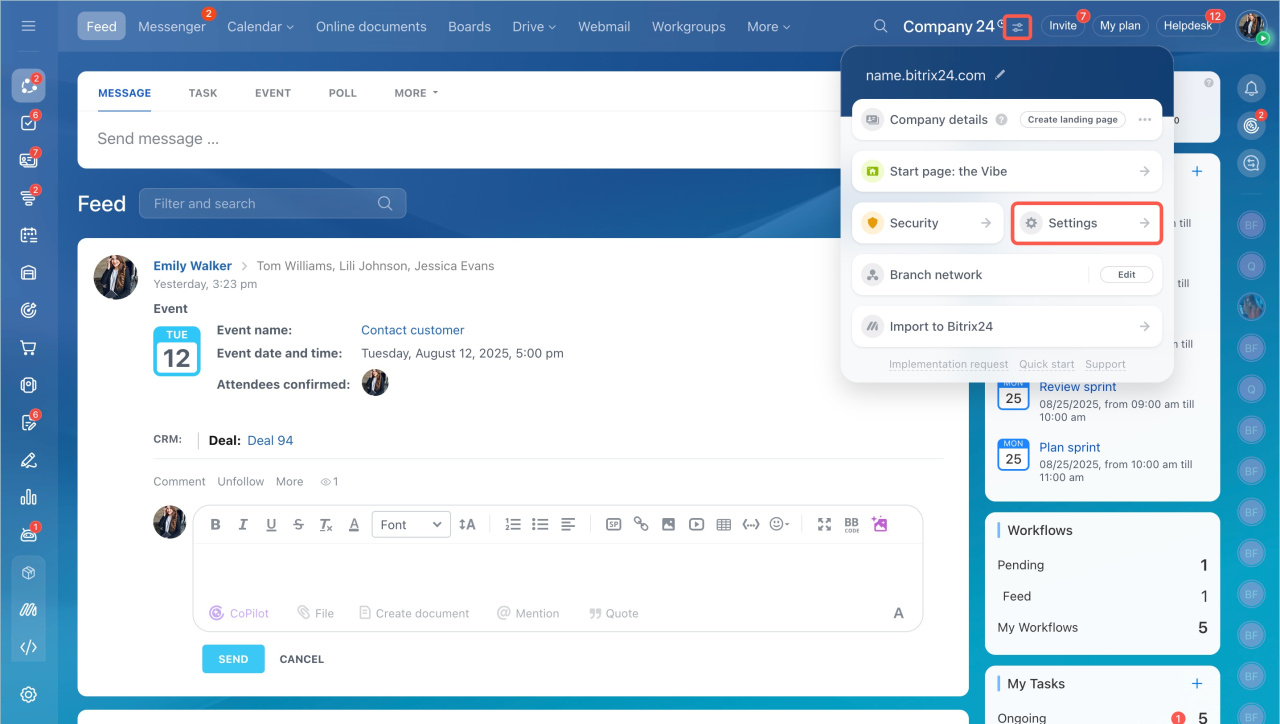
- Click the icon next to your Bitrix24 name and select Settings.
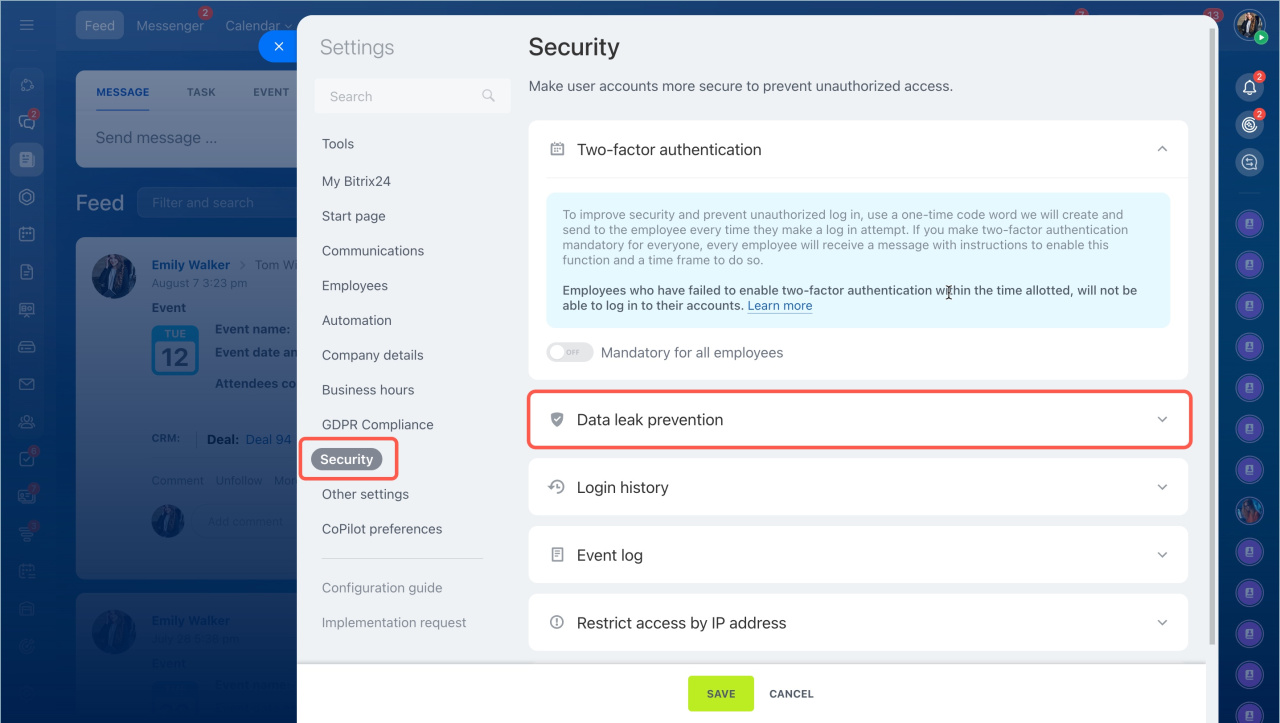
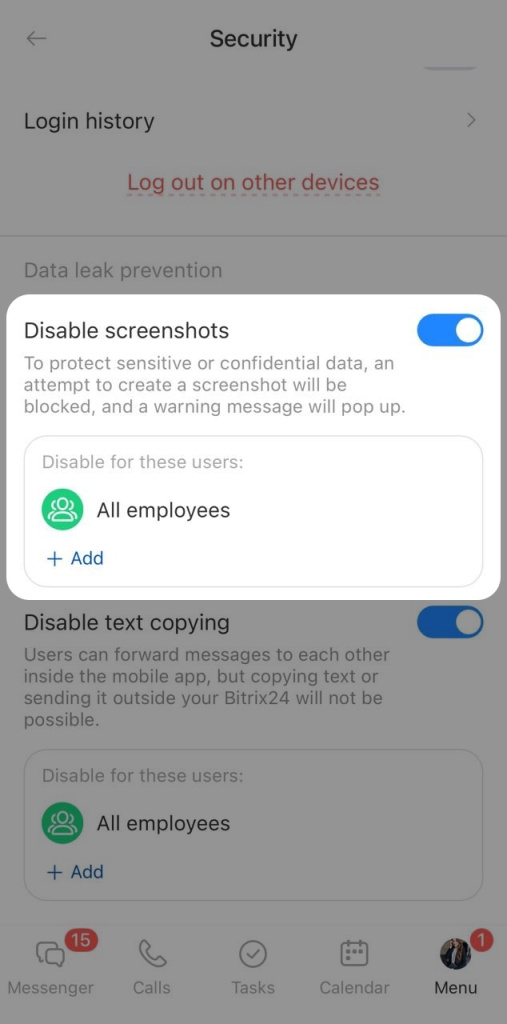
- Go to the Security section > Data leak prevention.
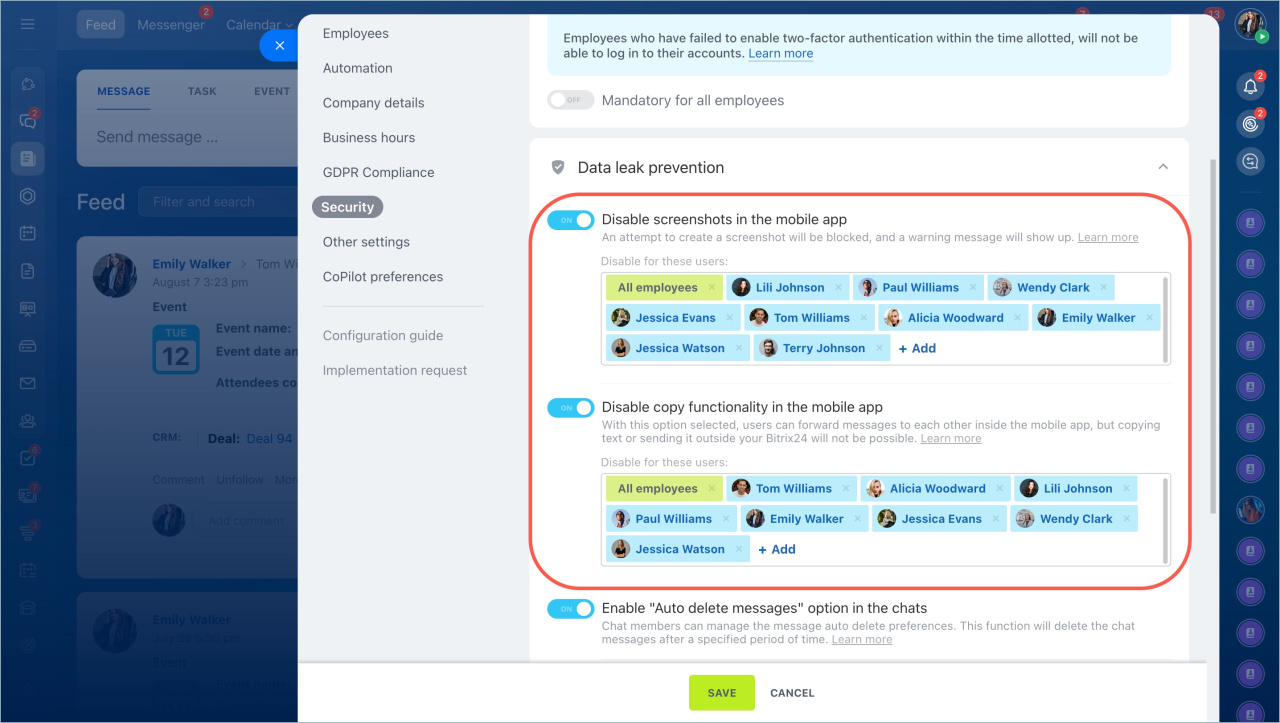
- Enable the options: Disable screenshots in the mobile app and Disable copy functionality in the mobile app. Select the employees or departments for whom the restriction will apply.
- Click Save.
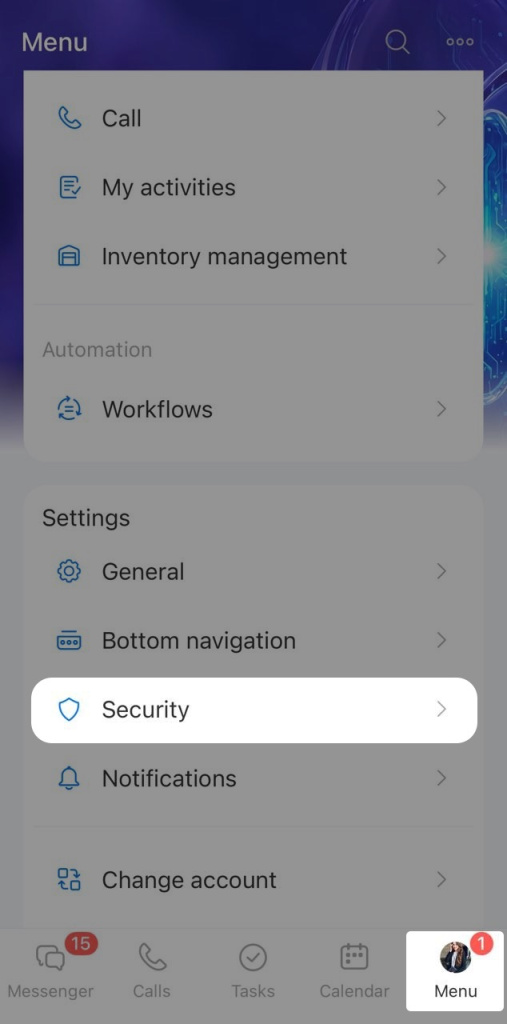
- Tap Menu.
- Select Security.
- Turn on Disable screenshots and Disable text copying.
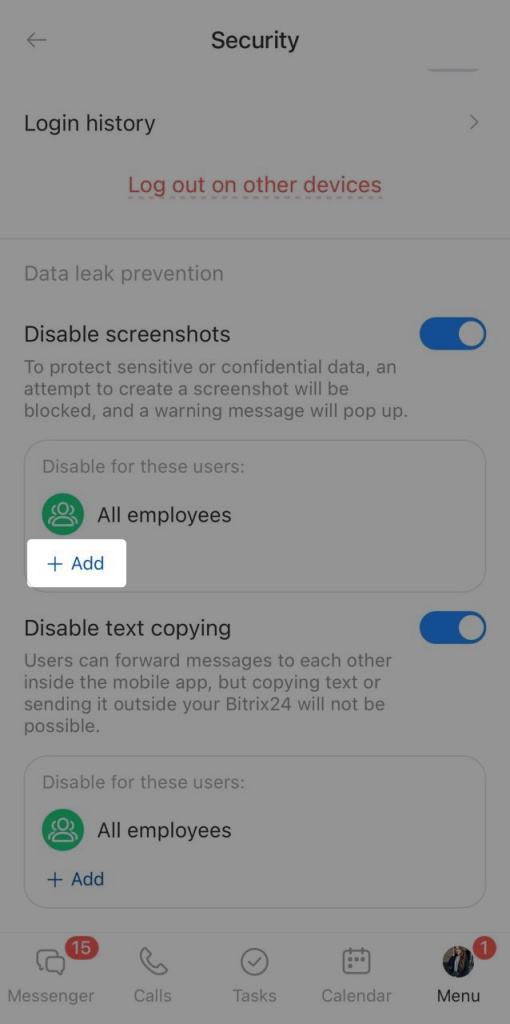
- Tap Add.
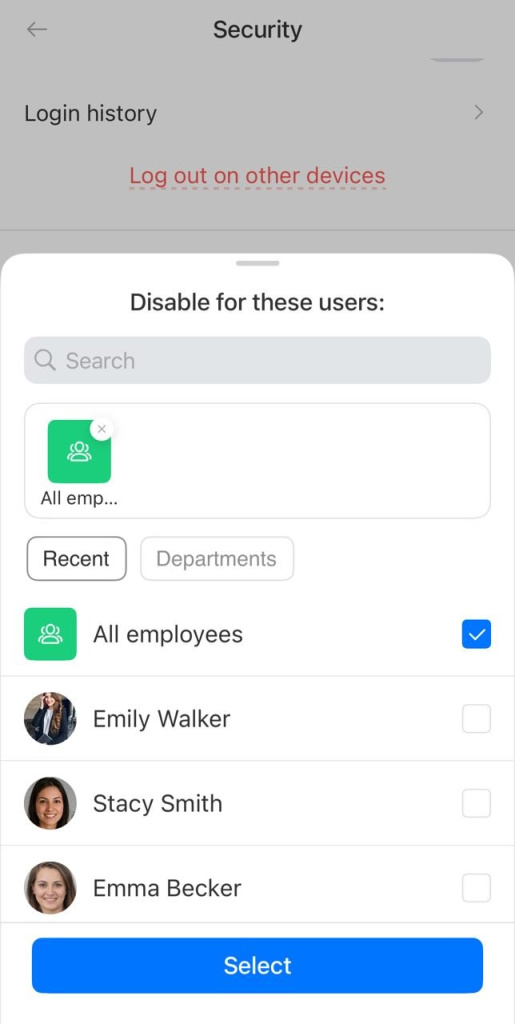
- Select the employees or subdepartments you want to apply these restrictions to. You can set different employees for each option. For example, you can block text copying for the Accounting department and block screenshots for the Legal department.
- Tap Select.
Protection is now on. Employees can no longer copy text or take screenshots in the mobile app.
How information protection works
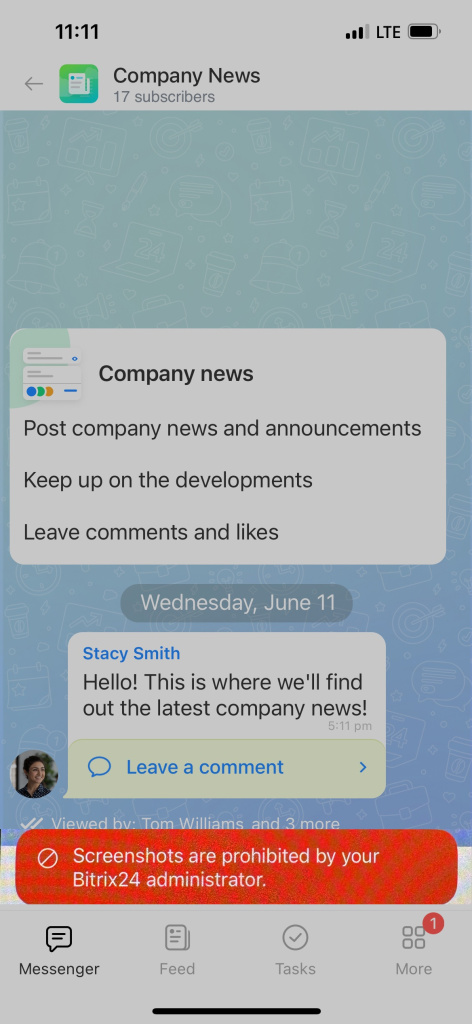
Disable screenshots. When employees try to take a screenshot or record the screen, they will see a message about the restriction. The screenshot or video will not be saved.
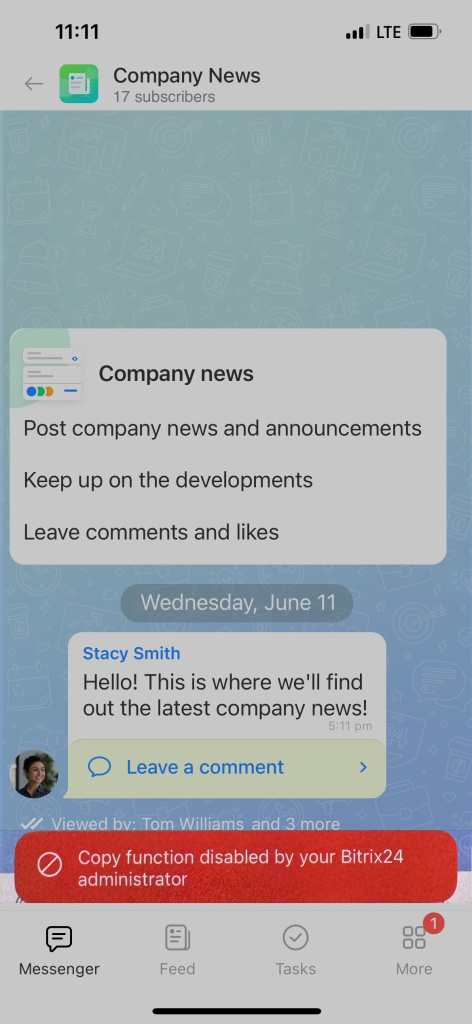
Disable text copying. Employees can send messages to each other within the app but cannot copy and send text outside Bitrix24.
In brief
- In the Bitrix24 mobile app, you can restrict employees from taking screenshots, recording the screen, or copying text. This helps protect confidential information from being leaked.
- You can enable these restrictions for specific employees or entire departments.
- Only a Bitrix24 administrator can enable the restriction. Go to the Acccount settings > Security tab > Data leak prevention.
- The restriction applies to the entire mobile app interface, not to specific documents or sections.



