A sales order records a sale and deducts products from inventory. Access permissions control who can view, create, process, cancel, and delete these documents.
In this article:
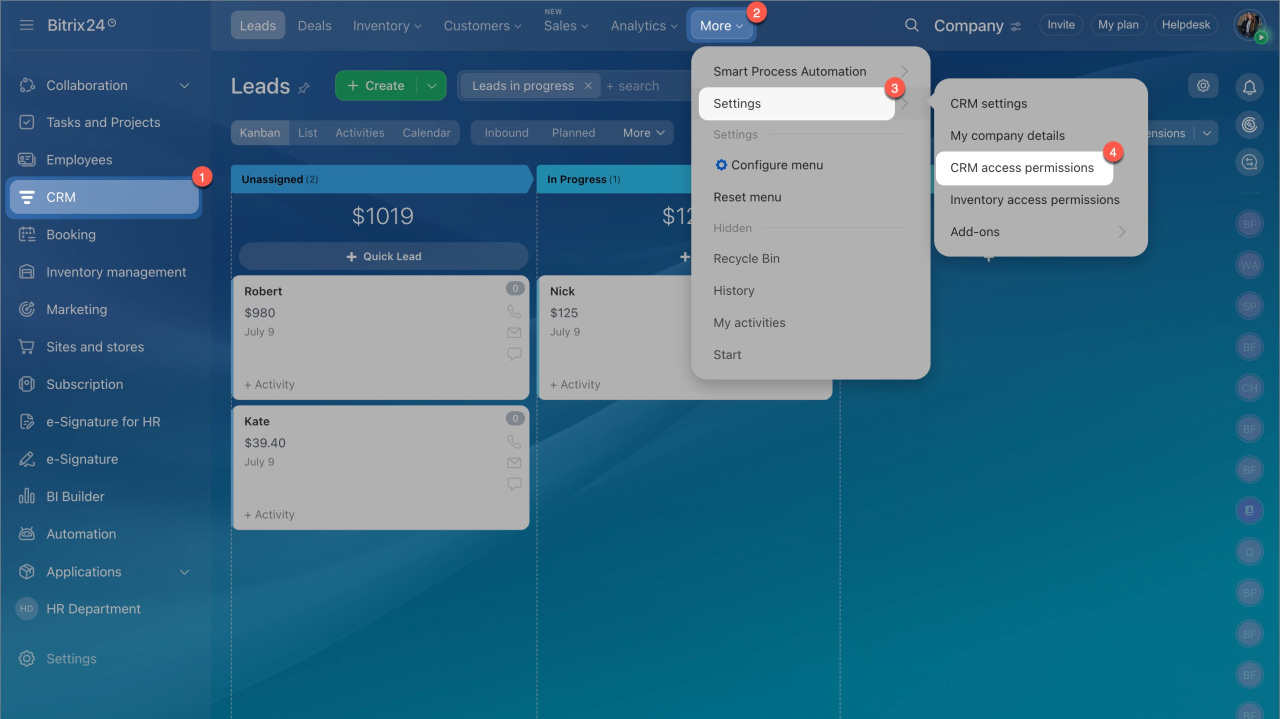
Go to CRM > Settings > Inventory access permissions.
Available permissions
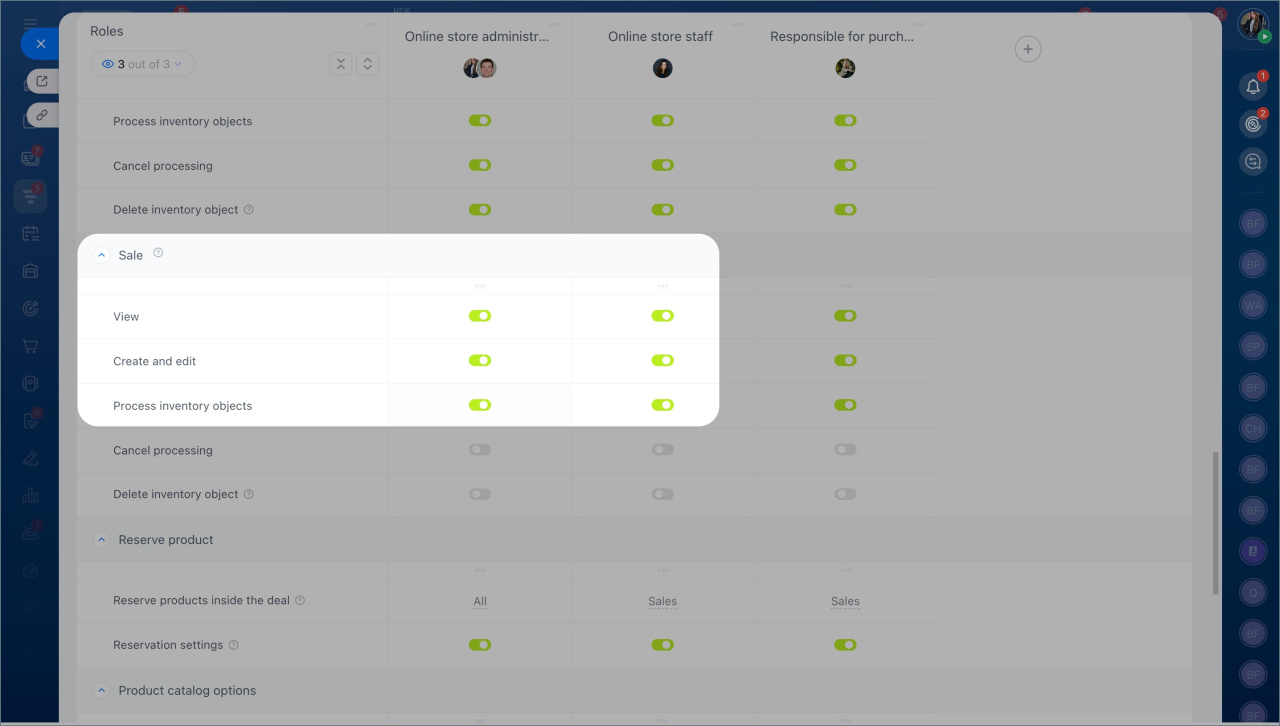
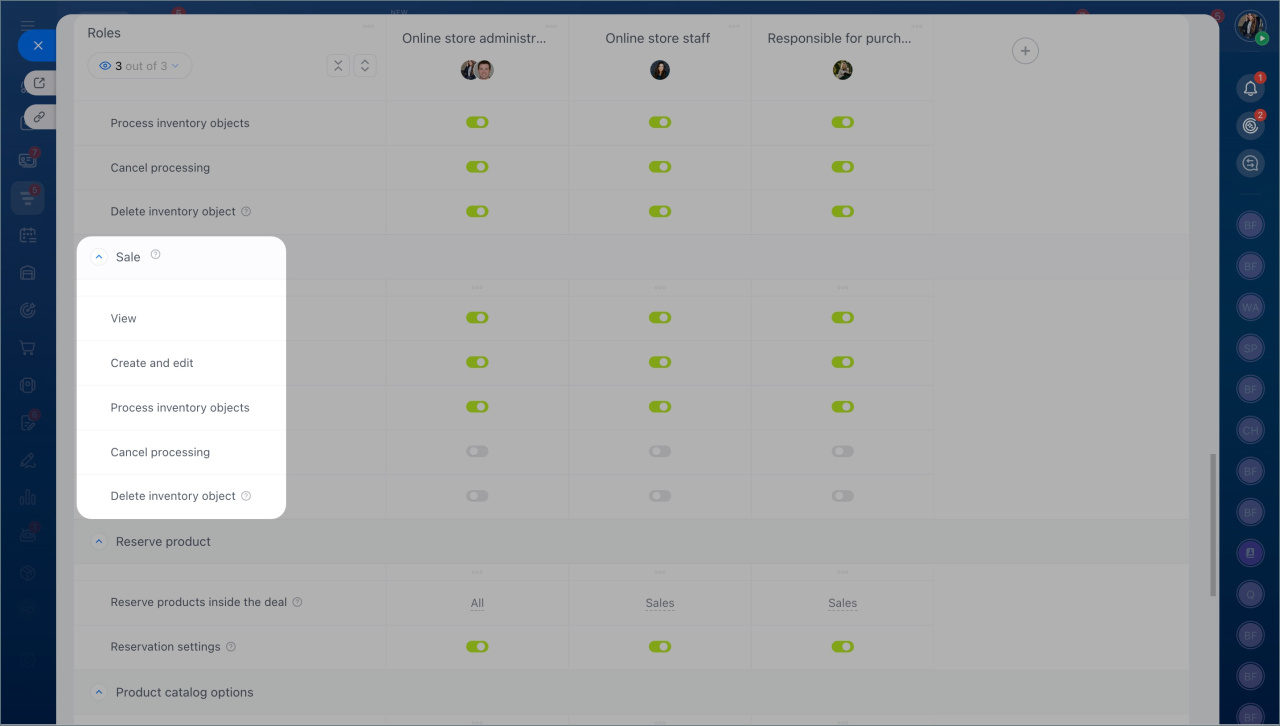
You can assign five types of permissions for sales orders:
- View — Users can open and review documents. They can’t edit, process, or delete them. Use this for monitoring sales and inventory.
- Create and edit — Users can create new documents and update drafts. Assign this to employees who prepare sales orders or update data.
- Process document — Users can complete a sale. This deducts products from inventory and records revenue.
- Cancel processing — Users can undo a processed document and restore inventory. Use this for correcting errors.
- Delete document — Users can delete drafts and canceled documents. This helps keep records clean.
Example: sales in stages. A manager may sell products in batches. For example, a customer receives items in multiple shipments. The manager creates a separate sales order for each shipment and processes it when the products are shipped. This keeps inventory accurate for each batch.
How to set it up
- Create a role, for example, “Manager,” and add employees to it.
- Enable these permissions:
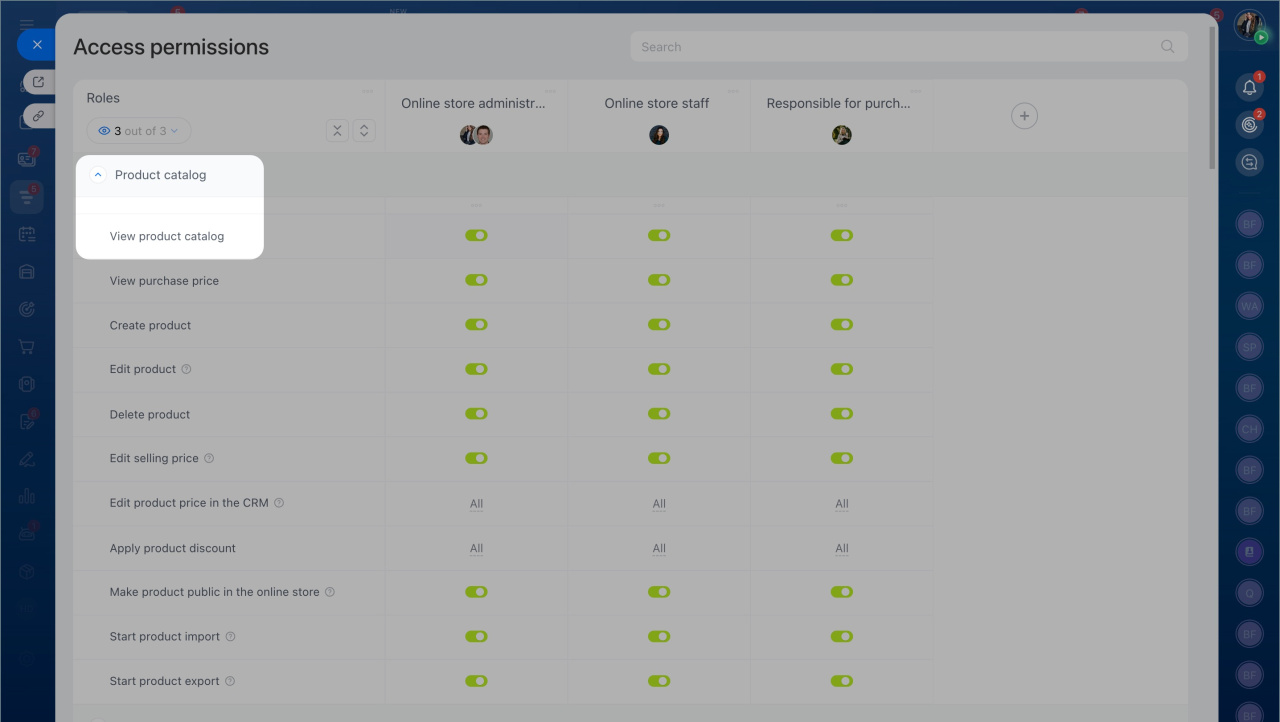
- View product catalog
- View Inventory management area
- View and select warehouse — limit access to specific warehouses
- For sales orders:
- View
- Create and edit
- Process document
Leave other permissions disabled so users can’t cancel or delete processed documents.
Users also need CRM permissions for Contacts and Companies. This allows them to select a customer in the sales order. Without these permissions, they can’t complete the document.
Role-based access permissions in CRM