


A stock receipt document records products received at a warehouse. It includes product names, quantities, and vendors. Access permissions control who can view, create, process, or delete these documents.
In this article:
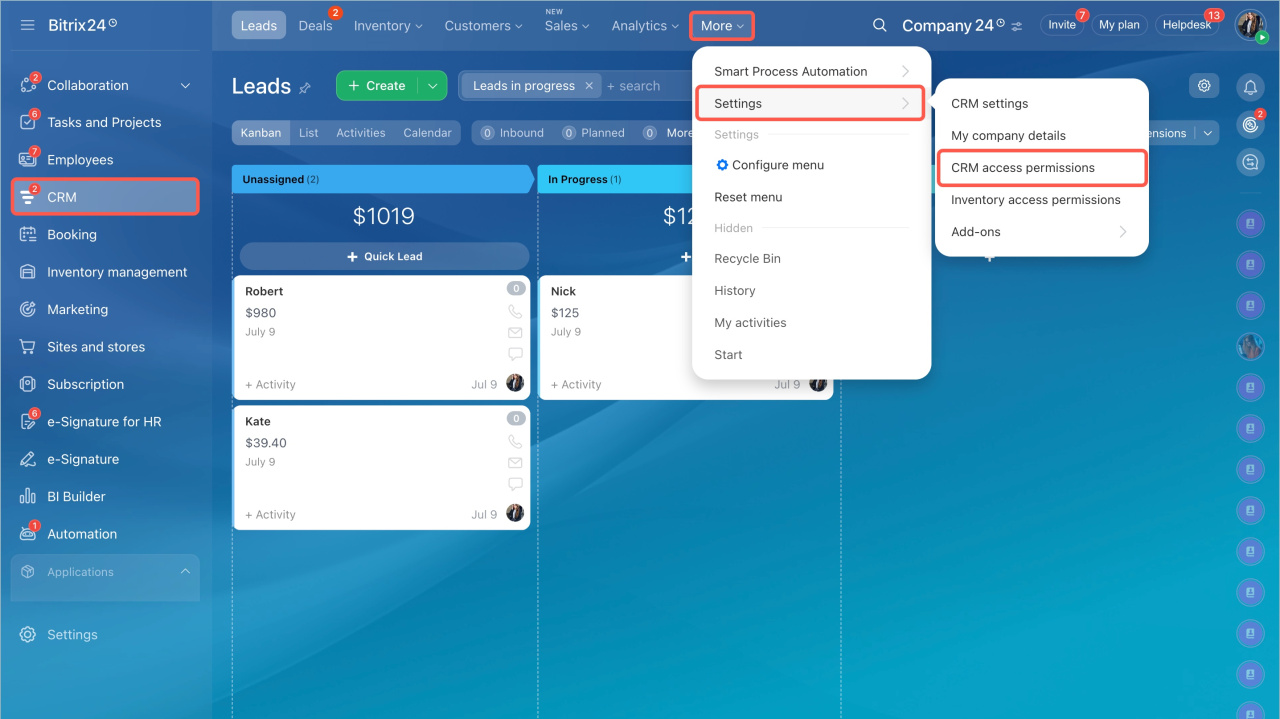
Go to CRM > Settings > Inventory access permissions.
Available permissions
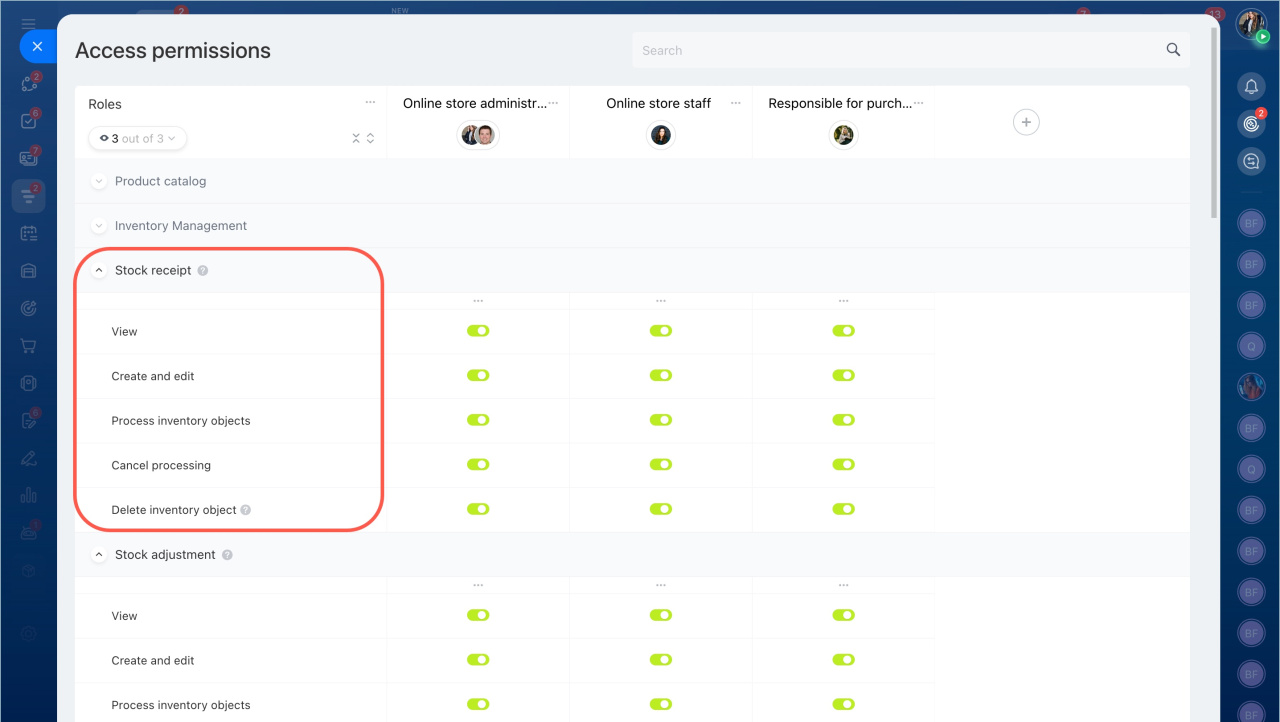
You can assign these permissions for stock receipt documents:
- View — allows users to open documents. They cannot edit or process them. Use this to review delivery details.
- Create and edit — allows users to create new documents and update drafts. Use this when preparing deliveries and coordinating with vendors.
- Process document — confirms the receipt of goods and updates inventory. Assign this to employees who receive and verify deliveries.
- Cancel processing — allows users to undo a processed document and restore inventory. Use this to fix errors.
- Delete document — allows users to delete drafts or canceled documents. Use this to keep records clean.
Example: manager and warehouse worker roles
In many teams, managers prepare documents and warehouse workers handle deliveries.
To set this up:
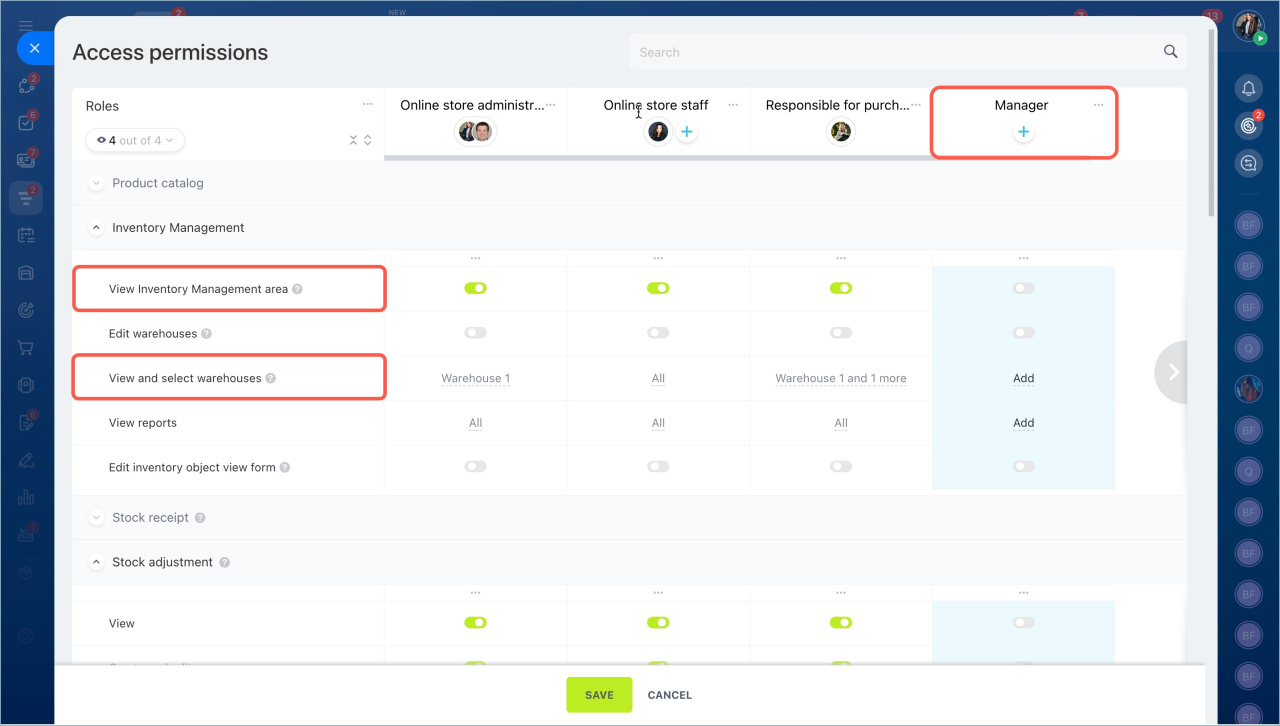
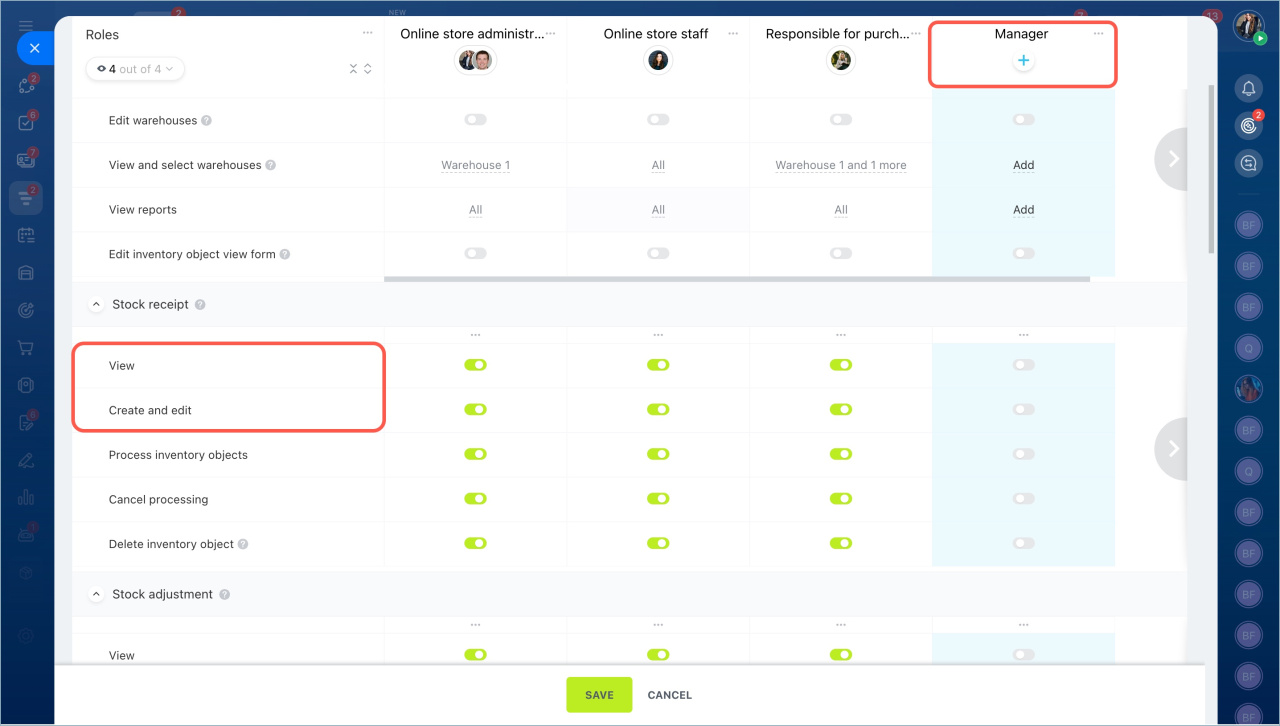
- Create a Manager role and grant:
- View product catalog
- View Inventory management section
- View and select warehouses
- For documents:
- View
- Create and edit
- View product catalog
- View Inventory management section
- View and select warehouses — limit access to specific warehouses
- For documents:
- View
- Process document
Leave other permissions disabled. Warehouse workers will not edit or delete documents. They only process prepared ones.
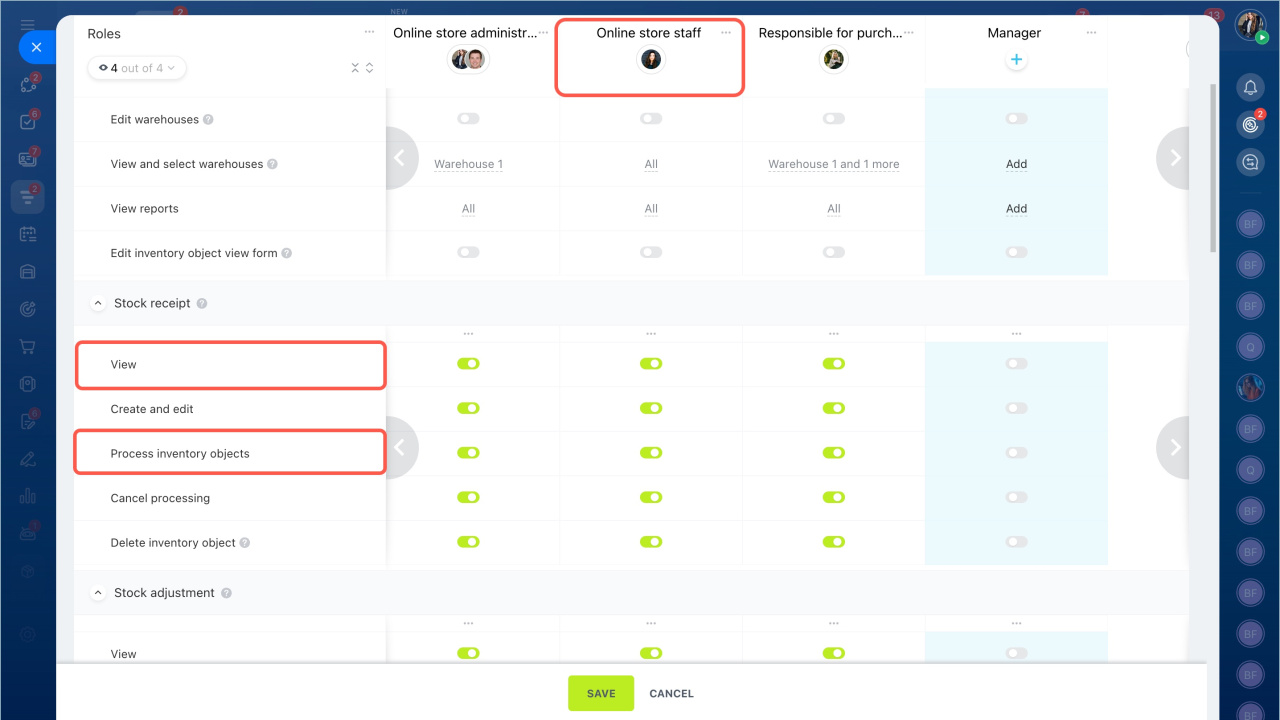
After setup, warehouse workers can open prepared documents, receive goods, and process them to record the arrival.
Permissions apply only to the warehouses an employee can access. If a document includes multiple warehouses and the employee has access to only one, they can still open the document and view the product list. However, data from restricted warehouses and details such as received quantities will be hidden.



