A stock adjustment document records inventory balances and updates stock after an inventory check. It also tracks items that appear in the warehouse but were not previously recorded. Access permissions control who can view, create, process, or delete these documents.
In this article:
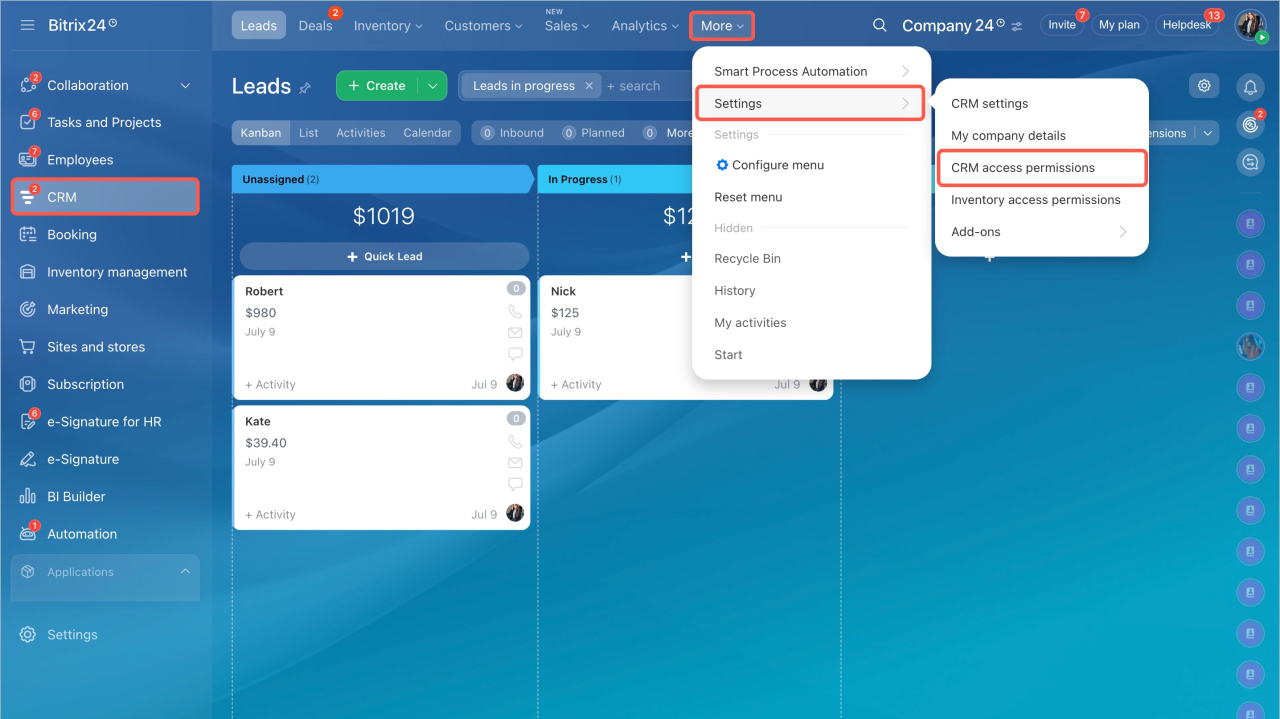
Go to CRM > Settings > Inventory access permissions.
Available permissions
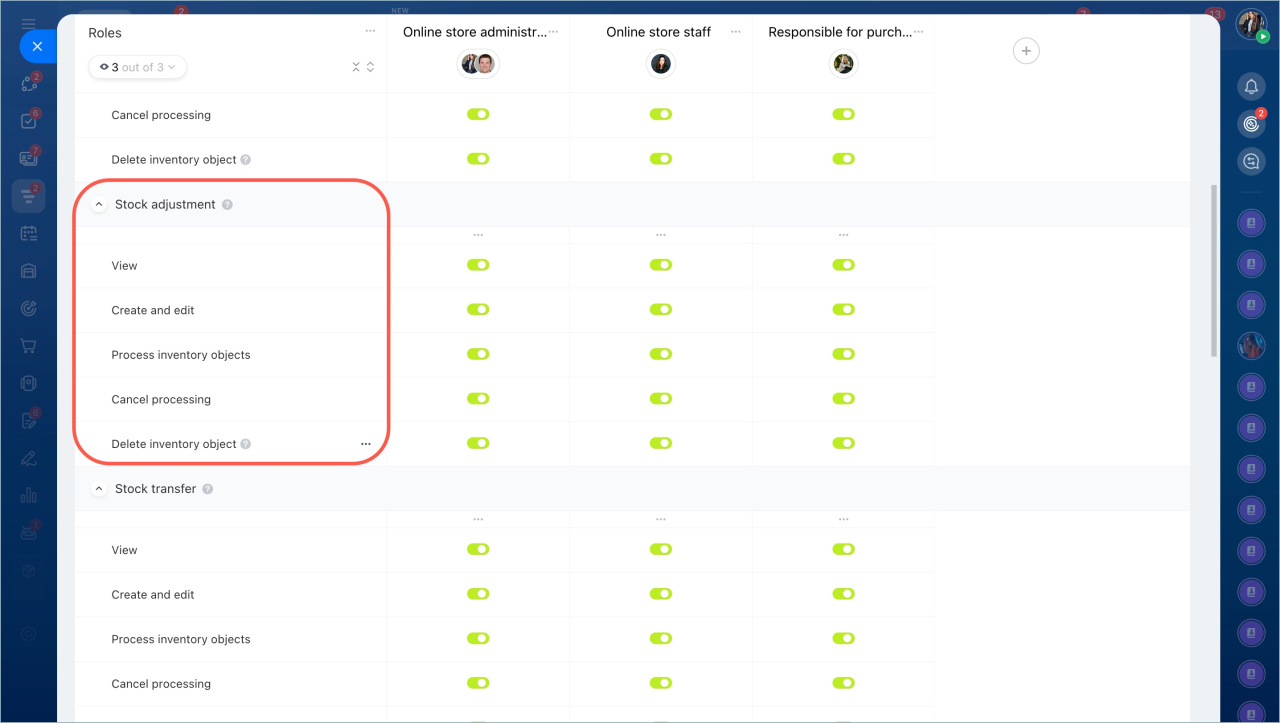
You can assign these permissions for stock adjustment documents:
- View — allows users to open documents. They cannot edit, process, or delete them. Use this to review adjustments.
- Create and edit — allows users to create new documents and update drafts. Use this when adding products after inventory checks or updating data before processing.
- Process document — confirms the adjustment and updates inventory balances. Assign this to employees responsible for warehouse operations.
- Cancel processing — allows users to undo a processed document and restore previous inventory balances. Use this to fix errors.
- Delete document — allows users to delete drafts or canceled documents. Use this to keep records clean.
Example: warehouse employee without delete access
A warehouse employee may need to record products after an inventory check but should not delete or cancel documents.
To set this up:
- Create a role and assign employees to it.
- Grant these permissions:
- View product catalog
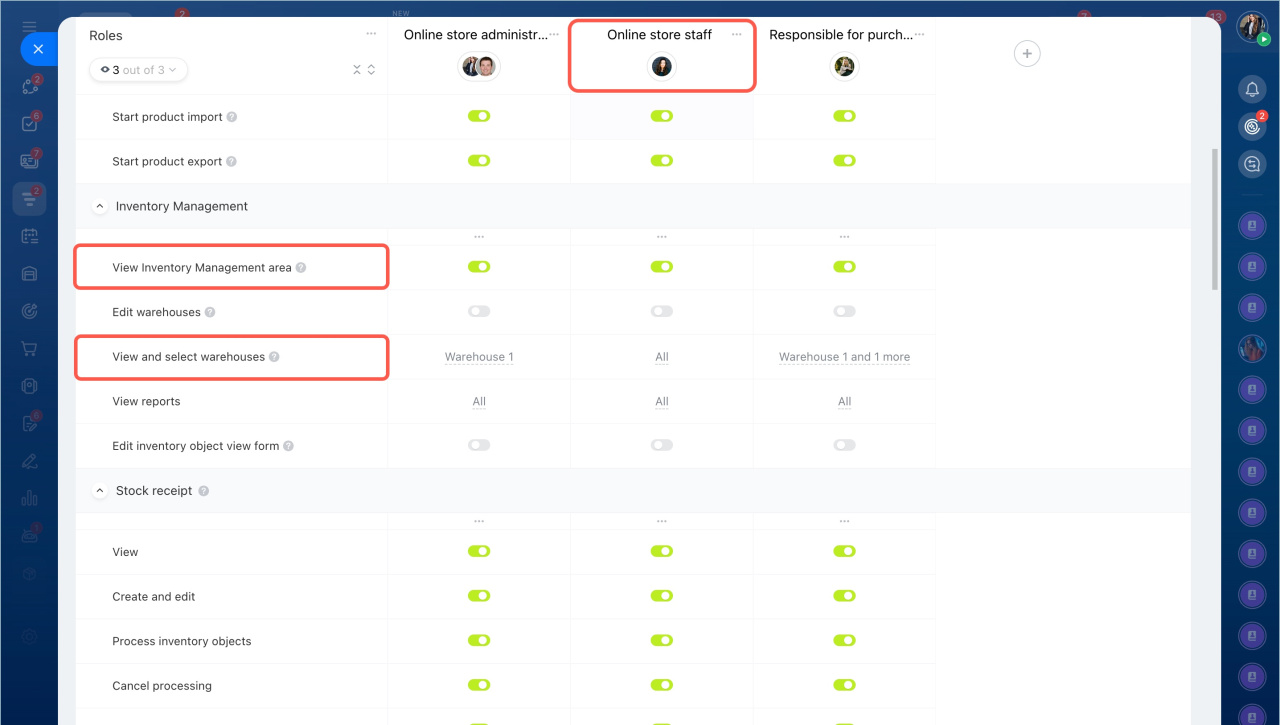
- View Inventory management section
- View and select warehouses — limit access to specific warehouses
- For documents:
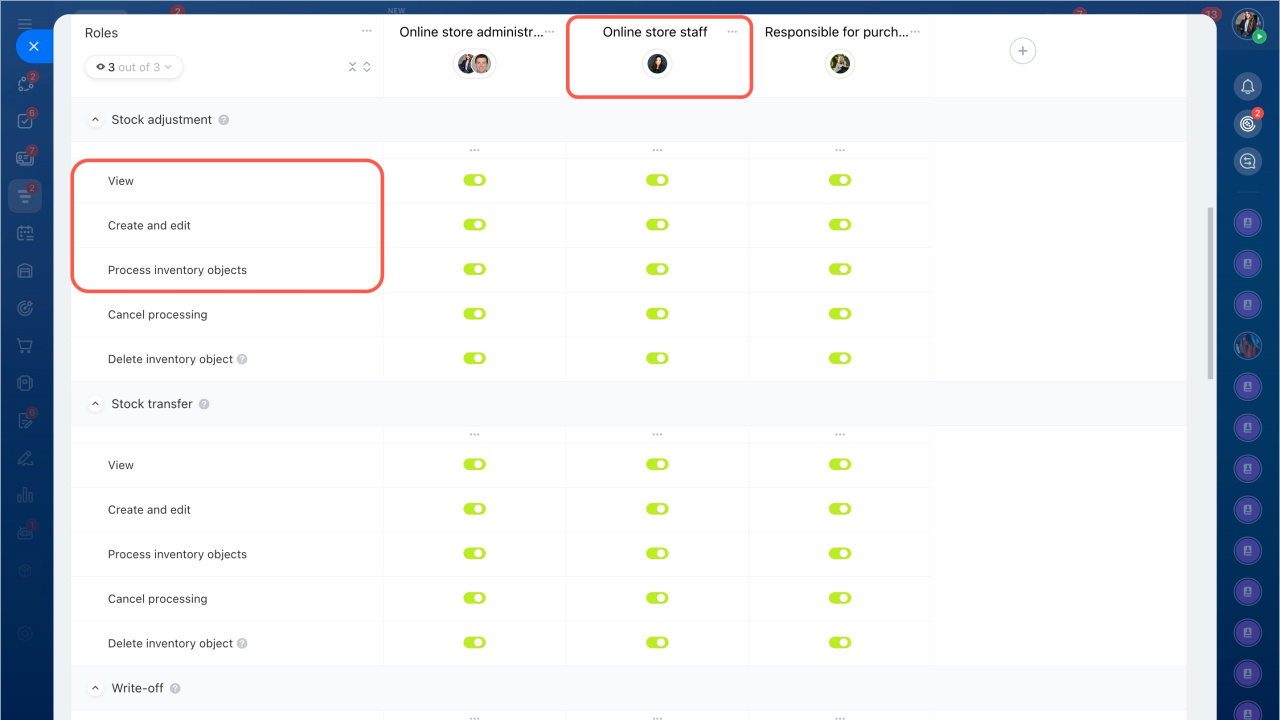
- View
- Create and edit
- Process document
Do not enable Cancel processing or Delete document. This prevents accidental changes or data loss.
After you save the settings, the employee can add and account for products but cannot delete documents or cancel processing.