


Write-off documents track products removed from inventory due to damage, loss, or other issues. Each document shows which items were written off and why. Access permissions control who can view, create, process, or delete these documents.
In this article:
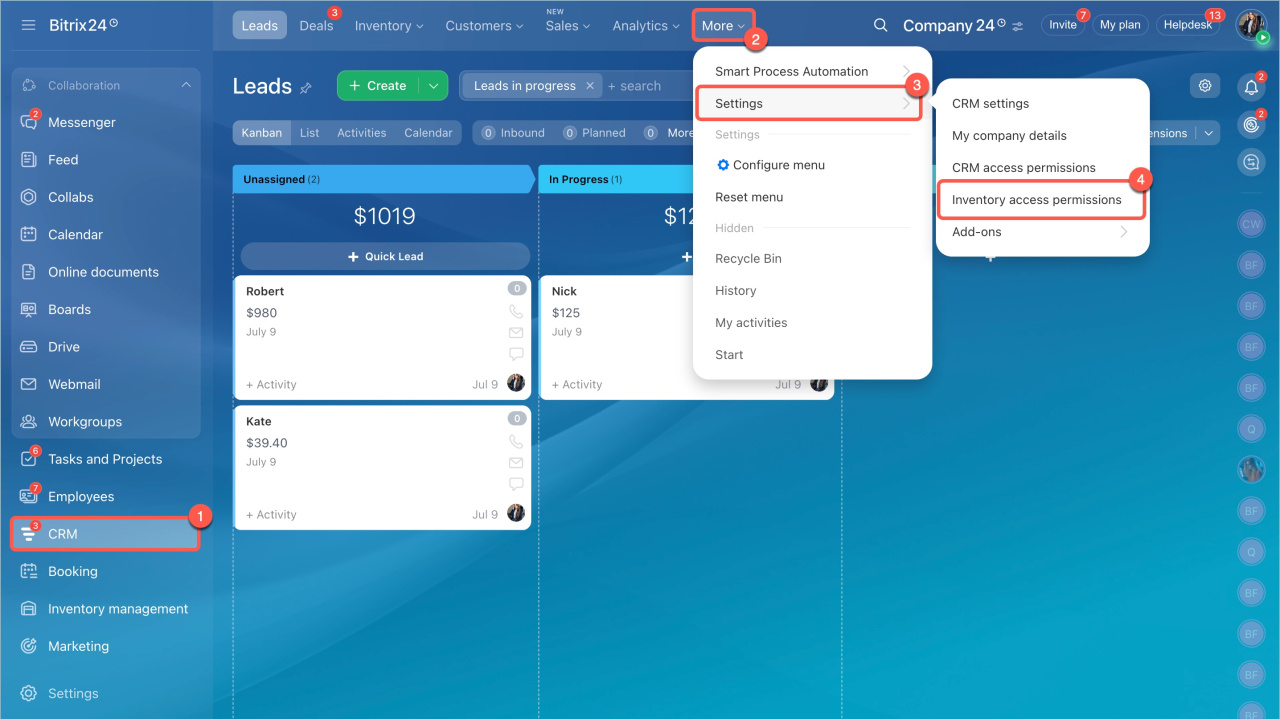
Go to CRM > Settings > Inventory access permissions.
Available permissions
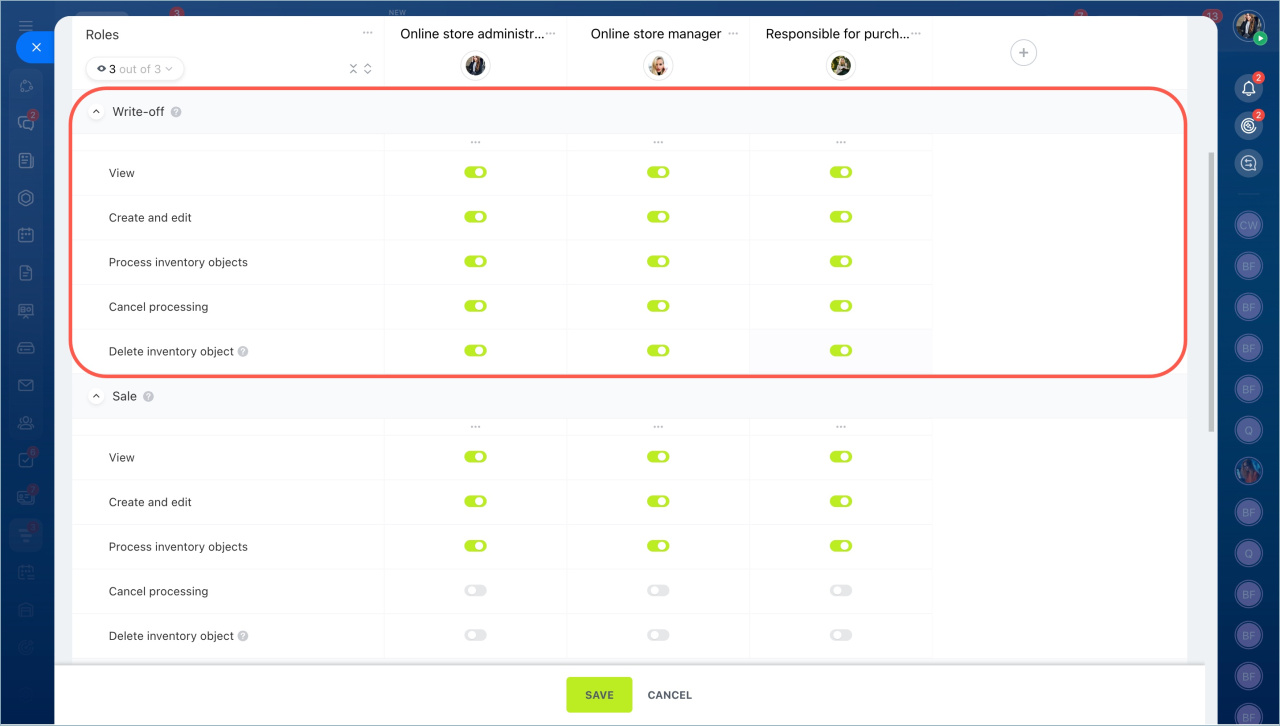
You can assign the following permissions for write-off documents:
- View — allows users to open documents. They cannot edit, process, or delete them. Use this for employees who only need visibility.
- Create and edit — allows users to create new documents and update drafts. Use this when employees prepare write-offs after stock checks or when issues are found.
- Process document — confirms the write-off and removes items from inventory. Assign this to employees responsible for inventory control.
- Cancel processing — allows users to undo a processed document and restore inventory. Use this when corrections are needed.
- Delete document — allows users to delete drafts or canceled documents. Use this for employees who manage records and cleanup.
Example: manager processes write-offs
A store manager may need to record and process write-offs for damaged or expired products.
To set this up:
- Create a role, for example, Online store manager, and assign employees to it.
- Grant these permissions:
- View product catalog
- View Inventory management section
- View and select warehouses — limit access to specific warehouses if needed
- For write-off documents:
- View
- Create and edit
- Process document
Leave other permissions disabled. The manager will not be able to cancel processed documents or delete them.
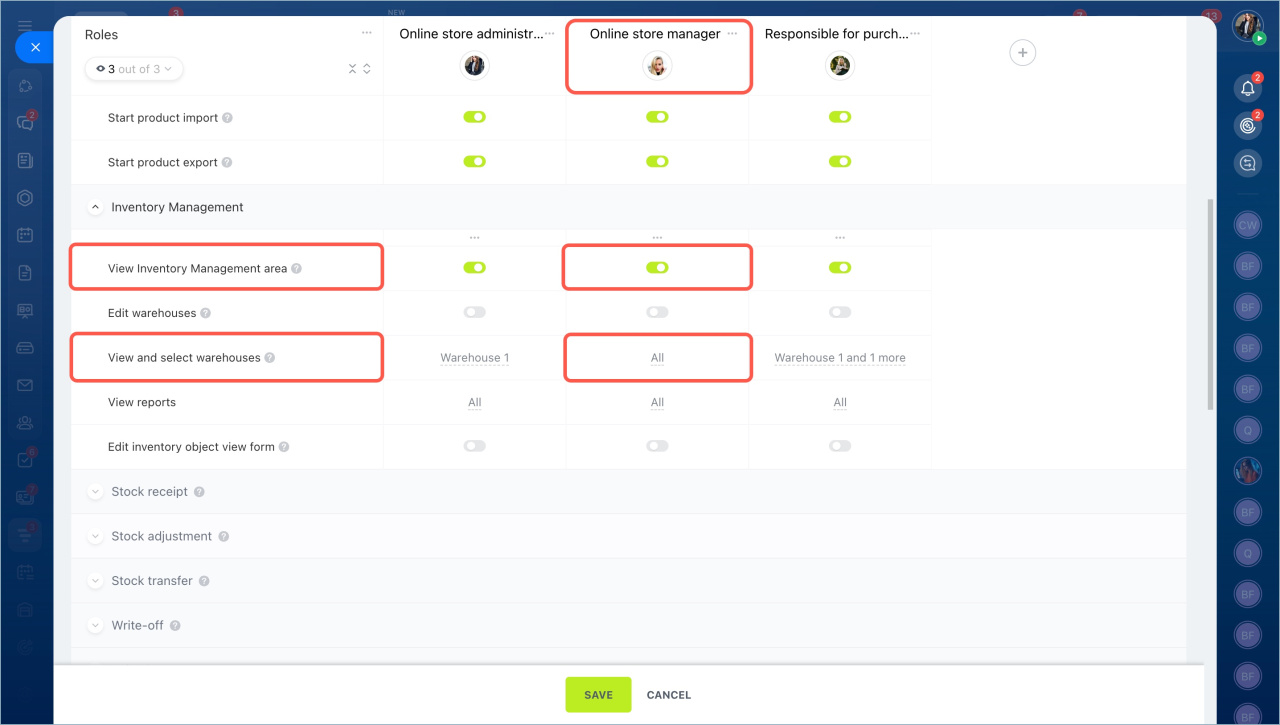
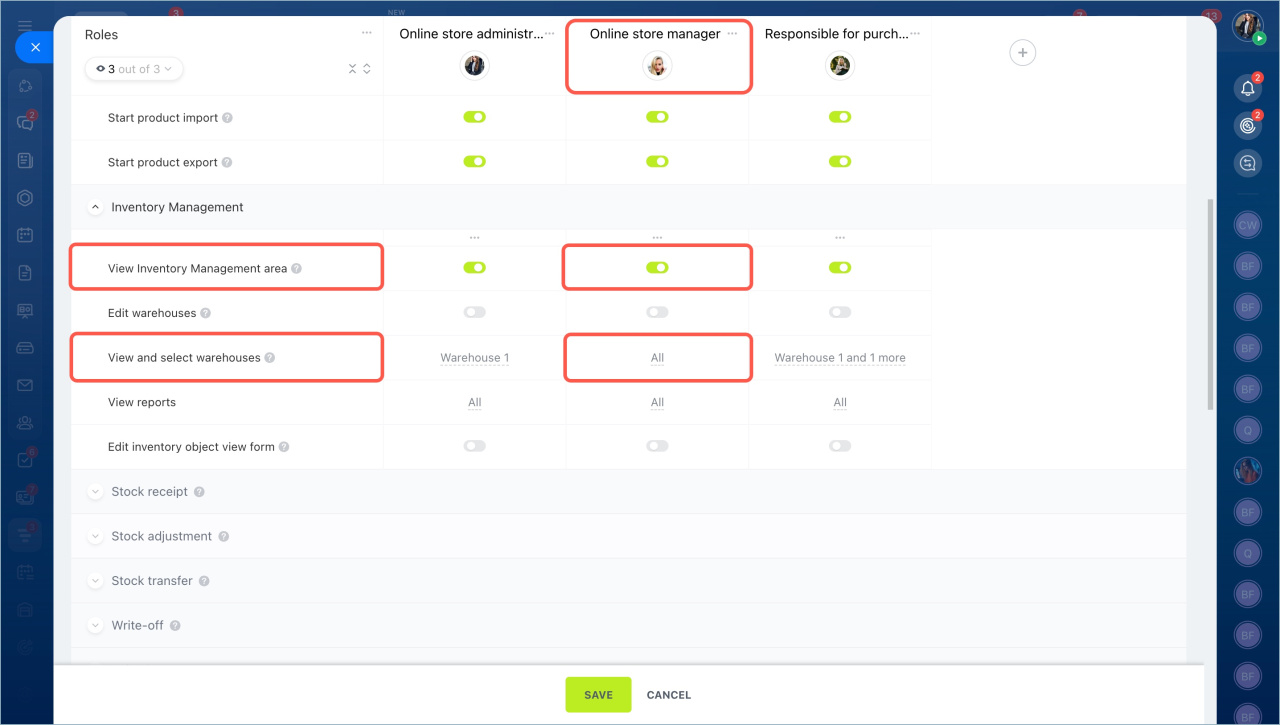
After you save the settings, the employee can process write-off documents and record damaged or expired products.
Permissions apply only to the warehouses the employee can access. If a document includes multiple warehouses and the employee has access to only one, they can still open the document and view the product list. However, data from restricted warehouses and details such as written-off quantities will be hidden.



