


In Bitrix24, you can search for tasks and CRM items by words and phrases. The search works if the number of tasks and CRM items stays within the limits.
Limits depend on your plan and apply separately to tasks and each CRM item type. For example, on the Free plan, you can search for tasks if there are no more than 1,000, including completed tasks. The same rule applies to CRM items.
Plans and limits:
- Free: tasks, deals, contacts, companies — 1,000
- Basic: tasks, deals, contacts, companies, and invoices — 100,000
- Standard: tasks and all CRM items — 200,000
- Professional: tasks and all CRM items — unlimited
- Enterprise plans: tasks and all CRM items — unlimited
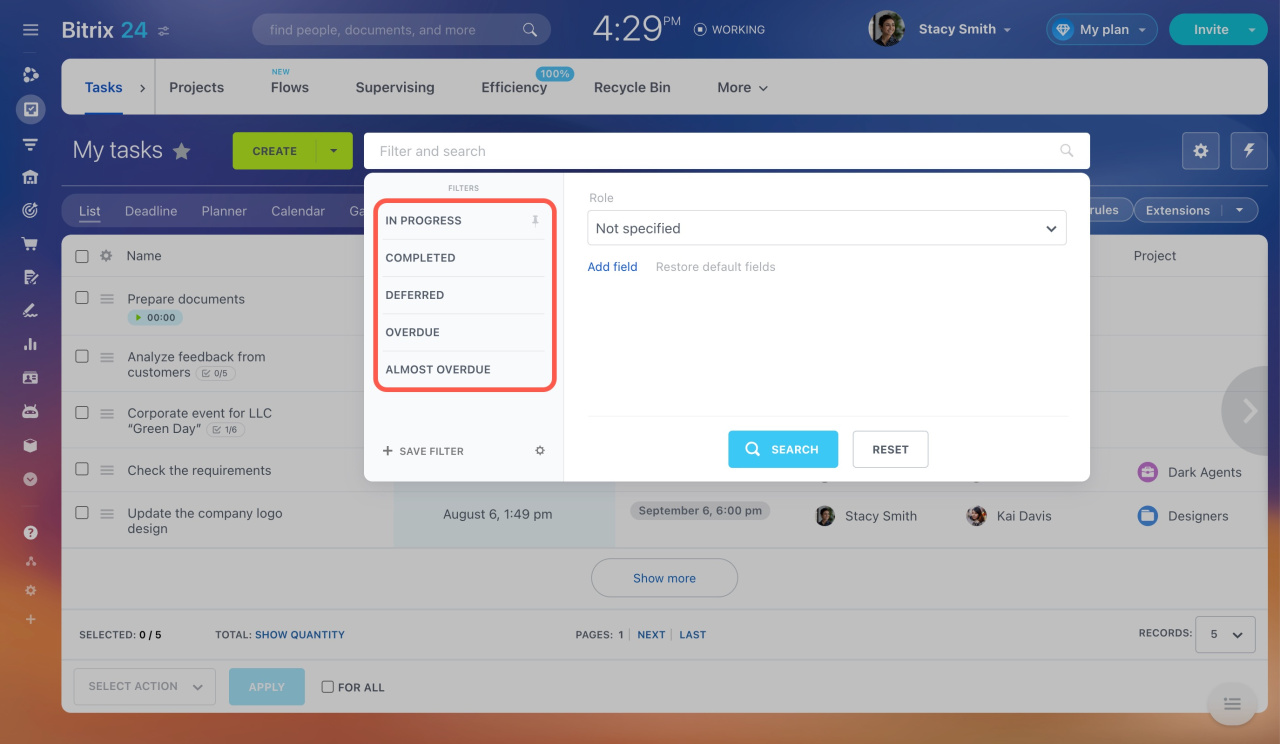
If the number of tasks or CRM items exceeds the limit, the search will not work. You can only find tasks and CRM items using default filters and filters you've created earlier.
Filters and smart search in tasks
To use the search, upgrade your plan or delete unnecessary tasks and CRM items.
Bitrix24 pricing page
How to delete unnecessary tasks
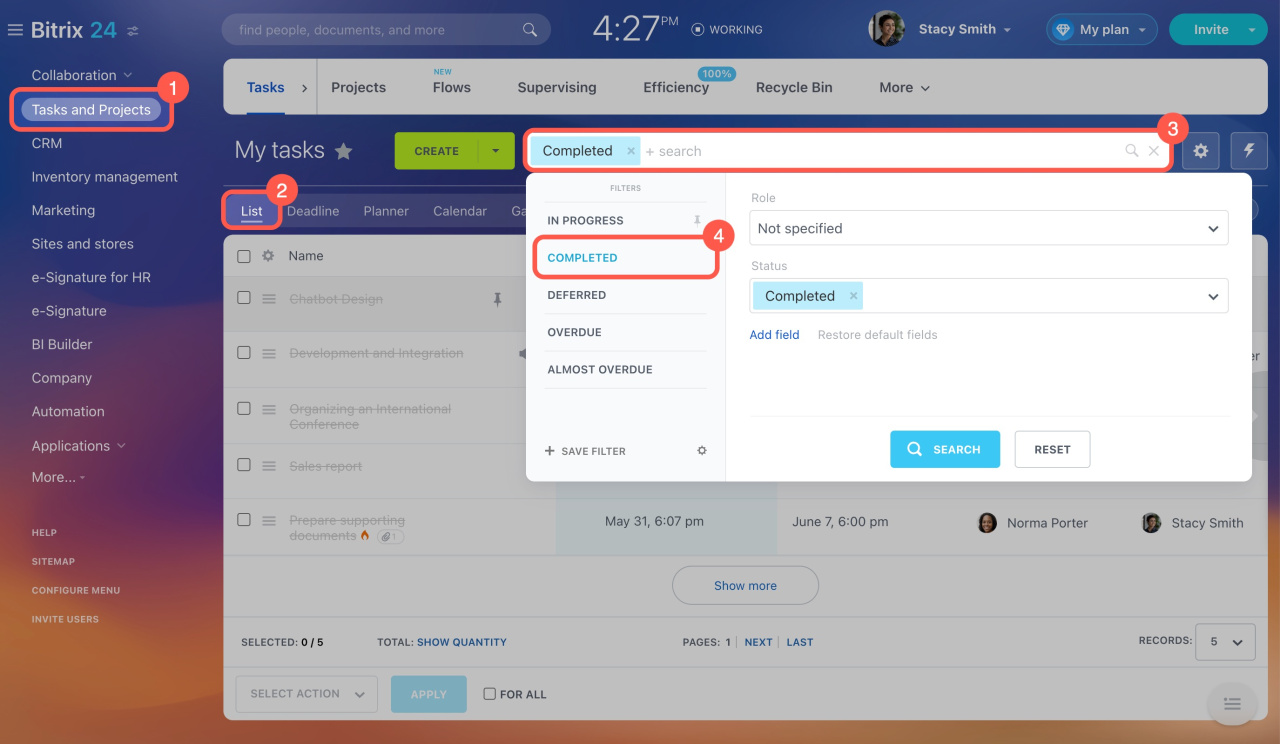
- Go to the Tasks and Projects section.
- Switch to the List view.
- Click on the Filter + search field.
- Apply the Completed filter.
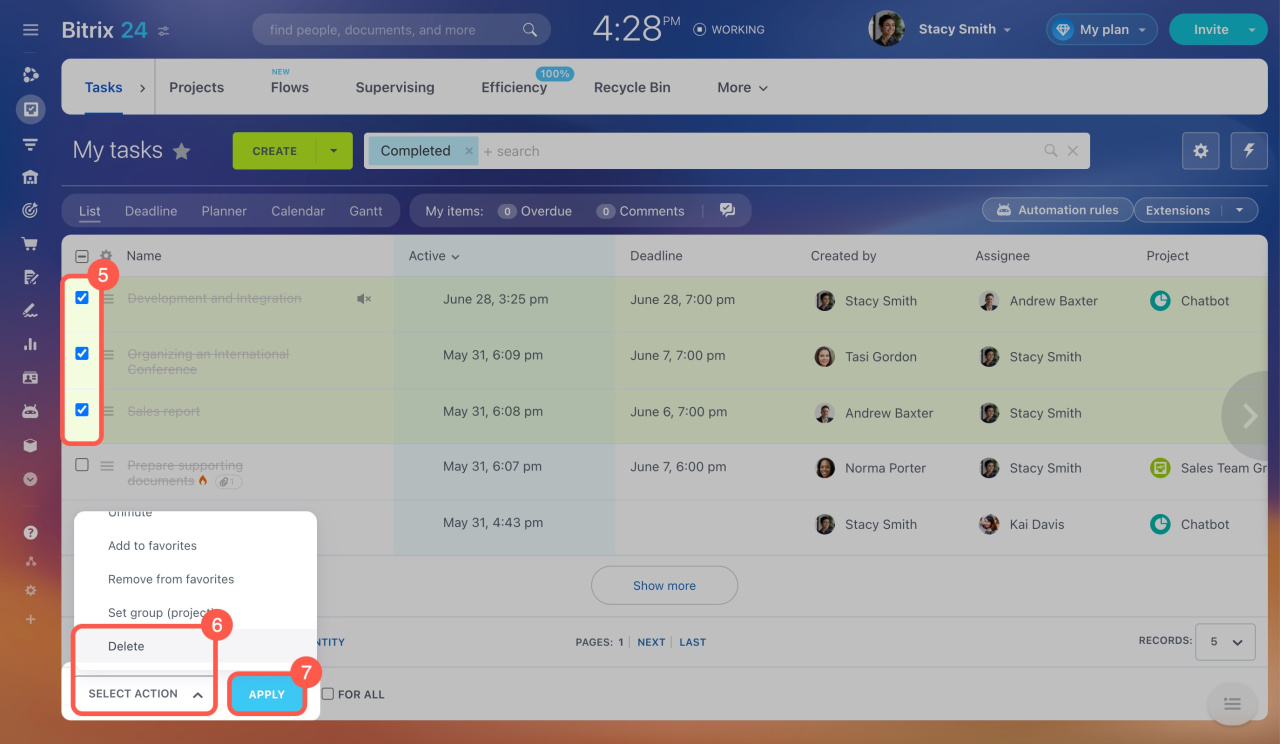
- Select the tasks you don't need.
- Click Select Action at the bottom and choose Delete.
- Click Apply.
In brief
-
In Bitrix24, you can search for tasks and CRM items by words and phrases. The search works if the number of tasks and CRM items stays within the limits.
-
Limits depend on your plan and include completed tasks and CRM items. They apply separately to tasks and each CRM item type.
-
If the number of tasks or CRM items exceeds the limit, the search will not work.
-
To use the search, upgrade your plan or delete unnecessary tasks and CRM items.
Related articles:



