


The First In, First Out (FIFO) method writes off products in the same order they arrive in your warehouse. The system uses the cost from the earliest available inventory to calculate the cost of goods sold.
When a batch runs out, the system switches to the next batch and uses its cost.
FIFO reflects the actual purchase cost of products, especially when prices increase over time.
Example: Calculate product cost using FIFO
An online store sells T-shirts. It received three batches at different prices. There are 20 T-shirts in stock.
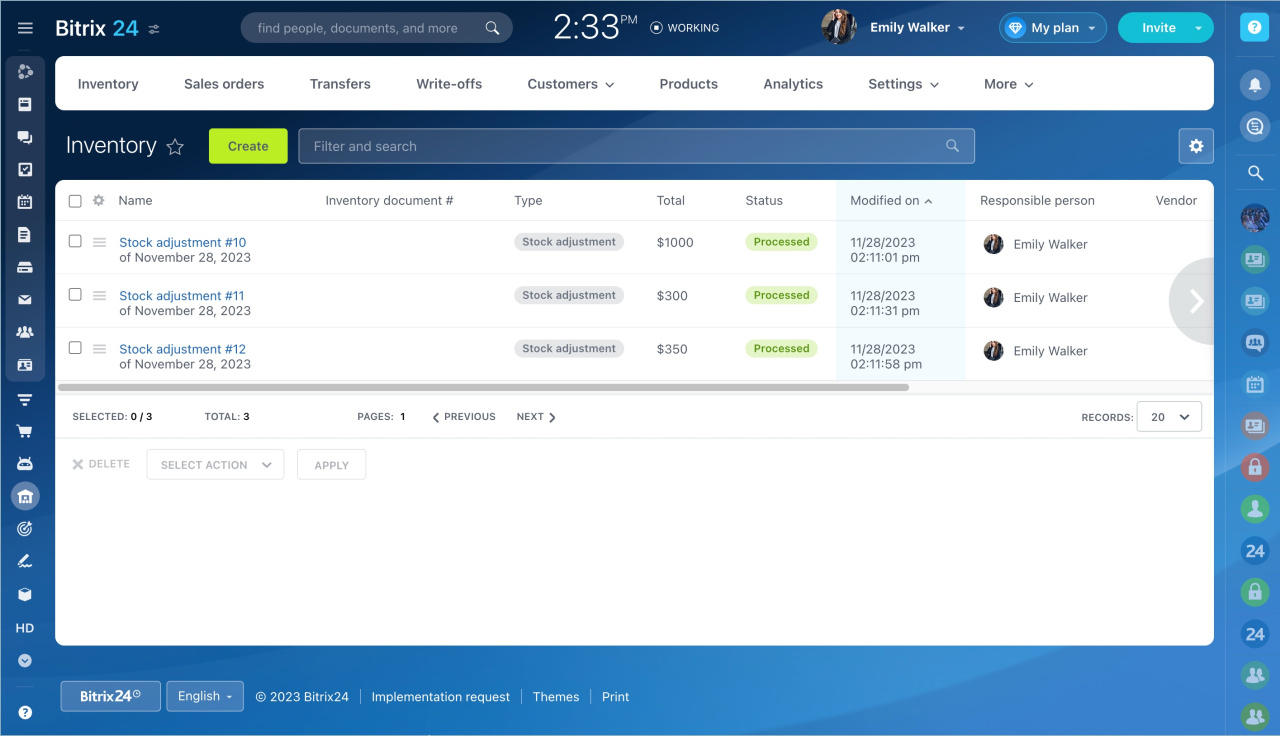
The store sells 15 T-shirts.
With FIFO:
- First batch: 10 T-shirts at $100 each
- Second batch: 5 T-shirts at $60 each
Total cost of goods sold: $1,300
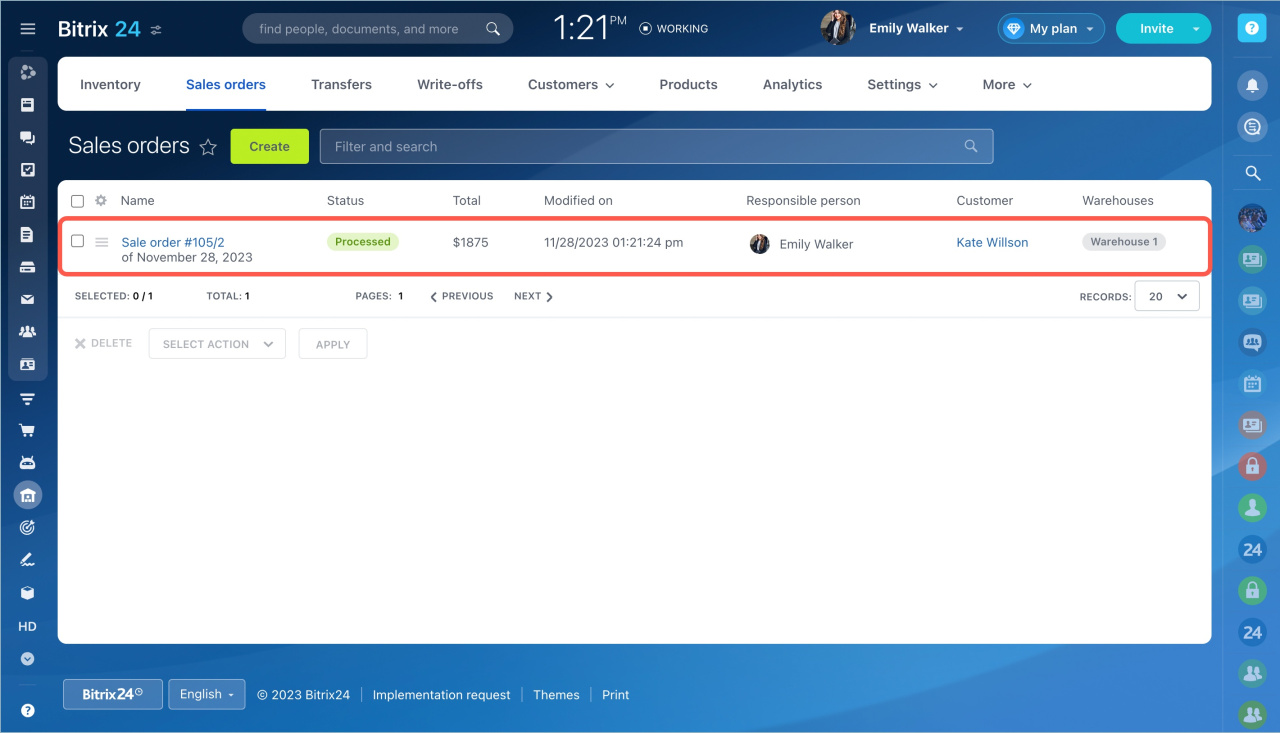
FIFO uses only the product receipt date. It ensures older stock sells first and helps avoid outdated inventory.
View results in the Gross Profit report
- Go to Inventory management.
- Open the Analytics tab.
- Select Gross profit.
The report shows:
- Sales revenue
- Total cost
- Gross profit
- Gross margin
All values use the FIFO method.
View product cost in a sales order
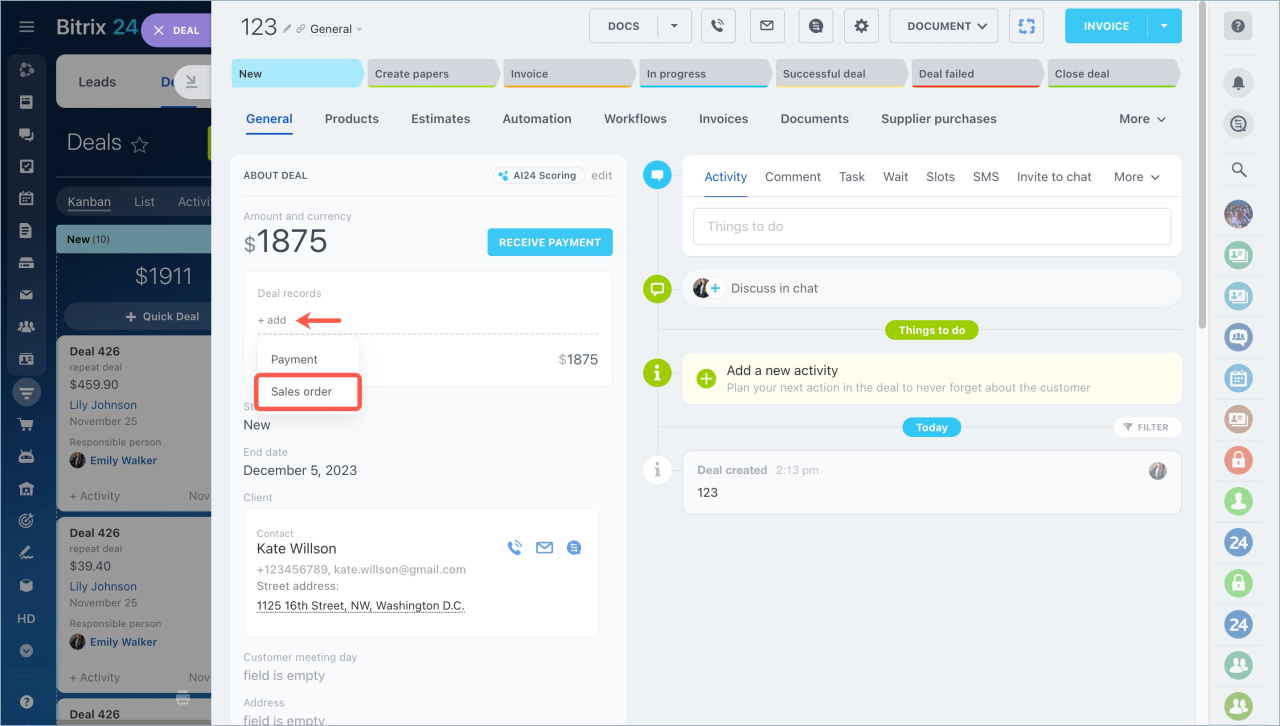
- Open a deal.
- Click Add.
- Select Sales order.
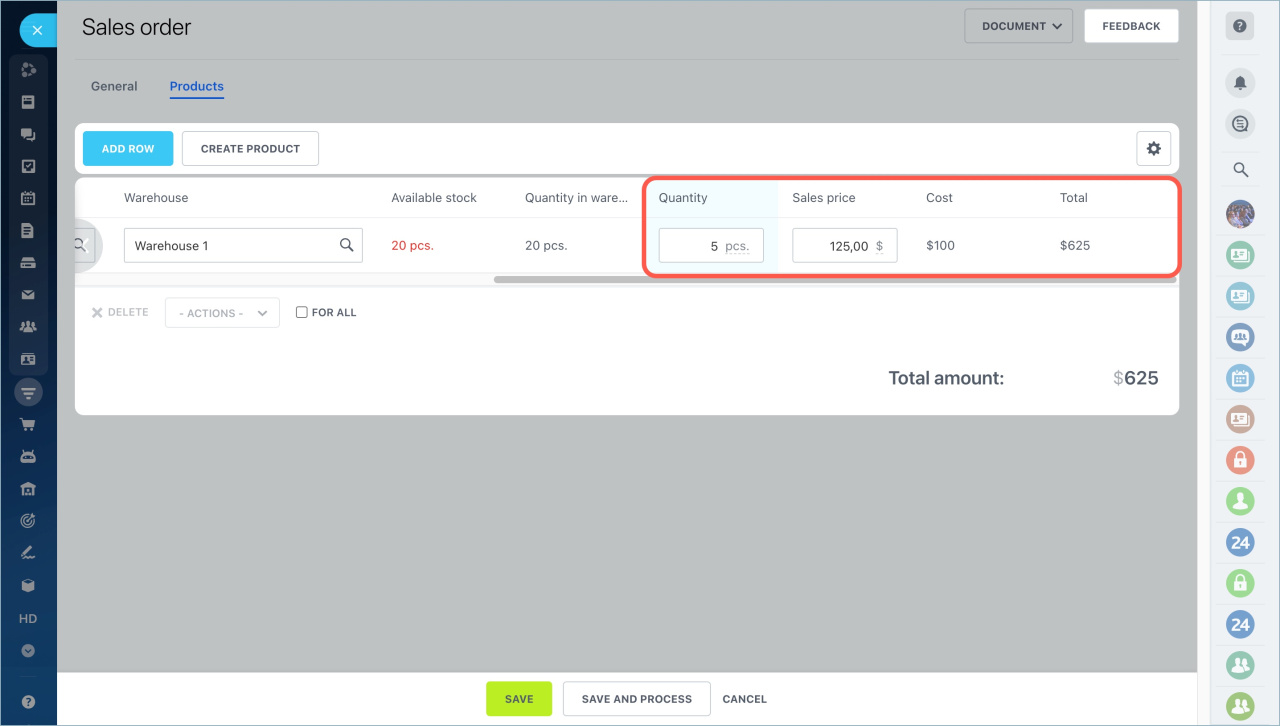
Product cost appears in the order. Use it to decide on discounts.
In brief
- FIFO writes off products in the order they arrive in the warehouse. The system uses the cost from the earliest available stock.
- You can view sales revenue, gross profit, and gross margin in the Gross Profit report.
- Product cost helps you set the right discount.



