


A company knowledge base gives all employees access to shared information. You can also create separate knowledge bases for specific workgroups or projects.
Check whether workgroup and project knowledge bases are included in your plan.
Bitrix24 plans and pricing
Bitrix24 plans and pricing
To create a workgroup or project knowledge base:
- Go to a workgroup or a project.
- Click More and select Knowledge base.
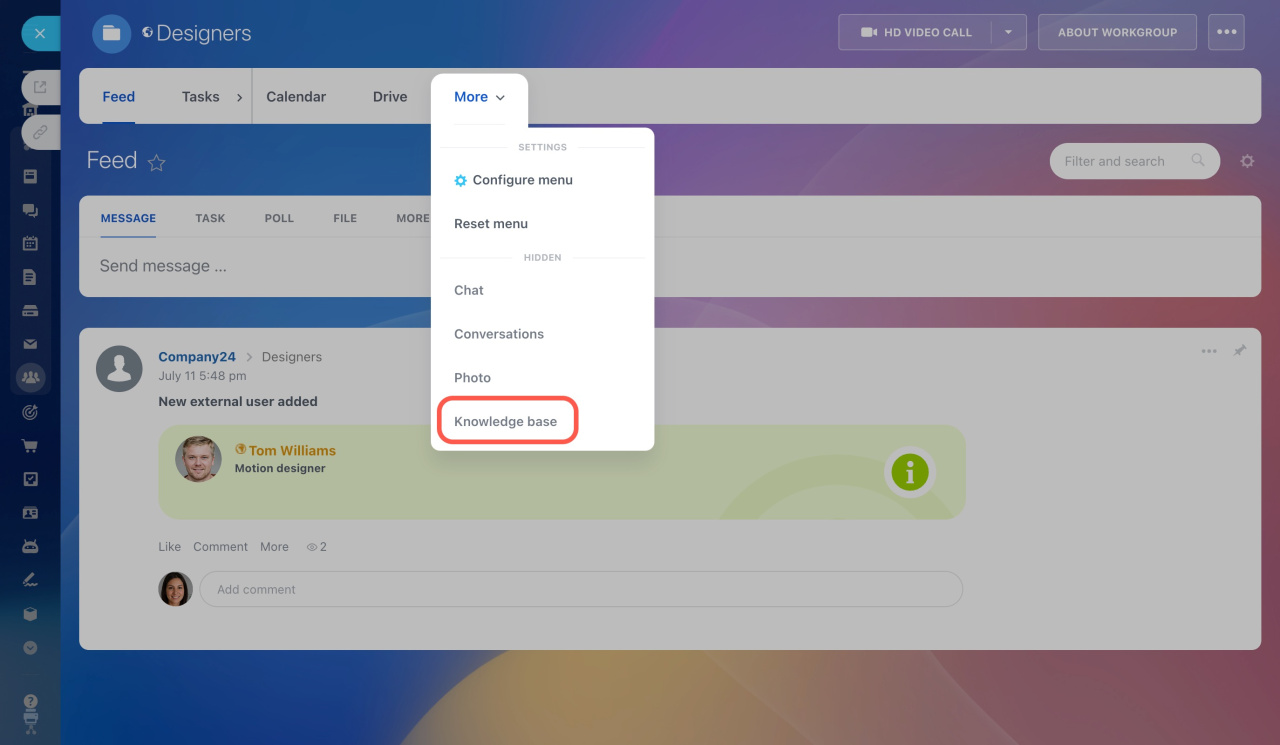
If you cannot find the Knowledge base section
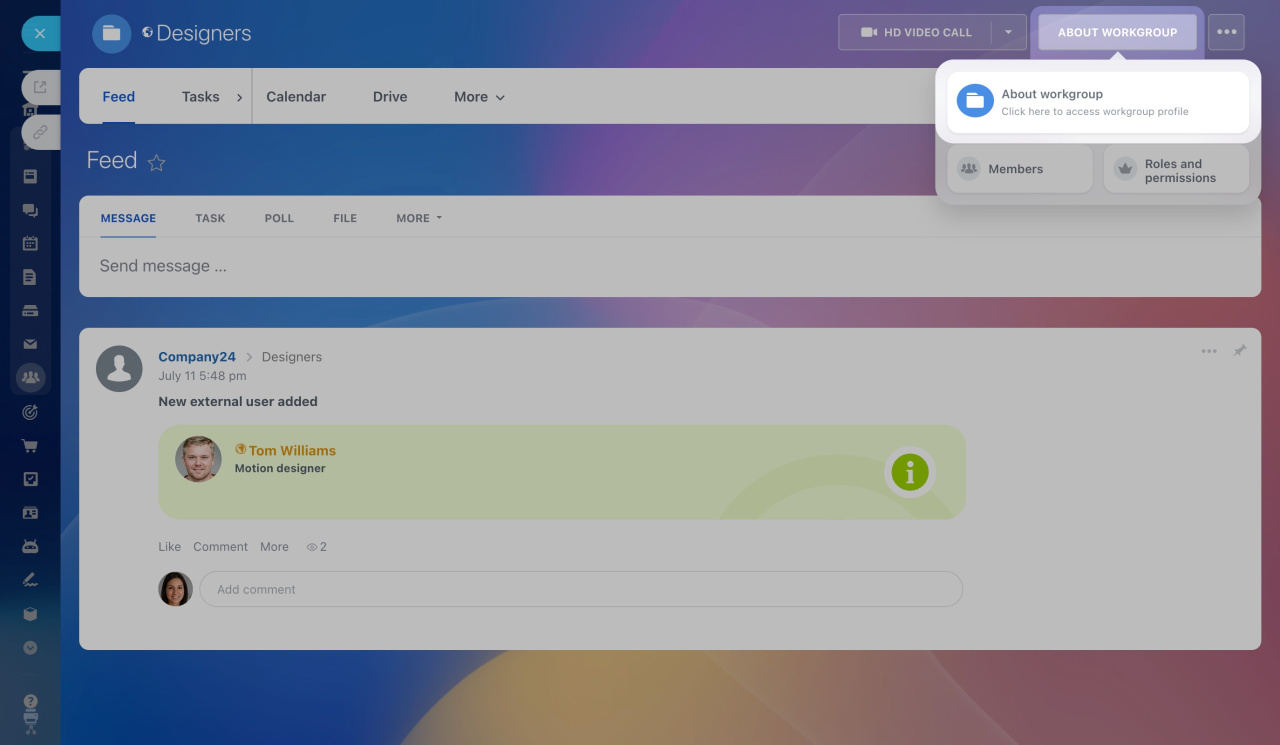
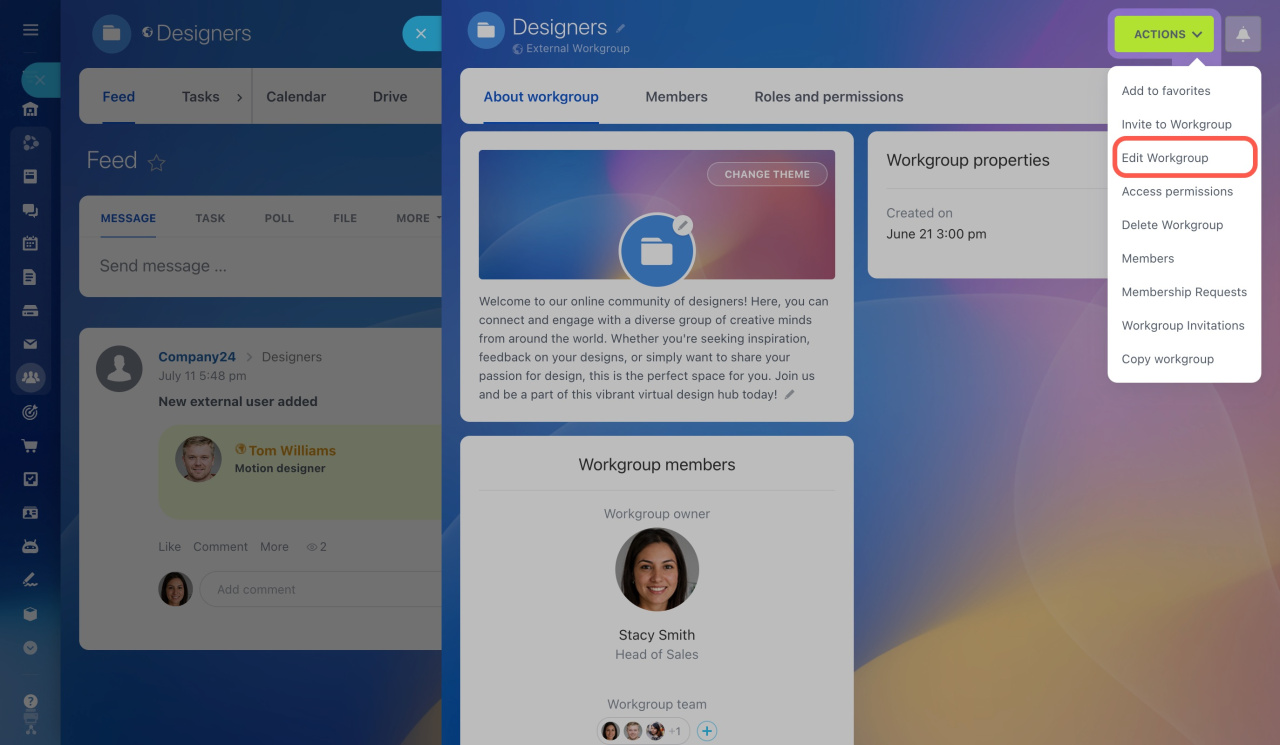
If the Knowledge base option does not appear in the workgroup or project menu, check the workgroup settings:
- Click About workgroup in the top-right corner.
- Under Actions, select Edit Workgroup or Edit Project.
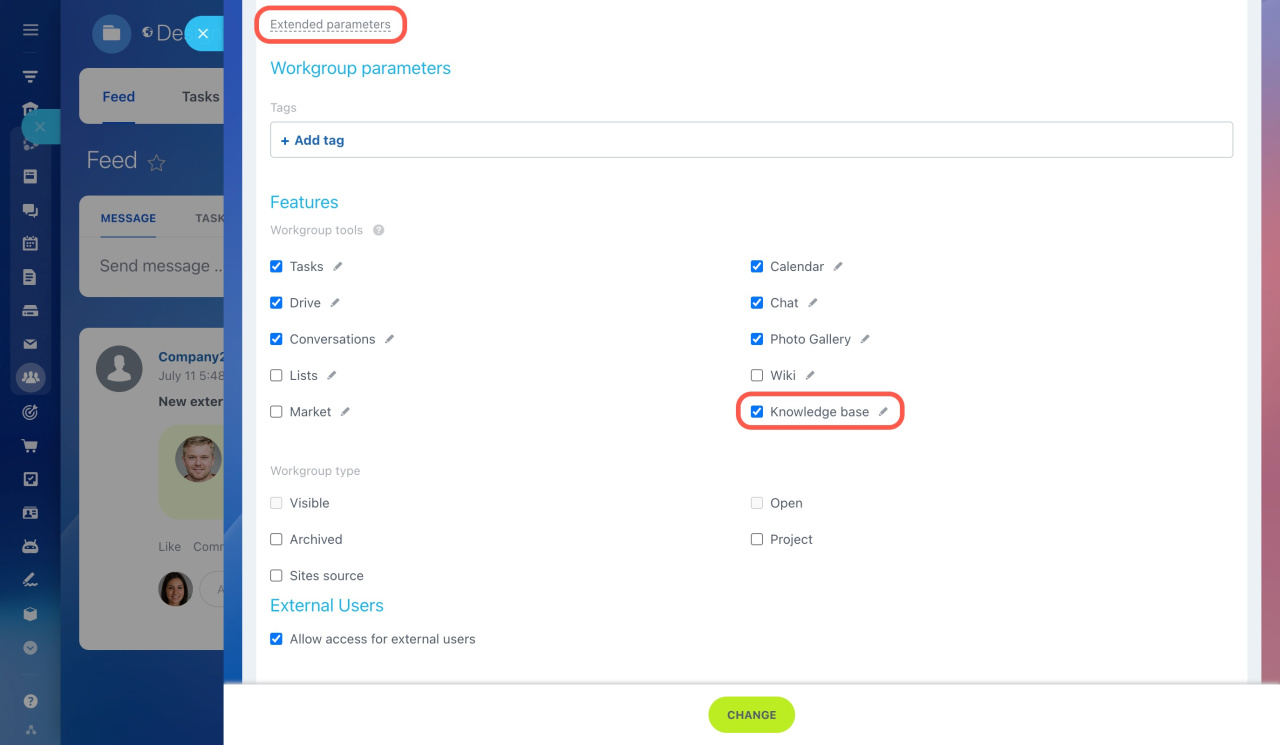
- Open Extended parameters.
- Enable the Knowledge base option in the feature list.
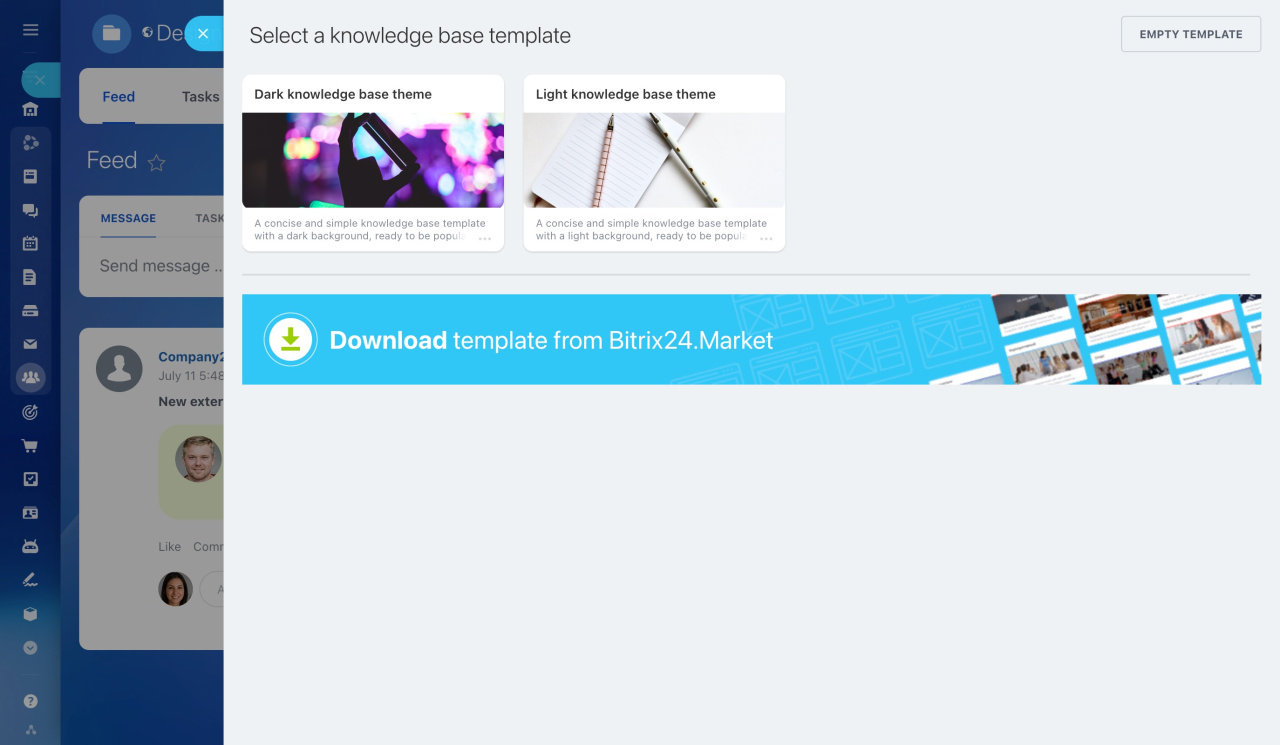
3. Select one of the standard templates, download a template from the Market, or choose an empty template.
4. Click Create knowledge base in the top-right corner.
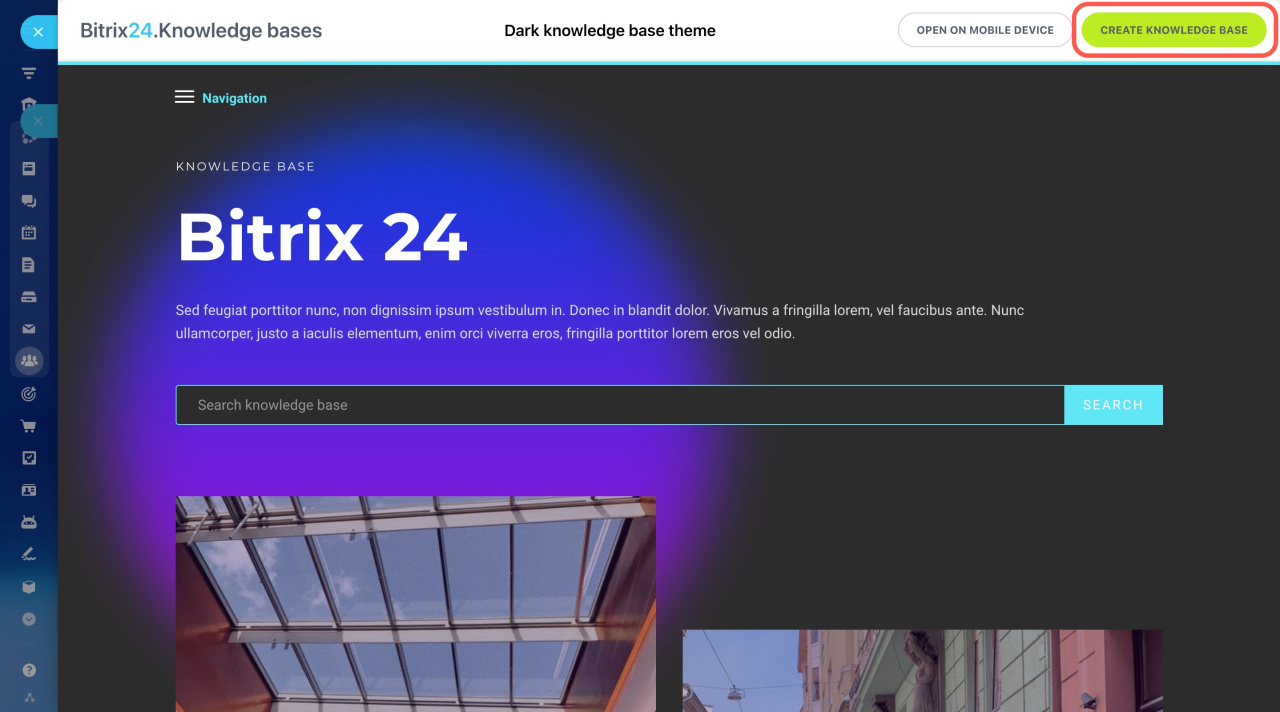
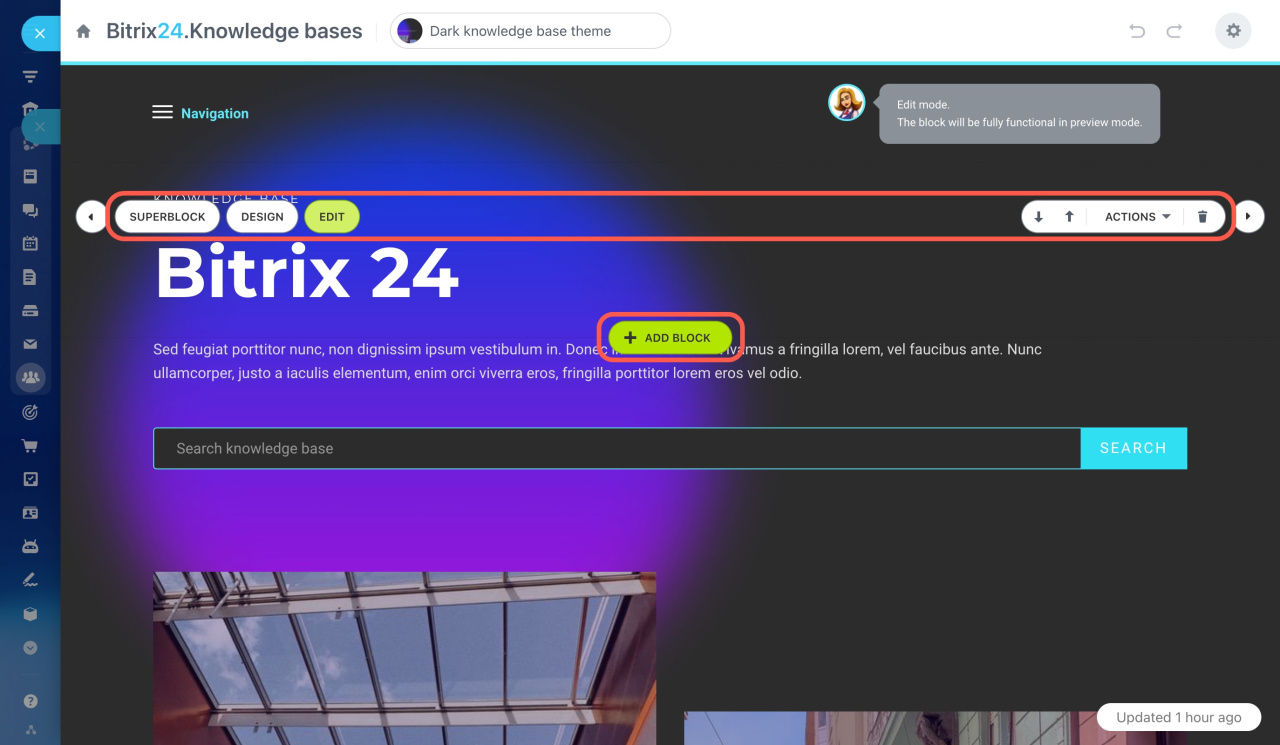
Your knowledge base is ready to use. You can:
- Create and edit pages
- Configure the navigation menu
- Add text, images, and videos
- Edit content blocks
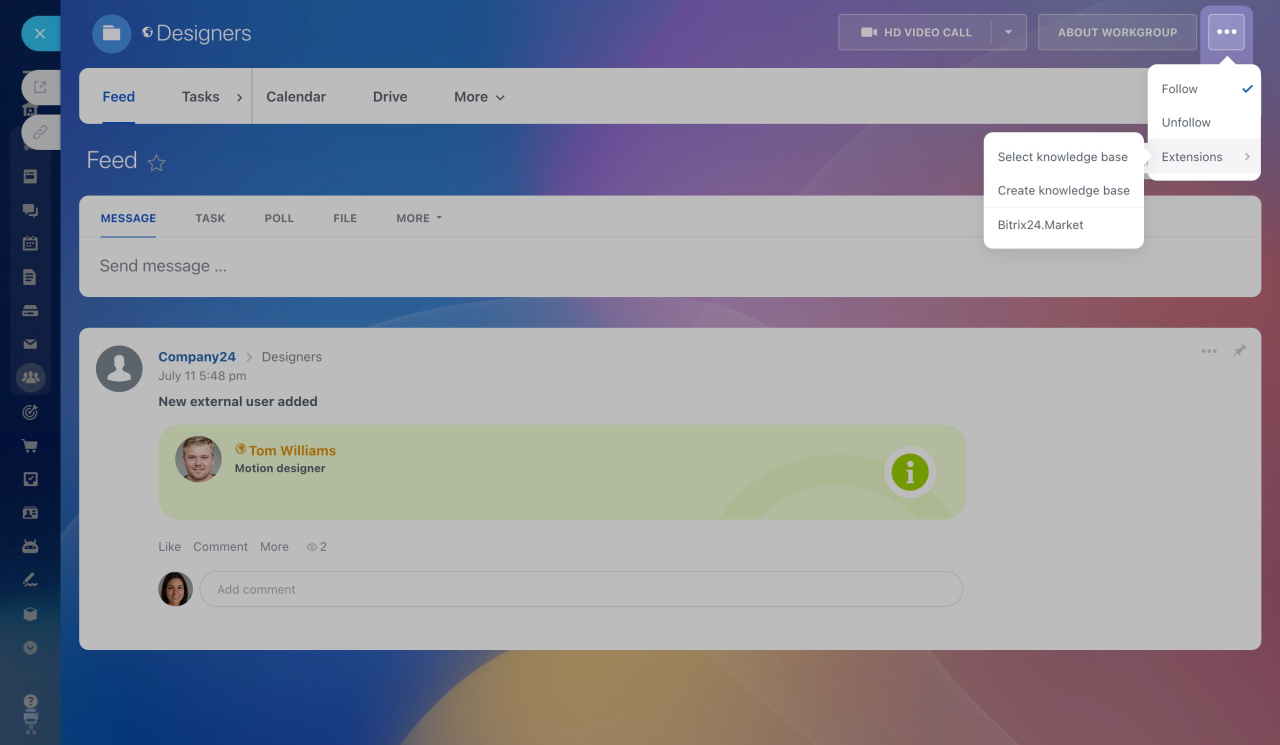
You can also create or select a company knowledge base directly from a workgroup or project:
- Click the three-dot menu in the top-right corner.
- Select Extensions.
- Choose a knowledge base.
You can find all company knowledge bases under Company > Knowledge base. Company knowledge bases are available to all employees. Workgroup and project knowledge bases are available only to members of that workgroup or project.
For quick access, move the knowledge base to the top menu.
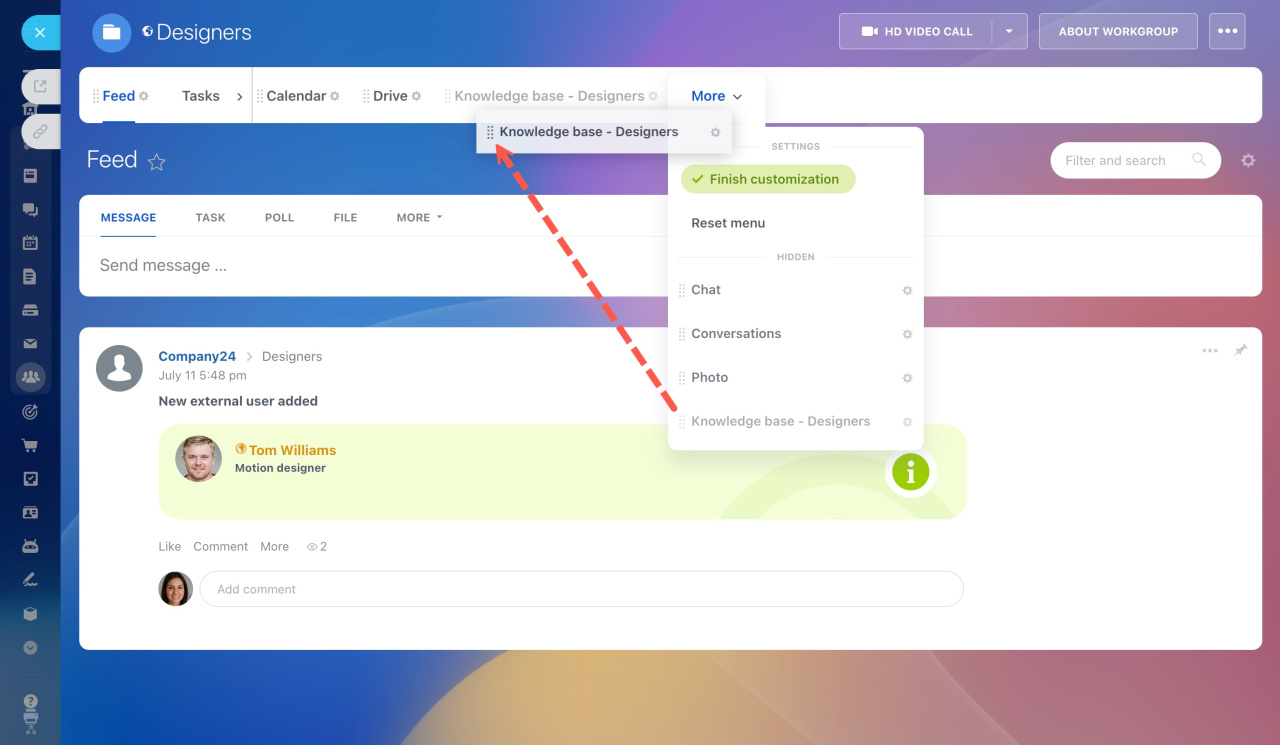
Any member of a workgroup or project can edit its knowledge base. Access permissions are available only for company knowledge bases.
Configure access permissions to a company knowledge base
Configure access permissions to a company knowledge base



