🚚 Miễn phí giao hàng toàn quốc

✅ Tặng Gói Hỗ trợ online trọn đời

✅ Giá cạnh tranh nhất thị trường

✅ Miễn phí tư vấn giải pháp

🚚 Miễn phí giao hàng toàn quốc

✅ Tặng Gói Hỗ trợ online trọn đời

✅ Giá cạnh tranh nhất thị trường

✅ Miễn phí tư vấn giải pháp

Hotline: 0943.199.449

Địa chỉ: Tầng 1, tòa nhà Deli, 75 Hoàng Văn Thụ, P. Cầu Kiệu

Bitrix24 Helpdesk

Workgroup tasks

In Bitrix24, all workgroups — including extranet workgroups — support tasks. If you are a workgroup owner, you can manage task settings directly in the workgroup settings.

You can turn the task module on or off for a workgroup in Workgroup settings.

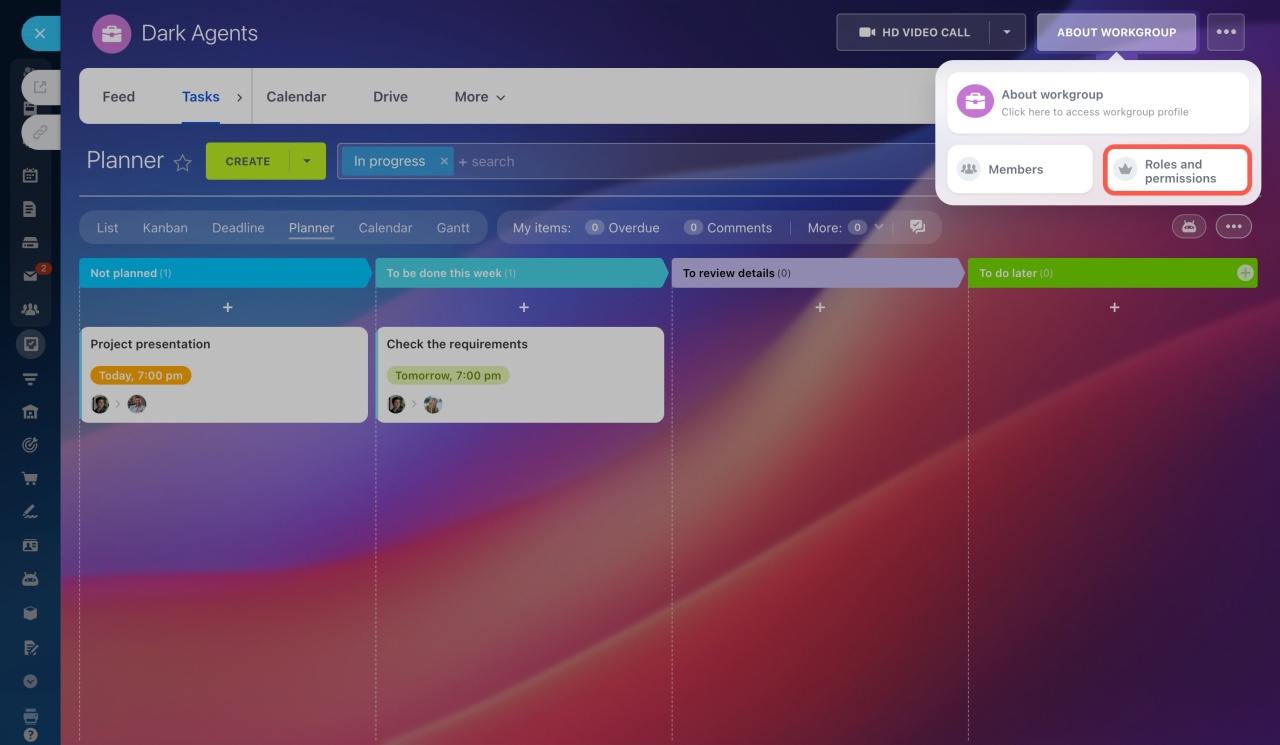
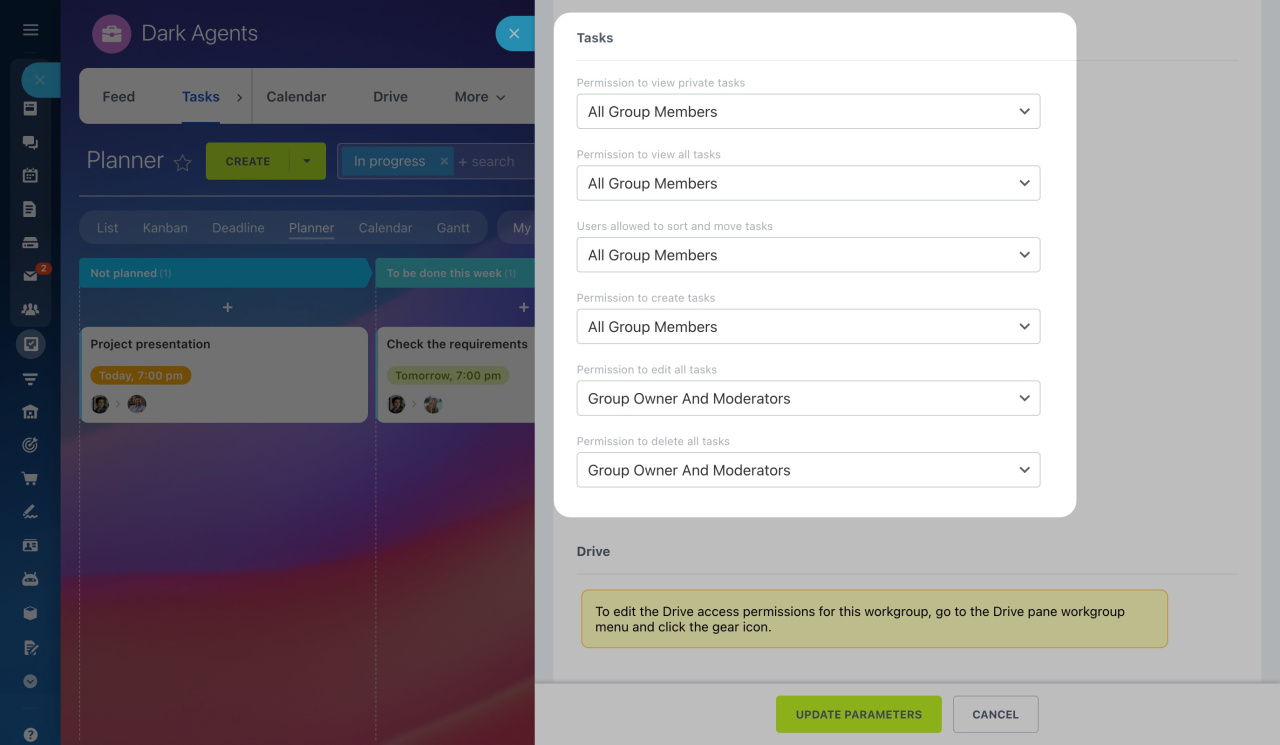
Go to About workgroupRoles and Permissions to control access to tasks.

You can allow users to:

  • View tasks
  • Sort and move tasks
  • Create tasks
  • Edit tasks
  • Delete tasks

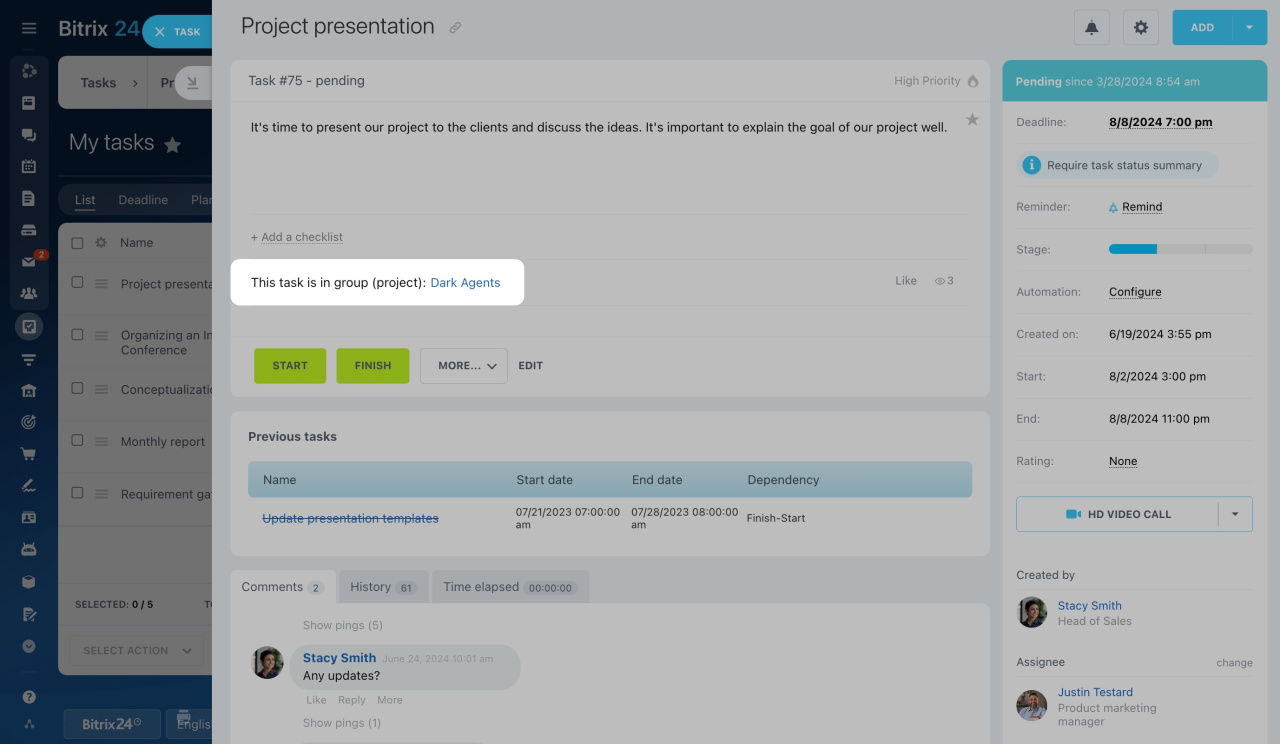
Tasks inside a workgroup function the same way as tasks in the Tasks section. Every task created in a workgroup is automatically linked to that workgroup.
You can assign a task to a user who is not a member of the workgroup. External users can be added as:

  • Assignee
  • Participant
  • Observer

If the workgroup is hidden from other users, non-members added to a task will not see the workgroup. They will only have access to the task itself.

Was this information helpful?
Thank you for your feedback.
Get Implementation Help from a Partner
That's not what I'm looking for
Complicated and incomprehensible text
The information is outdated
It's too short. I need more information
I don't like the way this tool works
Get your Bitrix24 set up by local professionals
FIND BITRIX24 PARTNER NEAR ME
implementation_helper_man
Go to Bitrix24
Don't have an account? Create for free
Related articles
Manage files in workgroups and projects Wiki overview Change the workgroup (project) owner Create a list in a workgroup or project Connect workgroup drive to personal one
Zalo
0943.199.449