🚚 Miễn phí giao hàng toàn quốc

✅ Tặng Gói Hỗ trợ online trọn đời

✅ Giá cạnh tranh nhất thị trường

✅ Miễn phí tư vấn giải pháp

🚚 Miễn phí giao hàng toàn quốc

✅ Tặng Gói Hỗ trợ online trọn đời

✅ Giá cạnh tranh nhất thị trường

✅ Miễn phí tư vấn giải pháp

Hotline: 0943.199.449

Địa chỉ: Tầng 1, tòa nhà Deli, 75 Hoàng Văn Thụ, P. Cầu Kiệu

Bitrix24 Helpdesk

Change the workgroup (project) owner

Assign access to workgroups and projects by selecting a role for each employee.

  • Full access: Only the workgroup owner or project owner has full control.
  • Partial access: The workgroup moderator or project moderator has limited control.

Reassign workgroup or project ownership

To assign a new owner:

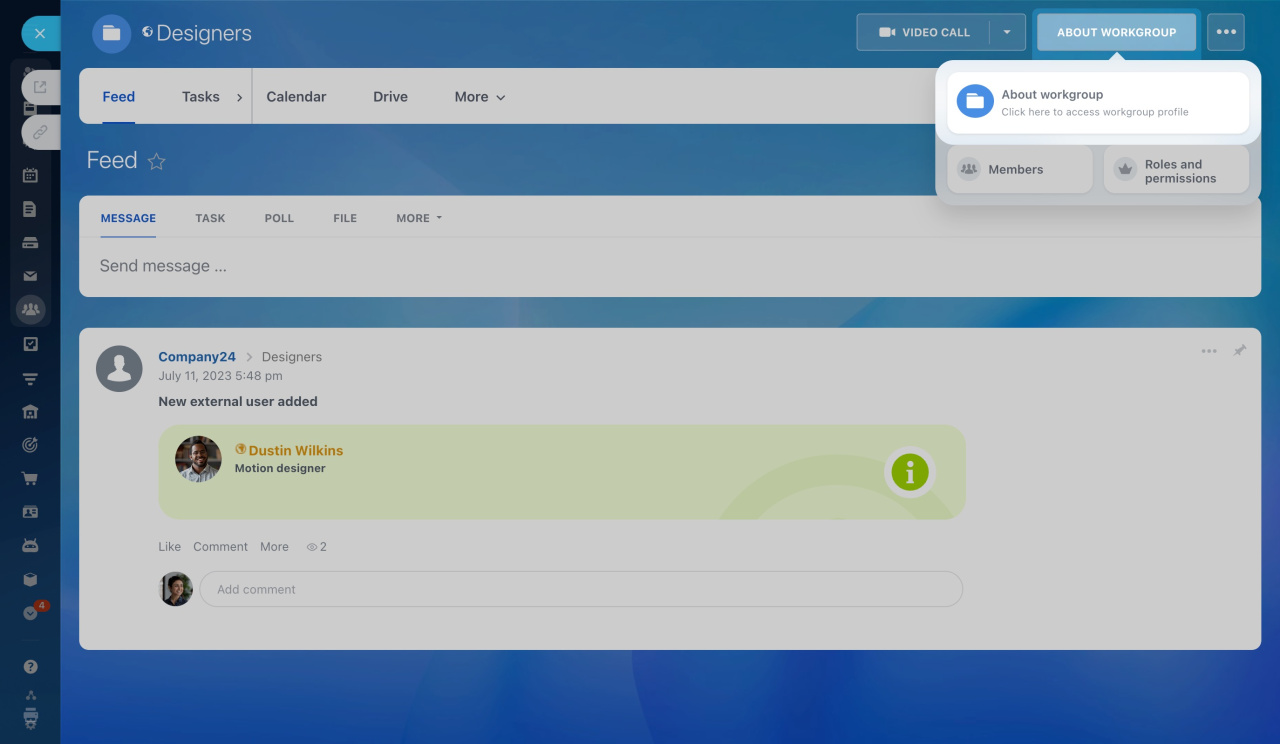
  1. Open the workgroup or project.

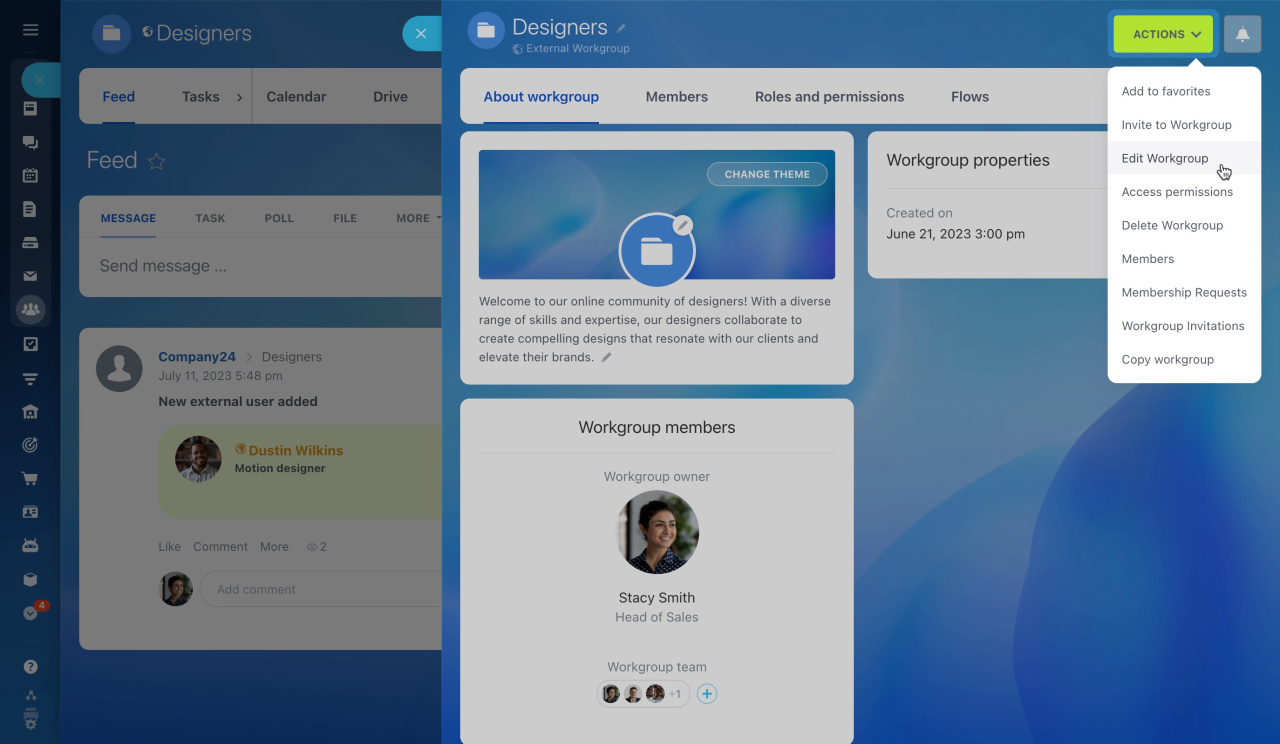
  2. Click About workgroup in the top-right corner.

  3. Open the Actions menu and select Edit workgroup.

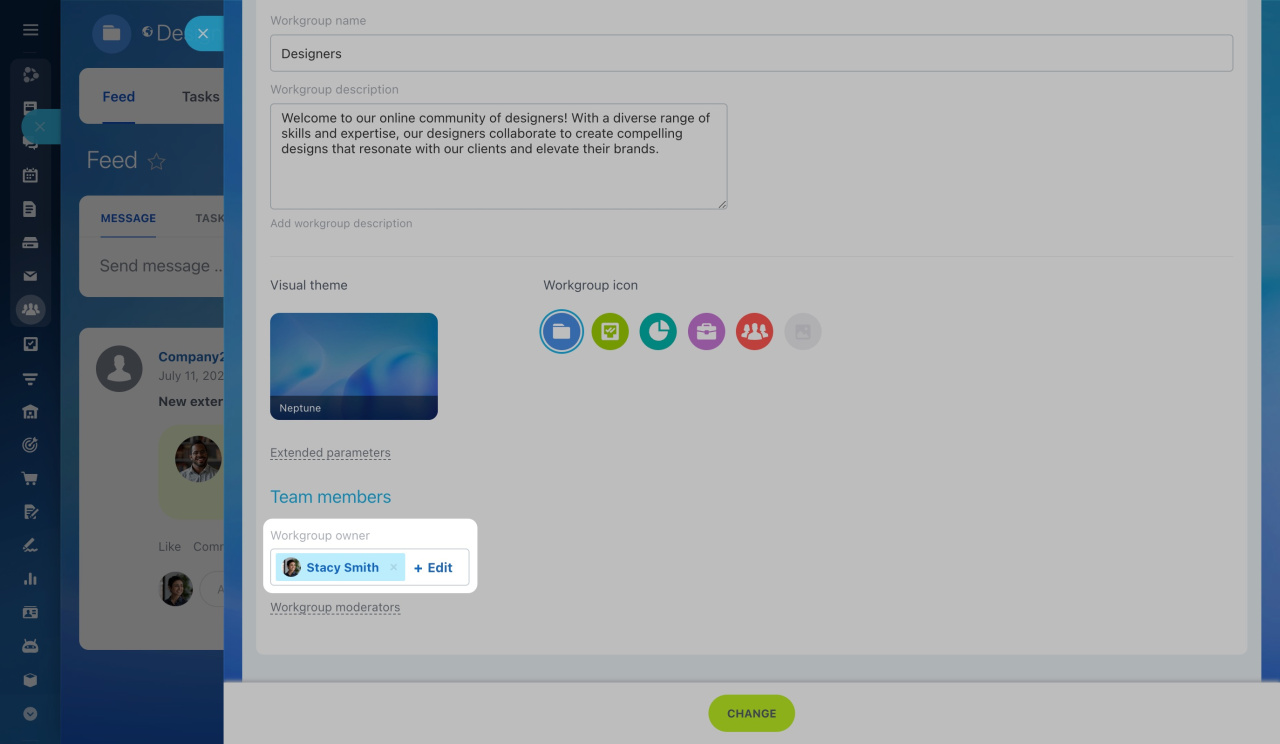
  4. In the Workgroup owner field, click Edit and select a new employee.
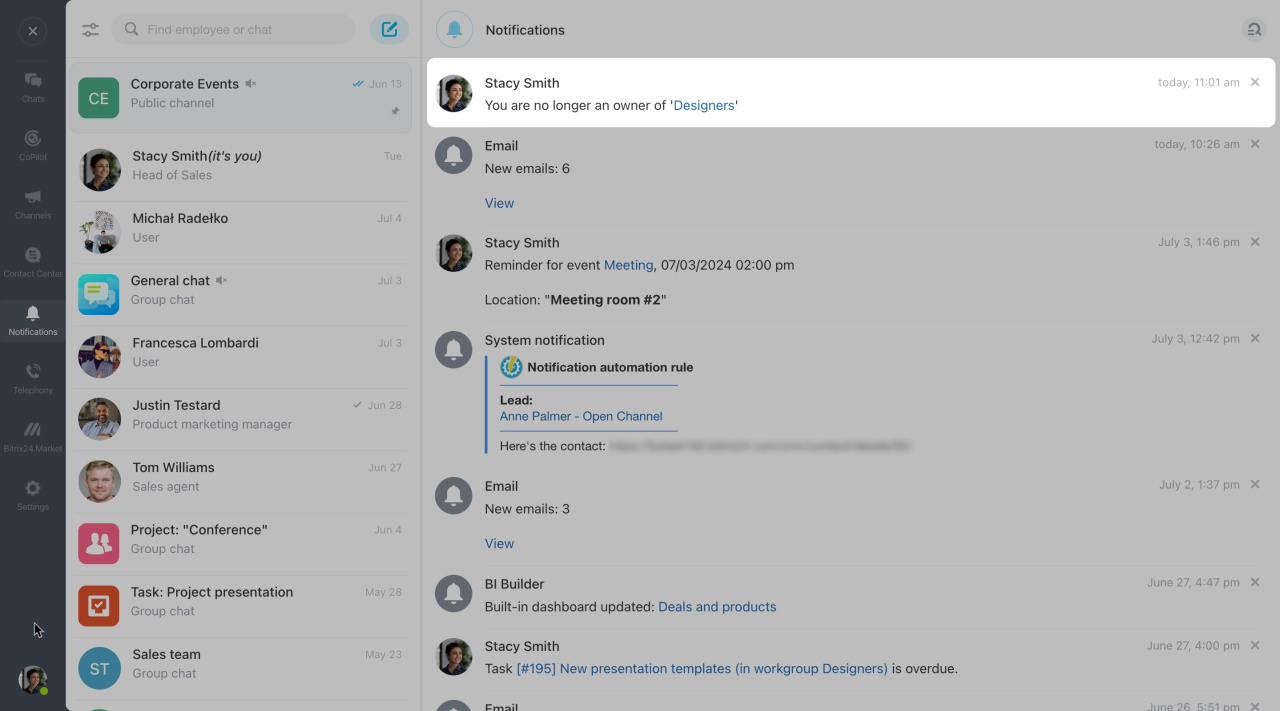
You will get a notification confirming the change.

Take back workgroup or project ownership

To assign yourself as the owner:

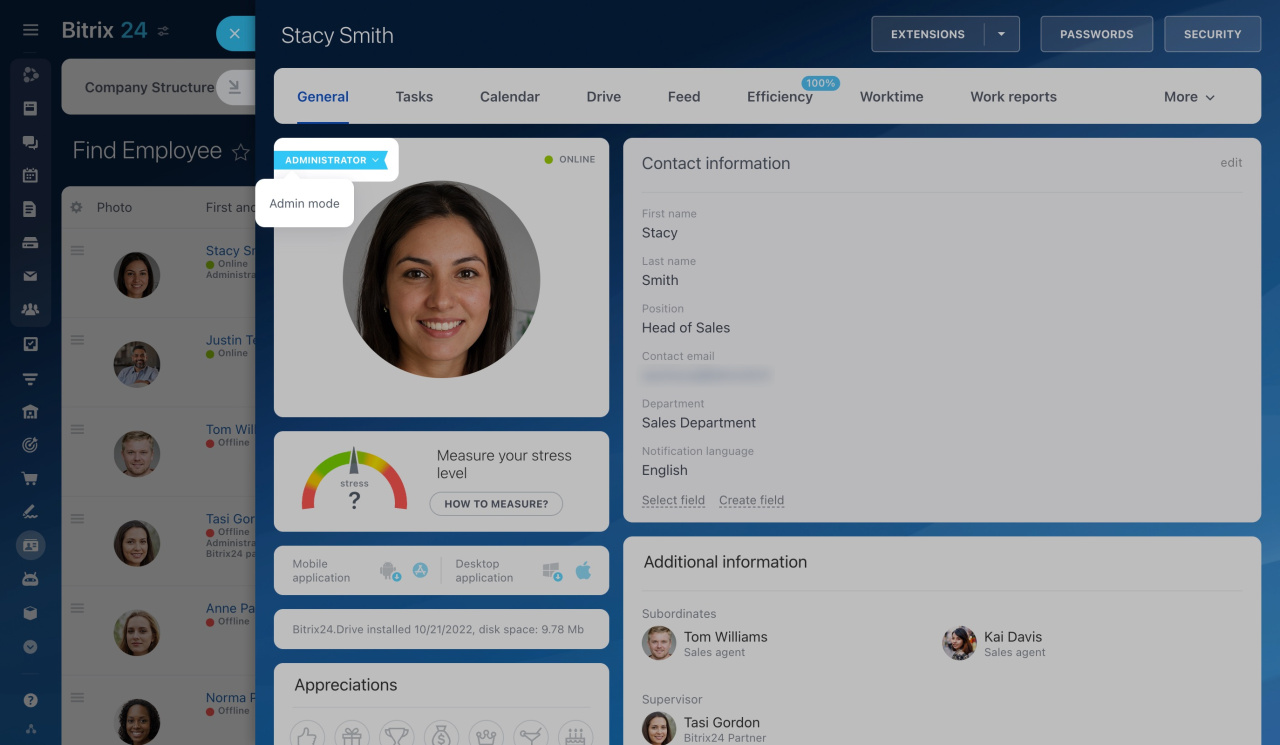
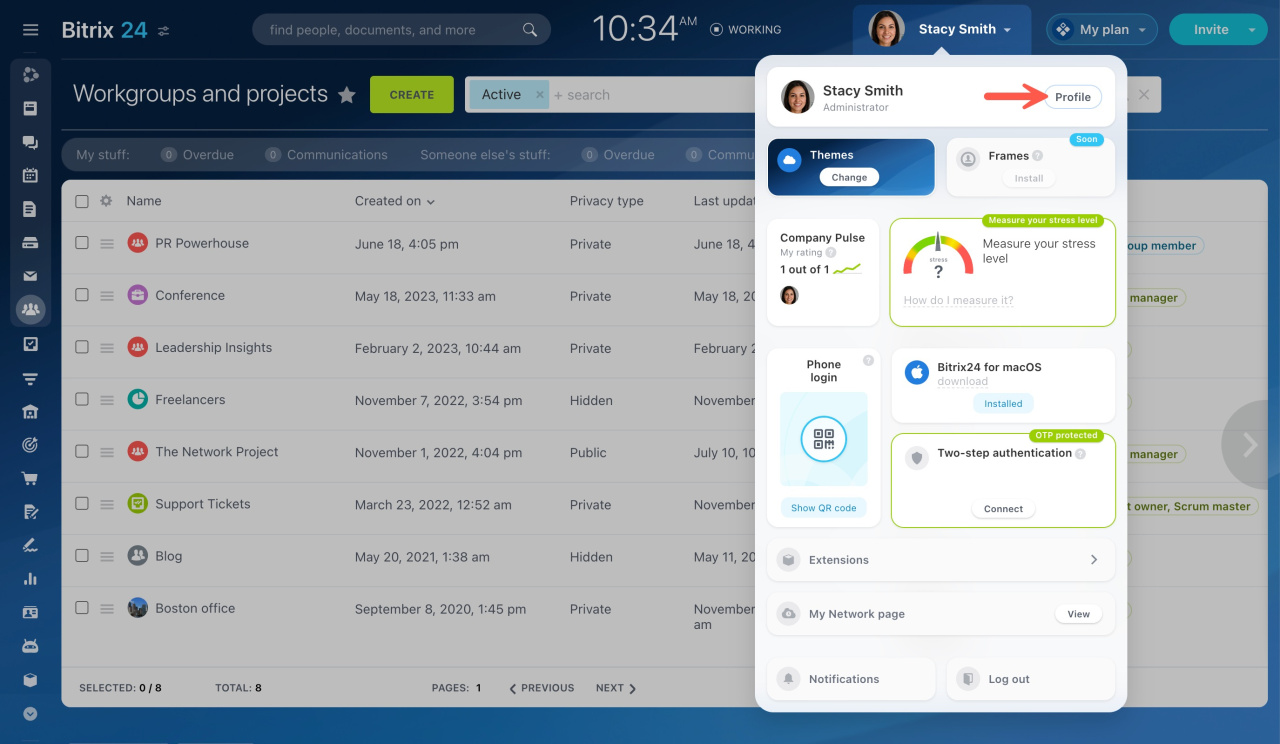
  1. Go to your profile page.

  2. Click the arrow next to the Administrator label and enable Admin mode.

    This option is available only to users with administrative rights.
    What is the Admin mode?
  3. Open the workgroup or project.

  4. Follow the steps above to reassign ownership.

Was this information helpful?
Thank you for your feedback.
Get Implementation Help from a Partner
That's not what I'm looking for
Complicated and incomprehensible text
The information is outdated
It's too short. I need more information
I don't like the way this tool works
Get your Bitrix24 set up by local professionals
FIND BITRIX24 PARTNER NEAR ME
implementation_helper_man
Go to Bitrix24
Don't have an account? Create for free
Related articles
Wiki overview Create a list in a workgroup or project Workgroup tasks Connect workgroup drive to personal one Manage files in workgroups and projects
Zalo
0943.199.449