


When people work together on a project, they need quick access to shared files. In Bitrix24, you can automatically connect a workgroup Drive to the personal Drive of every new workgroup member. The shared folder appears in the employee’s personal Drive right away. This makes collaboration faster and easier.
Only the account administrator can enable this option.
To turn on automatic connection of workgroup Drives:
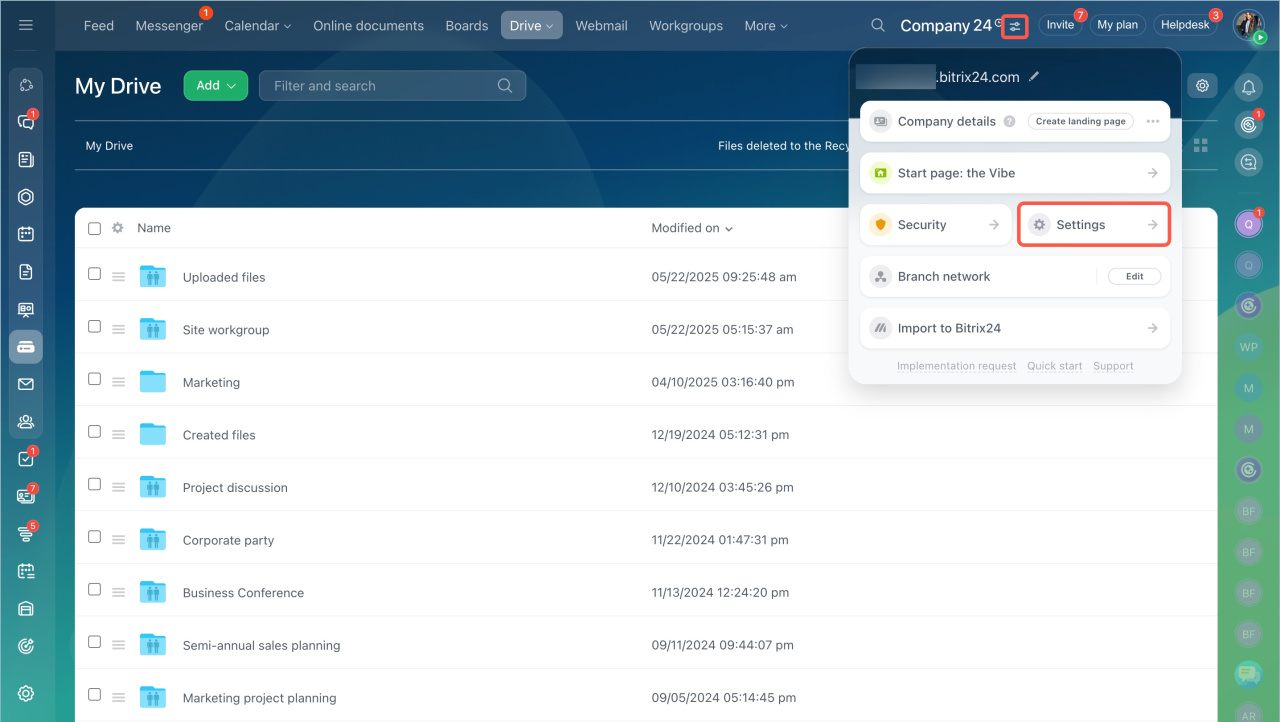
- Click the icon next to your account name.
- Click Settings.
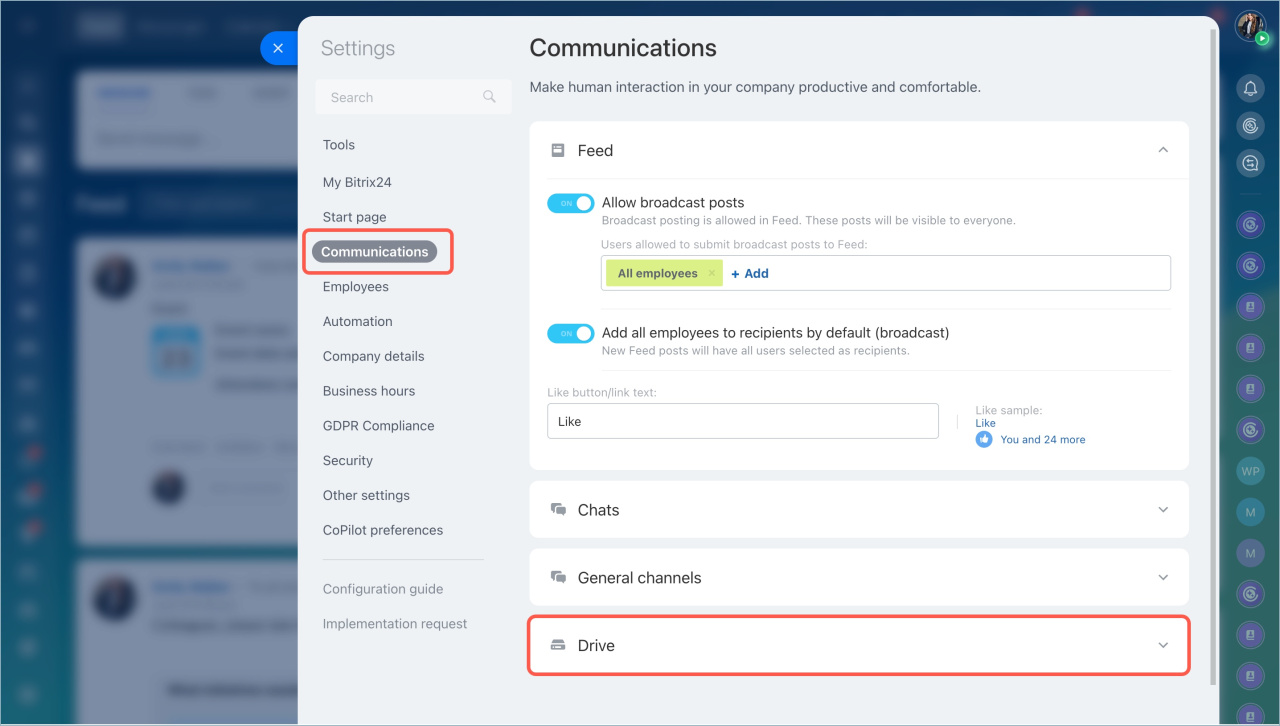
- Open the Communications tab and expand the Drive section.
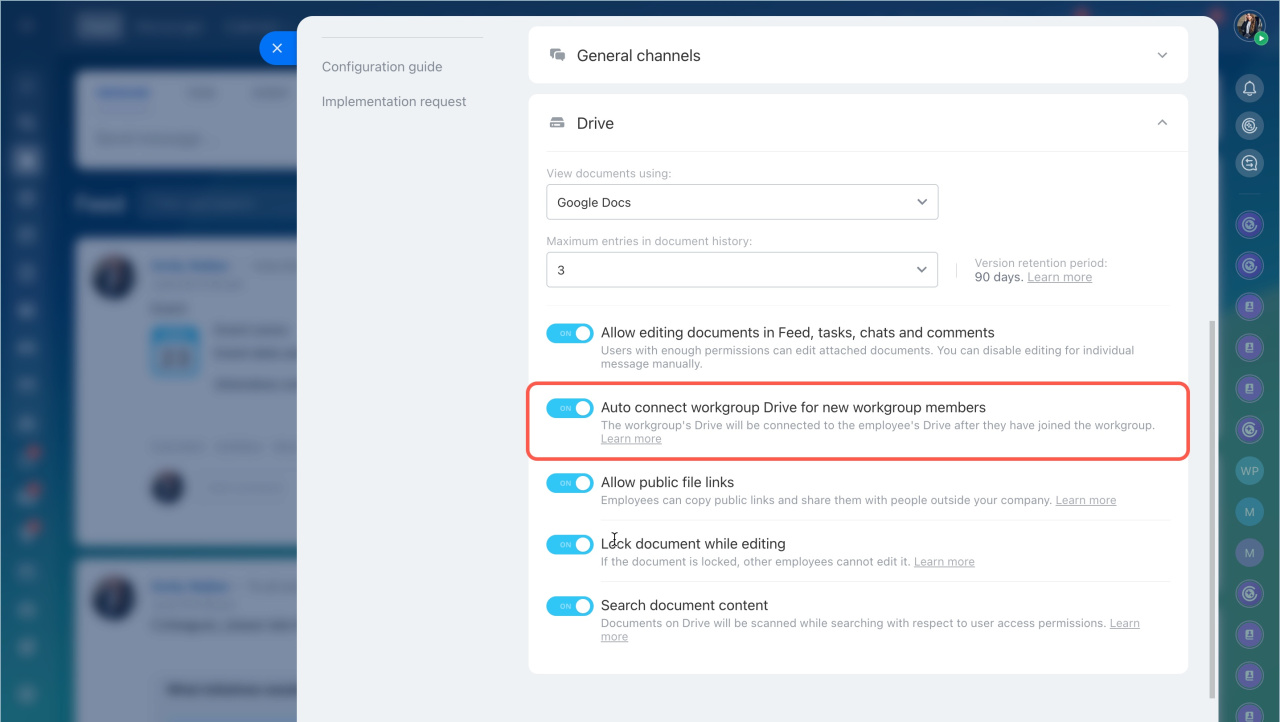
- Enable the Auto connect workgroup Drive for new workgroup members option.
- Save your changes.
After a new employee joins a workgroup, they receive a notification. They can then choose whether to connect the workgroup folder to their personal Drive.
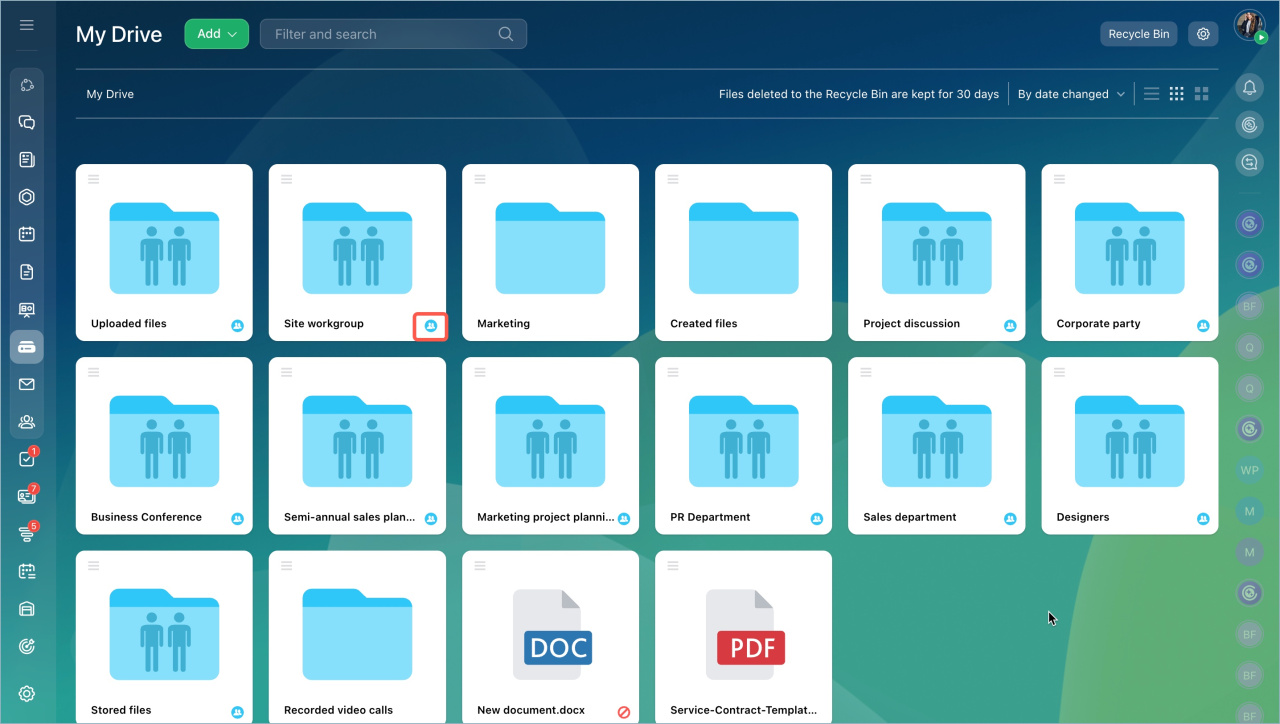
If the employee connects the workgroup folder, the folder appears in the personal Drive with a special icon.
In brief
- You can automatically connect a workgroup Drive to the personal Drive of new workgroup members.
- Only the administrator can enable this option.
- Employees receive a notification and can decide whether to connect the workgroup folder to their personal Drive.



