
🚚 Miễn phí giao hàng toàn quốc

✅ Tặng Gói Hỗ trợ online trọn đời

✅ Giá cạnh tranh nhất thị trường

✅ Miễn phí tư vấn giải pháp

🚚 Miễn phí giao hàng toàn quốc

✅ Tặng Gói Hỗ trợ online trọn đời

✅ Giá cạnh tranh nhất thị trường

✅ Miễn phí tư vấn giải pháp

Hotline: 0943.199.449

Địa chỉ: Tầng 1, tòa nhà Deli, 75 Hoàng Văn Thụ, P. Cầu Kiệu

Bitrix24 Helpdesk

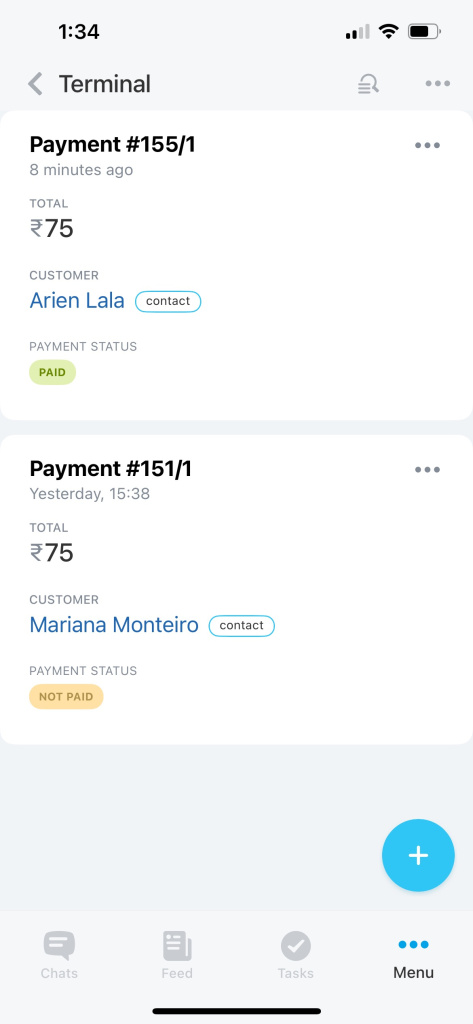
Payment terminal

Terminal is a tool that allows you to accept payments using a QR code from your smartphone. There is no need for additional equipment since the tool is available in the Bitrix24 Mobile app for Android and iOS.

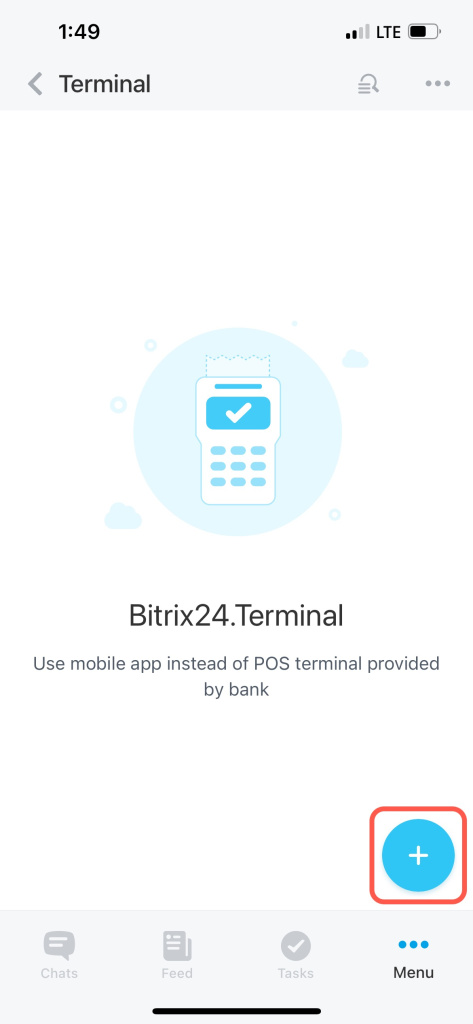
Tap on the + icon in the bottom right corner to create a payment.
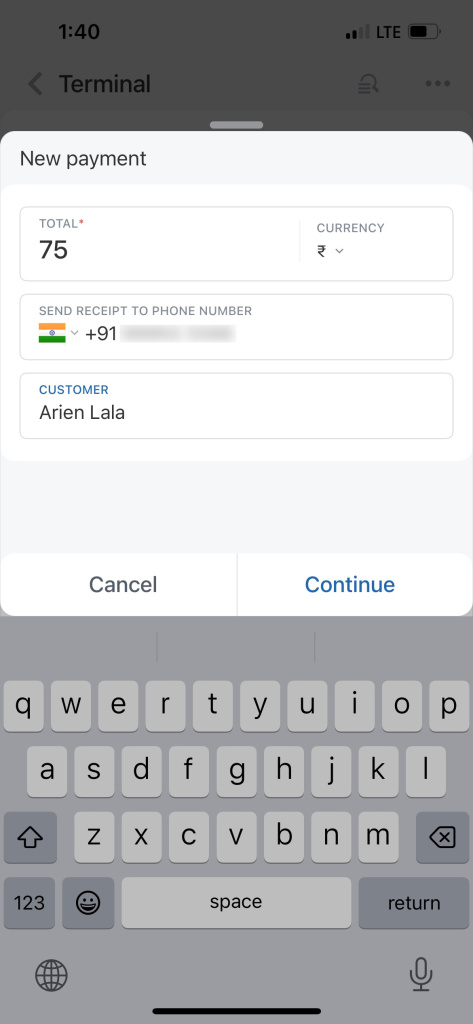
Specify the amount. Enter your client's phone number (optional). If you add this data, your customer will receive proof of payment by SMS.

Also, fill in your client's name to save it in CRM. Then tap Continue.
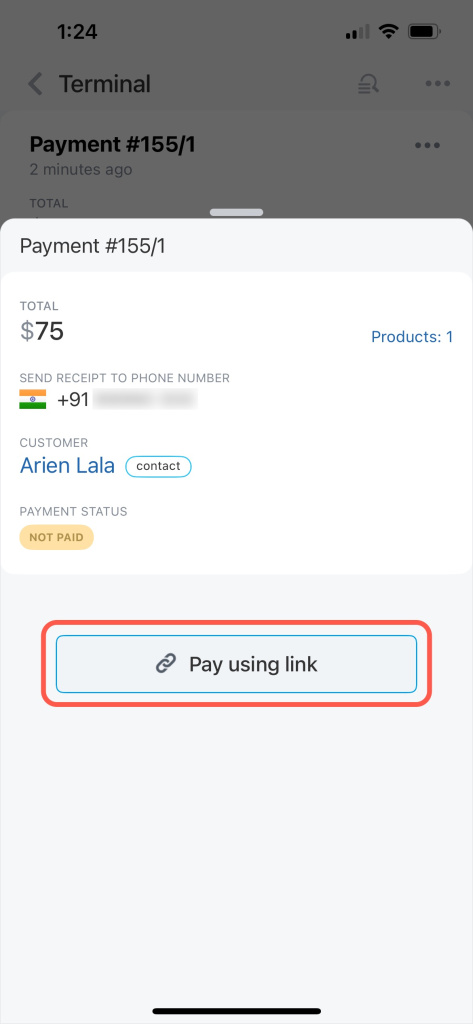
Select a payment option.
Ask your customer to scan the QR code.
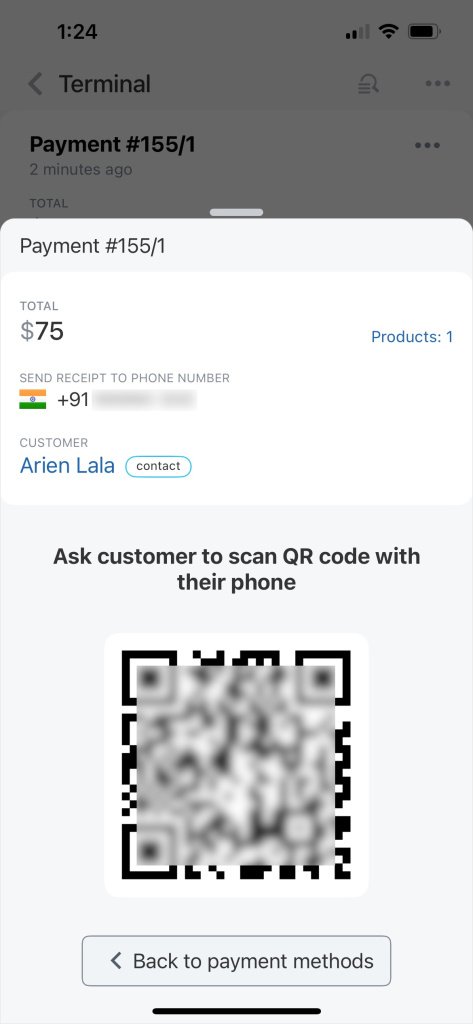
Once they've made a payment, the information about it will appear in the deal timeline and the list of payments under Terminal.

Was this information helpful?
Thank you for your feedback.
Get Implementation Help from a Partner
That's not what I'm looking for
Complicated and incomprehensible text
The information is outdated
It's too short. I need more information
I don't like the way this tool works
Get your Bitrix24 set up by local professionals
FIND BITRIX24 PARTNER NEAR ME
implementation_helper_man
Go to Bitrix24
Don't have an account? Create for free
Related articles
Employee list in the Bitrix24 mobile app Create an event in the Bitrix24 mobile calendar Flows in the Bitrix24 mobile app Switch CRM mode in mobile CRM Inventory management in the mobile app Deadline view in tasks Create CRM entities from source Stickers in the Bitrix24 Messenger Chats in the Bitrix24 mobile app Auto delete messages option in Bitrix24 chats
Zalo
0943.199.449
