


A toll-free number lets customers call your company at no cost. Businesses that use toll-free numbers often receive more inbound calls.
Bitrix24 plans and pricing
To rent a number, go to CRM > Sales > Sales channels > Telephony > Connection > Rent a number.
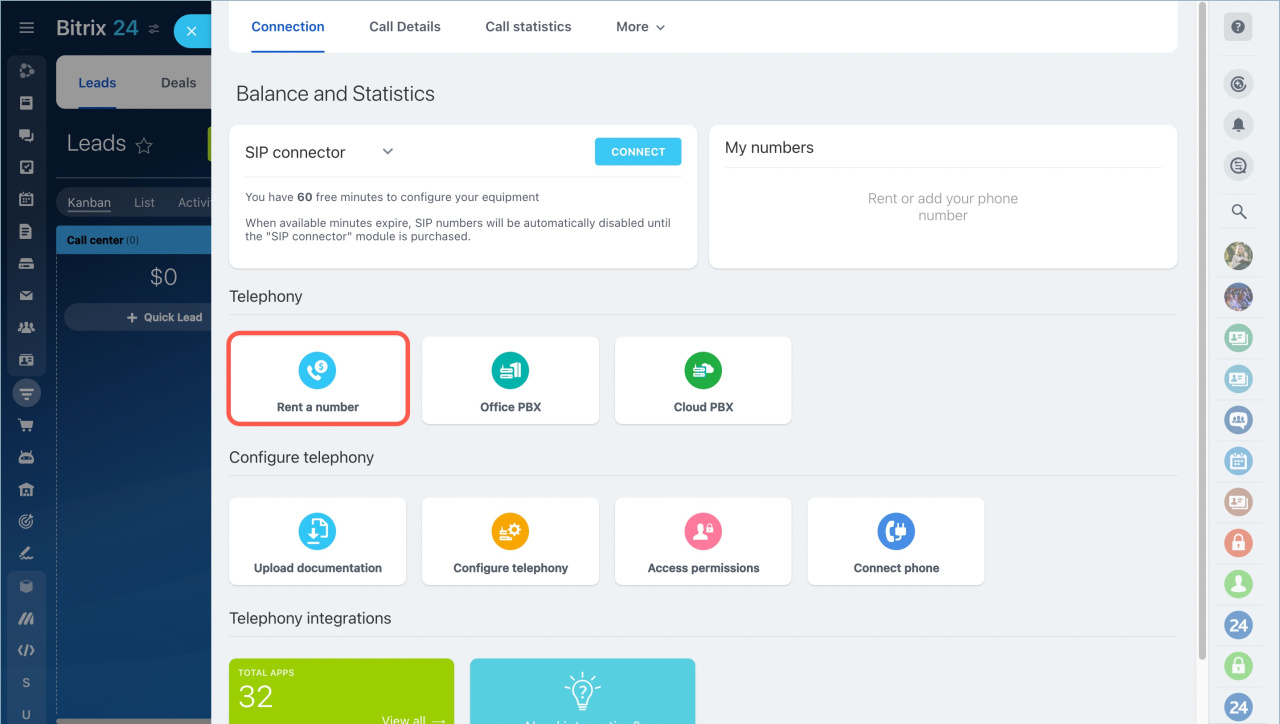
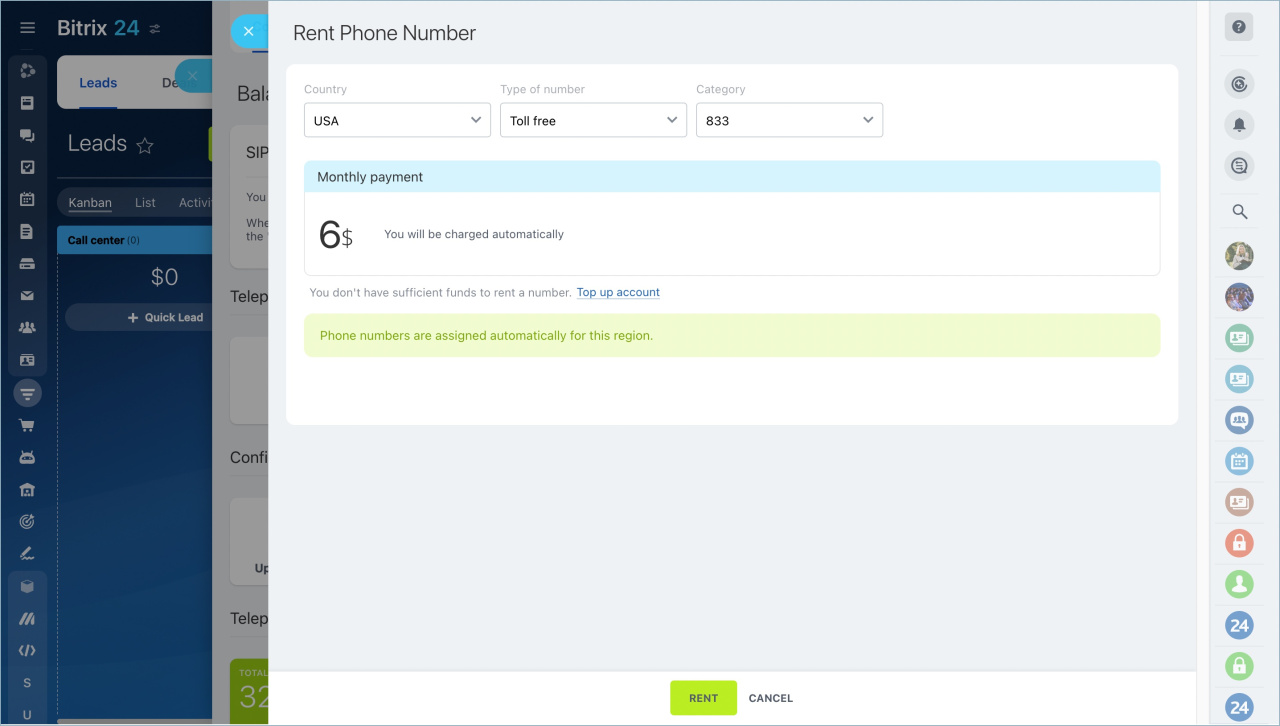
Choose a toll-free number
Select:
- Country
- Number type
- Category
After you select the options, complete the rental.
Connection features
Toll-free numbers include the same features as local numbers. You can:
- Set up call routing
- Configure working hours
- Manage call handling rules
- Track call activity
Important details
Monthly fee
Toll-free numbers cost more than local numbers.
Example (USA):
- Local number: $4 per month
- Toll-free number: $6 per month
Charges for incoming calls
With a toll-free number, you pay for incoming calls because customers are not charged for dialing the number.
Outbound calls
Outbound calls from toll-free numbers are not available in most countries. Use a local number if you need to make outgoing calls.
For country-specific details, contact Voximplant support: [email protected].
Call forwarding costs
If you enable call forwarding, charges apply for:
- the incoming call to the toll-free number
- the forwarded outgoing call
Call forwarding works only if outbound calls are supported for the number.
Country restrictions
In most countries, toll-free numbers can only be called from within the same country.
Example:
A toll-free number registered in Australia can usually be called only from Australia.
U.S. toll-free numbers are an exception. Calls from other countries are usually allowed but may be charged to the caller.
Reduce costs for after-hours calls
You are charged for incoming calls even outside business hours, regardless of whether the call is answered.
To reduce costs, use the options below.
Adjust your phone availability settings
- Set business hours for the number
Working time settings for phone numbers - Inform callers that support is unavailable outside working hours
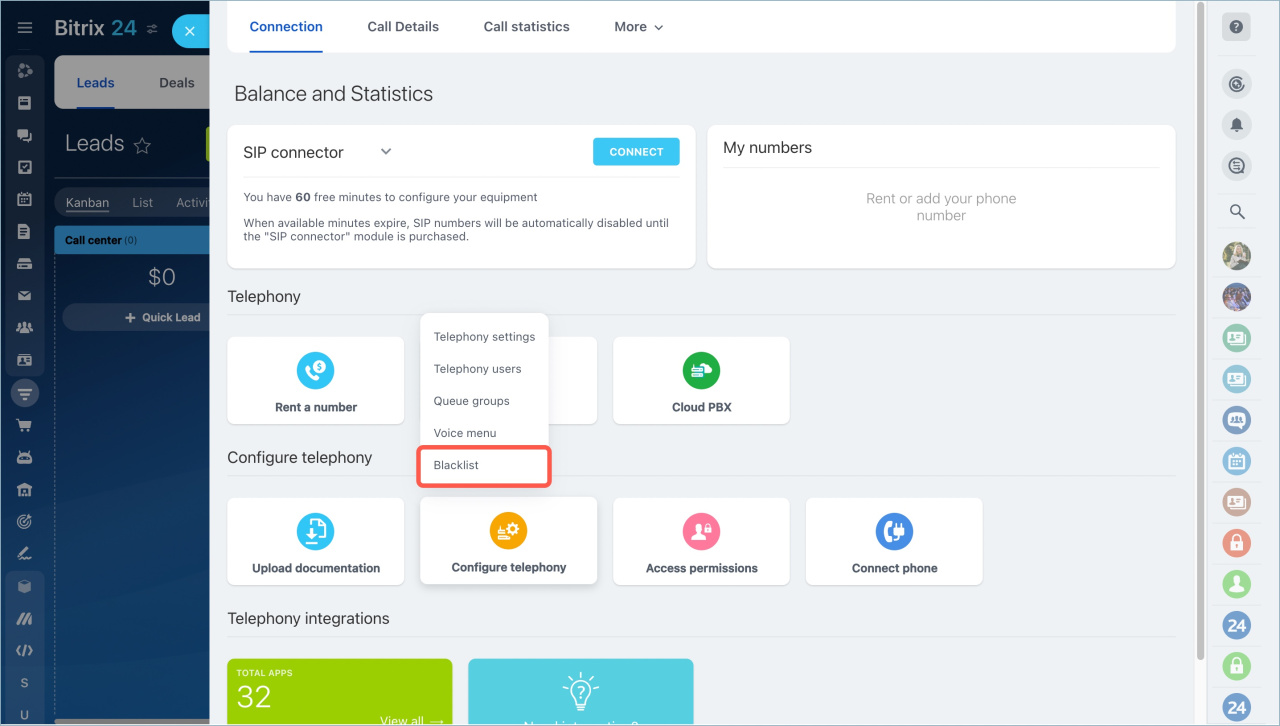
Use the blacklist
You can also block unwanted calls.
Go to CRM > Sales > Sales channels > Telephony > Configure telephony > Blacklist.
Add phone numbers to prevent them from calling your toll-free number.
Blacklist
Auto block repeated calls
Enable the Auto block phone numbers outside office hours option. If the same number calls repeatedly within a short time, it will be automatically added to the blacklist.
Call details
In brief
- Customers can call your toll-free number at no cost.
- You pay for incoming calls. Outbound calls are usually not available for toll-free numbers.
- Call forwarding adds extra charges.
- Configure working hours or use the blacklist to avoid unnecessary costs.



