


In CRM-generated emails, the default signature "Sent from Bitrix24" is automatically added. It appears at the end of the email and is visible to the recipient.
If your company uses a custom corporate signature or a unified style, you can disable this automatic signature in the CRM settings. This can be done by a Bitrix24 administrator or employees with the "Allow settings changes" permission in the CRM.
Cannot access CRM settings. Why?
This feature is available only on commercial plans.
Bitrix24 pricing page
Bitrix24 pricing page
To remove the "Sent from Bitrix24" signature line from your emails:
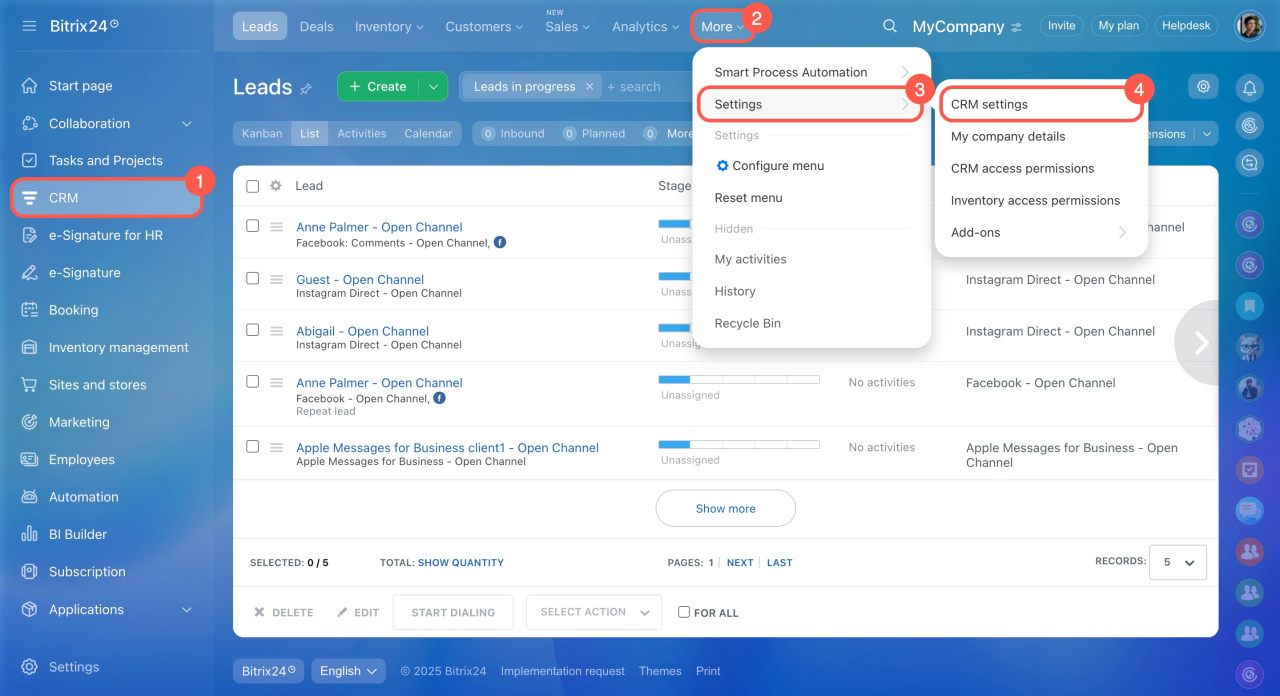
- Go to the CRM section > Settings > CRM settings.
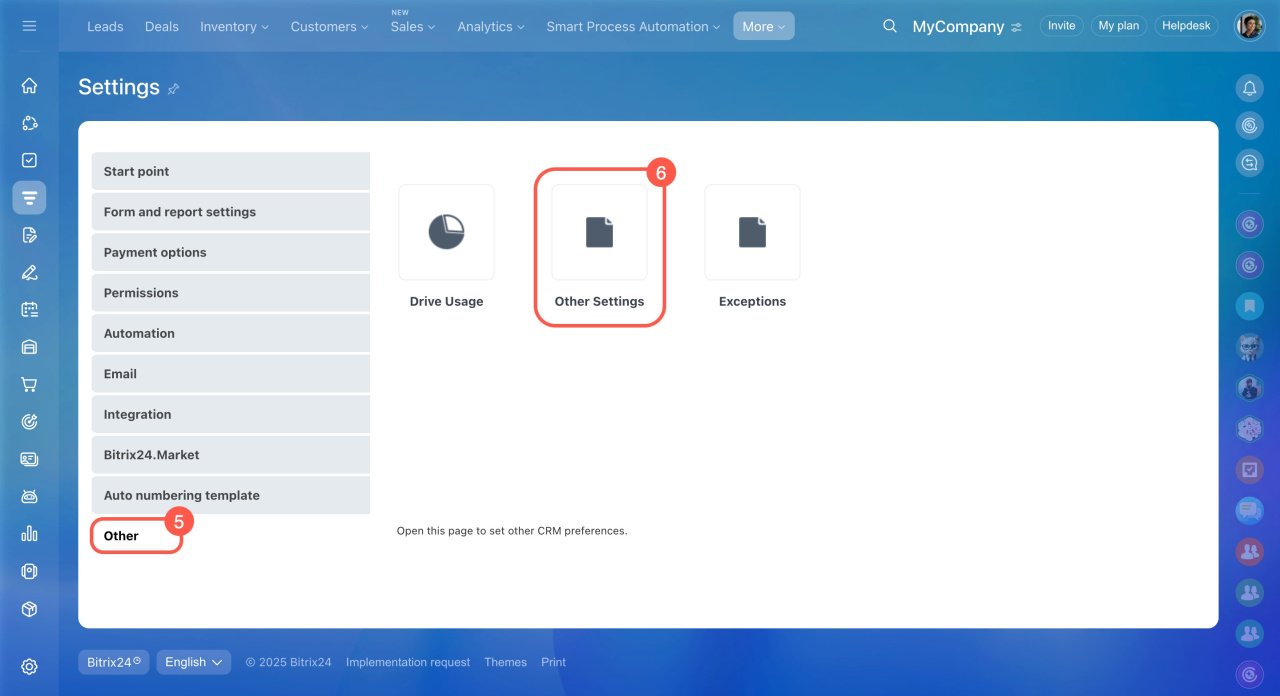
- Open the Other tab > Other Settings.
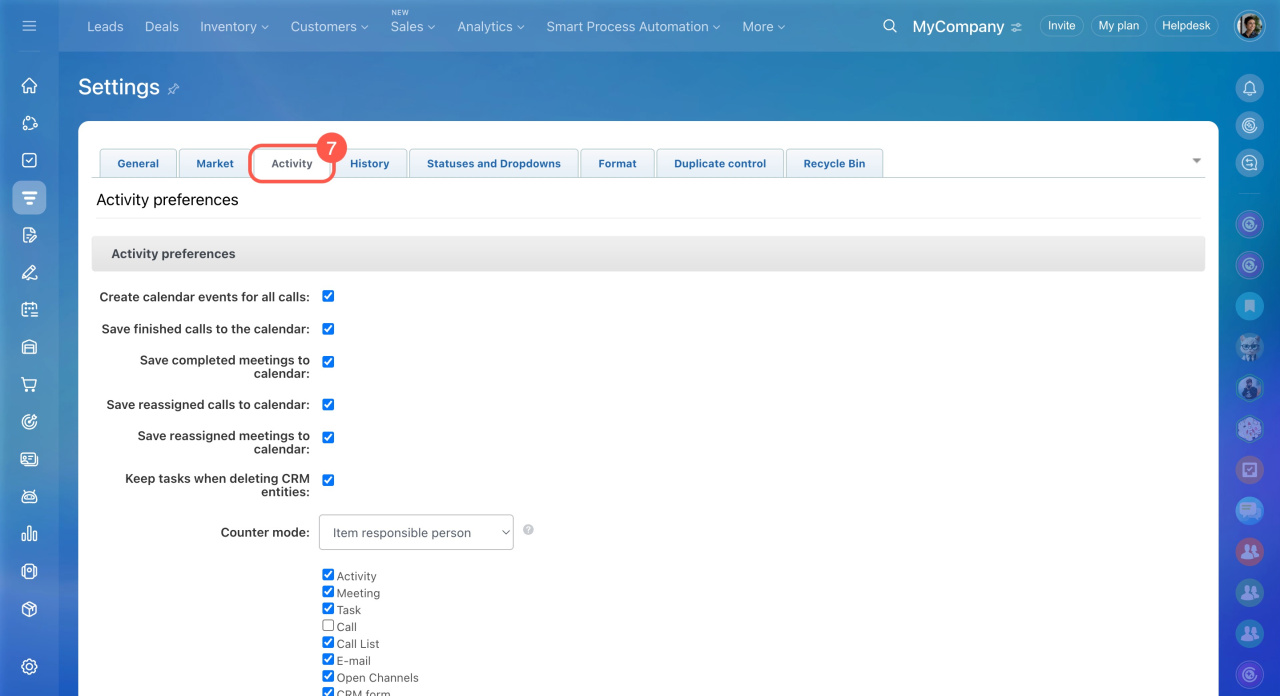
- Open the Activity tab.
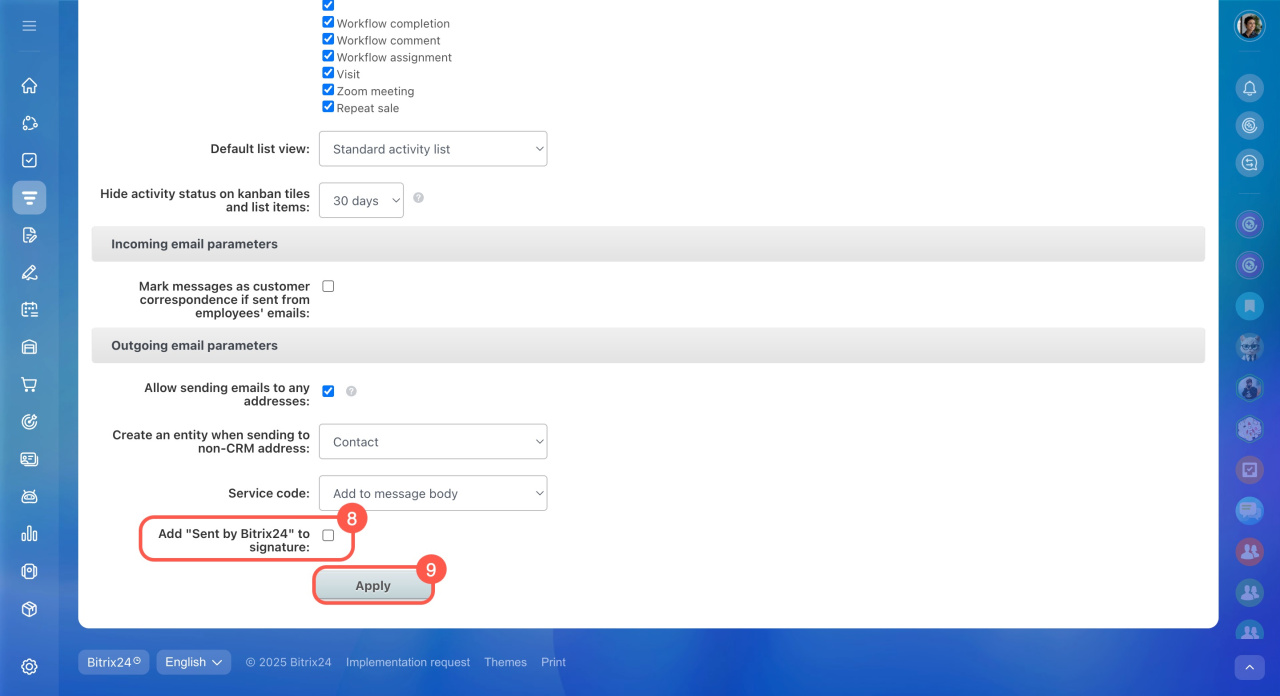
- In the Outgoing email parameters section, disable the Add "Sent by Bitrix24" to signature option.
- Click Apply to save changes.
In brief
- In CRM-generated emails, the default signature "Sent from Bitrix24" is automatically added. It appears at the end of the email and is visible to the recipient.
- The signature can be disabled by a Bitrix24 administrator or employees with the "Allow settings changes" permission in the CRM.
- Go to the CRM section > Settings > CRM settings > Activity tab > Outgoing email parameters > disable the Add "Sent by Bitrix24" to signature option. Click Apply to save changes.


