
🚚 Miễn phí giao hàng toàn quốc

✅ Tặng Gói Hỗ trợ online trọn đời

✅ Giá cạnh tranh nhất thị trường

✅ Miễn phí tư vấn giải pháp

🚚 Miễn phí giao hàng toàn quốc

✅ Tặng Gói Hỗ trợ online trọn đời

✅ Giá cạnh tranh nhất thị trường

✅ Miễn phí tư vấn giải pháp

Hotline: 0943.199.449

Địa chỉ: Tầng 1, tòa nhà Deli, 75 Hoàng Văn Thụ, P. Cầu Kiệu

Bitrix24 Helpdesk

Create a department in the Bitrix24 mobile app

In the Bitrix24 mobile app, you can create a subdepartment right from your phone. This is useful for HR teams and managers who work outside the office.

Only users with the required access permissions can create subdepartments.

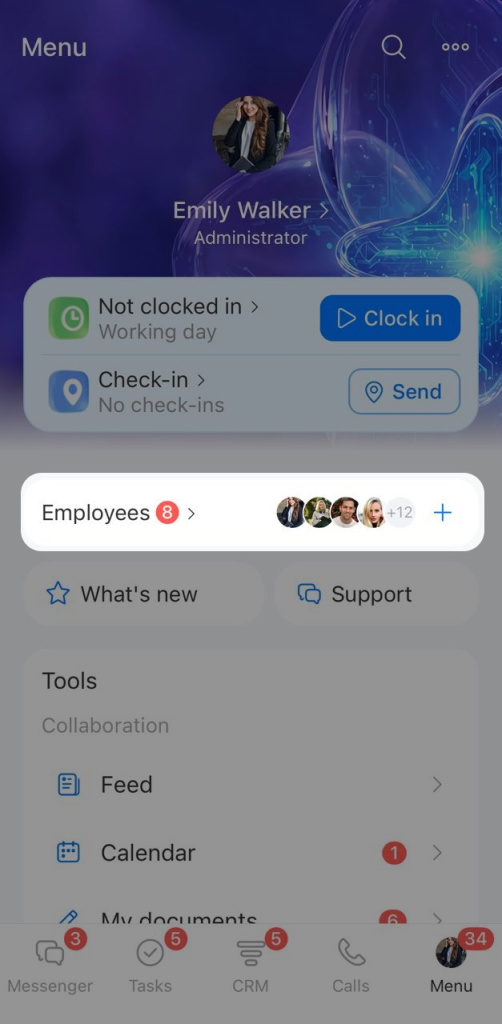
Open Menu > Employees. You will see a list of company employees.
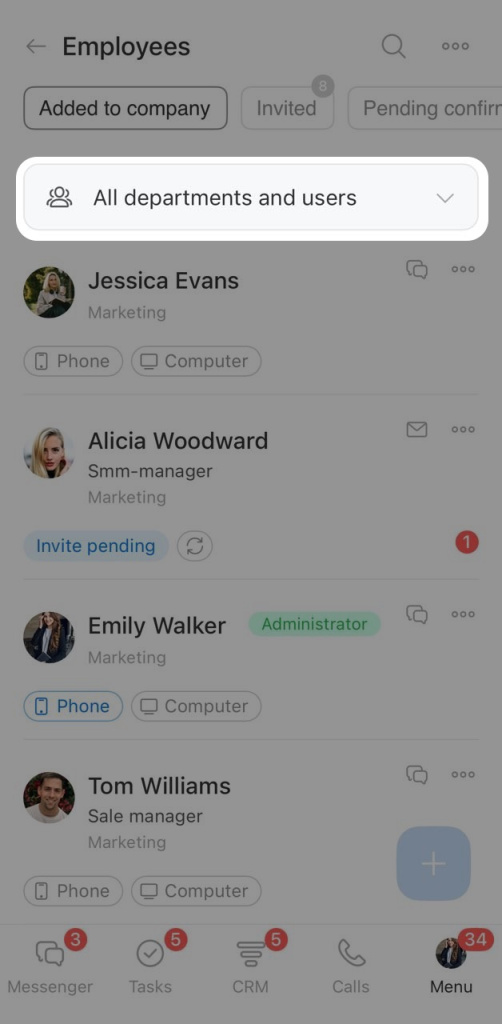
Tap All departments and users.
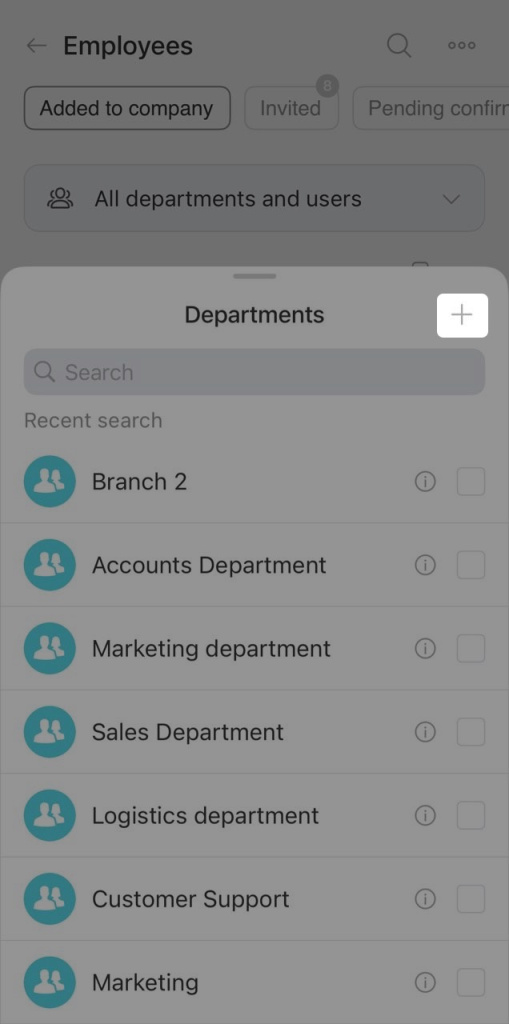
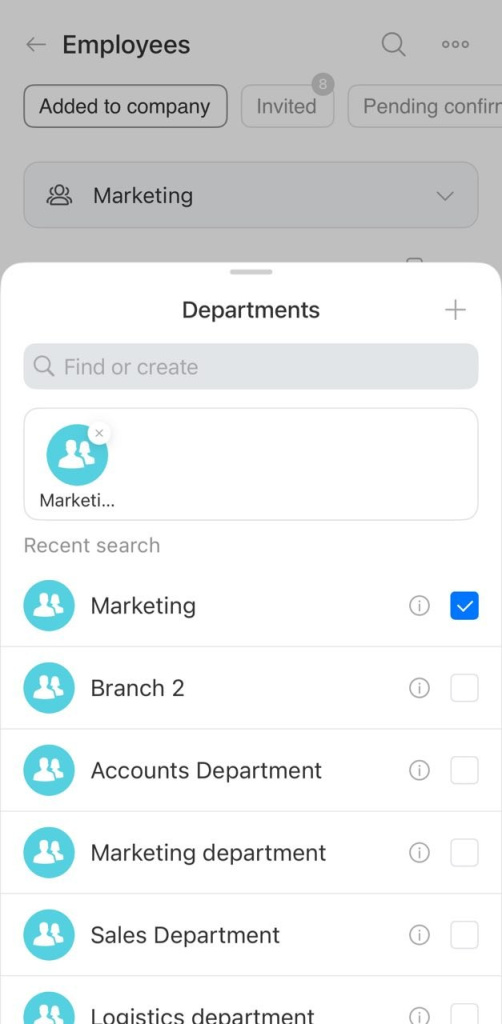
A list of existing departments opens. Tap Plus (+) in the top-right corner to create a new one.
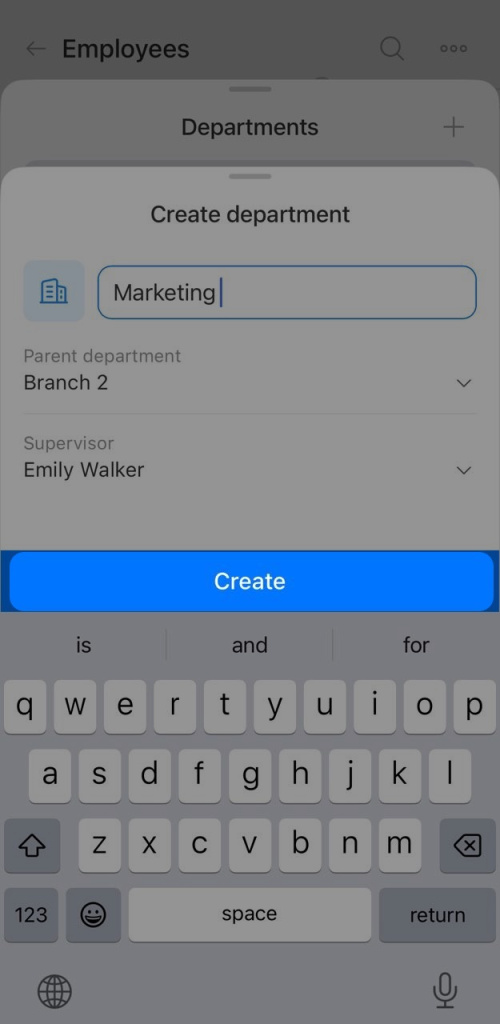
The department creation form will open. Fill in these fields.

Name. Enter a name for the new department.
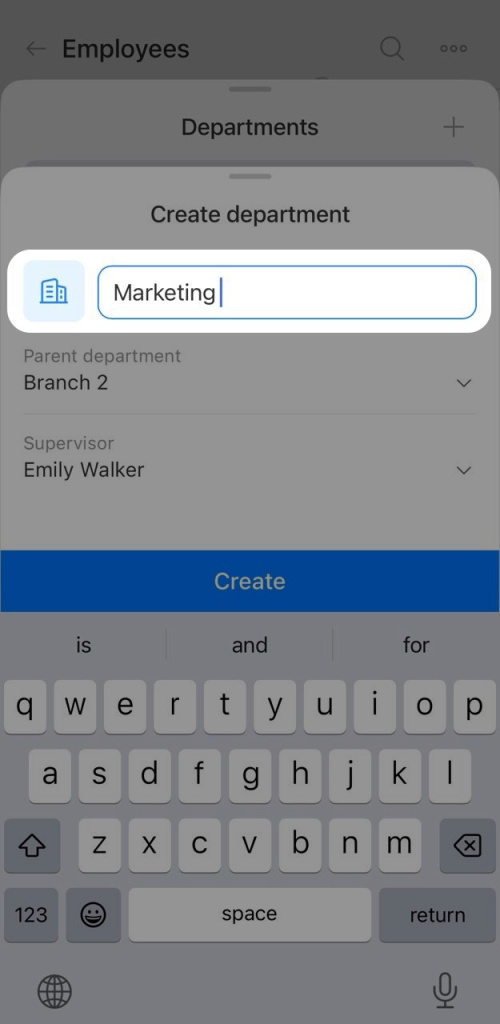
Parent department. Tap the field and select the department this new one will belong to.
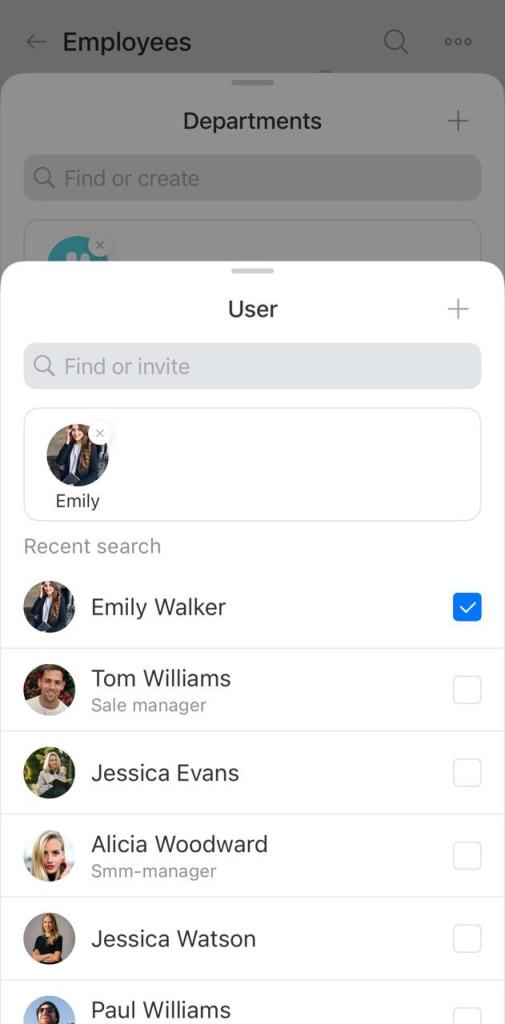
Supervisor. Tap the field and select the employee who will manage the department. You can use search. To invite a new employee, tap Plus (+).
How to invite an employee to Bitrix24
Tap Create. The new department will appear in the company structure.

Was this information helpful?
Thank you for your feedback.
Get Implementation Help from a Partner
That's not what I'm looking for
Complicated and incomprehensible text
The information is outdated
It's too short. I need more information
I don't like the way this tool works
Get your Bitrix24 set up by local professionals
FIND BITRIX24 PARTNER NEAR ME
implementation_helper_man
Go to Bitrix24
Don't have an account? Create for free
Related articles
Create and send an invoice to a customer Invite a customer to Telegram chat Configure Single Sign-On (SSO) for Bitrix24 Message or call a colleague in the Bitrix24 mobile app Chats in the Bitrix24 mobile app Auto delete messages option in Bitrix24 chats CoPilot Follow-Up: AI-powered speech analytics for video calls Employee profile in the Bitrix24 mobile app Create an event in the Bitrix24 mobile calendar Work with documents in the mobile CRM
Zalo
0943.199.449
