
🚚 Miễn phí giao hàng toàn quốc

✅ Tặng Gói Hỗ trợ online trọn đời

✅ Giá cạnh tranh nhất thị trường

✅ Miễn phí tư vấn giải pháp

🚚 Miễn phí giao hàng toàn quốc

✅ Tặng Gói Hỗ trợ online trọn đời

✅ Giá cạnh tranh nhất thị trường

✅ Miễn phí tư vấn giải pháp

Hotline: 0943.199.449

Địa chỉ: Tầng 1, tòa nhà Deli, 75 Hoàng Văn Thụ, P. Cầu Kiệu

Bitrix24 Helpdesk

Documents in CRM: Access permissions

Set up access permissions:

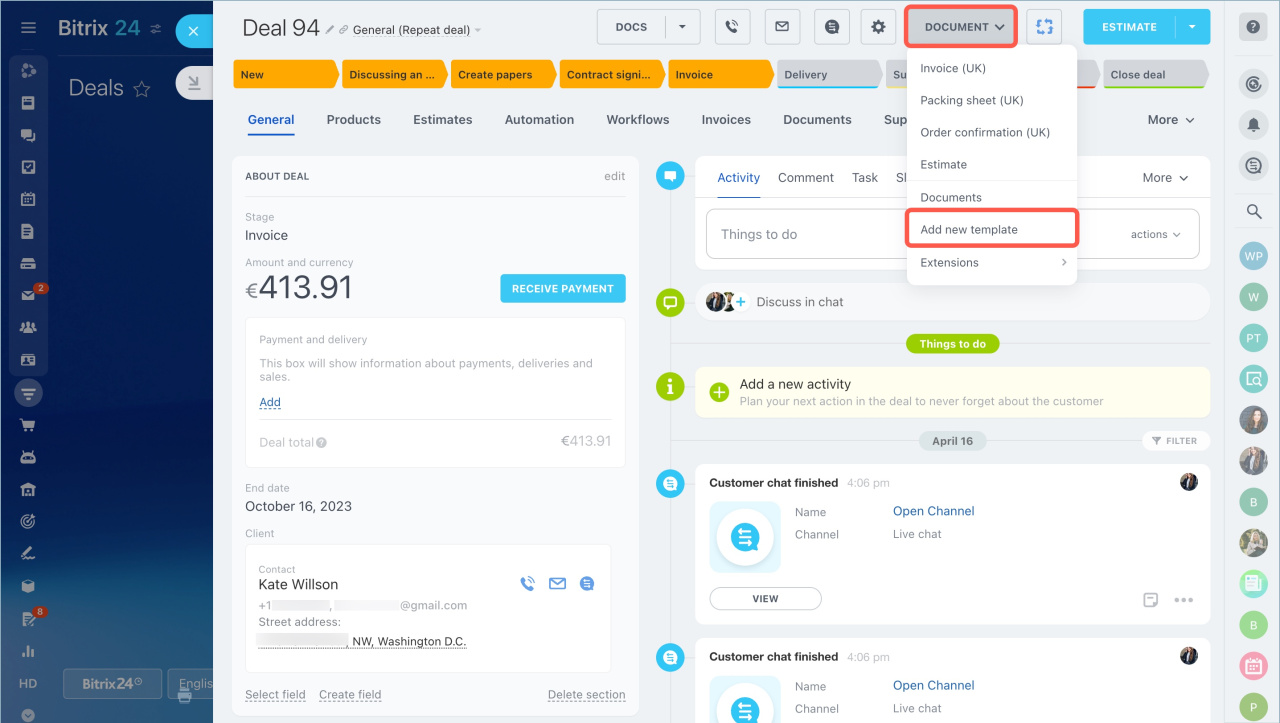
  1. Go to the CRM section.
  2. Open the CRM item form.
  3. Click Documents.
  4. Select Add new template from the dropdown menu.
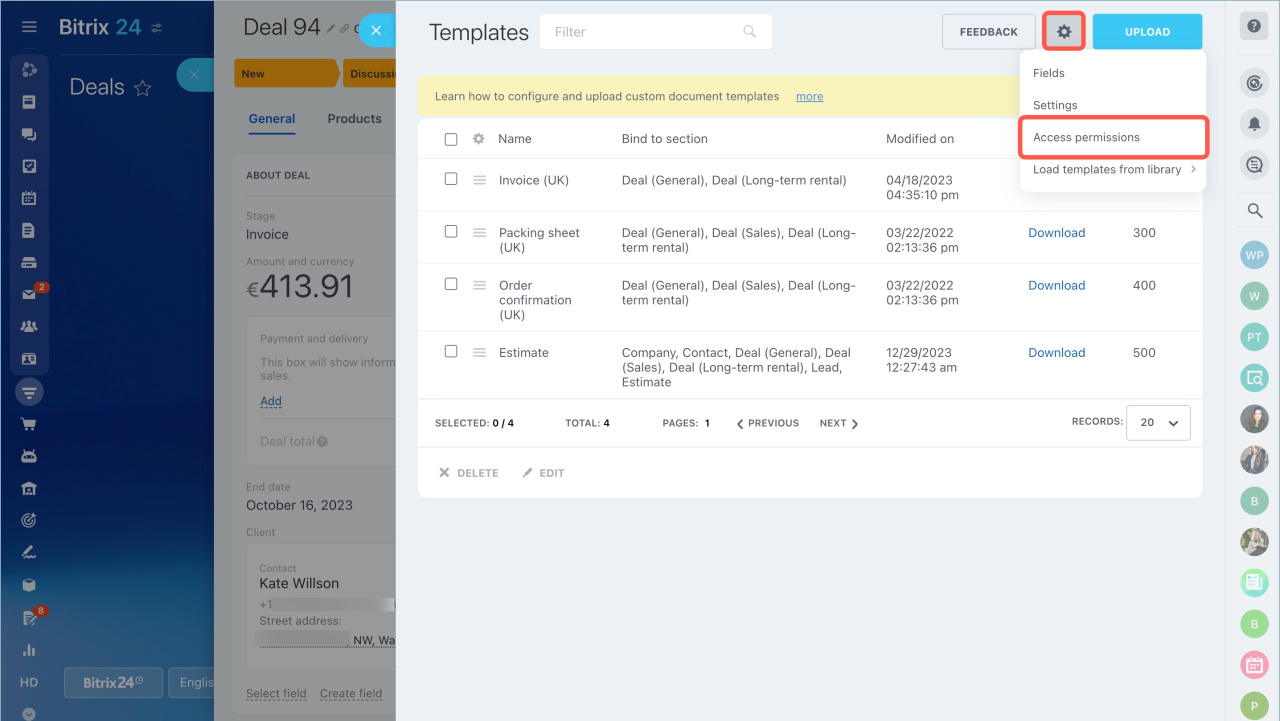
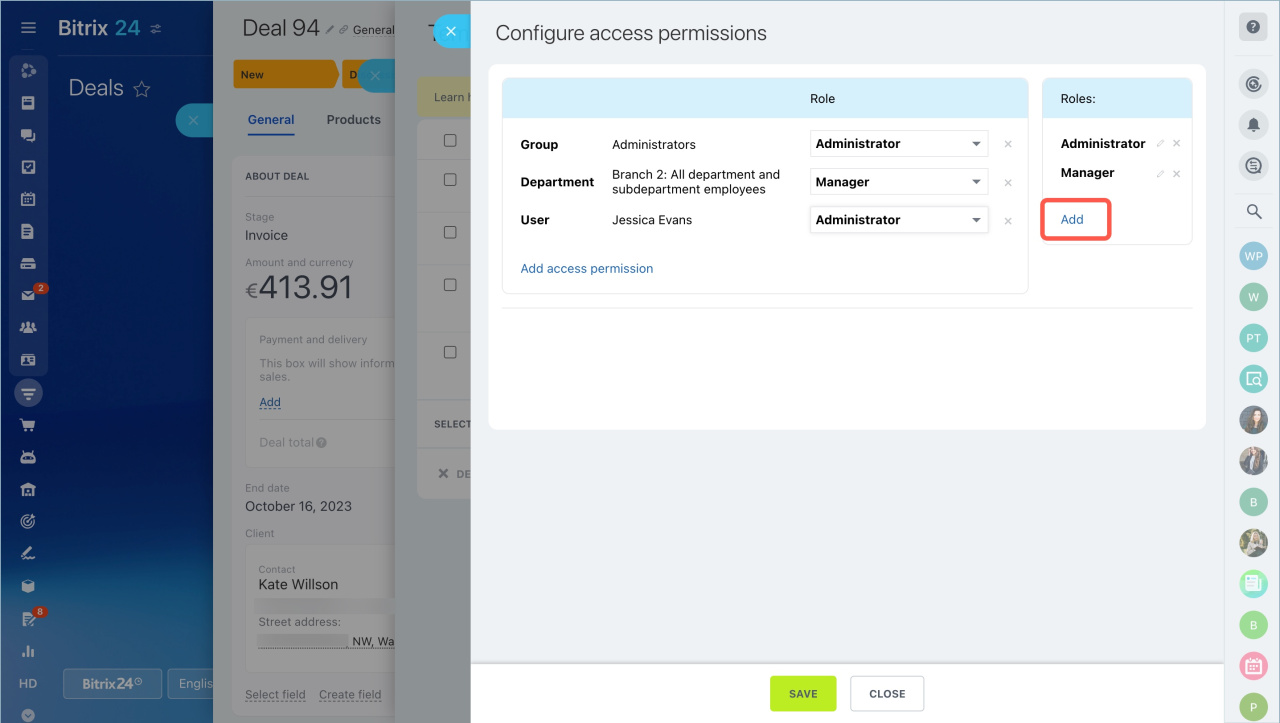
Click the settings button and select Access permissions.
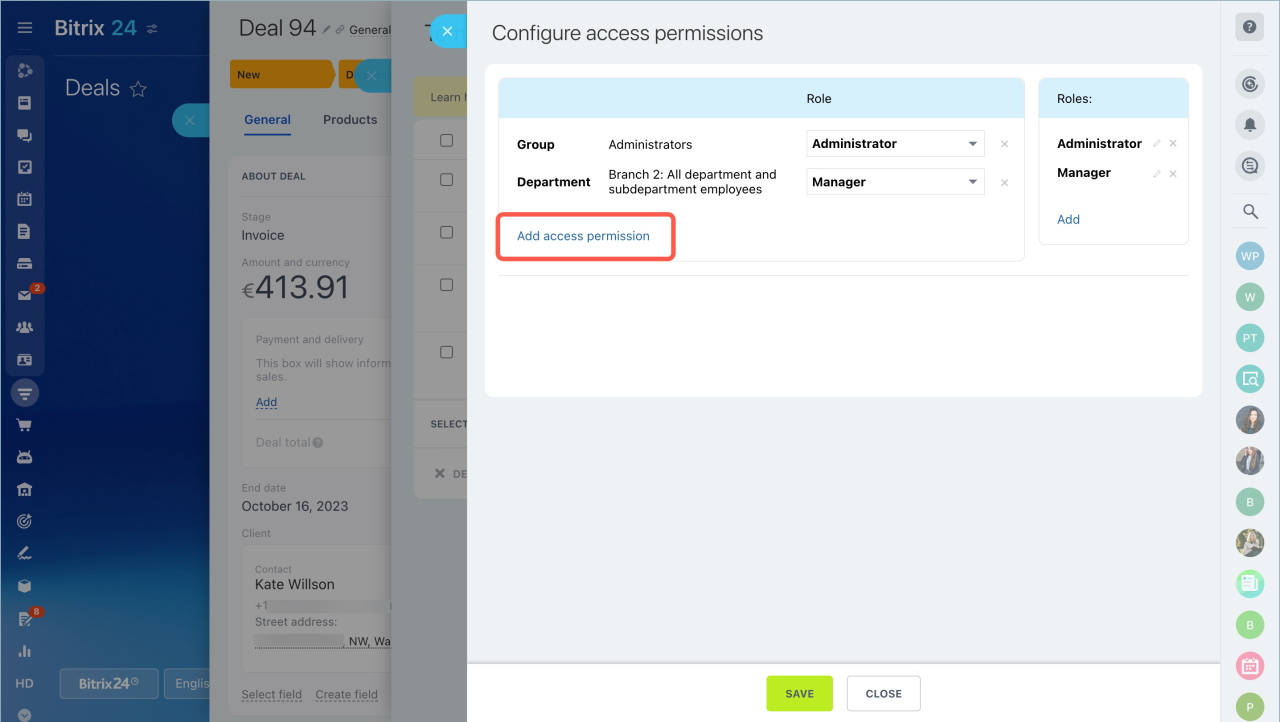
Click Add access permission and choose a user, department, or group.
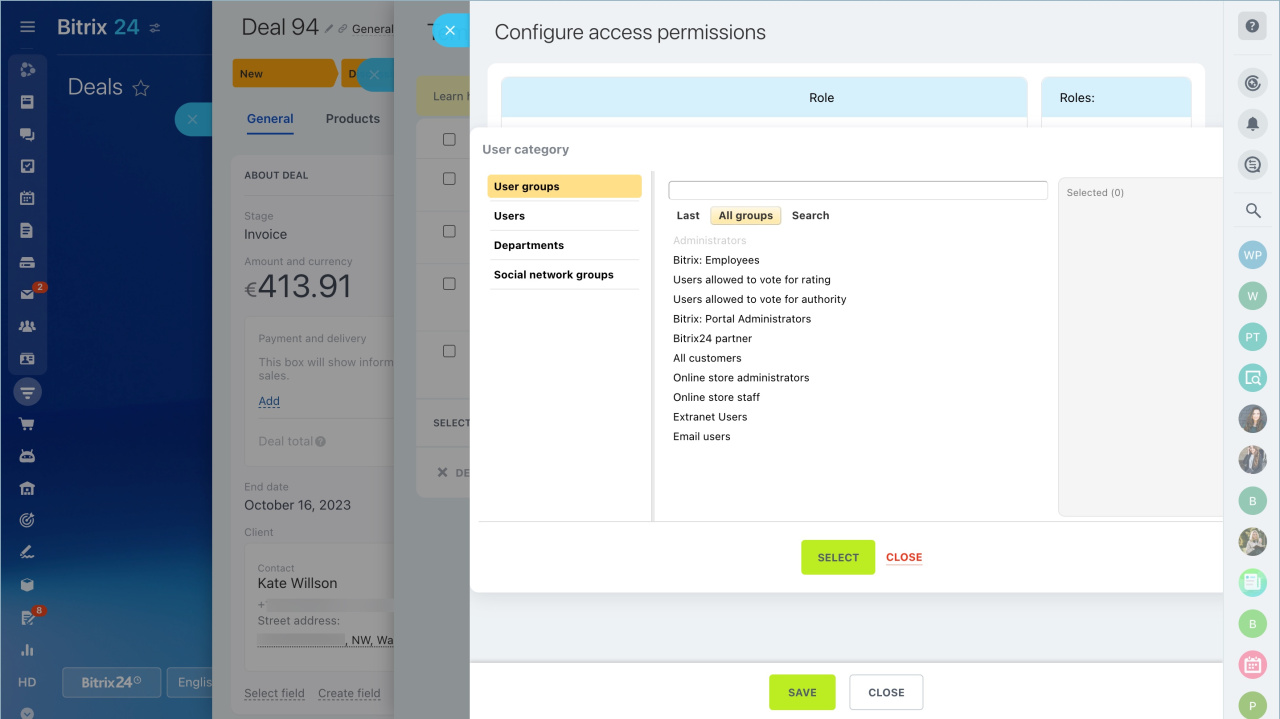
Click Add to create a new role.
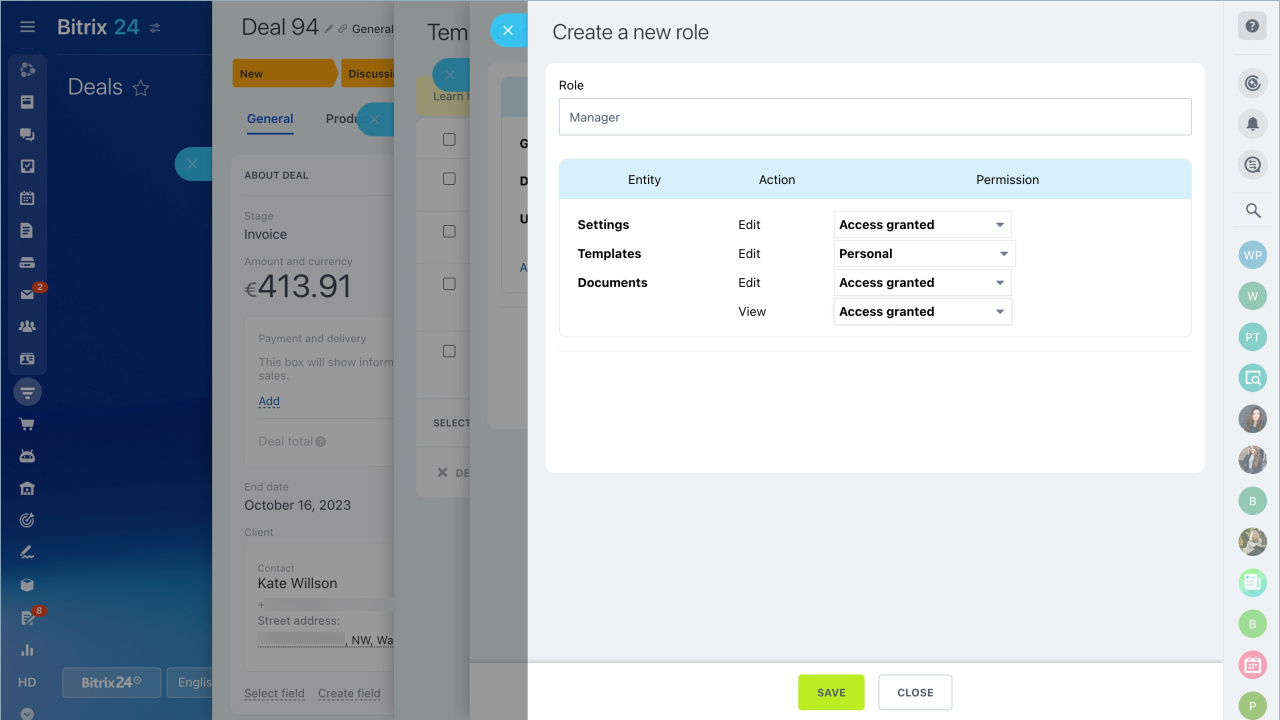
Enter a role name and configure permissions.

Permission types:

  • Settings — Control whether the user can change settings.
  • Templates — Choose which templates the employee can access.
  • Documents (Edit) — Allow or restrict document editing.
  • Documents (View) — Allow or restrict document viewing.
Avoid permission conflicts. This happens when different permissions apply to the same employee. For example, a department may have limited access, while the same employee has full access assigned directly.

When you finish, click Save and assign the role to the user.


Was this information helpful?
Thank you for your feedback.
Get Implementation Help from a Partner
That's not what I'm looking for
Complicated and incomprehensible text
The information is outdated
It's too short. I need more information
I don't like the way this tool works
Get your Bitrix24 set up by local professionals
FIND BITRIX24 PARTNER NEAR ME
implementation_helper_man
Go to Bitrix24
Don't have an account? Create for free
Related articles
Rules for product fields in CRM documents Create and upload your document template to CRM Access permissions for CRM documents Modifiers in document templates Add an image, stamp, or signature to your document template Documents in CRM: Create and send to customers Edit standard document templates in CRM Document templates in CRM Item list in document templates Custom fields in document templates
Zalo
0943.199.449
