🚚 Miễn phí giao hàng toàn quốc

✅ Tặng Gói Hỗ trợ online trọn đời

✅ Giá cạnh tranh nhất thị trường

✅ Miễn phí tư vấn giải pháp

🚚 Miễn phí giao hàng toàn quốc

✅ Tặng Gói Hỗ trợ online trọn đời

✅ Giá cạnh tranh nhất thị trường

✅ Miễn phí tư vấn giải pháp

Hotline: 0943.199.449

Địa chỉ: Tầng 1, tòa nhà Deli, 75 Hoàng Văn Thụ, P. Cầu Kiệu

Bitrix24 Helpdesk

Verify your Bitrix24 account for email campaigns and CRM forms

To send email campaigns and create CRM forms, link and verify a phone number in your Bitrix24 account. This protects your account, prevents spam, and keeps personal data in CRM forms secure.


When verification is required

You need to verify your account in these cases:

  • When you create your first email campaign in the Marketing section on any plan.
  • When you create your first CRM form on the Free plan or during the trial period.

Verify your account

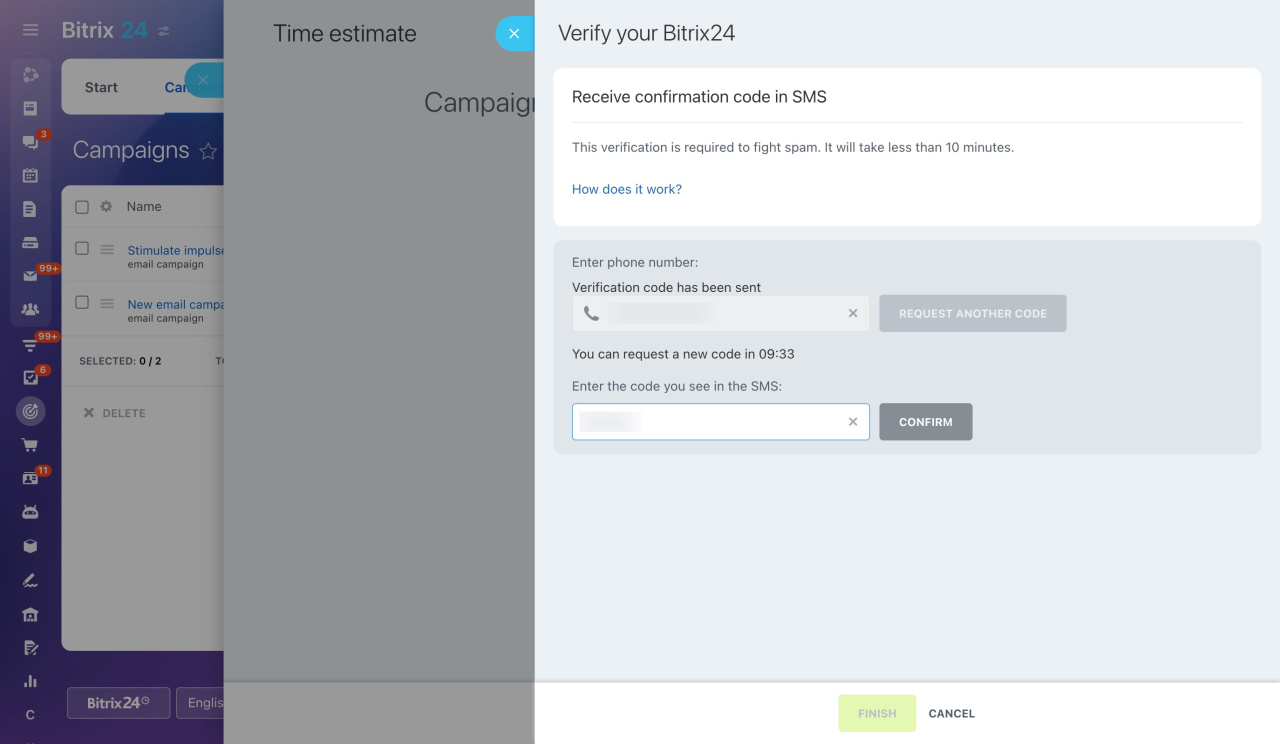
When you create your first email campaign or CRM form, a panel opens on the right.

Follow these steps:

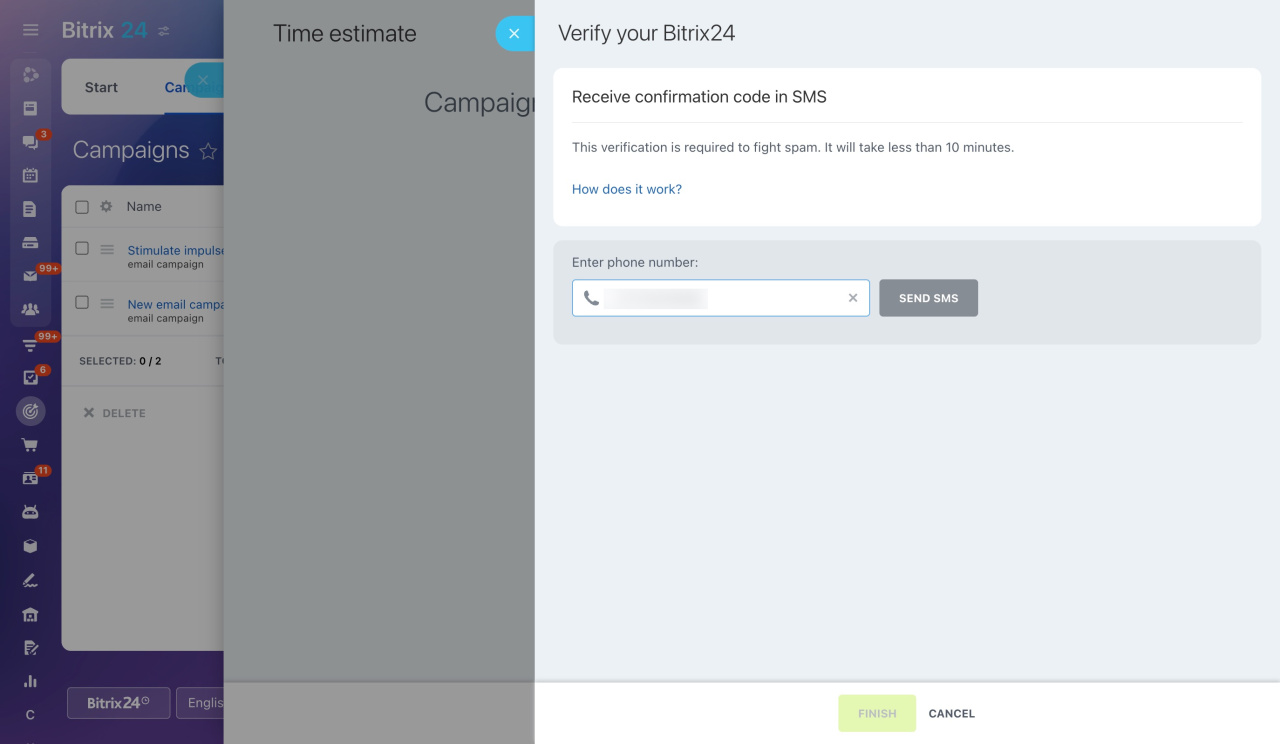
  1. Enter your phone number and click Send SMS.
  2. You will receive a code within 10 minutes. Enter the code and click Confirm.
  3. Wait for verification to complete, then click Finish.

One phone number can be used for up to five accounts.
After verification, you can send email campaigns and create CRM forms.

Was this information helpful?
Thank you for your feedback.
Get Implementation Help from a Partner
That's not what I'm looking for
Complicated and incomprehensible text
The information is outdated
It's too short. I need more information
I don't like the way this tool works
Get your Bitrix24 set up by local professionals
FIND BITRIX24 PARTNER NEAR ME
implementation_helper_man
Go to Bitrix24
Don't have an account? Create for free
Related articles
Configure the Marketing section Marketing in Bitrix24 Configure access permissions for Marketing Create customer segments for marketing campaigns Work with your customer database
Zalo
0943.199.449