You need a customer database to drive repeat sales. Without one, CRM Marketing cannot run effectively, and you may miss opportunities to bring customers back. Before you create segments or campaigns, organize your customer database first.
Prepare your customer database
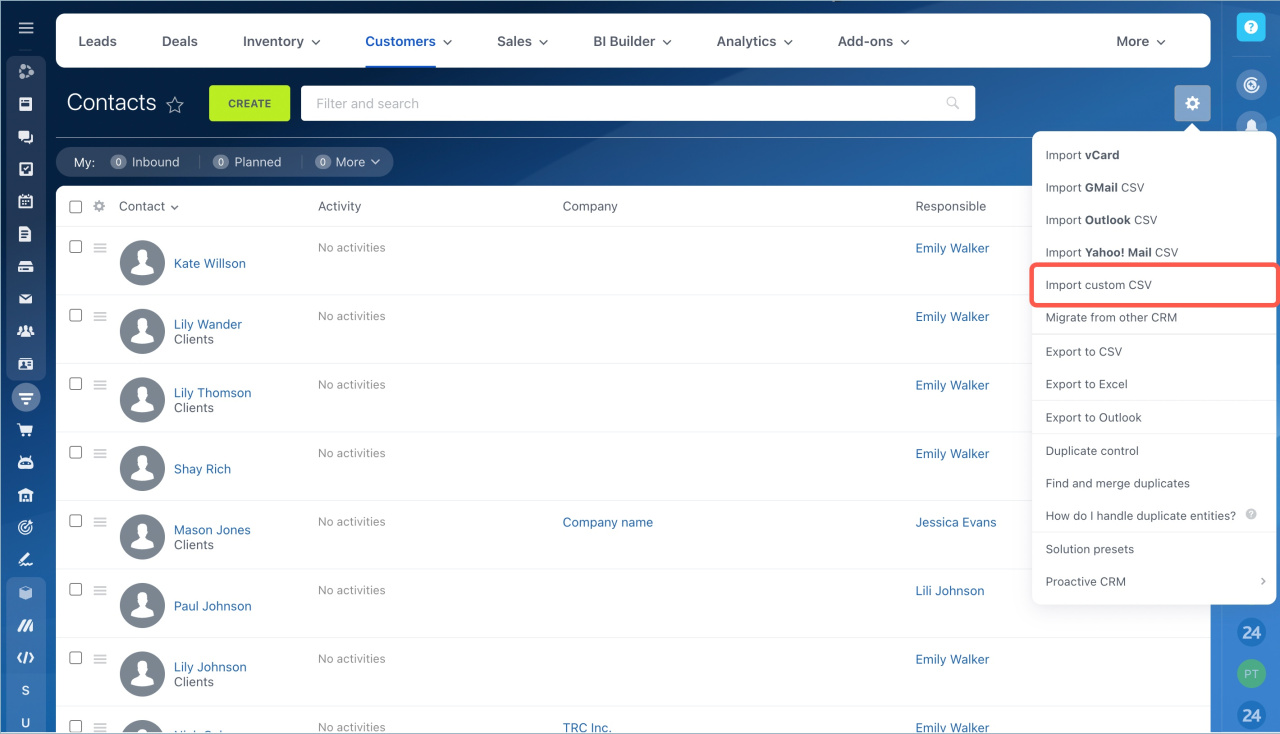
CRM Marketing only works with Bitrix24 CRM. If you currently manage sales in Excel, another CRM, or a spreadsheet, move your data to the CRM first. You can add records manually or import your database from another system.
Migrate data to Bitrix24 CRM
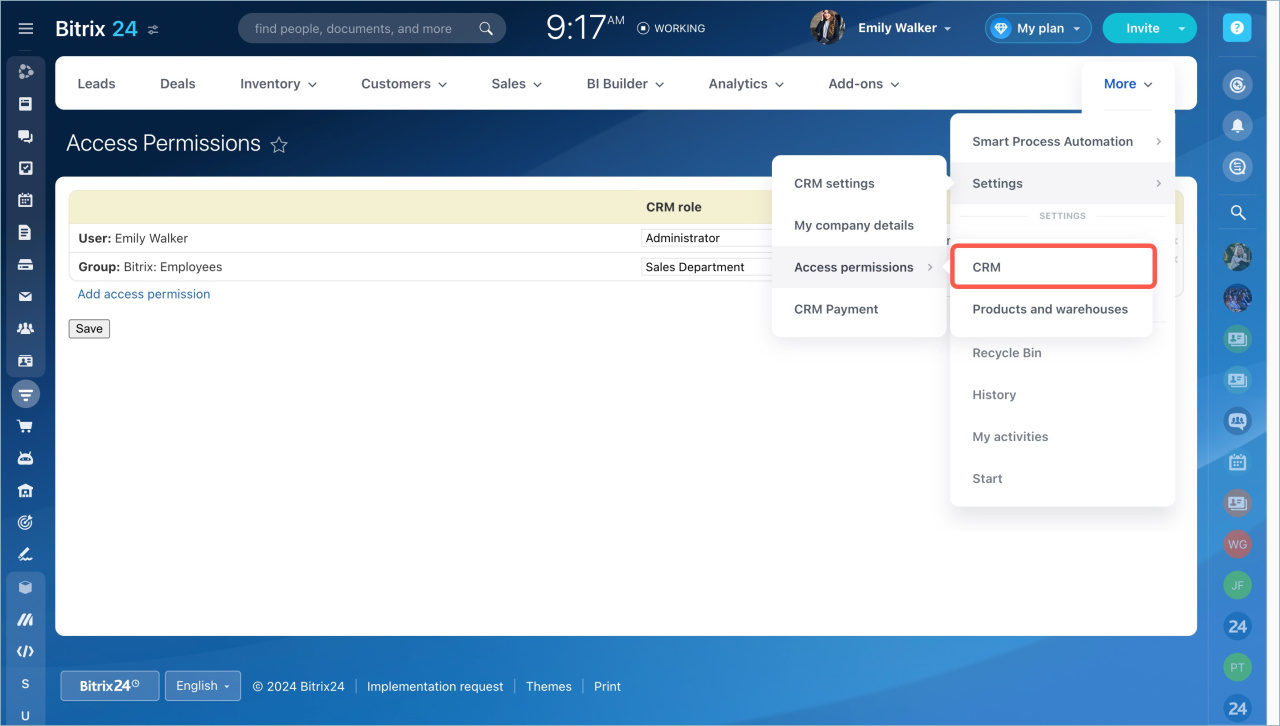
After you import your contacts, set up CRM access permissions. Choose which employees can work with the database. You can also assign different permission levels. For example, some employees can only view items, while others can edit or delete them.
Go to Settings > Access permissions > CRM.
Access Permissions in CRM
Why it’s important to add all contacts to the CRM
Finding new customers takes time and costs money. Every customer matters, even if they have not made a purchase yet. Add all customers to the CRM so you can reach them later with marketing campaigns and special offers.
If a contact sends spam messages, add the contact to the blacklist.
Grow your customer database
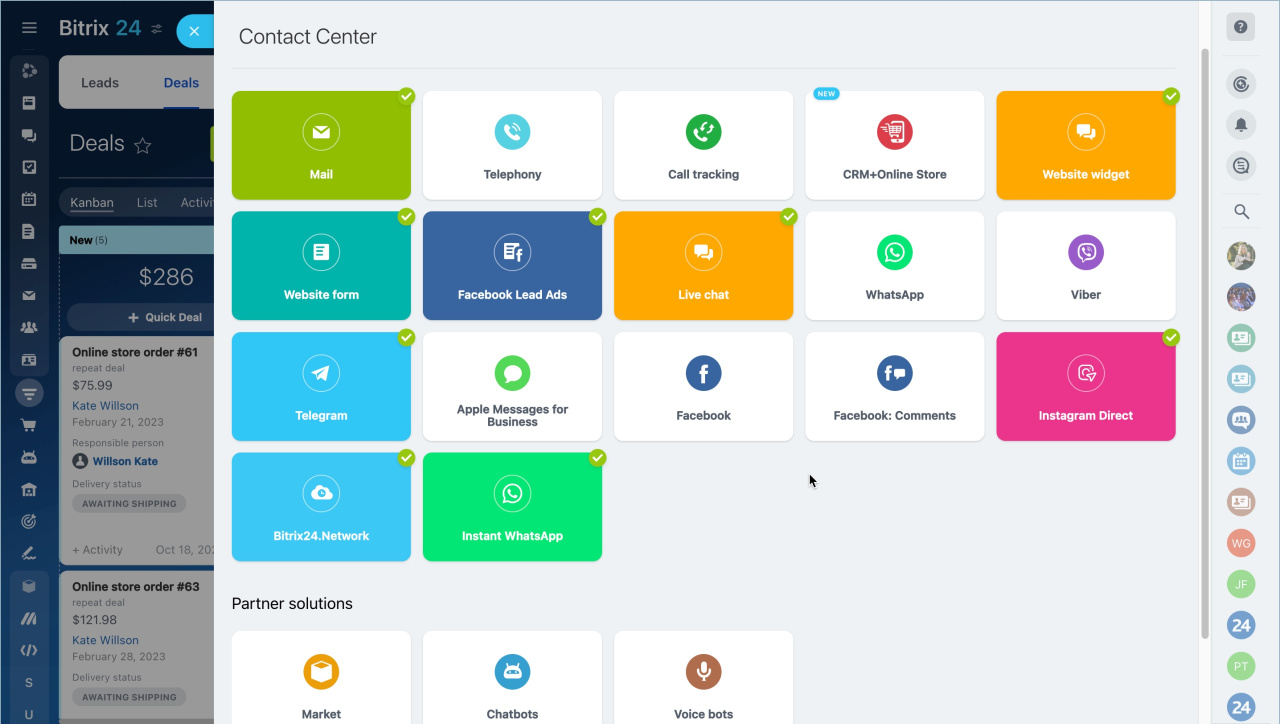
Bitrix24 automatically saves contacts from connected channels such as social networks, email, chats, and phone calls. Employees do not need to enter contacts manually, which helps your team work faster.
Contact Center is a tool for customer communication and message handling. Connect your communication channels and social networks to save all calls, emails, and chat messages directly in the CRM.