🚚 Miễn phí giao hàng toàn quốc

✅ Tặng Gói Hỗ trợ online trọn đời

✅ Giá cạnh tranh nhất thị trường

✅ Miễn phí tư vấn giải pháp

🚚 Miễn phí giao hàng toàn quốc

✅ Tặng Gói Hỗ trợ online trọn đời

✅ Giá cạnh tranh nhất thị trường

✅ Miễn phí tư vấn giải pháp

Hotline: 0943.199.449

Địa chỉ: Tầng 1, tòa nhà Deli, 75 Hoàng Văn Thụ, P. Cầu Kiệu

Bitrix24 Helpdesk

Edit dashboards in BI Builder

Go to BI Builder and open the dashboard group you need. You'll see a list of all dashboards in the group. You can edit existing reports or create new ones.

  • Create a dashboard. Click Create at the top of the page.
  • Edit a dashboard. Hover over a report in the list and click Edit in BI Builder to the right of its name.

Use BI Builder to add new charts or tables to a built-in dashboard.

You can't modify built-in dashboards, but you can copy and edit them.

For example, to customize the Deal analytics summary report, click Edit in the Actions column. Bitrix24 creates a copy that you can edit.

BI Builder is built on Apache Superset 4.0. For more information about available features, see the official Apache Superset documentation.

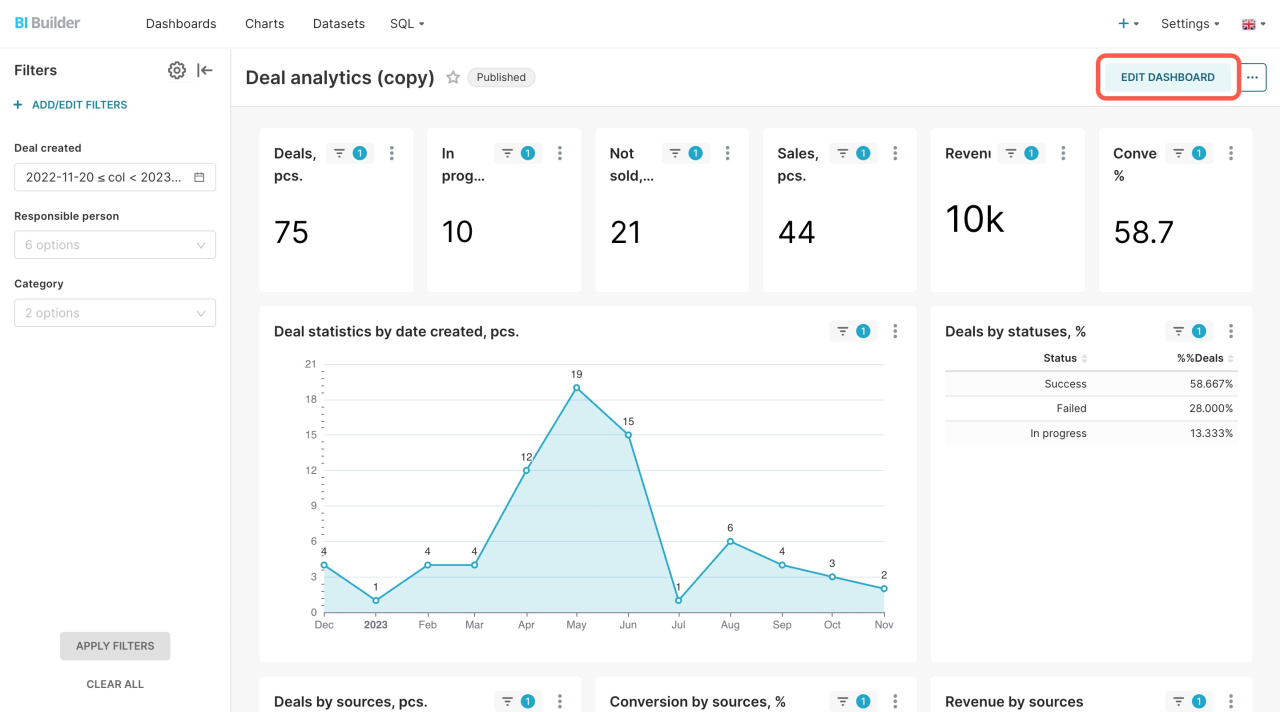
BI Builder opens in a new tab. To add charts to your report, click Edit dashboard.
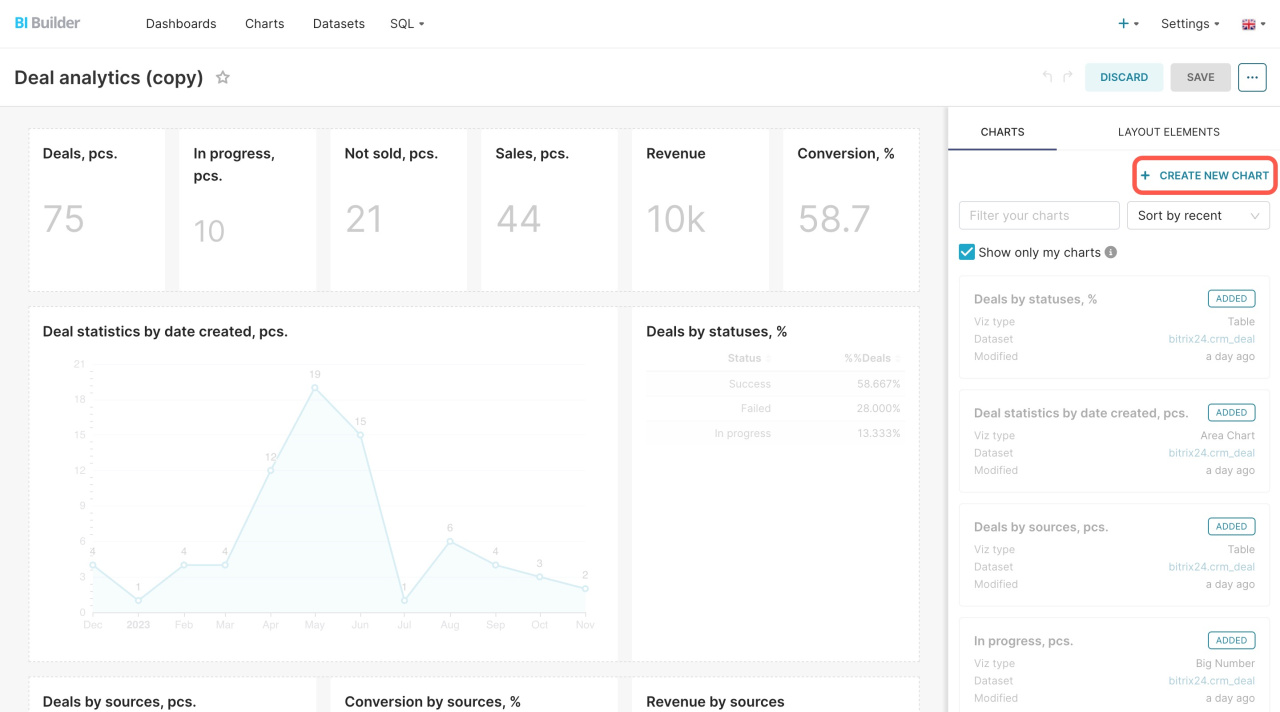
Click + Create new chart. In this example, we’ll add a table that shows which products were sold in each deal.
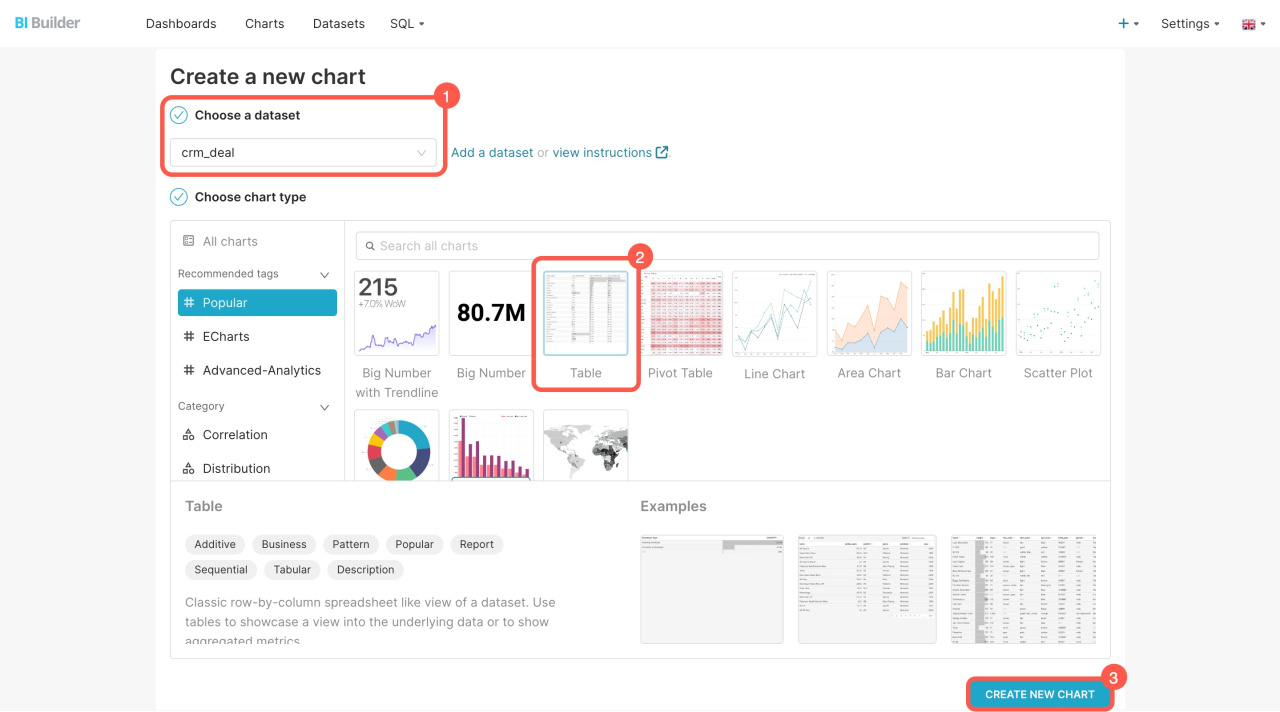
To add a chart:

  1. Select a Bitrix24 dataset.
  2. Select the chart type.
  3. Click Create new chart in the bottom-right corner.
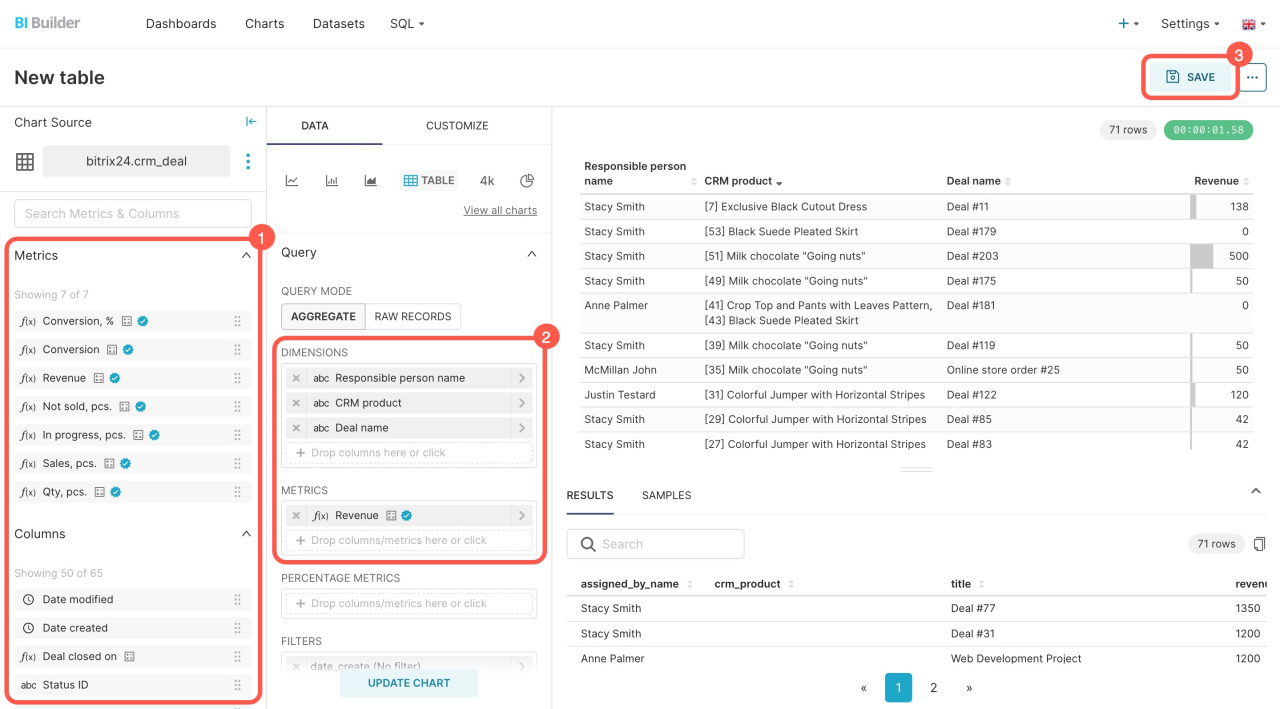
To configure the table:

  1. Select the required fields on the left.
  2. Move them to Dimensions.
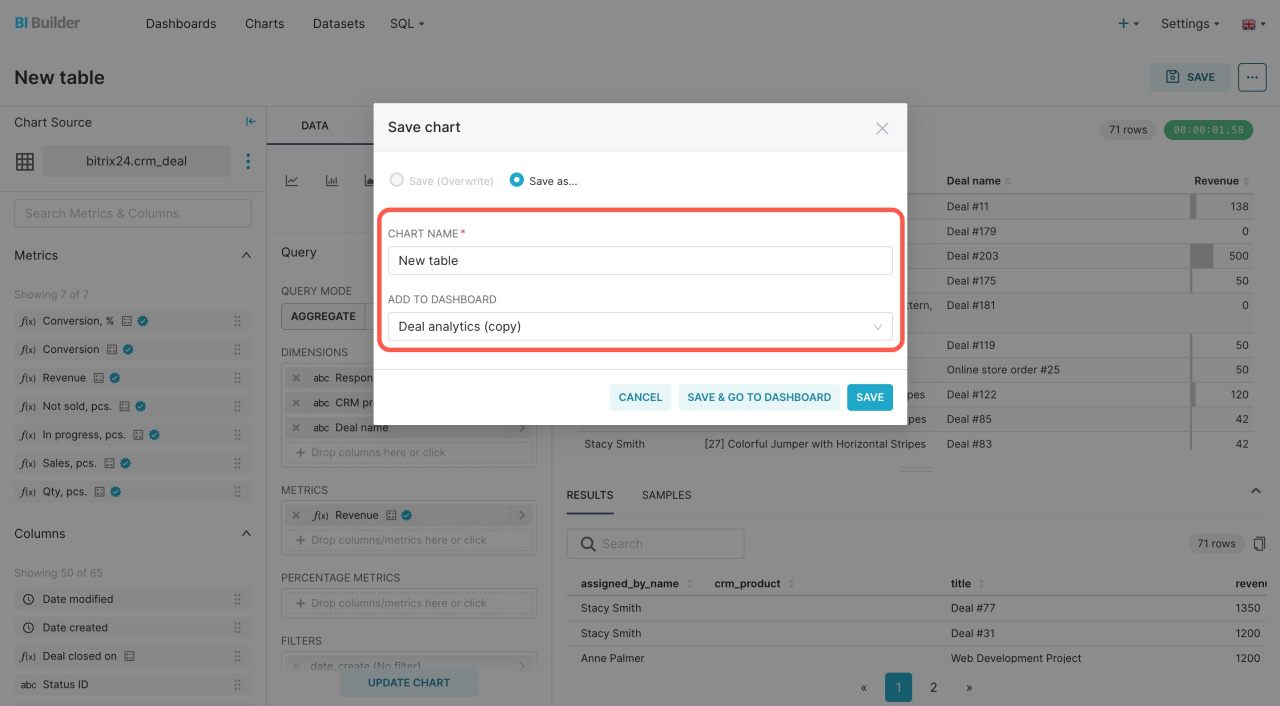
  3. Save the table.

Next, enter the table name and select the dashboard where you want to add it.
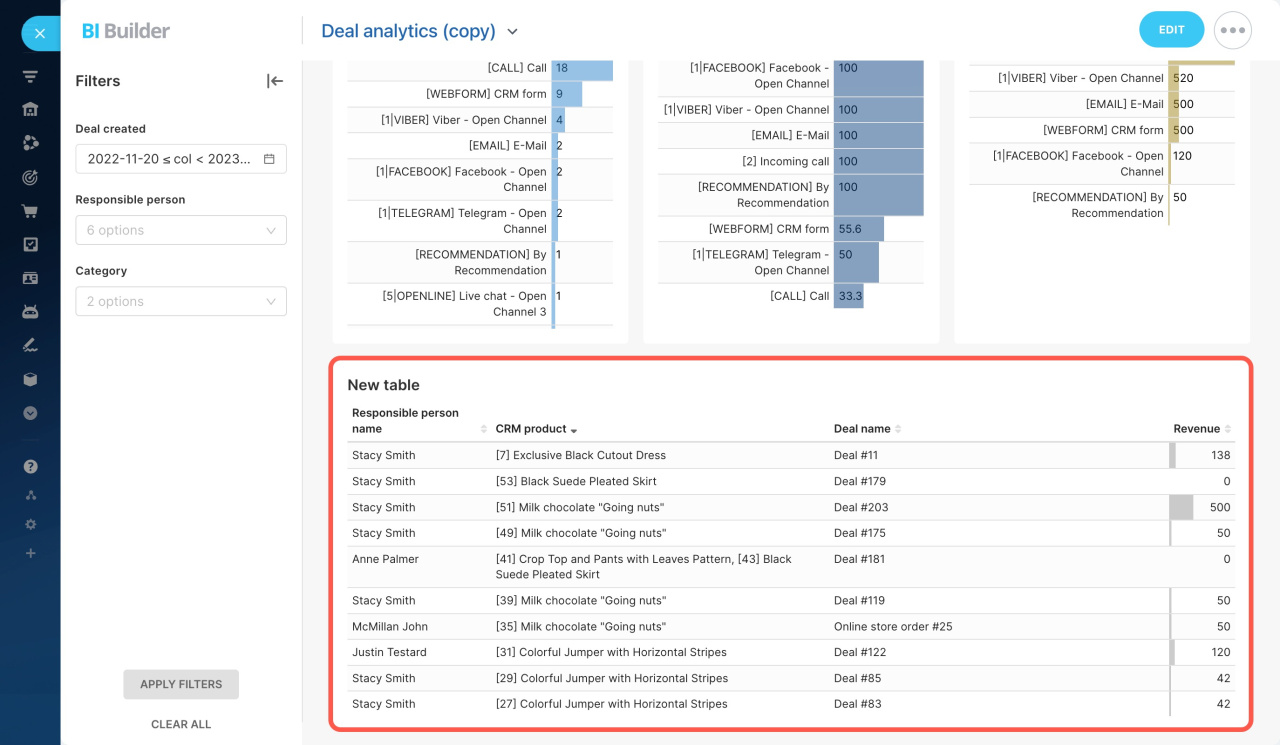
After you edit a dashboard, close all open reports in Bitrix24 to update them.

Open your customized dashboard in Bitrix24 to check the changes.

In brief

  • You can edit or create reports in BI Builder.

  • To explore BI Builder features, add new charts or tables to a copied built-in dashboard.

Was this information helpful?
Thank you for your feedback.
Get Implementation Help from a Partner
That's not what I'm looking for
Complicated and incomprehensible text
The information is outdated
It's too short. I need more information
I don't like the way this tool works
Get your Bitrix24 set up by local professionals
FIND BITRIX24 PARTNER NEAR ME
implementation_helper_man
Go to Bitrix24
Don't have an account? Create for free
Related articles
BI Builder: How to update report data BI Builder: Date filters in SQL query Create a chart from a virtual dataset Jinja Templates in BI Builder Configure dashboard parameters in BI Builder Customize ready BI Builder dashboards Create dashboards in BI Builder Blend deals, products, and product properties into a BI Builder dataset BI Builder: SQL functions for advanced query analysis BI Builder: Configure filters by flows and workflow templates
Zalo
0943.199.449