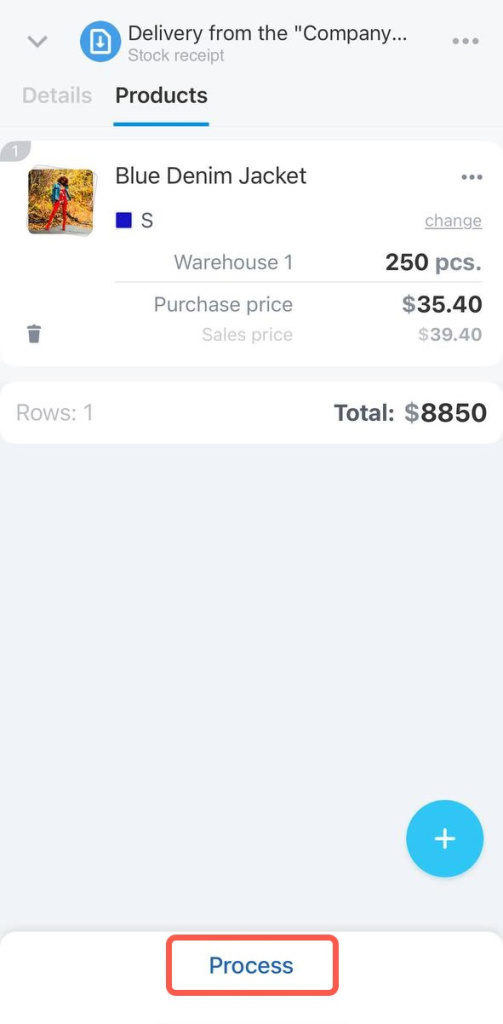
The stock receipt document helps you add new products to inventory. It shows how many items arrived at the warehouse and which vendor supplied them.
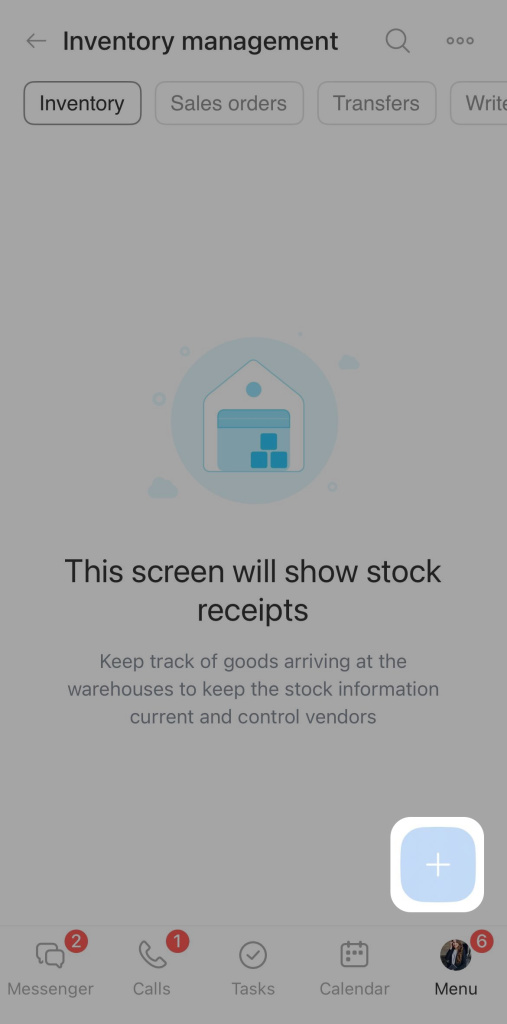
Open Inventory management and tap the + button in the bottom-right corner.
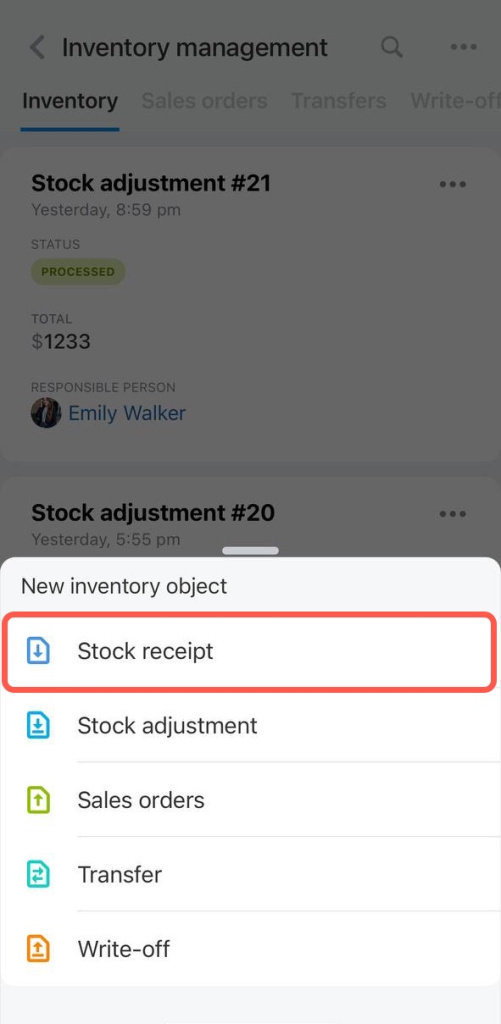
Select Stock receipt from the list.
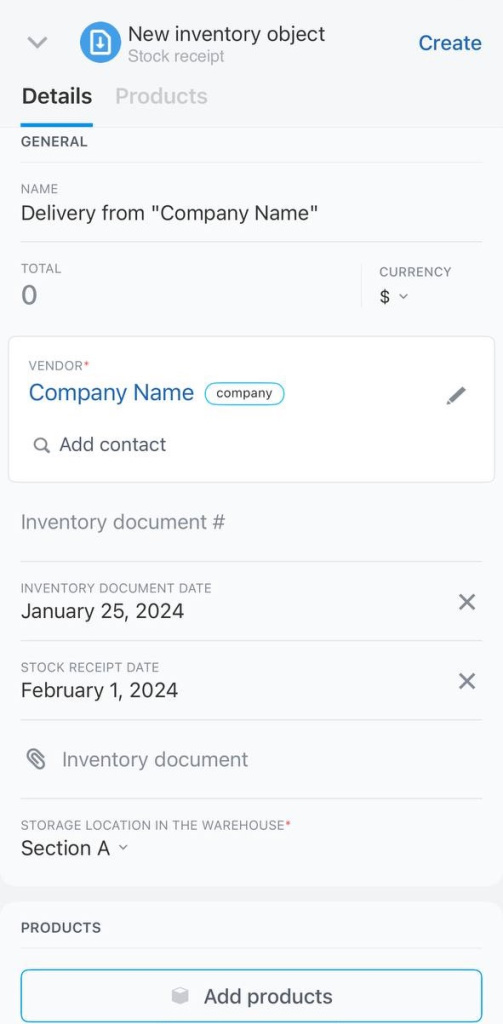
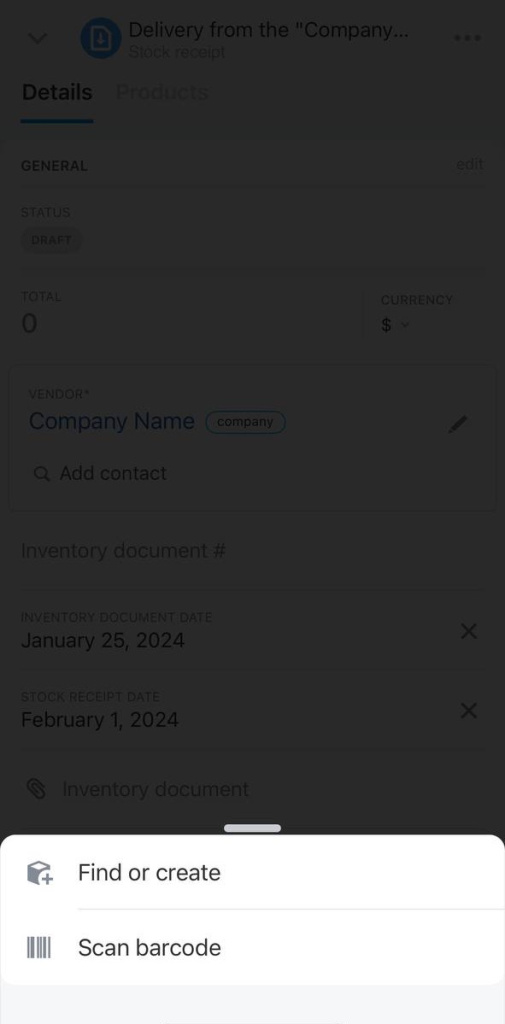
Fill in the document fields. Required fields are marked with an asterisk.
- Name: Enter the stock receipt name.
- Vendor*: Select a vendor from the database or add a new one.
- Inventory document number: Enter the document number, such as a delivery note number.
- Inventory document date: Enter the document date.
- Stock receipt date: Enter the date when the products arrived at the warehouse.
- Inventory document: Upload the file.
- Responsible person*: Assign the user who will receive the products.
- Products: Find a product by barcode, select one from the catalog, or create a new product.
You can create only a simple product in the mobile app. To add product variants, use the Bitrix24 web version. Variants are product options, such as different T-shirt sizes or colors.
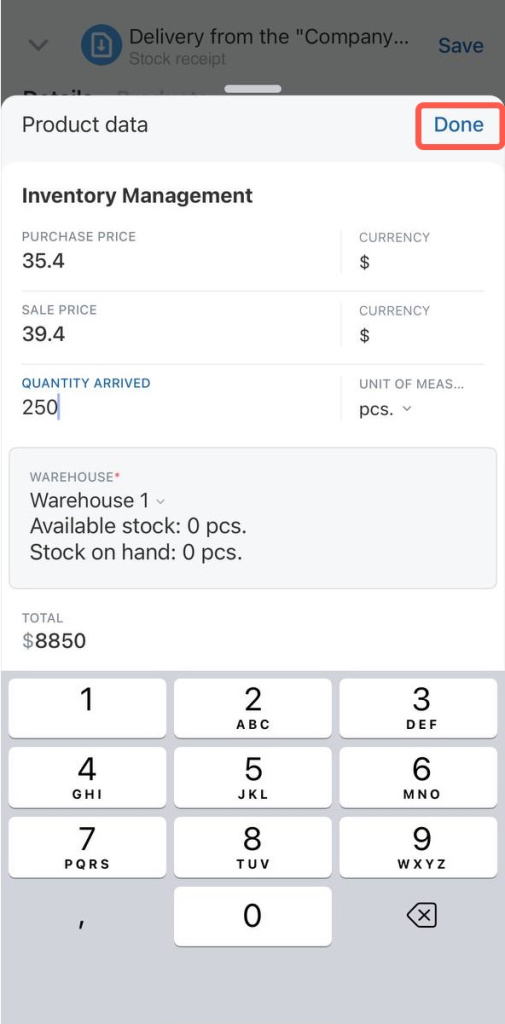
Enter the product details:
- Purchase price
- Sale price
- Quantity received
- Warehouse name
Tap Done.
Tap Create to save the document as a draft. Inventory balances are not updated while the stock receipt document is in draft status. When the products arrive at the warehouse, process the document to update inventory balances.