


Quick answer
To disable an automation rule:
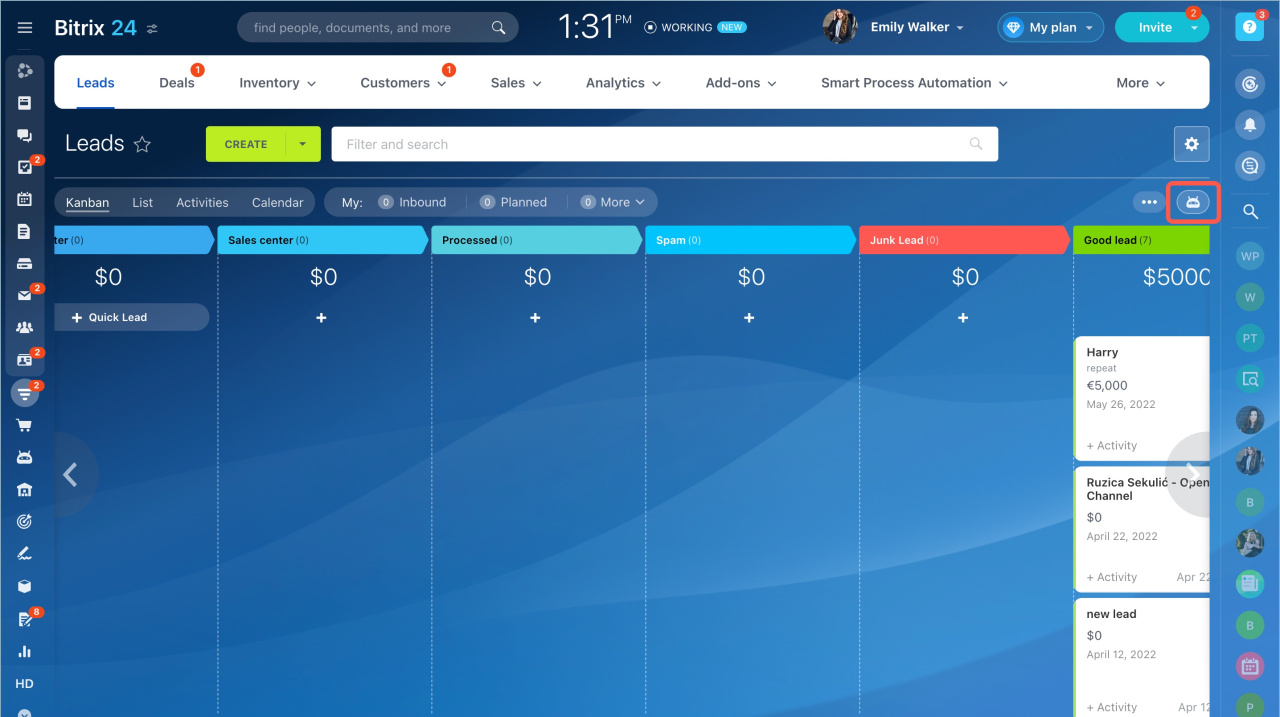
- Go to CRM > Automation rules.
- On the Sales automation page, select a rule.
- Click Actions > Disable.
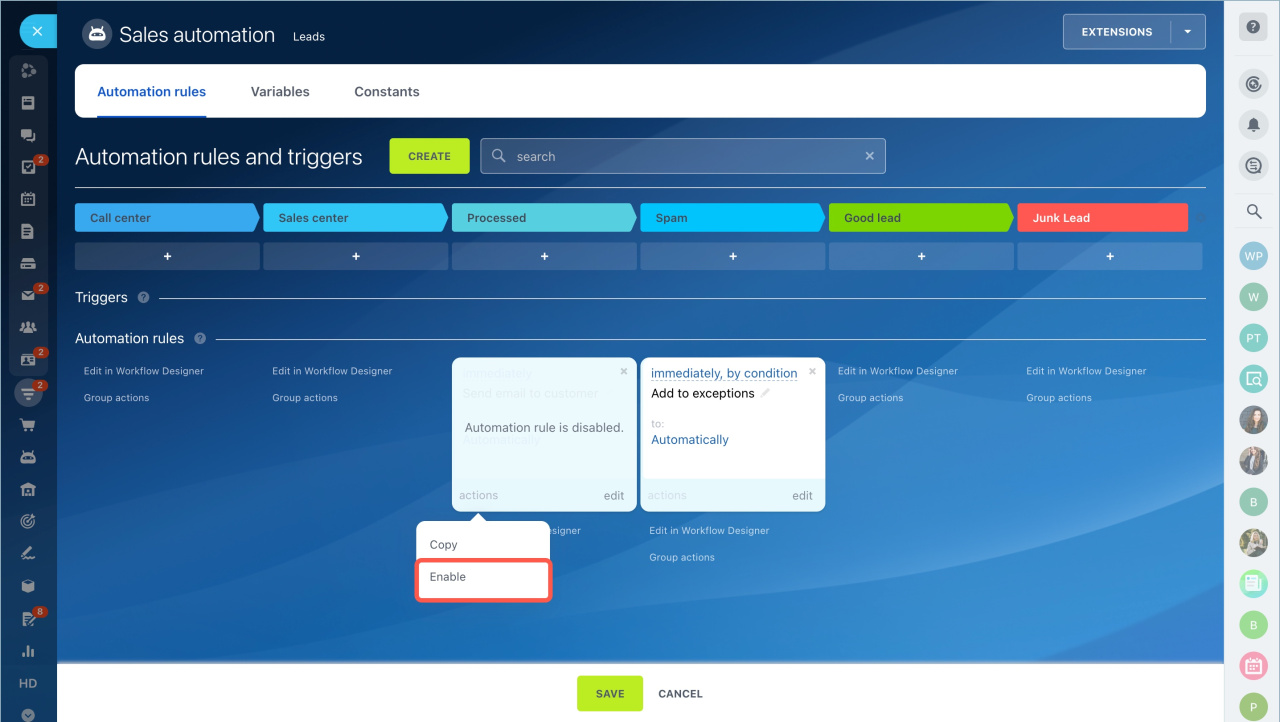
To enable the rule again, open the Actions menu and select Enable.
To disable multiple rules:
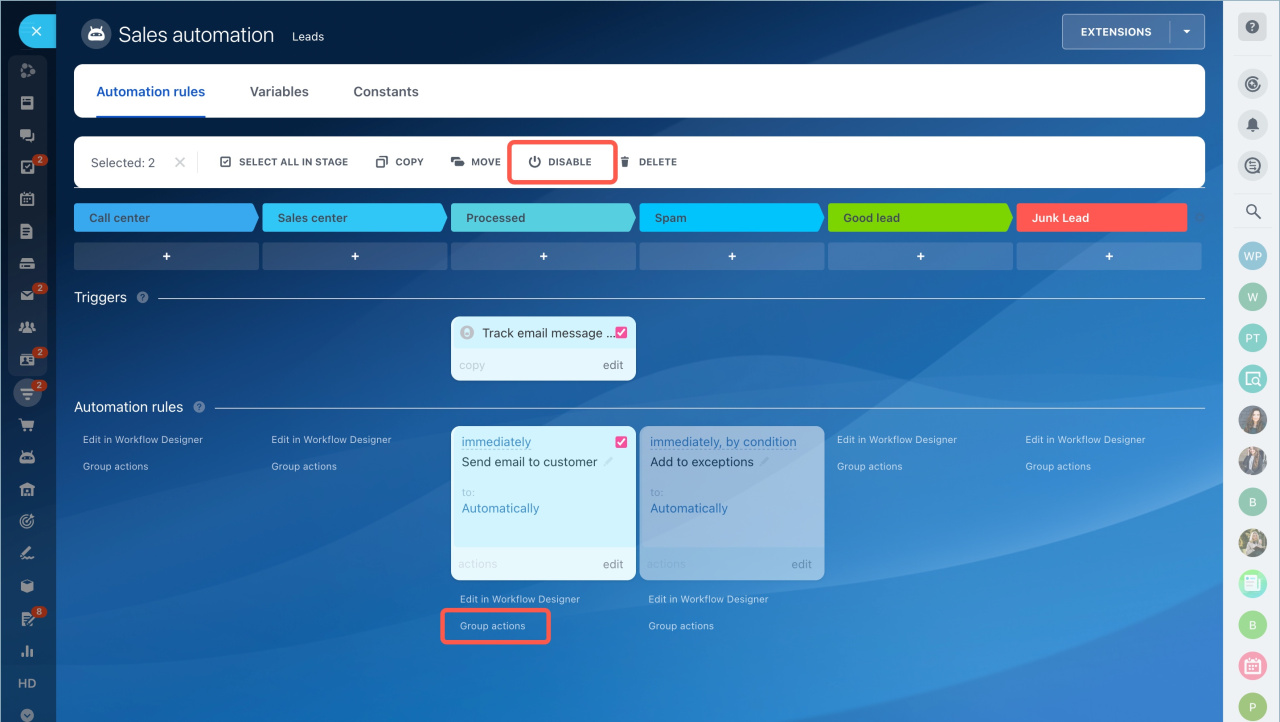
- Click Group actions below the automation rule form.
- Select the rules you want to disable.
- Choose Disable from the top panel.
Detailed steps
Disable an automation rule
- Go to the CRM section.
- Open Automation rules.
- On the Sales automation page, select a rule.
- Click Actions > Disable.
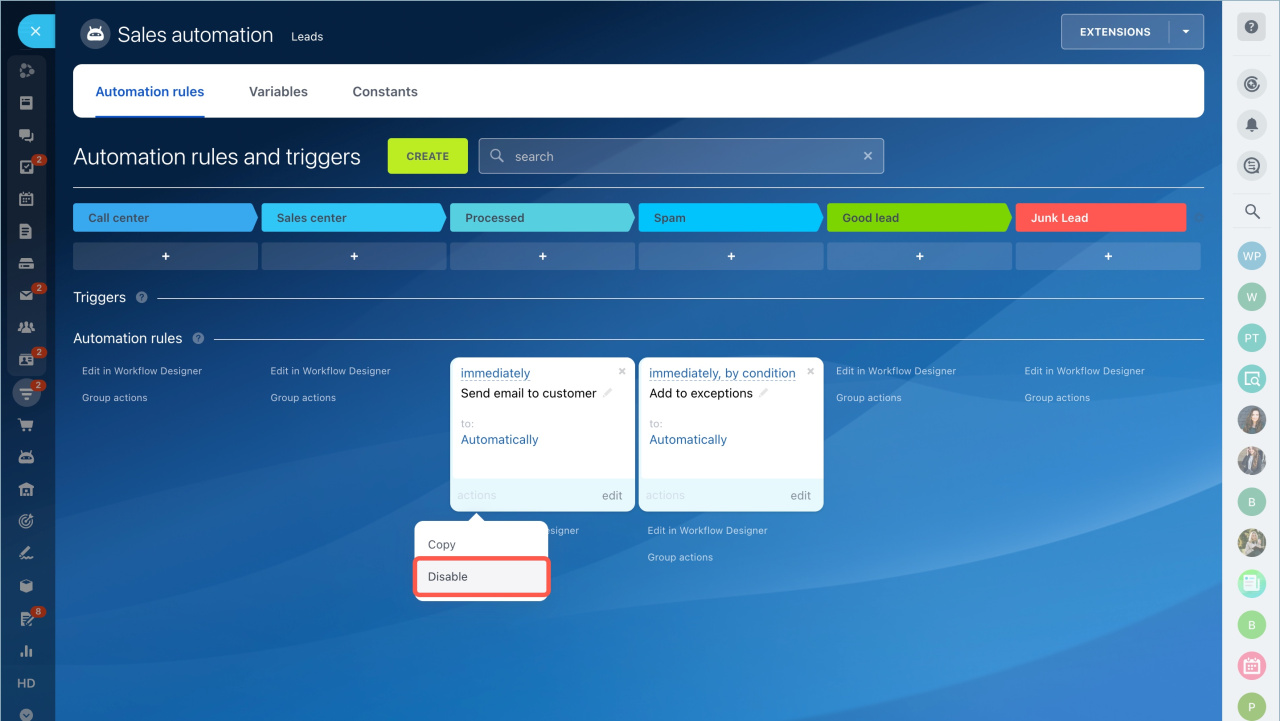
The rule is now disabled. To turn it back on, use the Actions menu.
Disable multiple automation rules
- Open Group actions below the automation rule form.
- Select the rules you want to disable.
- Choose the action from the top panel.
Disable a workflow action
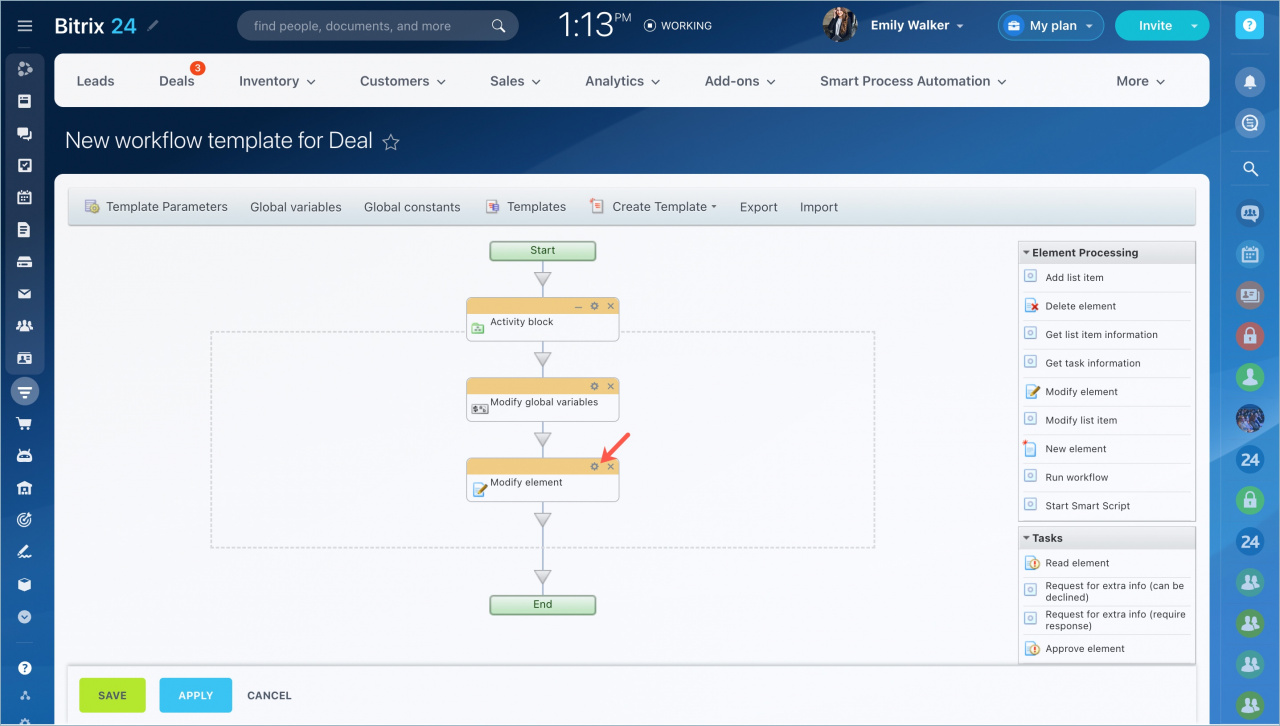
- Open the workflow.
- Select the action you want to disable.
- Click the settings icon.
- Open the action menu in the top-right corner.
- Select Disable.
- Click Save.
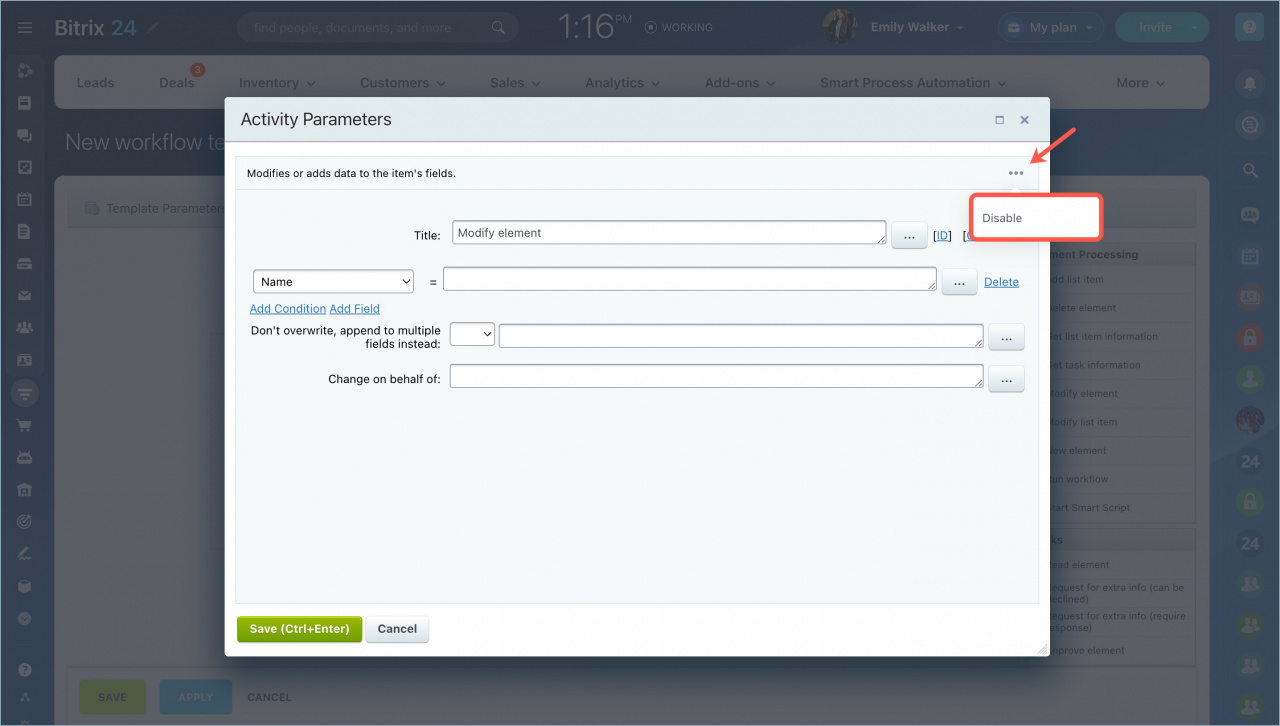
The disabled action appears grayed out.
If you disable a main action, all dependent actions are also disabled. You can enable any action again using the same steps.



