
🚚 Miễn phí giao hàng toàn quốc

✅ Tặng Gói Hỗ trợ online trọn đời

✅ Giá cạnh tranh nhất thị trường

✅ Miễn phí tư vấn giải pháp

🚚 Miễn phí giao hàng toàn quốc

✅ Tặng Gói Hỗ trợ online trọn đời

✅ Giá cạnh tranh nhất thị trường

✅ Miễn phí tư vấn giải pháp

Hotline: 0943.199.449

Địa chỉ: Tầng 1, tòa nhà Deli, 75 Hoàng Văn Thụ, P. Cầu Kiệu

Bitrix24 Helpdesk

Workflow activities

A sequential workflow consists of multiple activities. Each activity has its own role and settings.

To configure an activity, double-click its name or click the gear icon (⚙️).
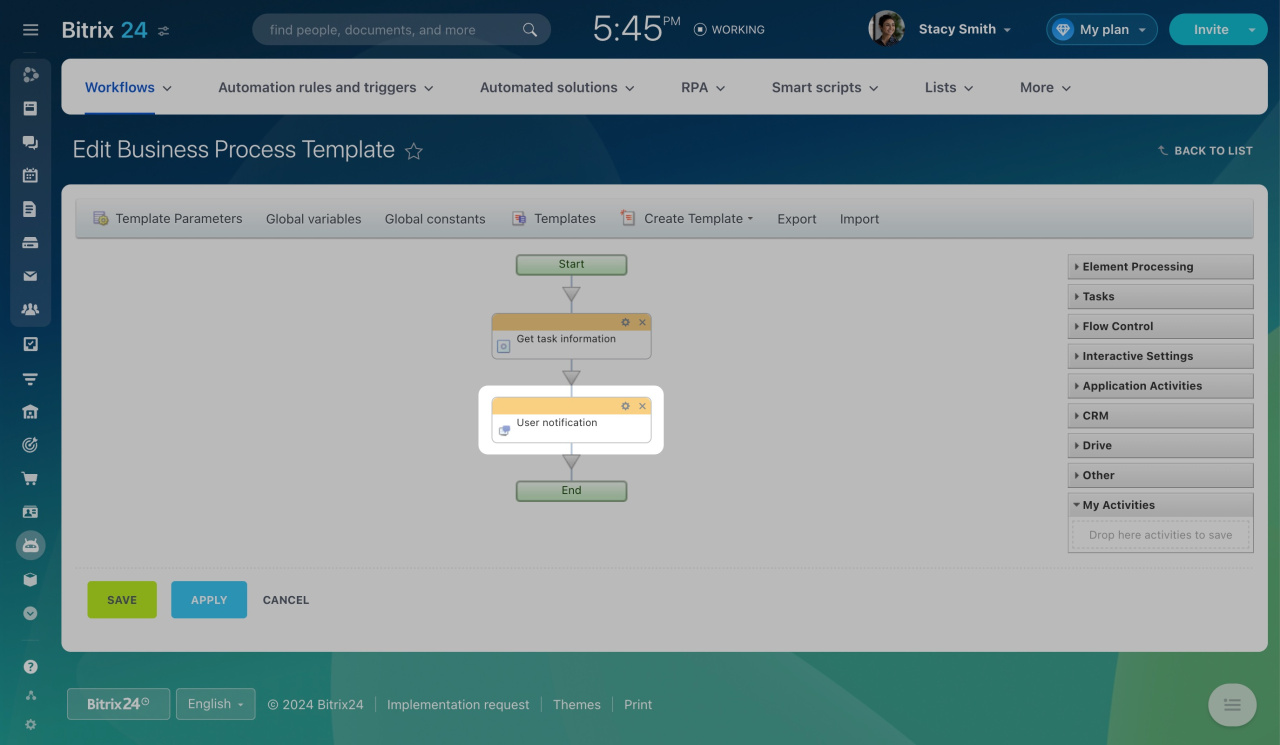
This opens the activity settings window. Most activities include a standard set of fields.

Title
Use this field to name the activity. The name appears in the visual designer.

It's helpful to use unique titles for activities that do the same thing. This way, it's easier to manage the workflow later. For example, in the Insert Value form, activities are grouped precisely by these names.
Insert Value Form

Next to the title, you will see two options: [ID] and [Comment]. Click them to display hidden fields.
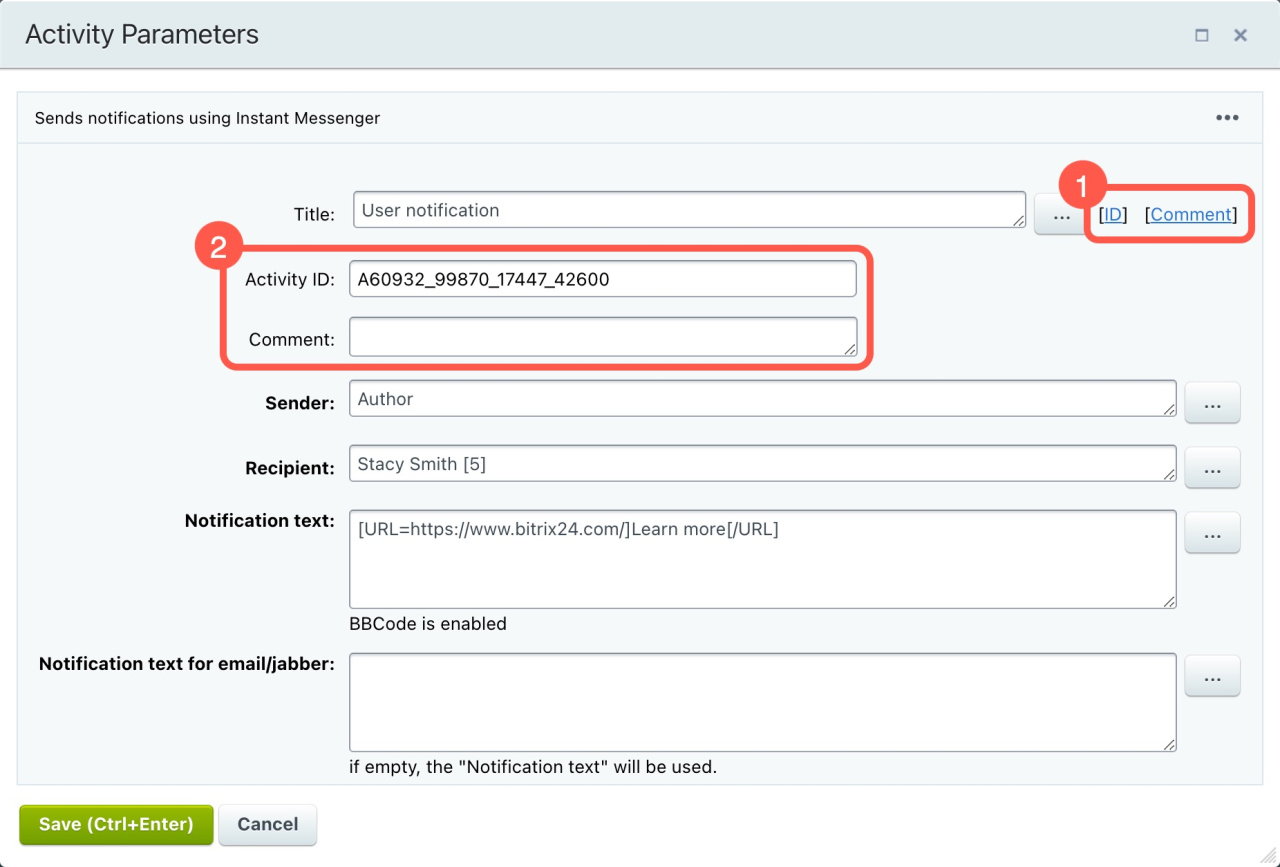
Activity ID
View or edit the unique ID of the activity. This ID helps you track the workflow history in the admin section.

The ID can include only Latin letters, numbers, and underscores.

Comment
Add notes that may help you configure or maintain the workflow later.

User or group fields
To select a user, enter the user ID in brackets, for example: [1].
For groups, enter the group name without brackets.

Text fields (for example, Assignment description or Notification text)
These fields support the following BBCode tags: [img], [url], [b], [i], [s], [u].
Learn more

Activities are grouped into these sections:

  • Element Processing
  • Tasks
  • Flow Control
  • Interactive Settings
  • CRM
  • Drive
  • Other
  • My Activities
Workflow setup consultations and assistance are available only through Bitrix24 partners.
Was this information helpful?
Thank you for your feedback.
Get Implementation Help from a Partner
That's not what I'm looking for
Complicated and incomprehensible text
The information is outdated
It's too short. I need more information
I don't like the way this tool works
Get your Bitrix24 set up by local professionals
FIND BITRIX24 PARTNER NEAR ME
implementation_helper_man
Go to Bitrix24
Don't have an account? Create for free
Related articles
Activities: CRM Macros in expressions My Activities in workflows Activities: Other Activities: Drive Activities: Interactive Settings Activities: Element Processing Activities: Flow Control Activities: Tasks
Zalo
0943.199.449

