


Reports help you track tasks and analyze task data. Use them to measure employee performance and identify areas for improvement.
Go to Tasks and projects > More > Reports.
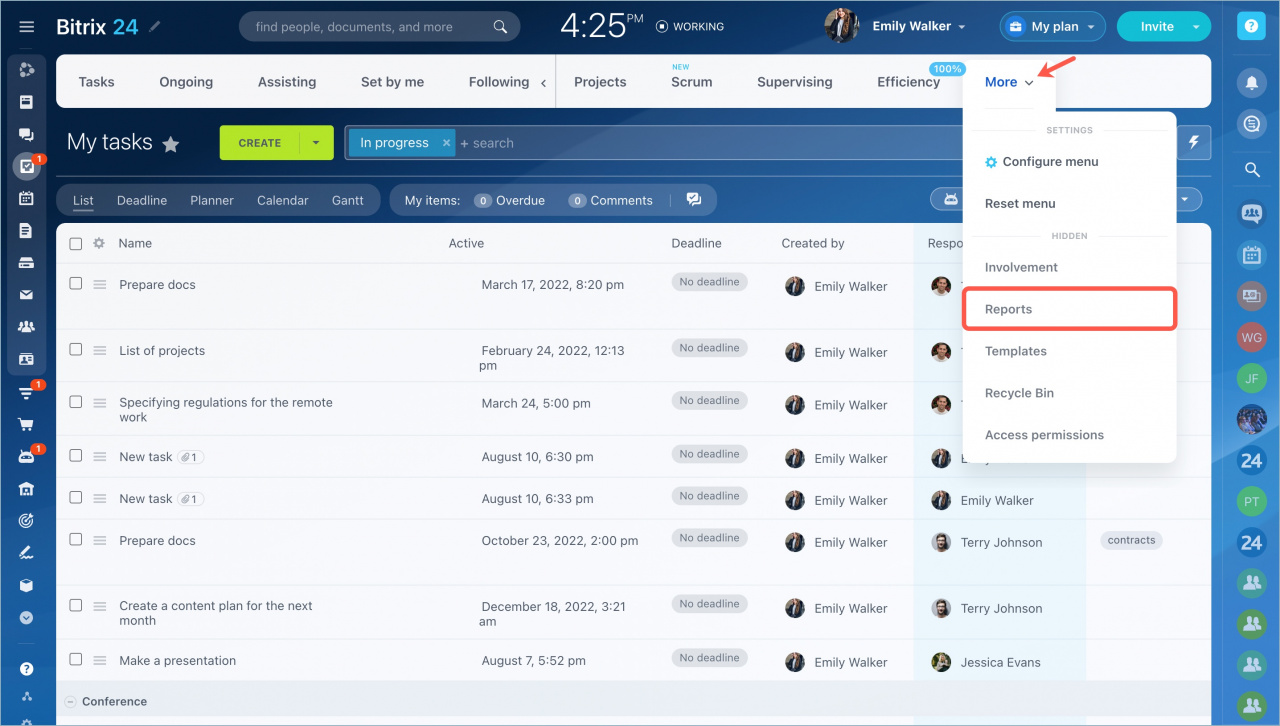
Reports are divided into two categories:
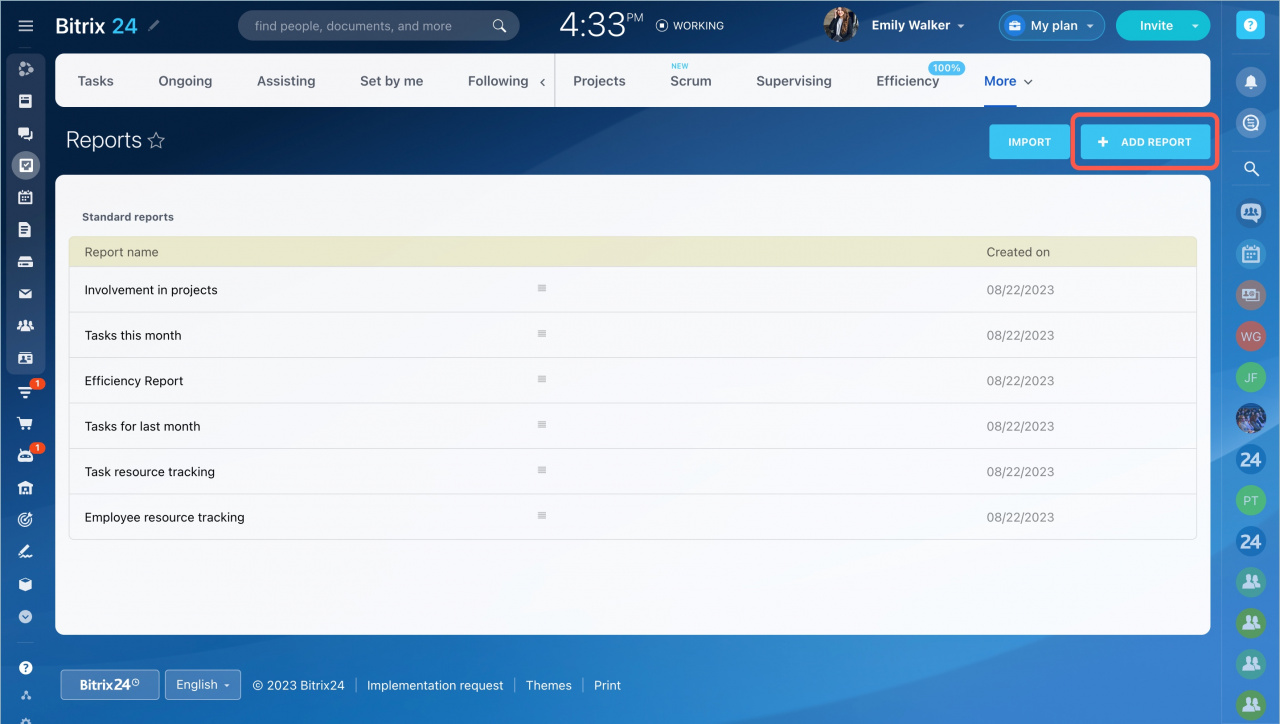
- Personal: Reports you create manually.
- Standard: Built-in report templates.
Personal reports
To create a report, click Add report.
Fill in the required fields. You can create reports for any employee and any reporting period. Both managers and employees can use these reports to review task statistics.
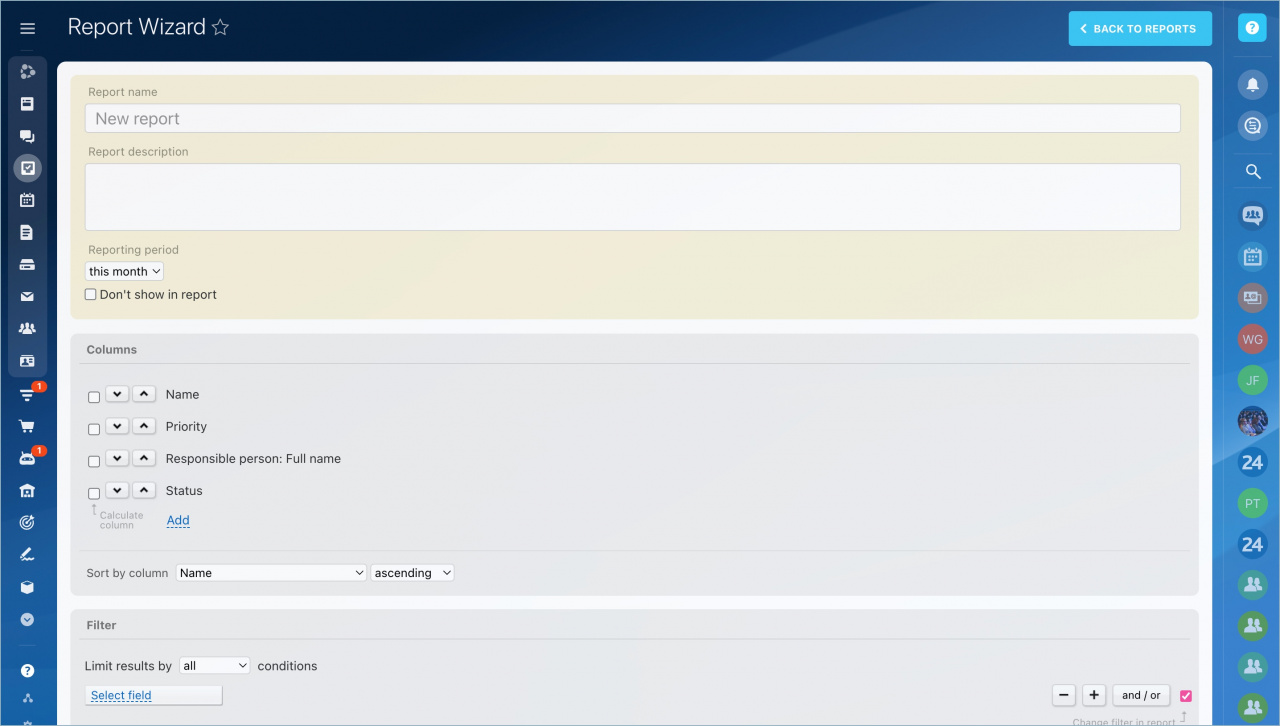
Task statuses in the report
- New: Tasks created during the selected reporting period.
- Open: Tasks started during the reporting period.
- In progress: Tasks with the Running or Waiting for execution status.
- Closed: Tasks completed during the reporting period.
- Overdue: Tasks that passed the deadline but are still incomplete.
- Evaluation: Tasks with a positive or negative rating.
- Efficiency (%): The percentage of positively rated tasks compared to the total number of tasks in the report.
Standard reports
This section includes reports for different metrics. Report data updates automatically each time you open a report.
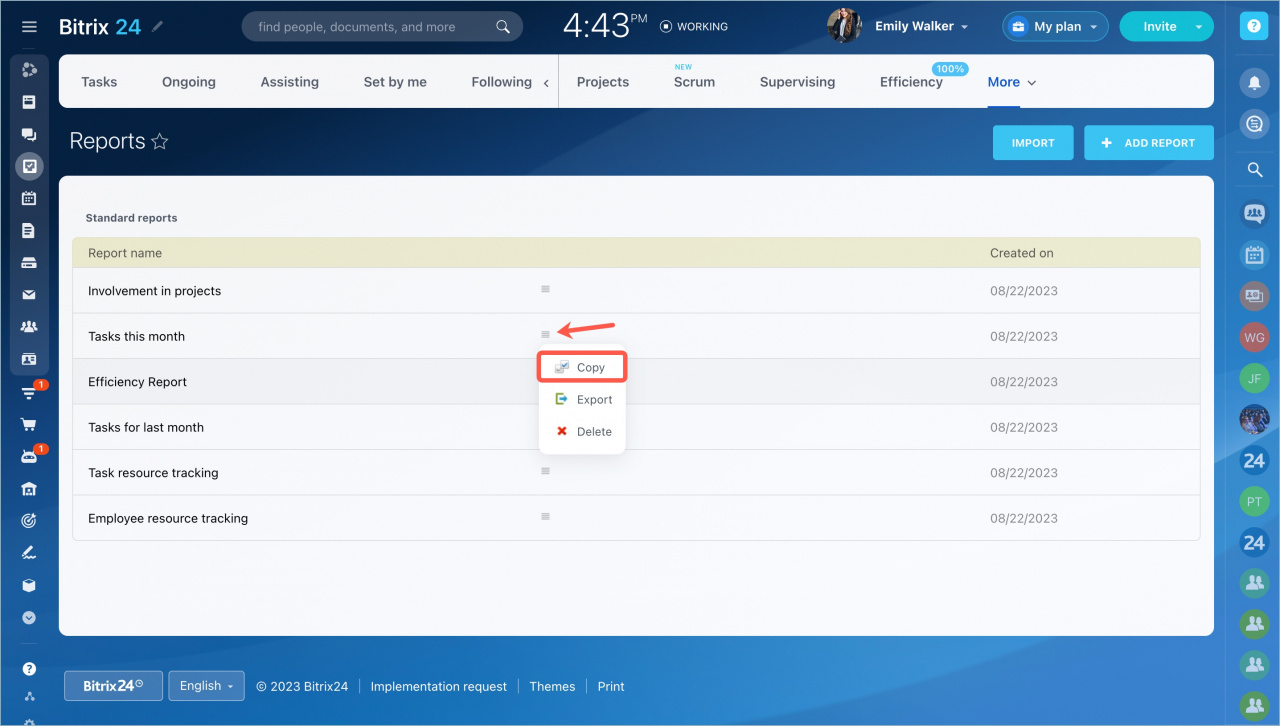
You cannot edit standard report templates. To create your own template based on a standard report, click Copy.
Import reports
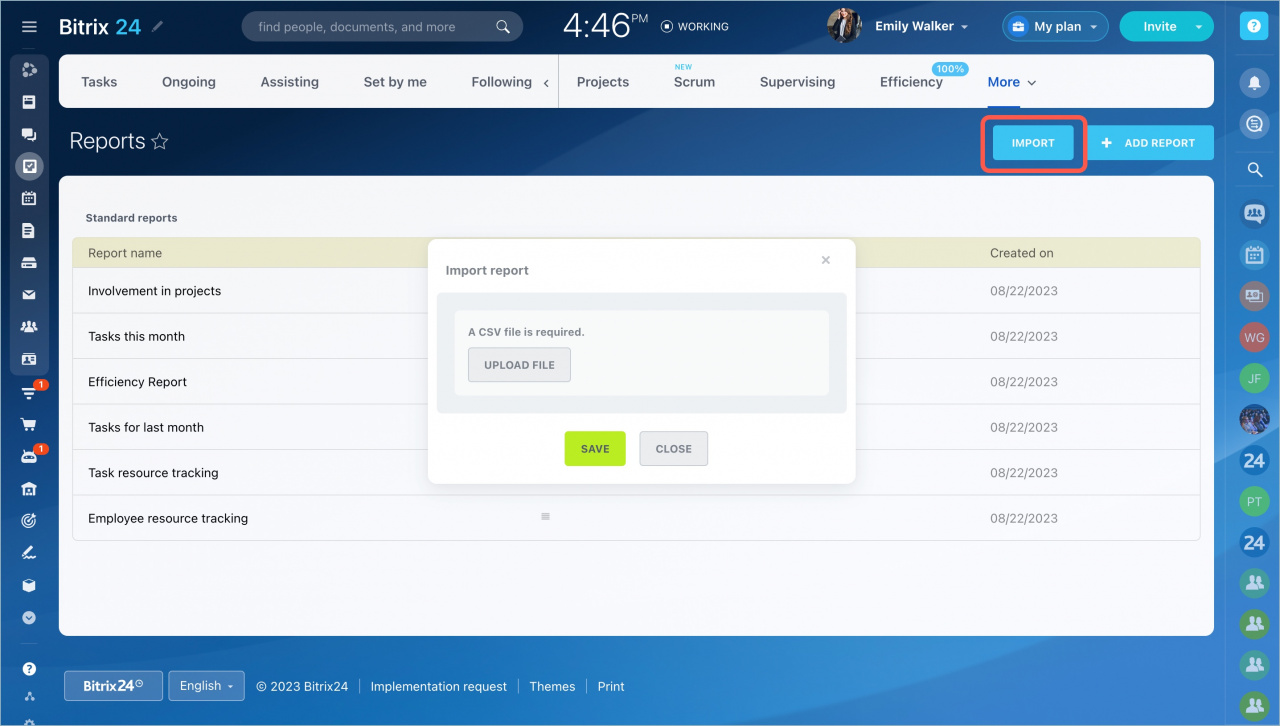
You can import reports in CSV format. Click the import button and upload the file.
In brief
- Reports help you measure and improve employee performance.
- Manually created reports are called Personal reports.
- Built-in report templates are called Standard reports.
- You can import previously created reports in CSV format.



