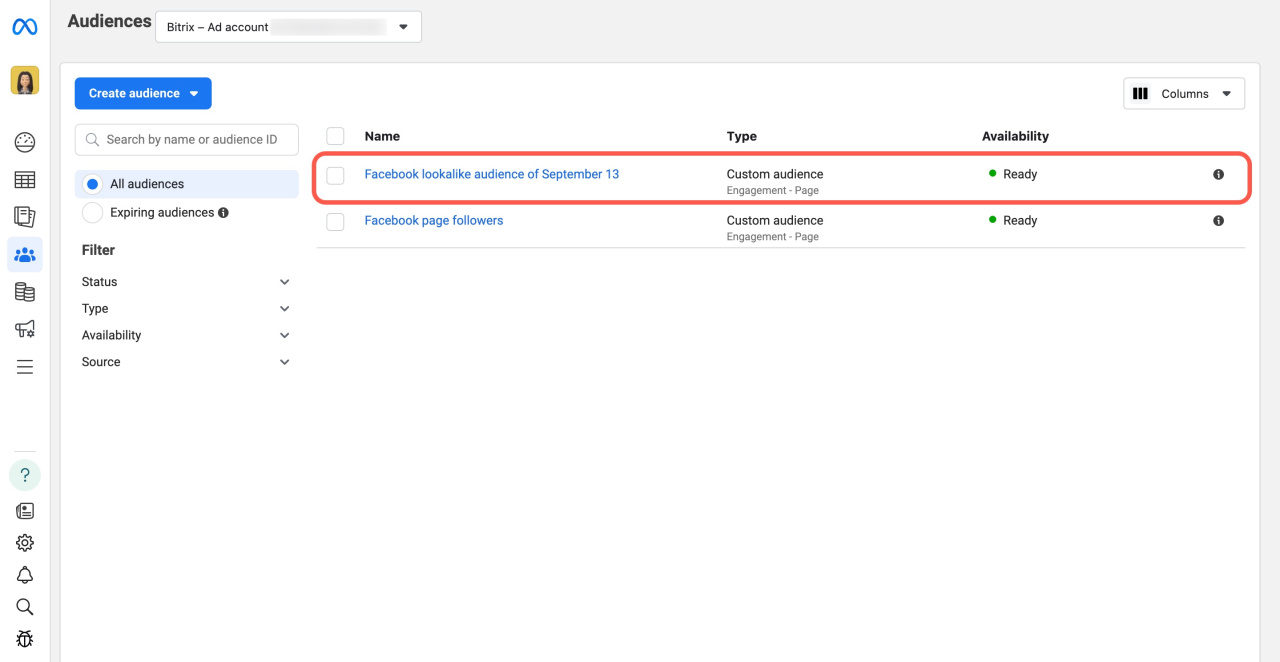
A lookalike audience helps you reach more potential customers. Bitrix24 sends a list of CRM contacts to Facebook. Facebook then creates a new audience of users similar to your existing customers. You can use this audience in your ad campaigns.
Before you start, make sure your Facebook Ad Account supports lookalike audiences.
How it works
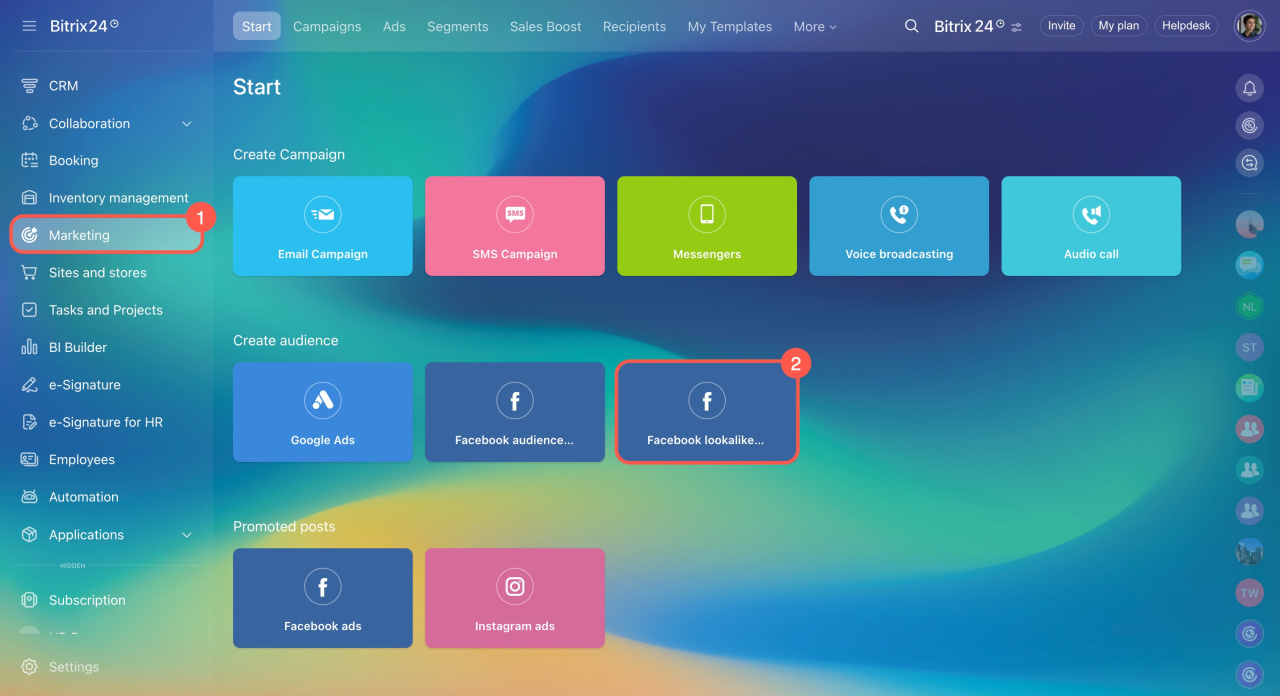
- Go to Marketing and open the Facebook lookalike audience section.
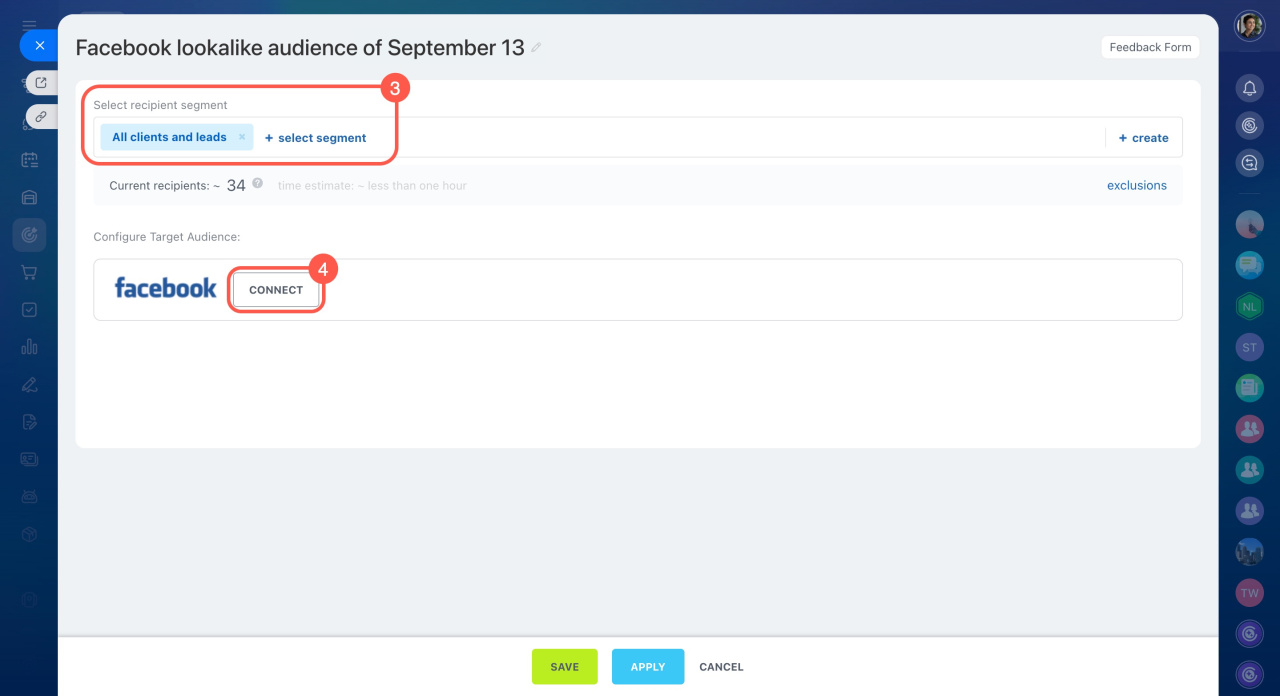
- Select a segment to use as the source audience for the lookalike audience.
- Click Connect to sync your Facebook Ad Account.
Facebook and Instagram sales features
If Facebook asks for administrator permission during setup, follow the instructions in this article:
Facebook: administrator permission required
Facebook: administrator permission required
- Now
- Later manually
- Schedule
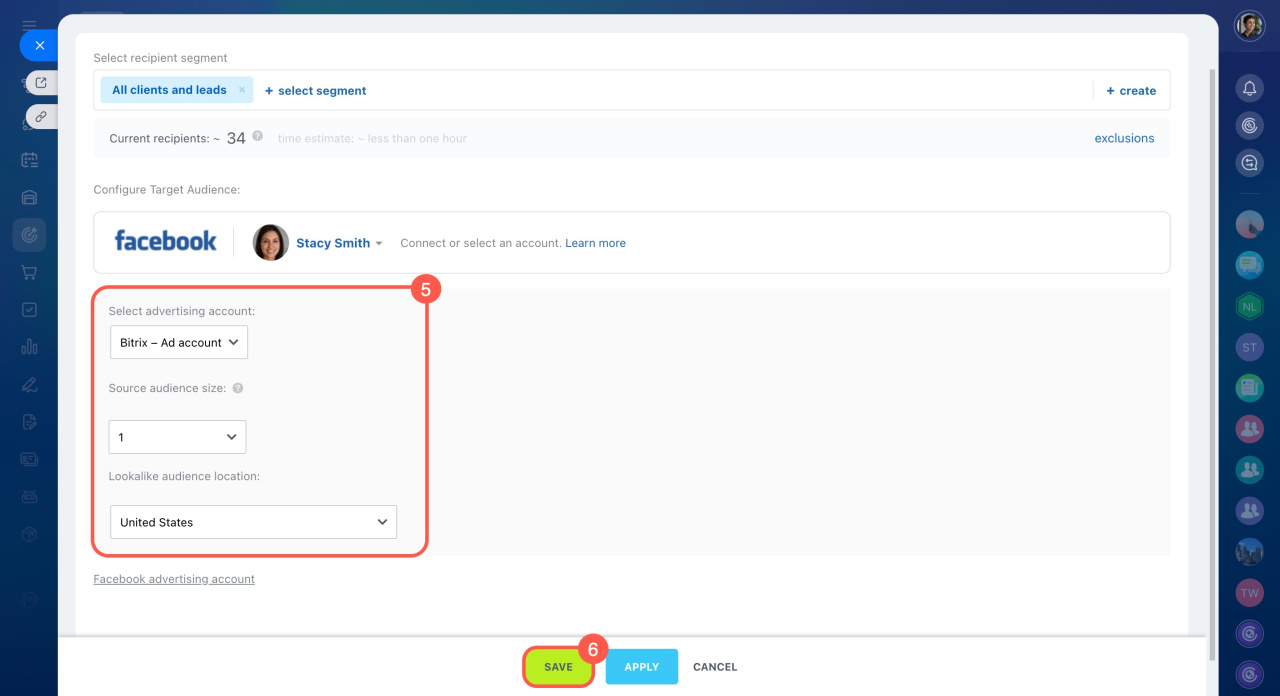
4. Select an ad account.
5. Set the source audience size as a percentage.
6. Choose the location for the lookalike audience.
7. Click Save.
8. Choose when to start synchronization:
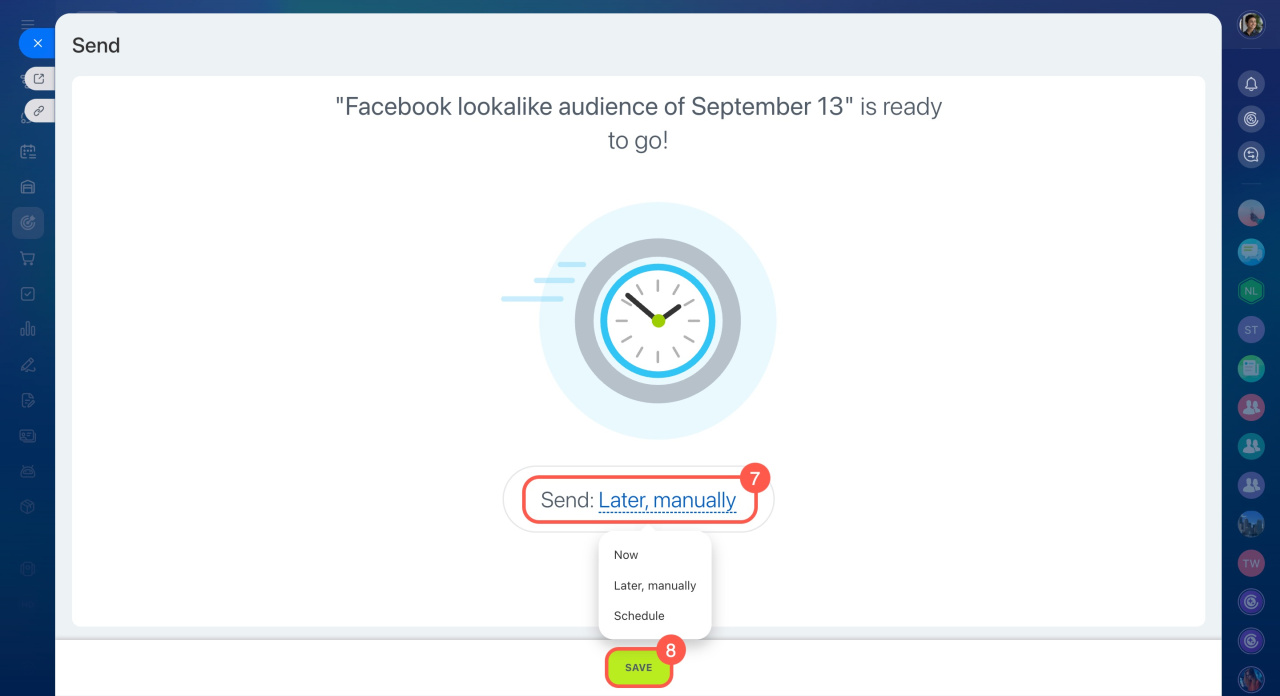
After Bitrix24 syncs your CRM customer database with Facebook, Facebook creates a new lookalike audience in your advertising account.