
🚚 Miễn phí giao hàng toàn quốc

✅ Tặng Gói Hỗ trợ online trọn đời

✅ Giá cạnh tranh nhất thị trường

✅ Miễn phí tư vấn giải pháp

🚚 Miễn phí giao hàng toàn quốc

✅ Tặng Gói Hỗ trợ online trọn đời

✅ Giá cạnh tranh nhất thị trường

✅ Miễn phí tư vấn giải pháp

Hotline: 0943.199.449

Địa chỉ: Tầng 1, tòa nhà Deli, 75 Hoàng Văn Thụ, P. Cầu Kiệu

Bitrix24 Helpdesk

Change payment and billing info

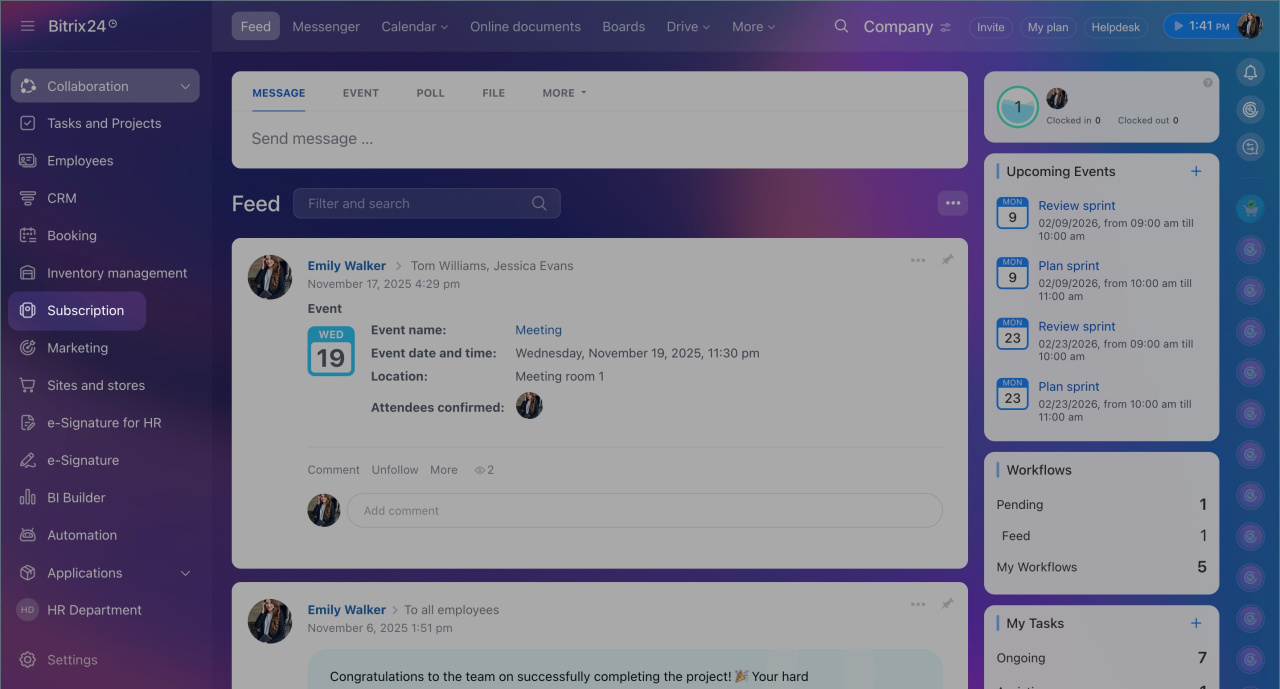
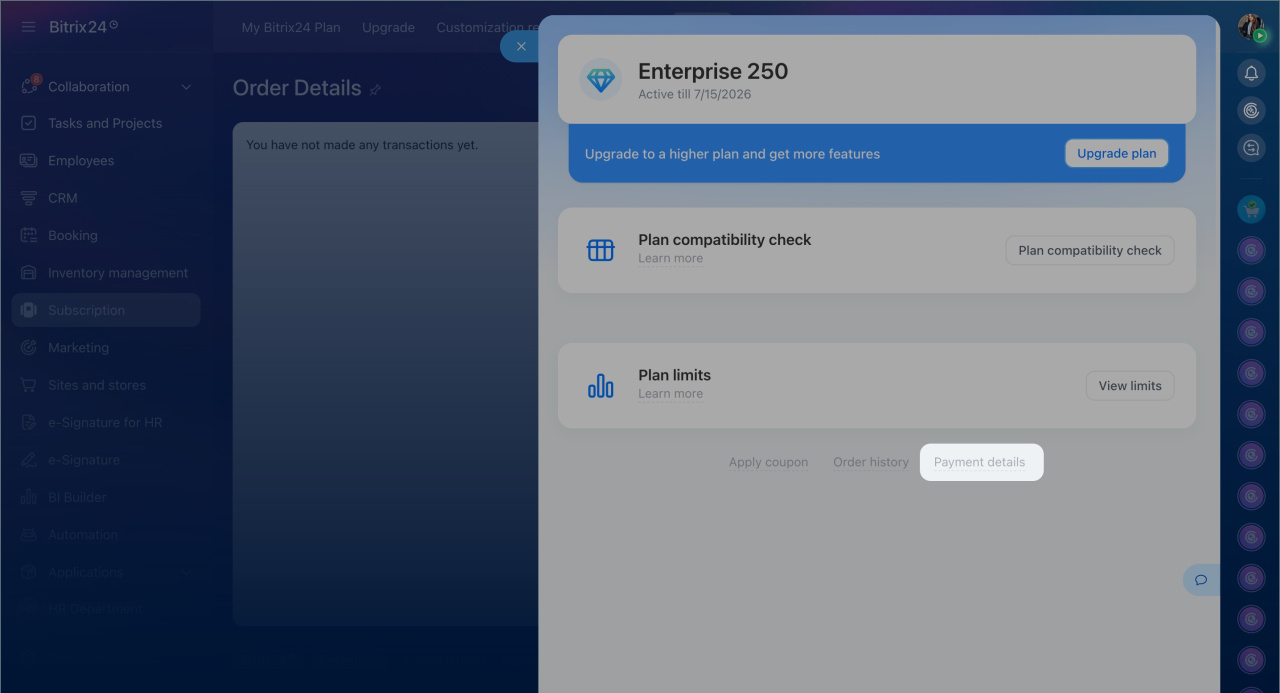
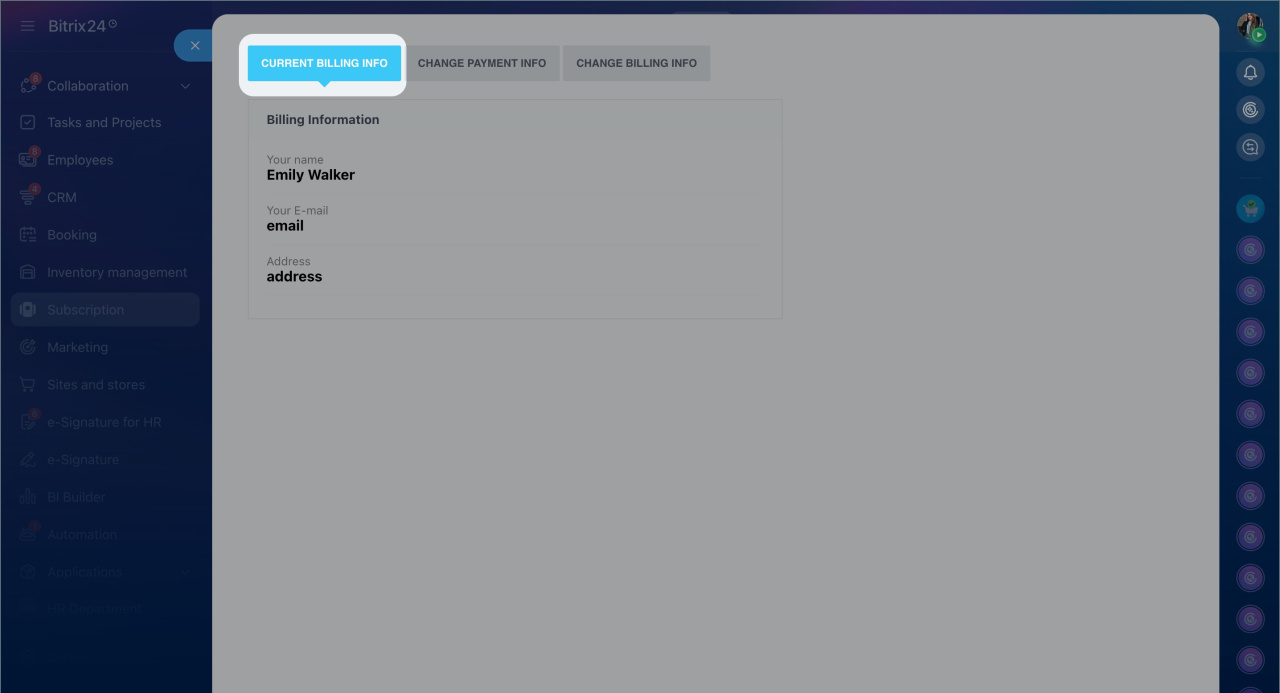
To update your payment or billing details, go to the Subscription section > Payment details > Billing Info.
Change payment info

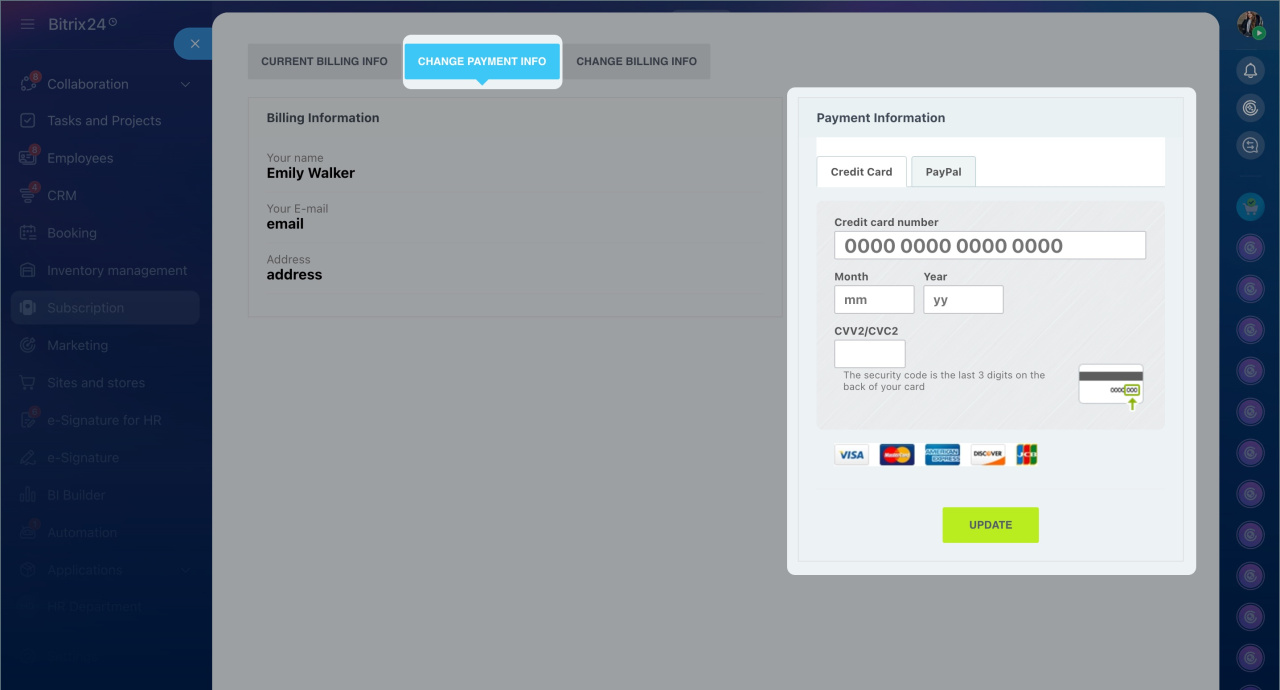
To update your payment information (credit card or PayPal), switch to the Change payment info tab. Enter new details and click Update.

Change billing info

To update your billing information, switch to the Change billing info tab. Complete the form and click Update.
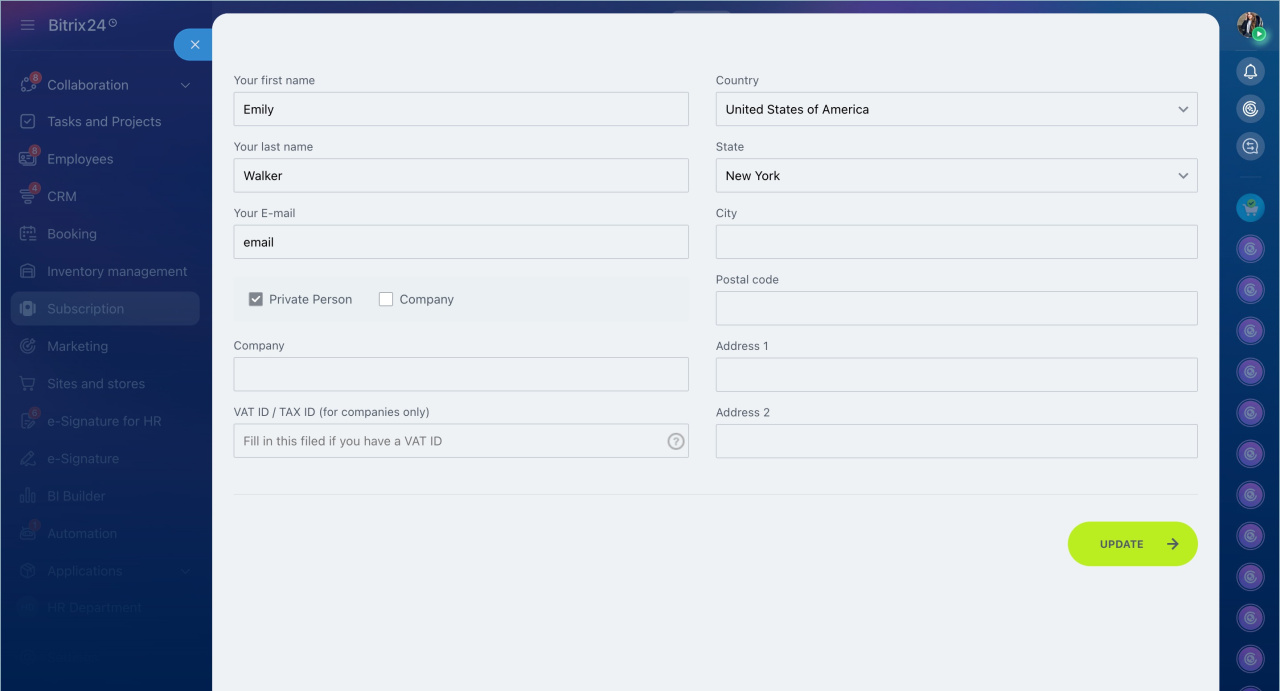
Note that the way to change your payment and billing information may differ from the instructions above. It depends on your account domain zone, billing country, automatic renewal status, and payment method. For any related queries, contact our Sales team in the support chat.
How to contact Bitrix24 Support
Was this information helpful?
Thank you for your feedback.
Get Implementation Help from a Partner
That's not what I'm looking for
Complicated and incomprehensible text
The information is outdated
It's too short. I need more information
I don't like the way this tool works
Get your Bitrix24 set up by local professionals
FIND BITRIX24 PARTNER NEAR ME
implementation_helper_man
Go to Bitrix24
Don't have an account? Create for free
Related articles
Invoices and payment confirmations Subscription section Supported currencies Purchase through local reseller Cloud subscription upgrades and downgrades Supported payment methods How to buy a commercial subscription Inactive Bitrix24: What's important to know Automatic renewal What happens if I stop using my Bitrix24?
Zalo
0943.199.449

