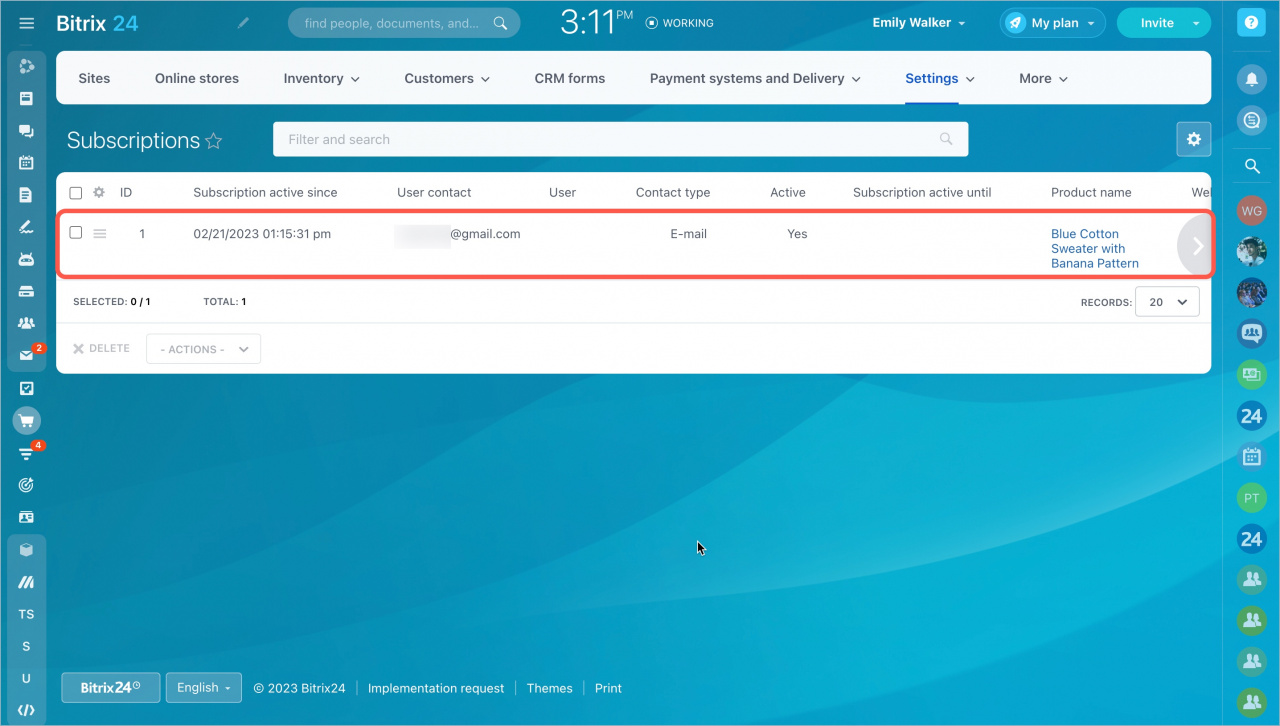
Enable product subscriptions so customers can receive notifications when an out-of-stock item becomes available again. Subscription data also helps you track demand for specific products.
Enable back-in-stock notifications
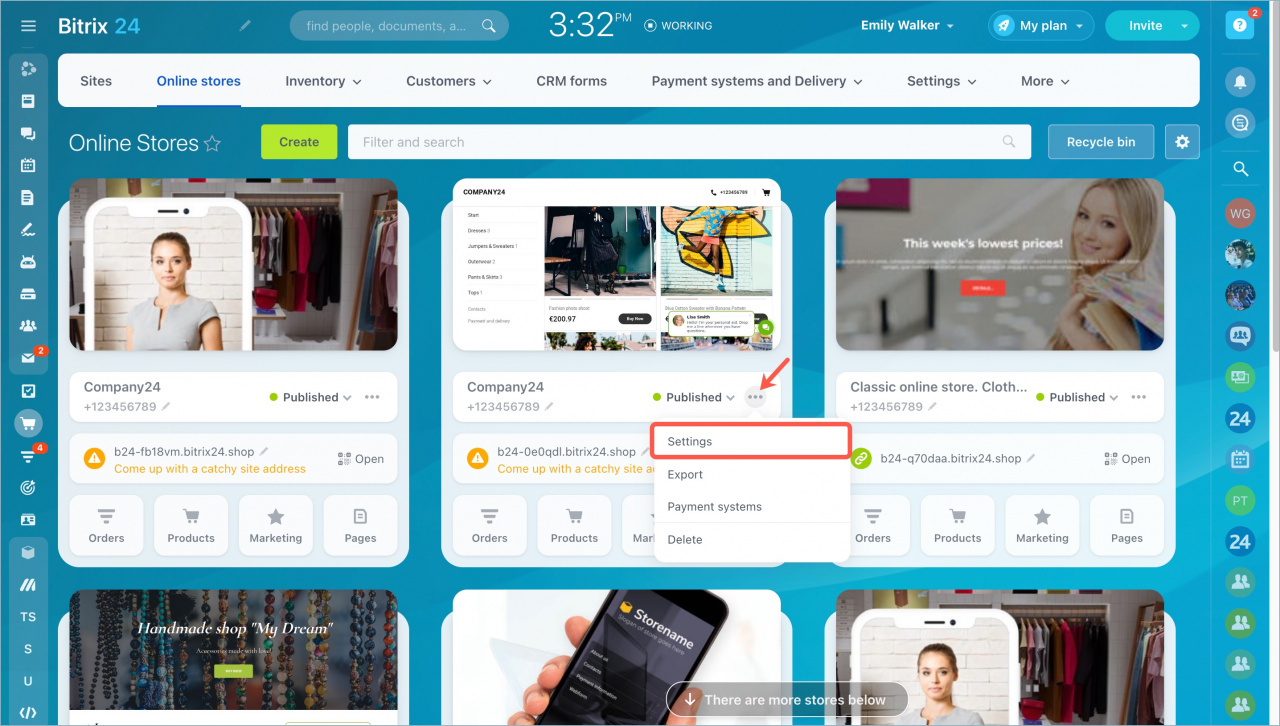
- Go to Sites and Stores > Online stores.
- Click the three dots and select Settings.
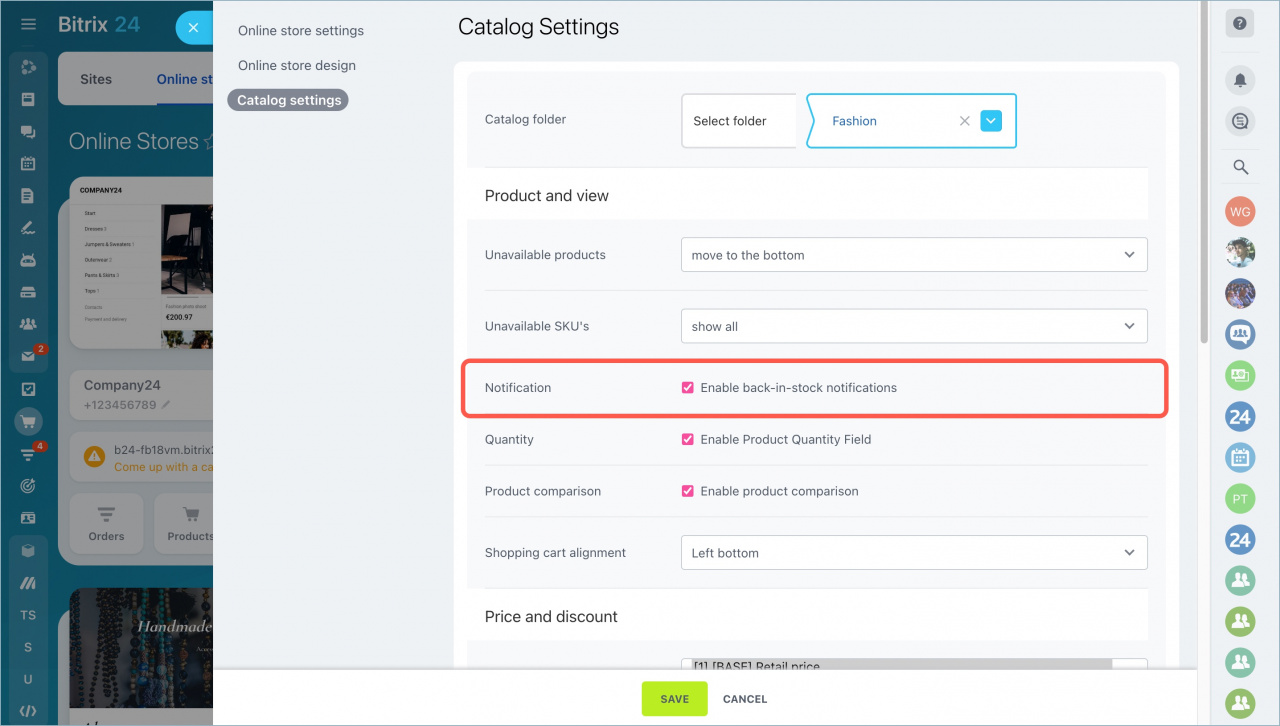
- Open the Catalog Settings tab.
- In the Notification section, enable Back-in-stock notifications.
- Save your changes.
Configure inventory settings
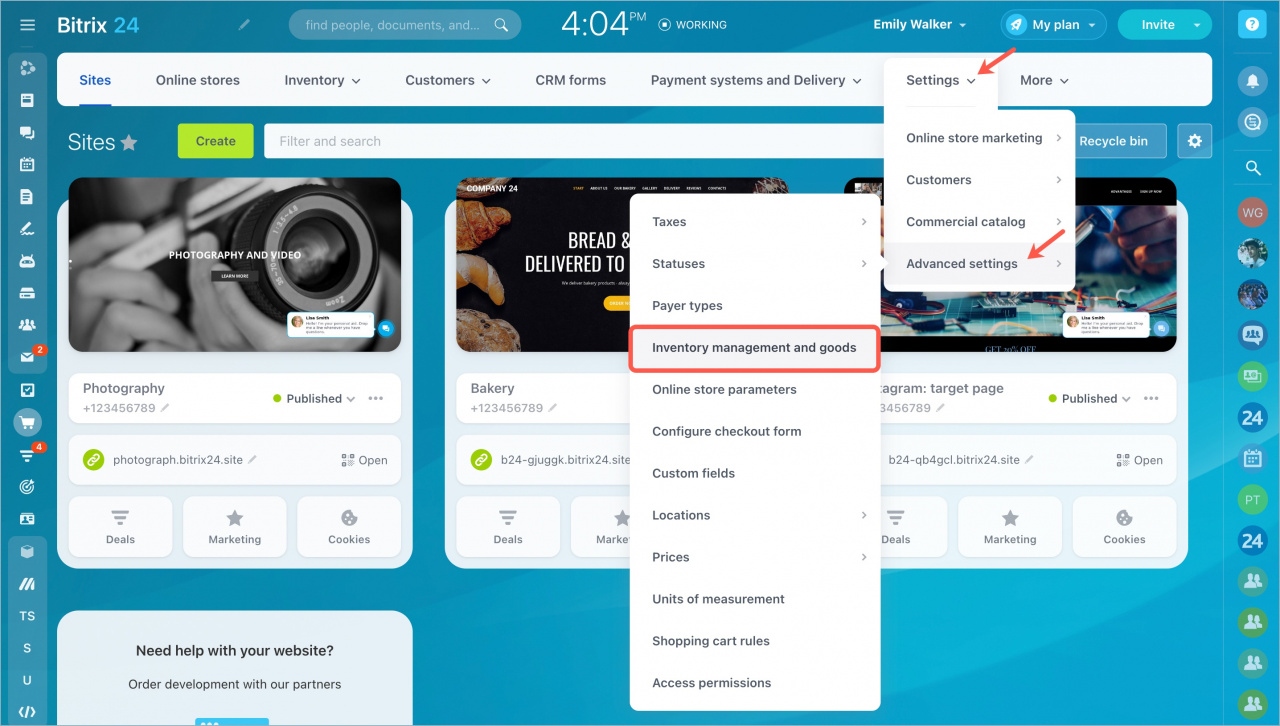
- Go to Sites and Stores > Settings > Advanced settings > Inventory management and goods.
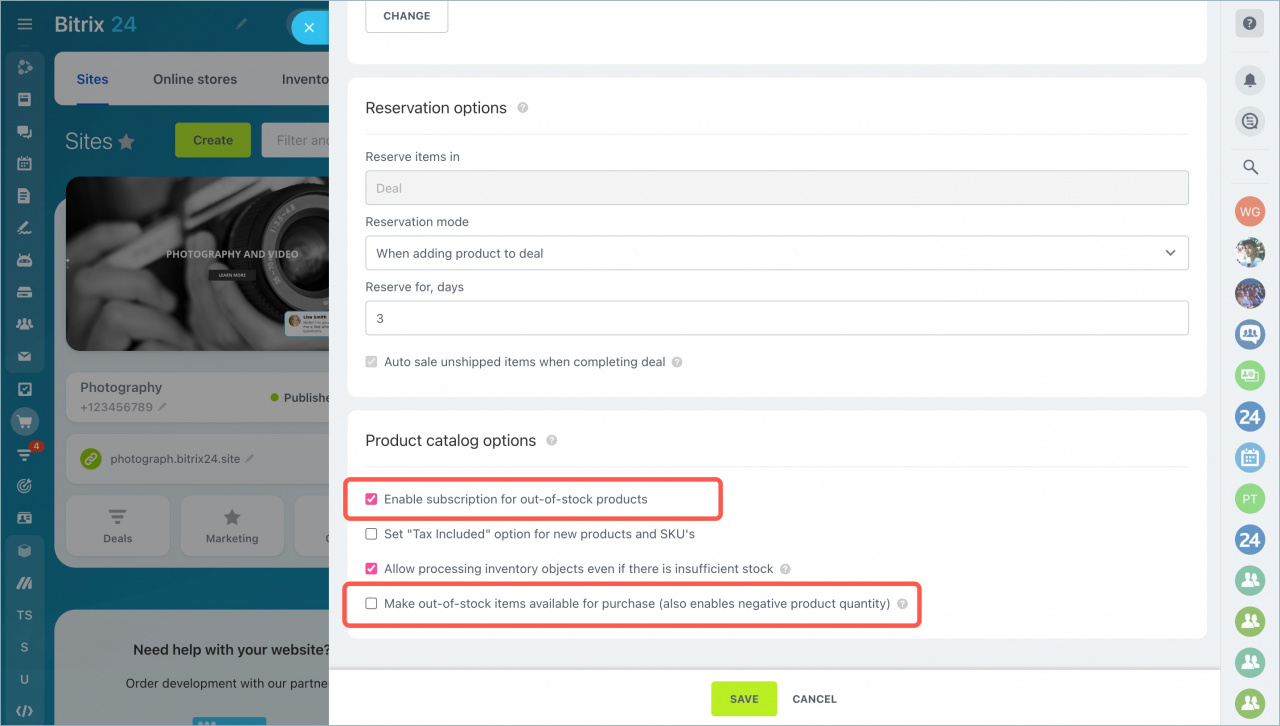
- Enable Subscription for out-of-stock products.
- Disable Allow purchase of out-of-stock products (also enables negative product quantity).
After you complete the setup, the Notify when back in stock button appears on the product page.
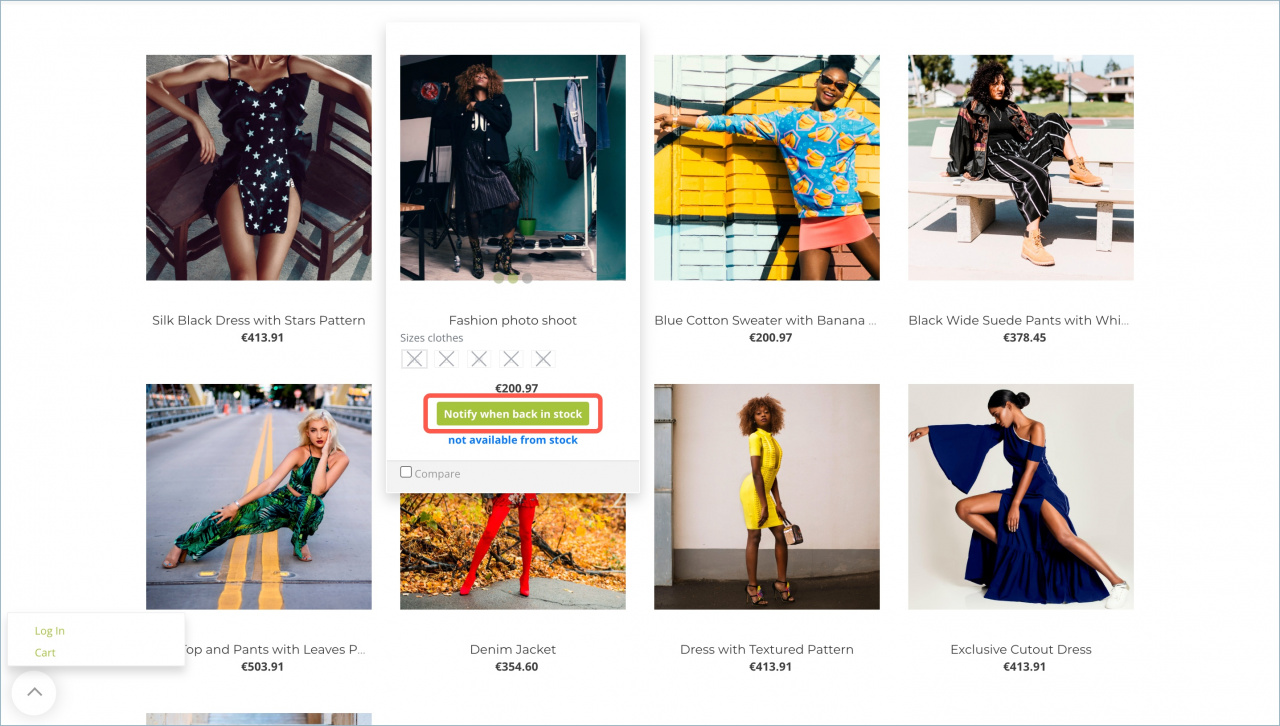
If a customer is signed in, they only need to click Notify when back in stock to subscribe.
Signed-in customers see a confirmation message after they subscribe.
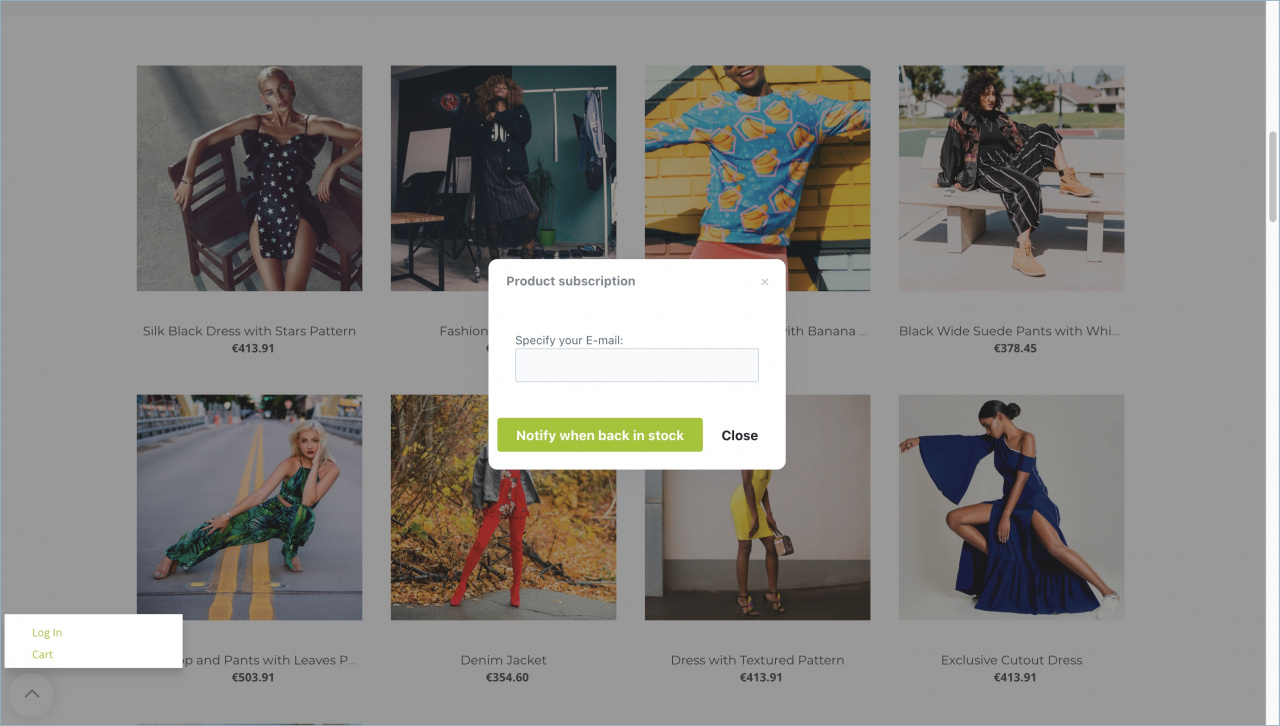
If a customer is not signed in, they must enter an email address to receive notifications.
When the product is back in stock, the customer receives an email with a link to the product page.
View product subscriptions
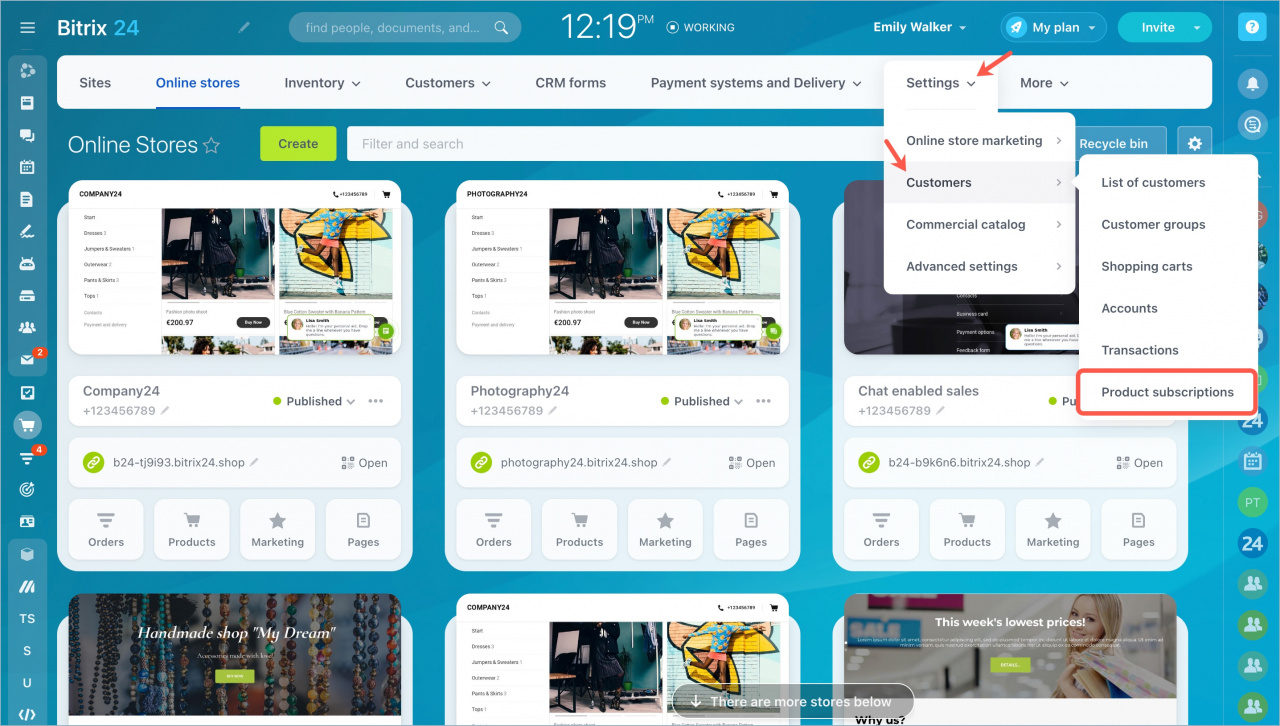
To see the list of customers who subscribed to products, go to Sites and stores > Settings > Customers > Product subscriptions.
The page shows subscription details, including:
- Subscription date
- Customer contact information
- Product name
- Other related data
Use this information to analyze customer demand for products.