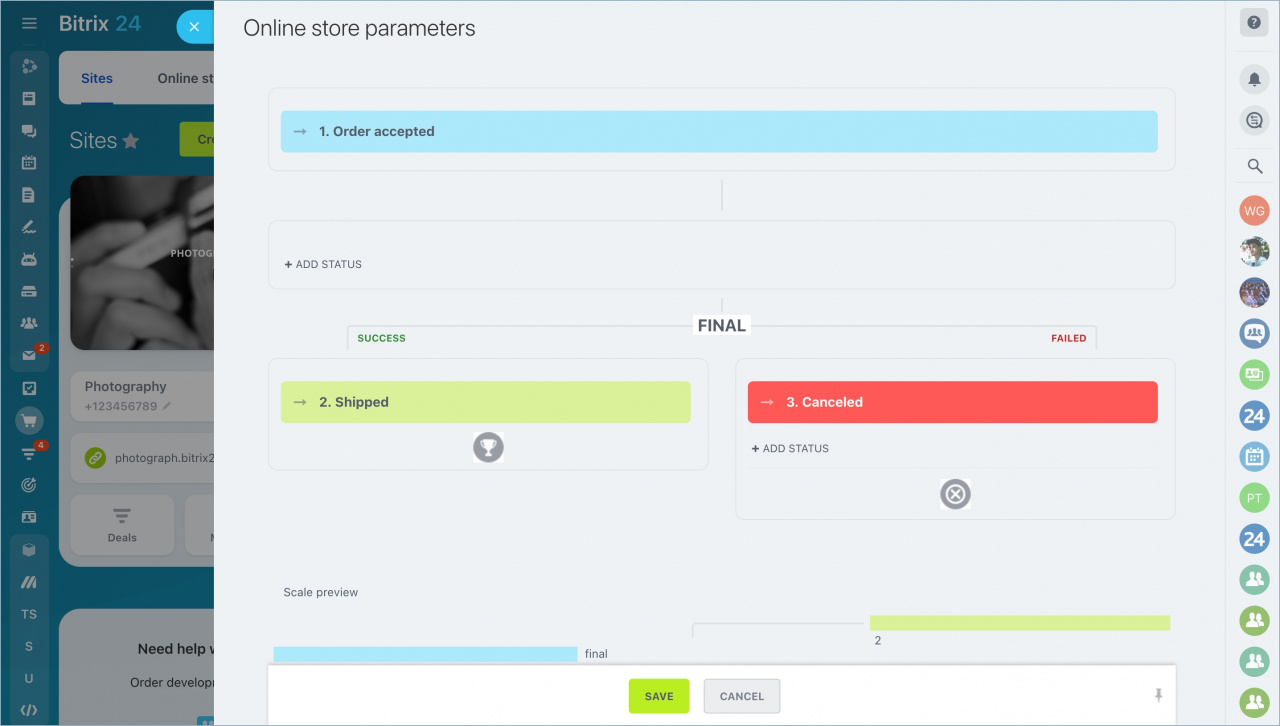
An important part of setting up an online store is defining the stages an order goes through.
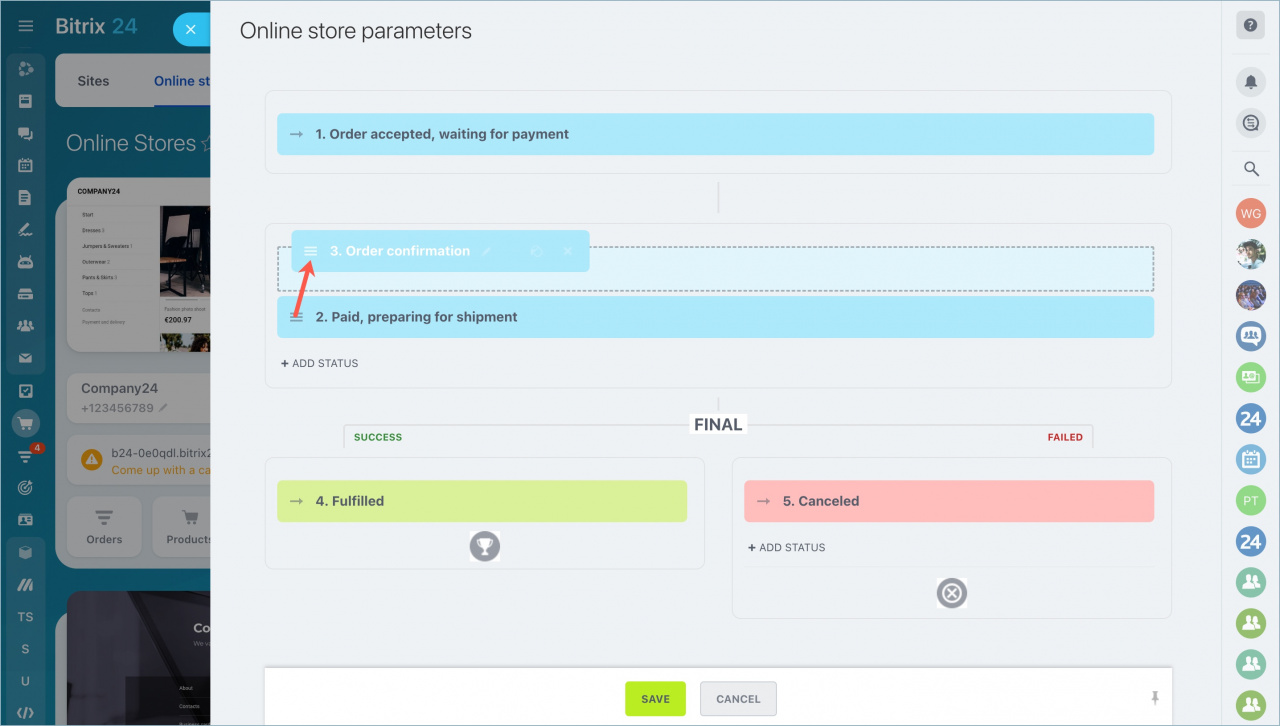
Configure order statuses
Go to Sites and Stores > Stores > Settings > Advanced Settings > Statuses > Order Statuses.
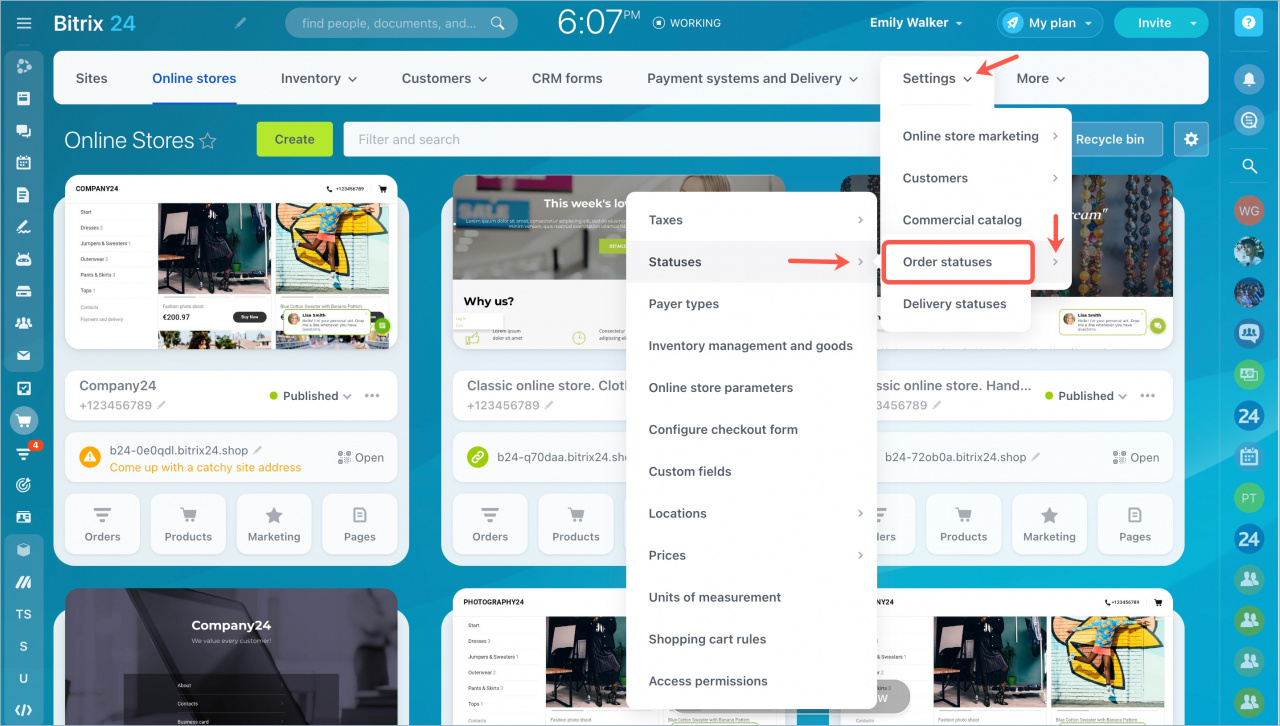
By default, Bitrix24 includes a standard set of statuses.
Each order pipeline must include:
- One initial status
- One final successful status
- One final unsuccessful status
You can add as many intermediate statuses as your business process requires.
To create a new status:
- Click Add Status.
- Enter a name for the status.
- Select a color.
- Save the changes.
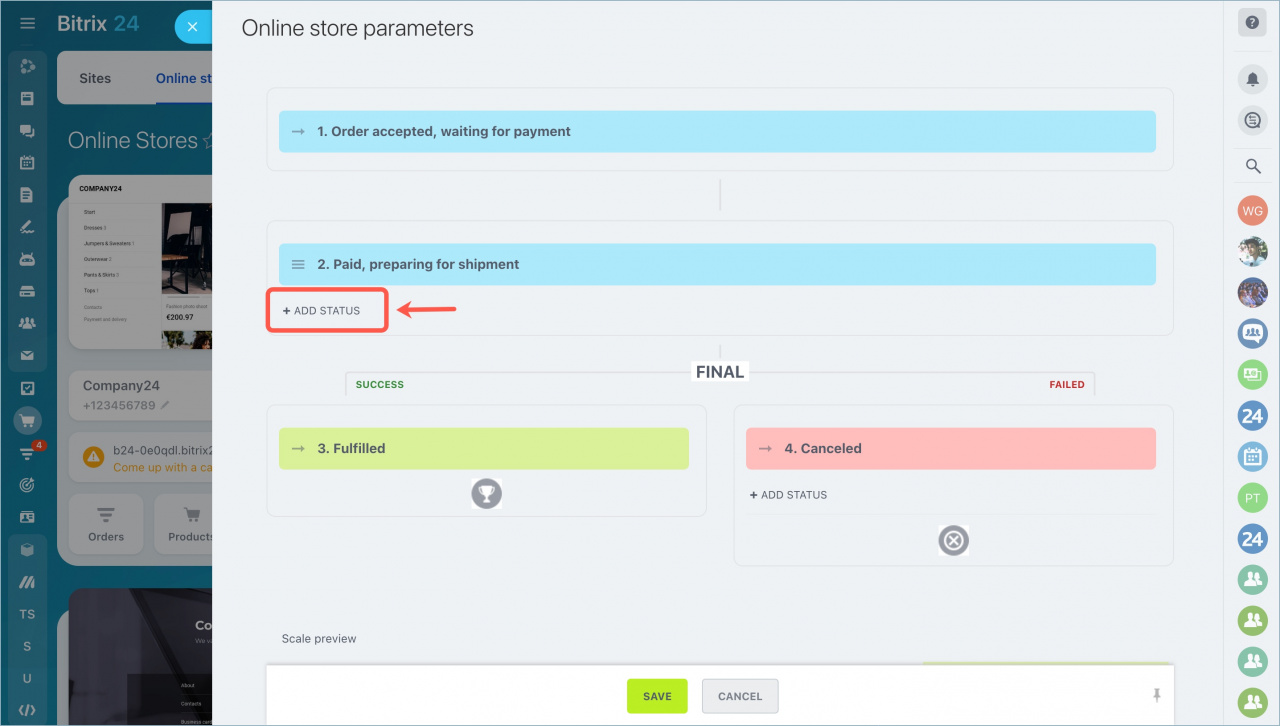
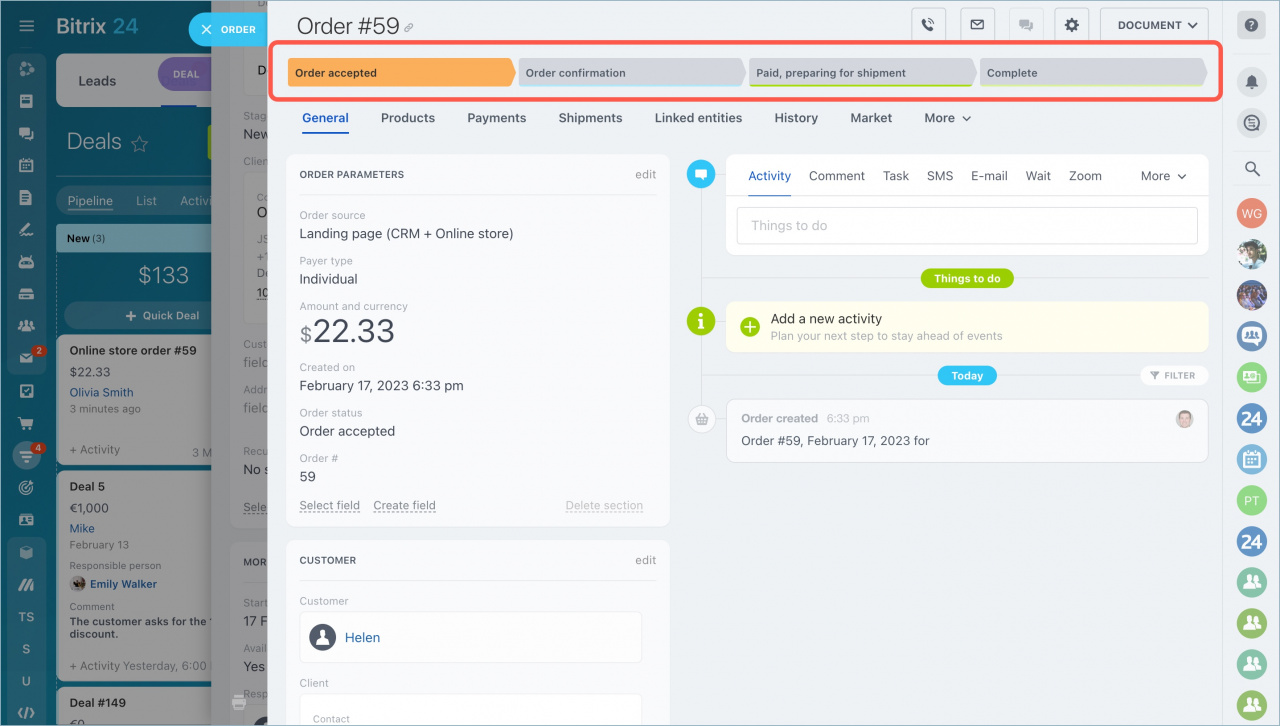
To reorder statuses, drag a status to the required position in the list and save the changes.
The new status becomes available for all orders.
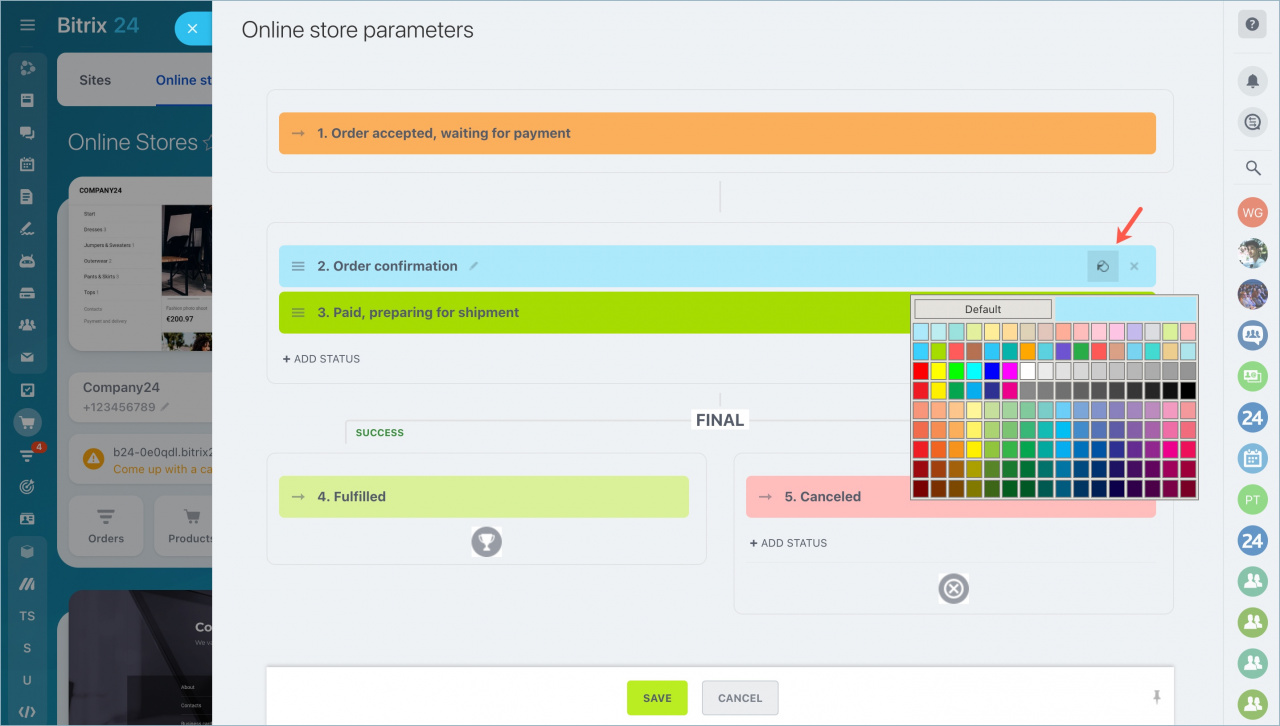
Configure delivery statuses
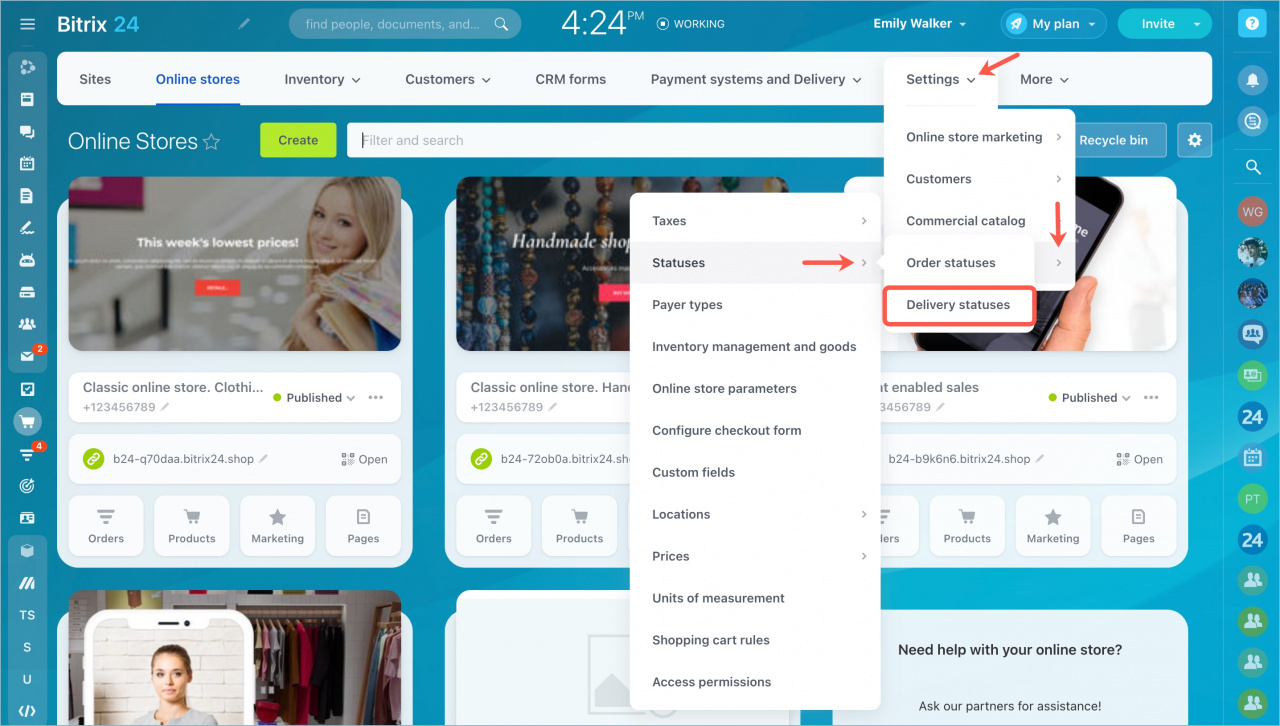
Go to Sites and Stores > Stores > Settings > Advanced Settings > Statuses > Delivery Statuses.
Delivery statuses are configured the same way as order statuses.
By default, delivery includes:
- One initial status
- One final successful status
- One final unsuccessful status
There are no intermediate delivery statuses by default.