🚚 Miễn phí giao hàng toàn quốc

✅ Tặng Gói Hỗ trợ online trọn đời

✅ Giá cạnh tranh nhất thị trường

✅ Miễn phí tư vấn giải pháp

🚚 Miễn phí giao hàng toàn quốc

✅ Tặng Gói Hỗ trợ online trọn đời

✅ Giá cạnh tranh nhất thị trường

✅ Miễn phí tư vấn giải pháp

Hotline: 0943.199.449

Địa chỉ: Tầng 1, tòa nhà Deli, 75 Hoàng Văn Thụ, P. Cầu Kiệu

Bitrix24 Helpdesk

Uninstall Bitrix24 Market apps

Only Bitrix24 administrators can uninstall apps from the Market.

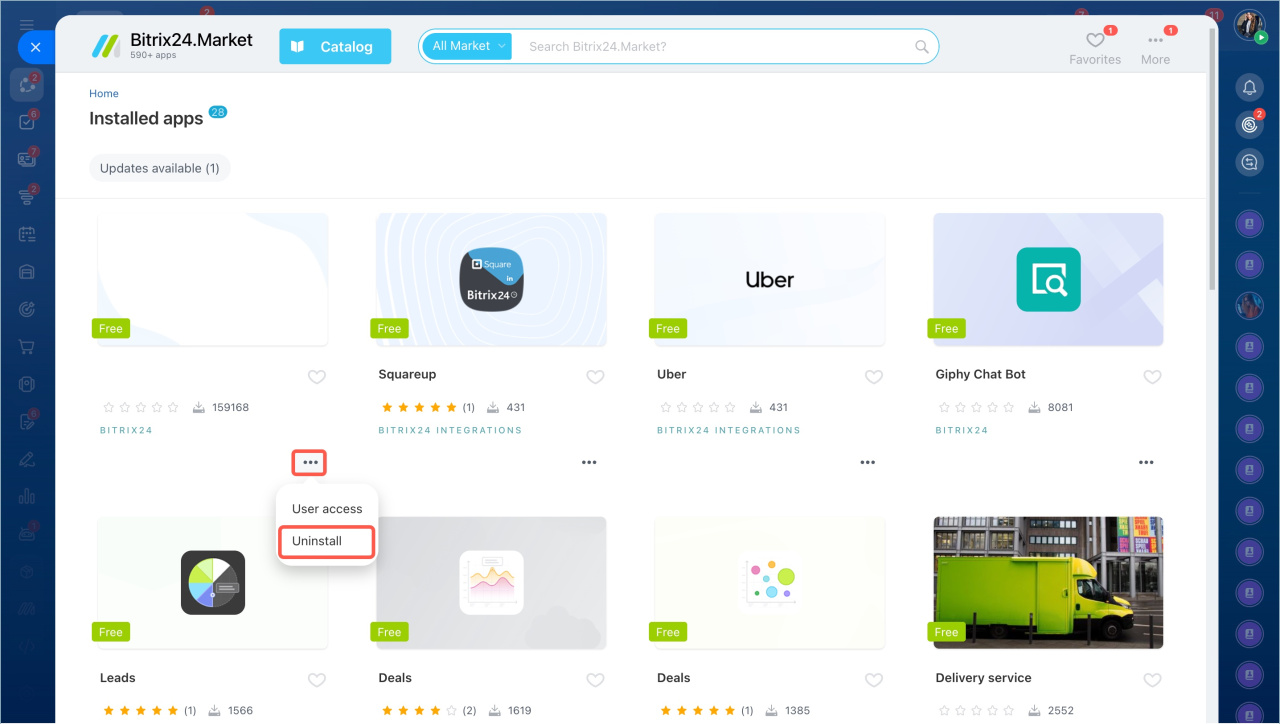
Uninstall an app from the list

To uninstall an app:

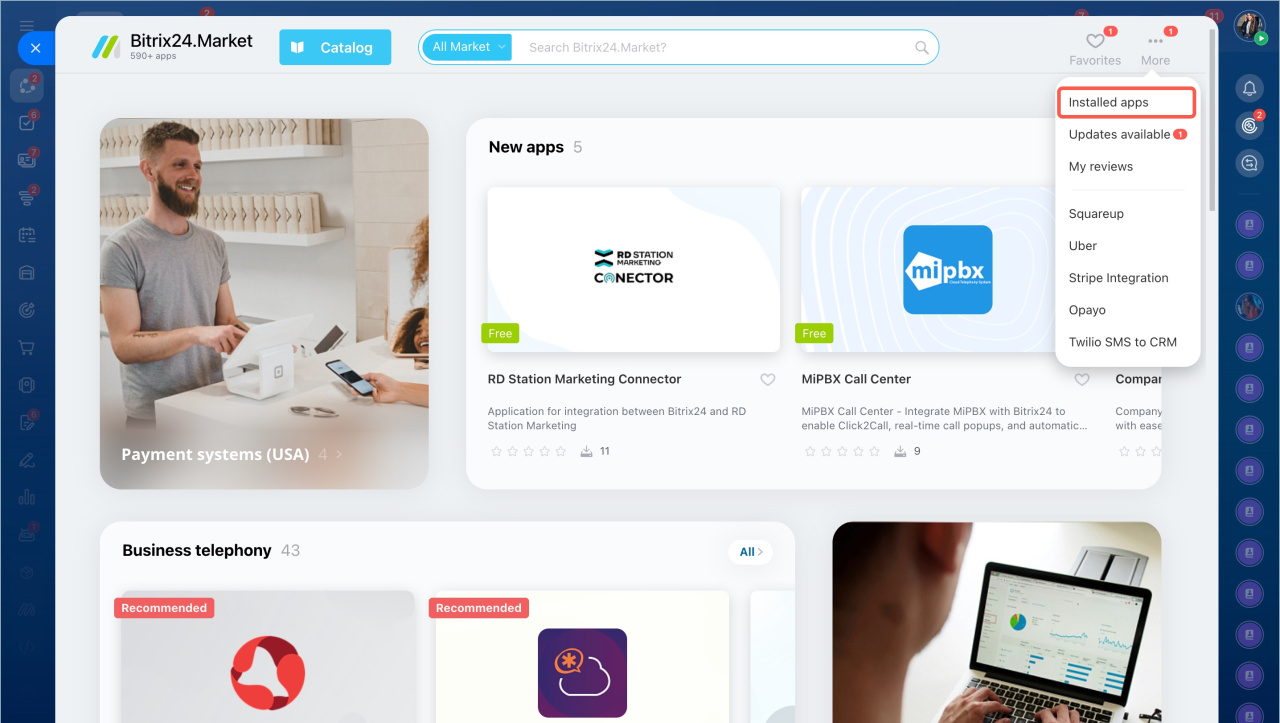
  1. Open the Applications section in the left menu and select Market.
  2. Click More and choose Installed apps.
  3. Find the app and select Uninstall from the menu.
Uninstall an app from its page

  1. Open the app page.
  2. Click Uninstall.
  3. Select Delete application settings and data if you want to remove all saved data.
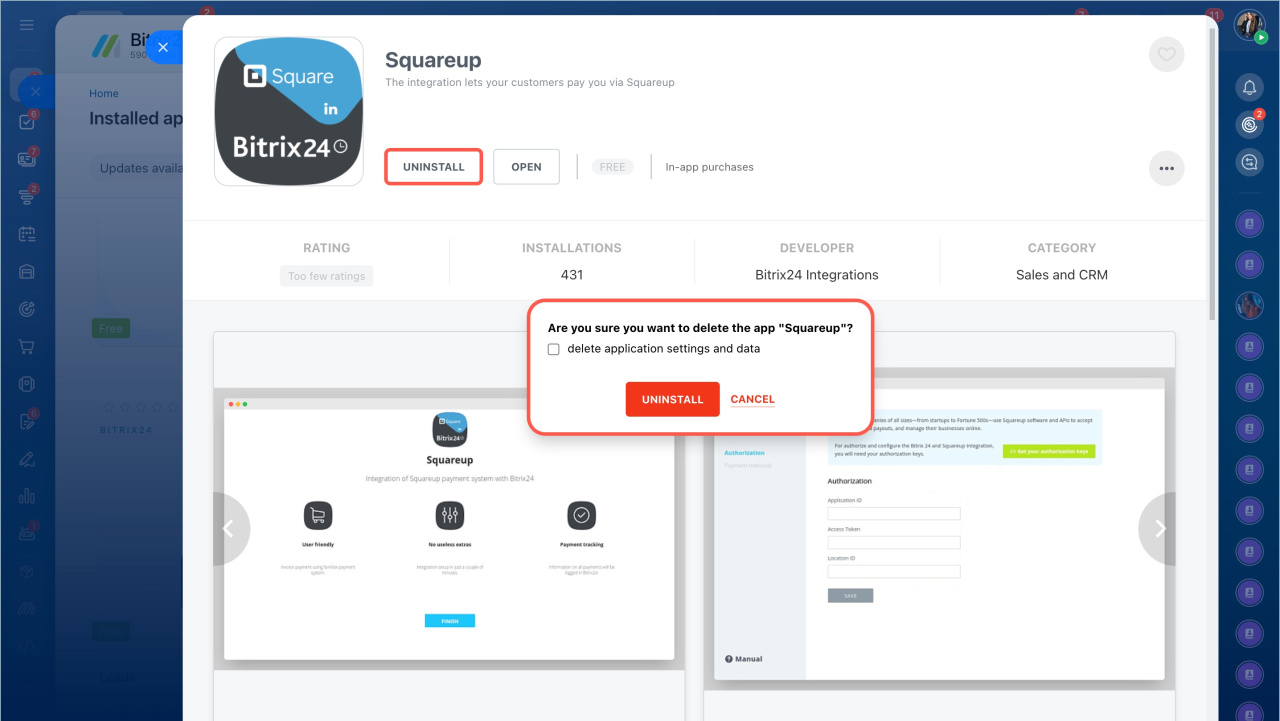
After you uninstall the app, it is removed from Bitrix24. You can install it again at any time.


In brief

  • Only administrators can uninstall Market apps.
  • You can uninstall an app from the installed apps list or from the app page.
  • You can reinstall the app later if needed.

Was this information helpful?
Thank you for your feedback.
Get Implementation Help from a Partner
That's not what I'm looking for
Complicated and incomprehensible text
The information is outdated
It's too short. I need more information
I don't like the way this tool works
Get your Bitrix24 set up by local professionals
FIND BITRIX24 PARTNER NEAR ME
implementation_helper_man
Go to Bitrix24
Don't have an account? Create for free
Related articles
Tech requirements for telephony integrations Important! TLS 1.0/1.1 protocols: end of support Fix errors when sending SMS messages Important changes in REST API, Market, Telephony and Search Troubleshooting common issues with Bitrix24 integration apps
Zalo
0943.199.449