🚚 Miễn phí giao hàng toàn quốc

✅ Tặng Gói Hỗ trợ online trọn đời

✅ Giá cạnh tranh nhất thị trường

✅ Miễn phí tư vấn giải pháp

🚚 Miễn phí giao hàng toàn quốc

✅ Tặng Gói Hỗ trợ online trọn đời

✅ Giá cạnh tranh nhất thị trường

✅ Miễn phí tư vấn giải pháp

Hotline: 0943.199.449

Địa chỉ: Tầng 1, tòa nhà Deli, 75 Hoàng Văn Thụ, P. Cầu Kiệu

Bitrix24 Helpdesk

Add an email sender in the mobile CRM

You can connect a new email sender directly from the CRM form in the Bitrix24 mobile app. In earlier versions, this was only available on the web.

In the Bitrix24 mobile CRM, open any item. For example, deal, lead, contact, company, invoice, or estimate.
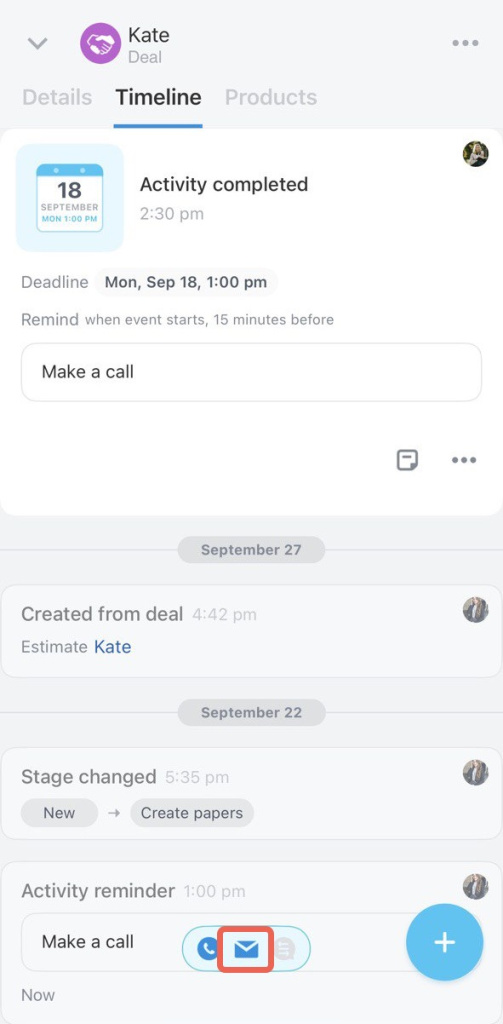
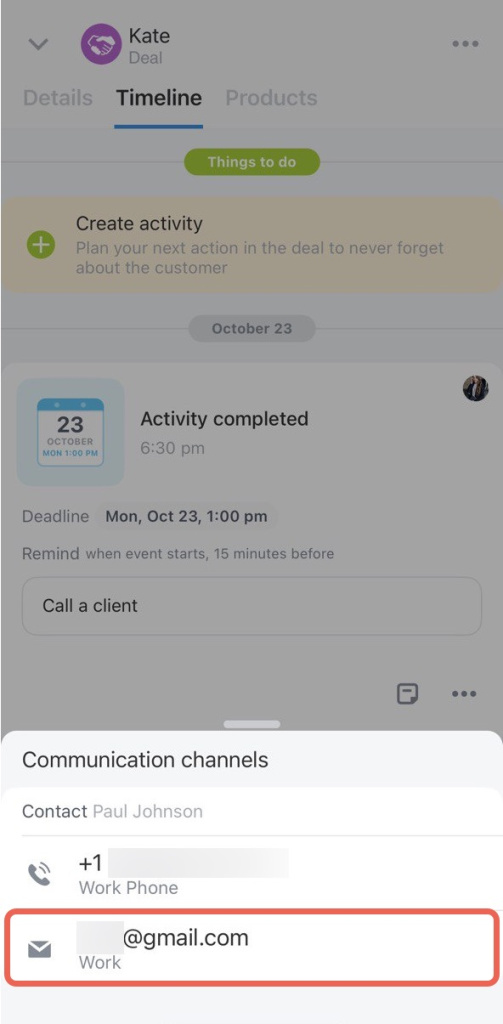
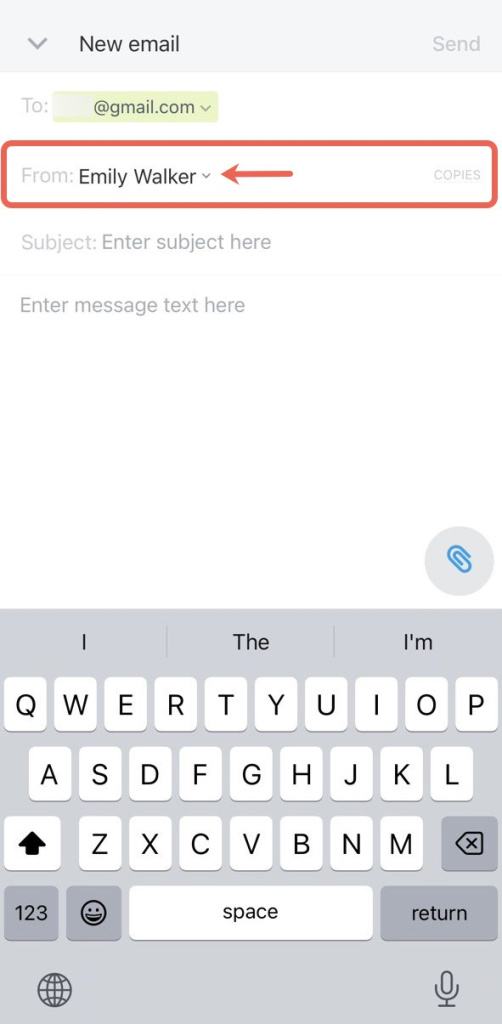
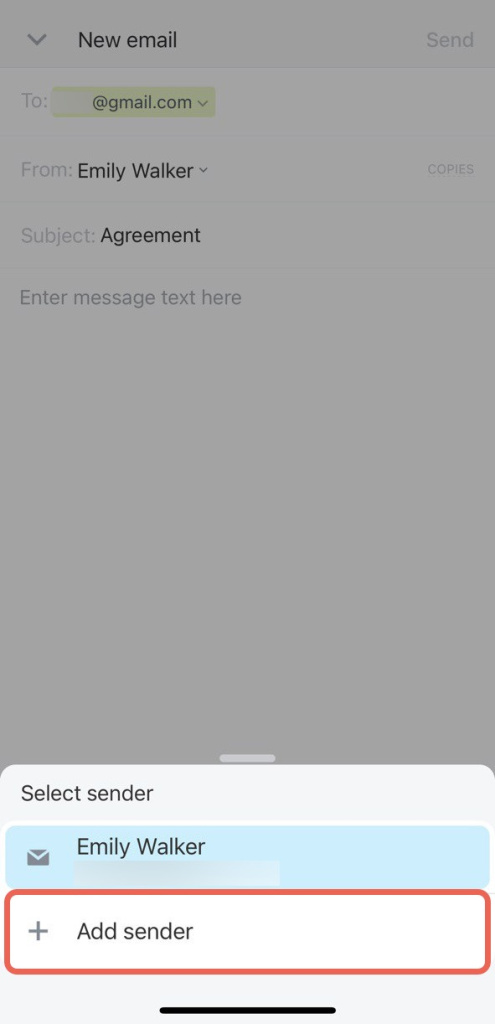
In the Timeline, go to Communication channels. Tap the sender list in the From field and select Add sender.
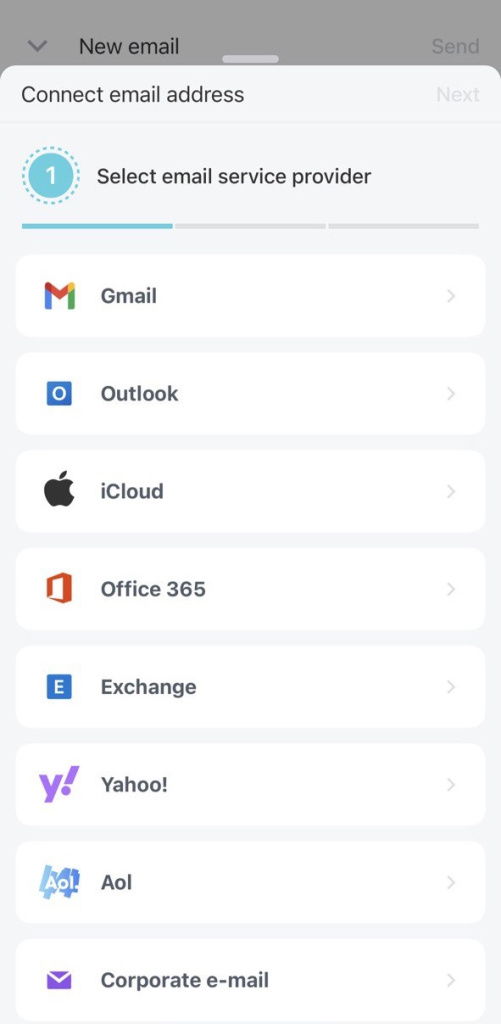
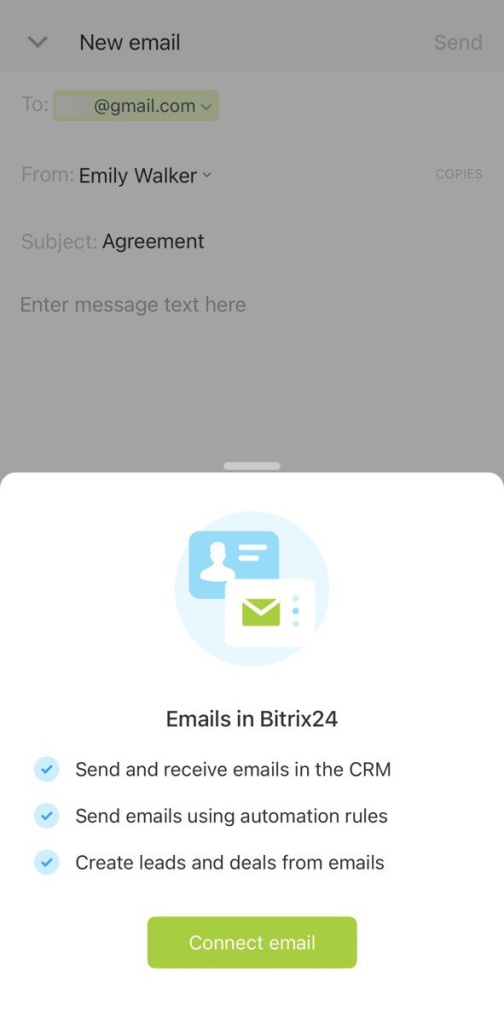
Tap Connect email, then choose your email service provider.
Select one of the connection options:

  • Login and password: Enter your mailbox login and password.
  • OAuth/xOAuth: Allow access without sharing your login and password.
  • Application password: Use a special code created in your email service settings (Gmail, Yahoo, and others).
  • IMAP and SMTP: Use this option to connect a corporate mailbox.

Mailbox integration

Was this information helpful?
Thank you for your feedback.
Get Implementation Help from a Partner
That's not what I'm looking for
Complicated and incomprehensible text
The information is outdated
It's too short. I need more information
I don't like the way this tool works
Get your Bitrix24 set up by local professionals
FIND BITRIX24 PARTNER NEAR ME
implementation_helper_man
Go to Bitrix24
Don't have an account? Create for free
Related articles
Select email recipients in CRM Manage emails with CRM Create email templates in CRM Navigate email threads in a CRM item form FAQ: Mail in CRM Preview emails in CRM item timeline Email templates in CRM Email in mobile CRM
Zalo
0943.199.449