🚚 Miễn phí giao hàng toàn quốc

✅ Tặng Gói Hỗ trợ online trọn đời

✅ Giá cạnh tranh nhất thị trường

✅ Miễn phí tư vấn giải pháp

🚚 Miễn phí giao hàng toàn quốc

✅ Tặng Gói Hỗ trợ online trọn đời

✅ Giá cạnh tranh nhất thị trường

✅ Miễn phí tư vấn giải pháp

Hotline: 0943.199.449

Địa chỉ: Tầng 1, tòa nhà Deli, 75 Hoàng Văn Thụ, P. Cầu Kiệu

Bitrix24 Helpdesk

Convert a Feed post into a task

Feed is a great place to discuss ideas with your team. You can turn any Feed post into a task.

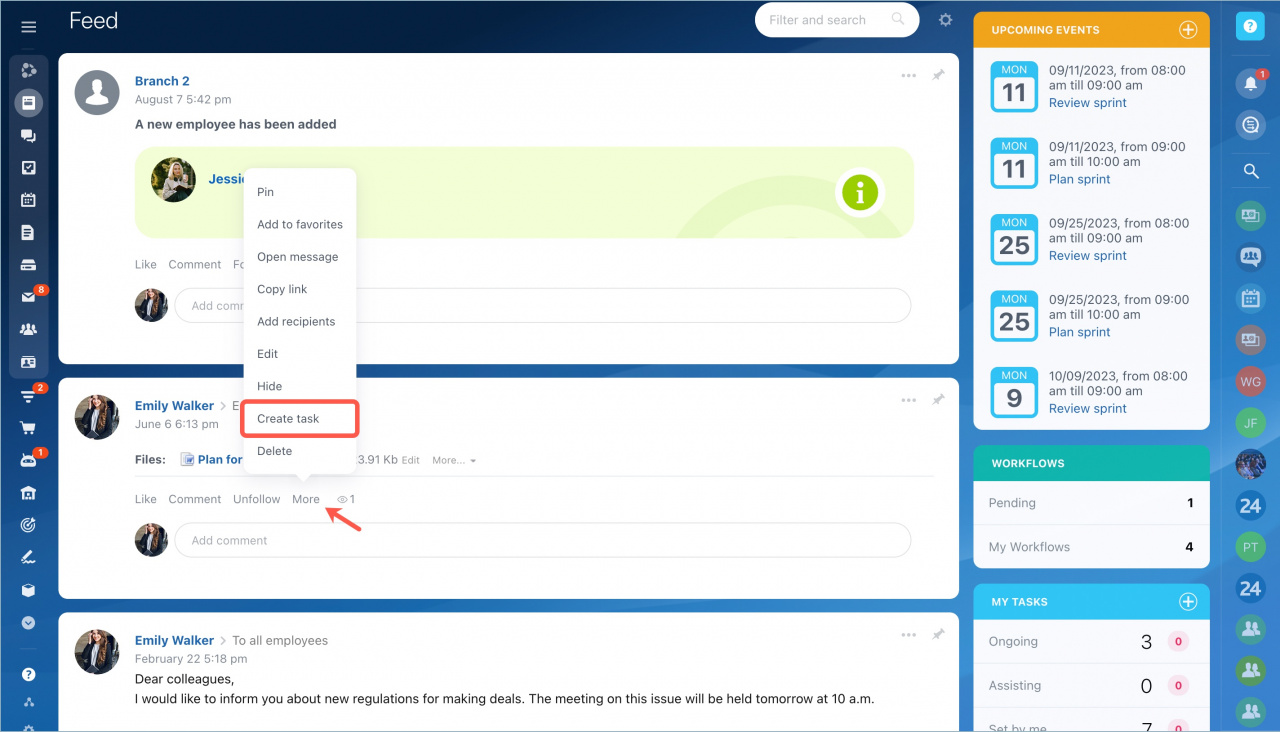
  1. Open the Feed post.
  2. Click More and select Create task.

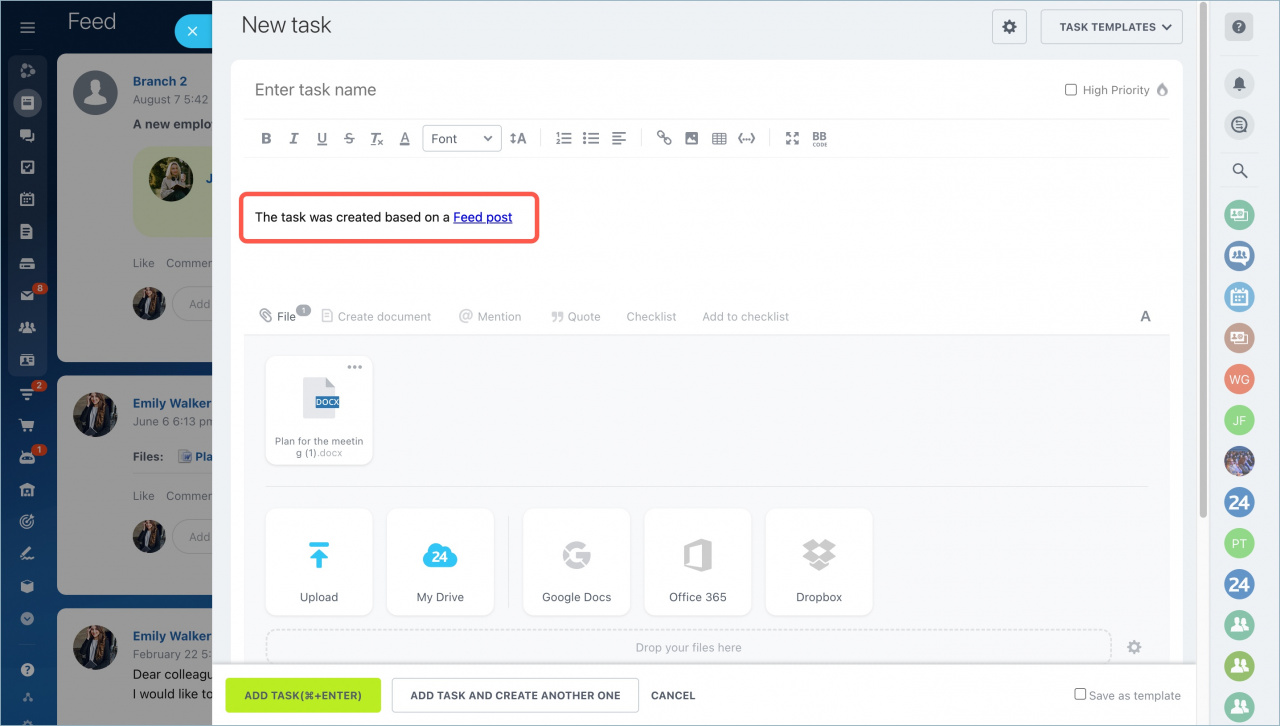
The task form opens in a side panel. The post content is added to the task automatically.

    3. Assign a responsible person and configure the task settings.
    4. Click Add task.
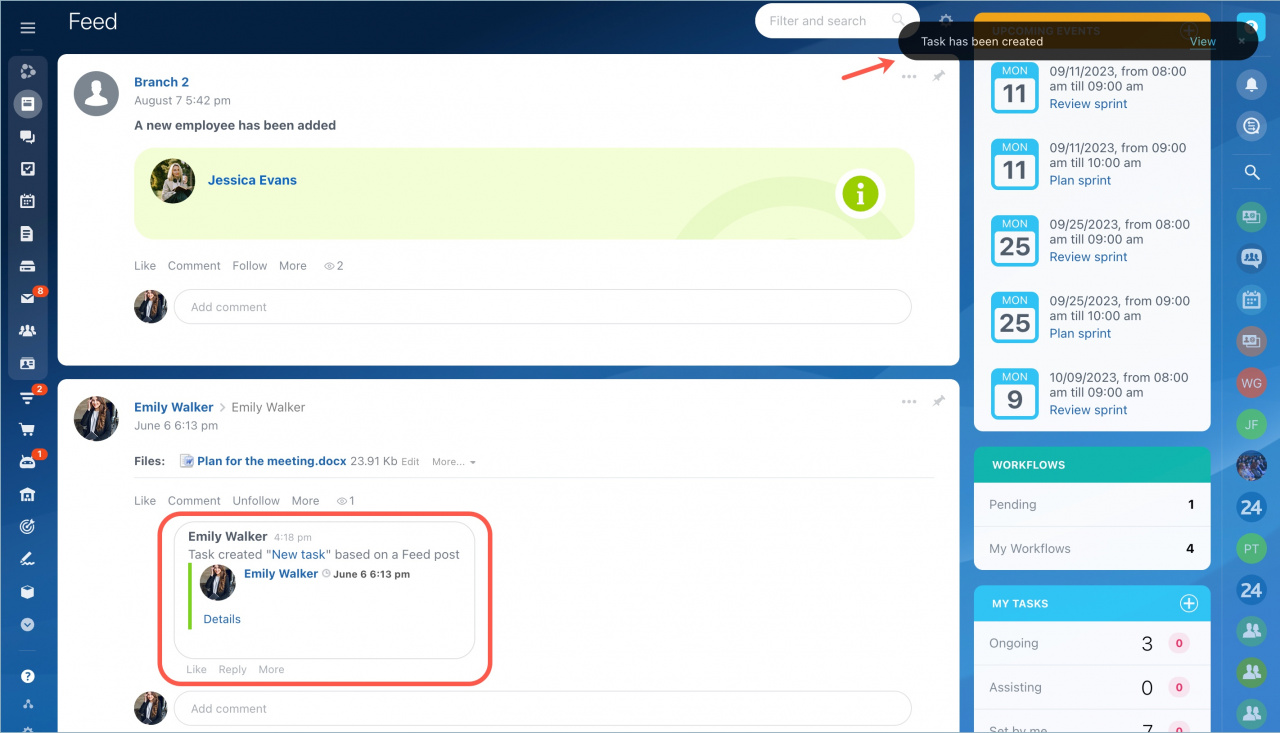
A comment with a link to the new task appears under the Feed post. Task participants also get a notification that the task was created.

To open the task, click View in the notification in the top-right corner.
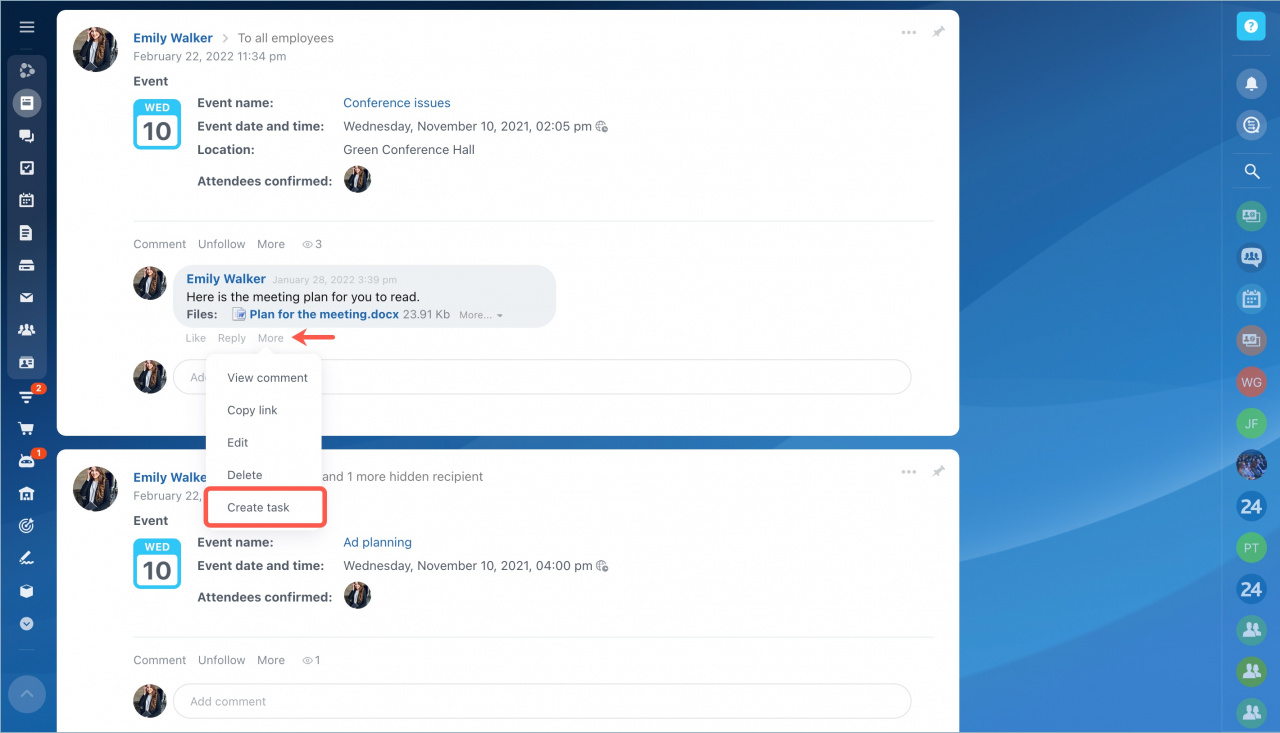
You can also convert a comment into a task the same way.

Was this information helpful?
Thank you for your feedback.
Get Implementation Help from a Partner
That's not what I'm looking for
Complicated and incomprehensible text
The information is outdated
It's too short. I need more information
I don't like the way this tool works
Get your Bitrix24 set up by local professionals
FIND BITRIX24 PARTNER NEAR ME
implementation_helper_man
Go to Bitrix24
Don't have an account? Create for free
Related articles
Virtual presence indicator Create events in Feed Create a task for an external user Search and filter messages in Feed Send a Feed message to an external user How an external user can add a post to Feed
Zalo
0943.199.449