


Product properties appear in the deal form. You can choose which custom fields to show in the product section, such as article number, weight, or purchase price.
For example, if your team ships products through a delivery service, they may need package weight and dimensions to calculate shipping costs. Add these fields to the product form so employees can see the information right away. This saves time because they do not need to open each product form.
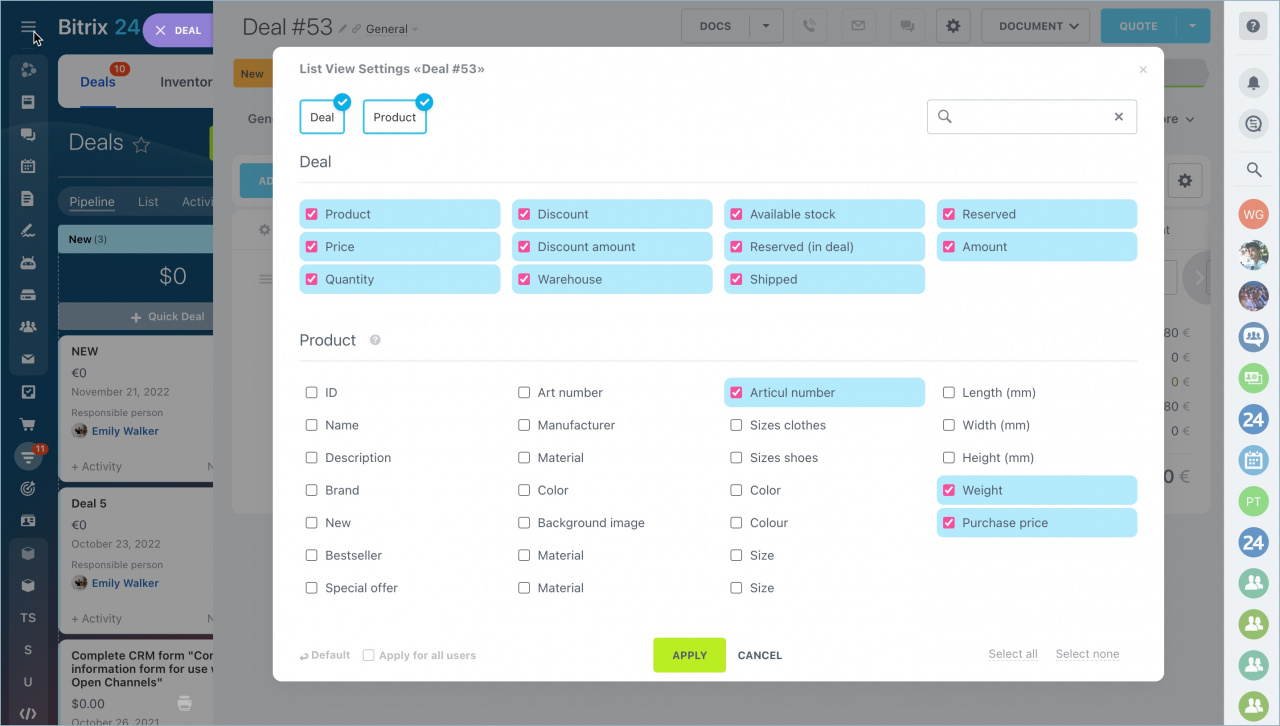
Select custom fields for the product form
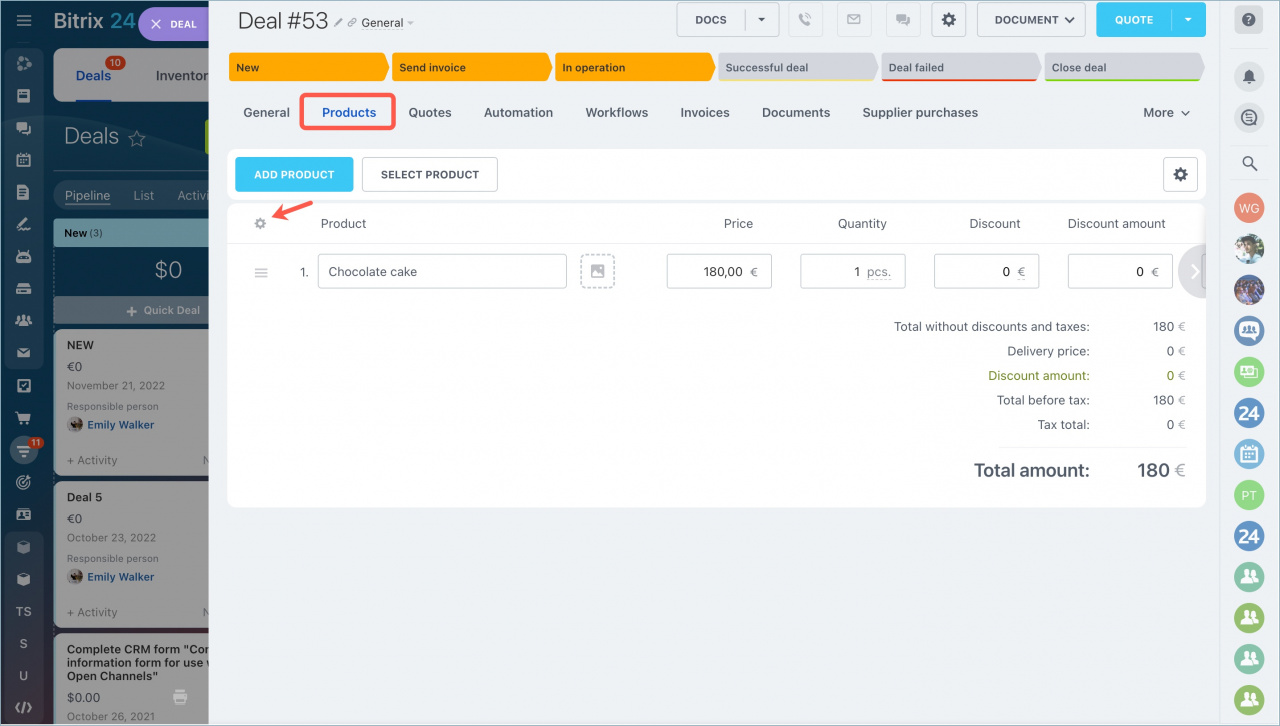
- Open the Products tab in the deal form.
- Click the settings icon.
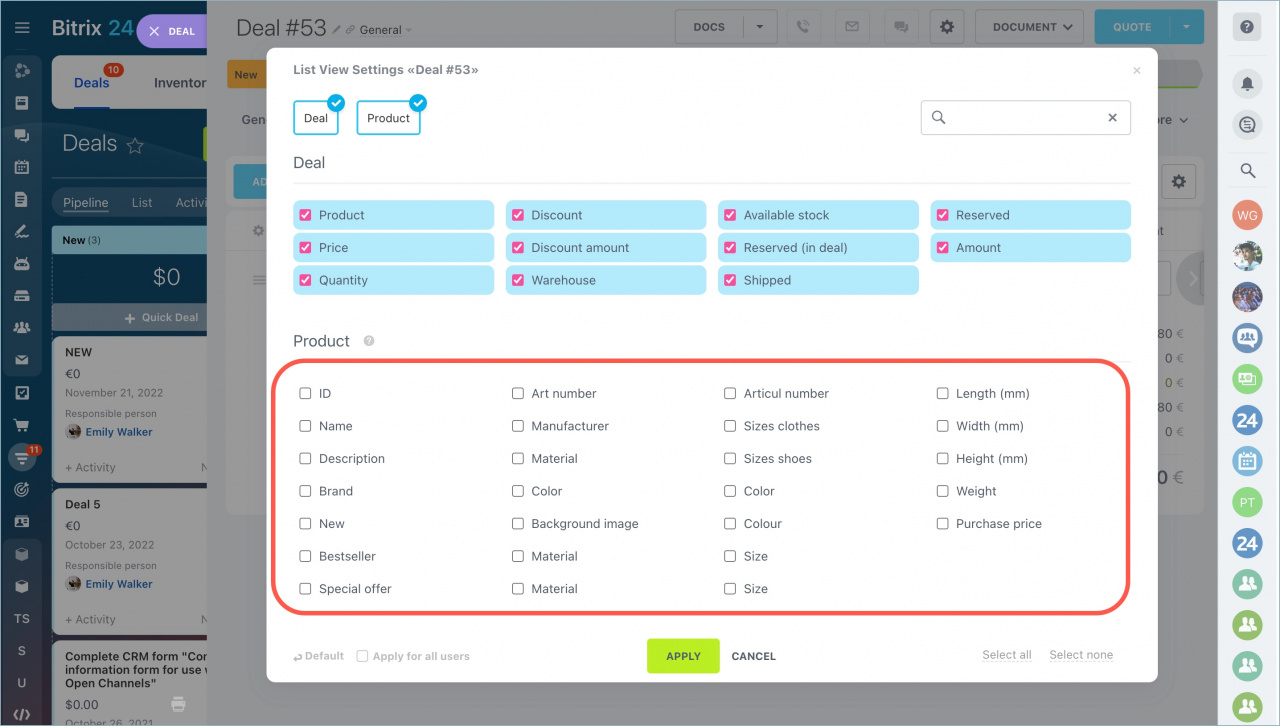
- Select the fields you want to display in the form.
Users only see fields they have permission to access. For example, if a user does not have permission to view the purchase price, that field will not appear in the list.
Access permissions to product catalog
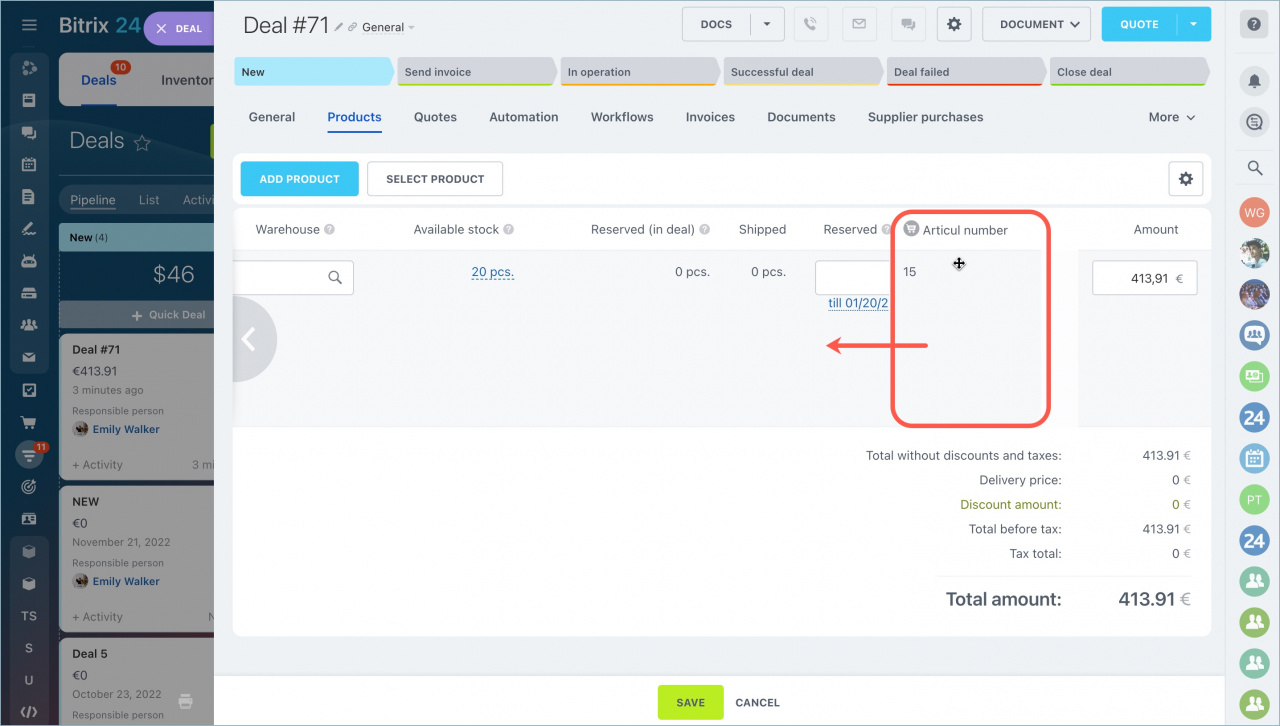
After you apply the selected fields, the new columns appear in the product section.
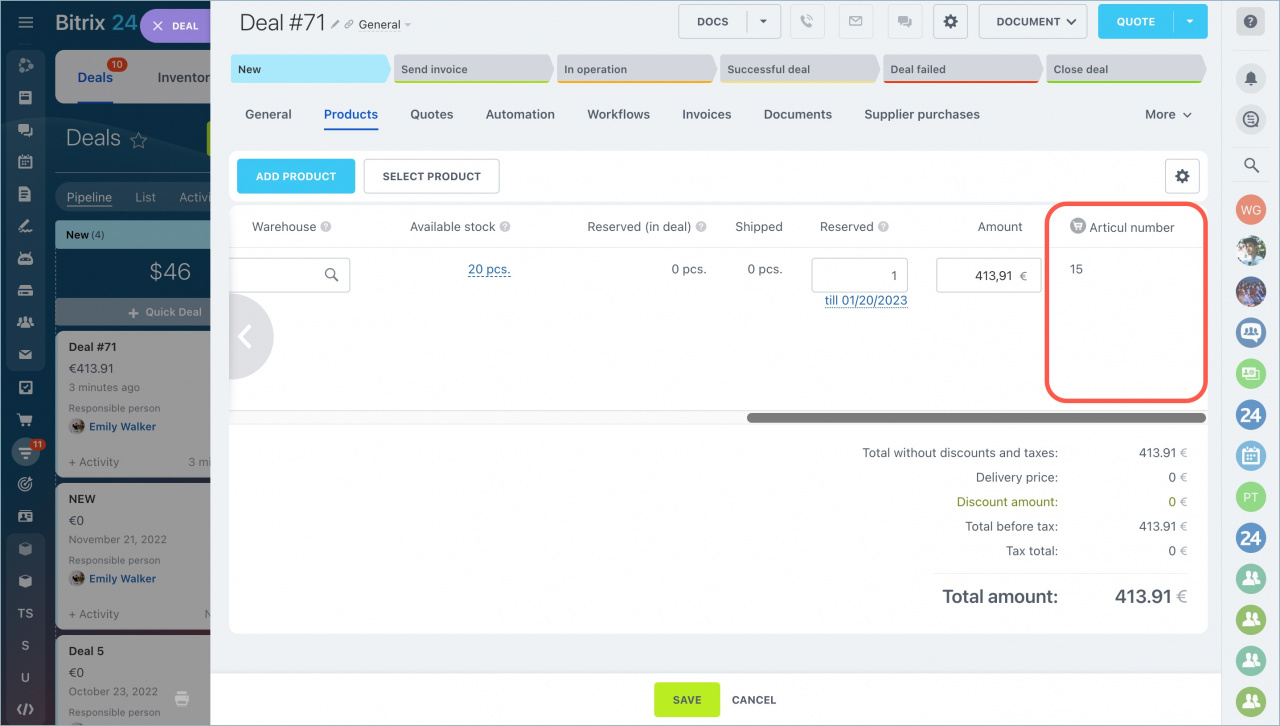
To move a column, drag it to a new position.
In brief
- Product properties appear in the deal form.
- You can choose which custom fields to display in the product section.
- Open the Products tab and click the settings icon.
- Users only see fields they have permission to view.
- You can reorder columns by dragging them.



