🚚 Miễn phí giao hàng toàn quốc

✅ Tặng Gói Hỗ trợ online trọn đời

✅ Giá cạnh tranh nhất thị trường

✅ Miễn phí tư vấn giải pháp

🚚 Miễn phí giao hàng toàn quốc

✅ Tặng Gói Hỗ trợ online trọn đời

✅ Giá cạnh tranh nhất thị trường

✅ Miễn phí tư vấn giải pháp

Hotline: 0943.199.449

Địa chỉ: Tầng 1, tòa nhà Deli, 75 Hoàng Văn Thụ, P. Cầu Kiệu

Bitrix24 Helpdesk

Information pages in Sales Center

Set up Sales Center in Bitrix24, choose a prebuilt page, and send it to a client.

Sales Center: Getting started

Follow the steps:

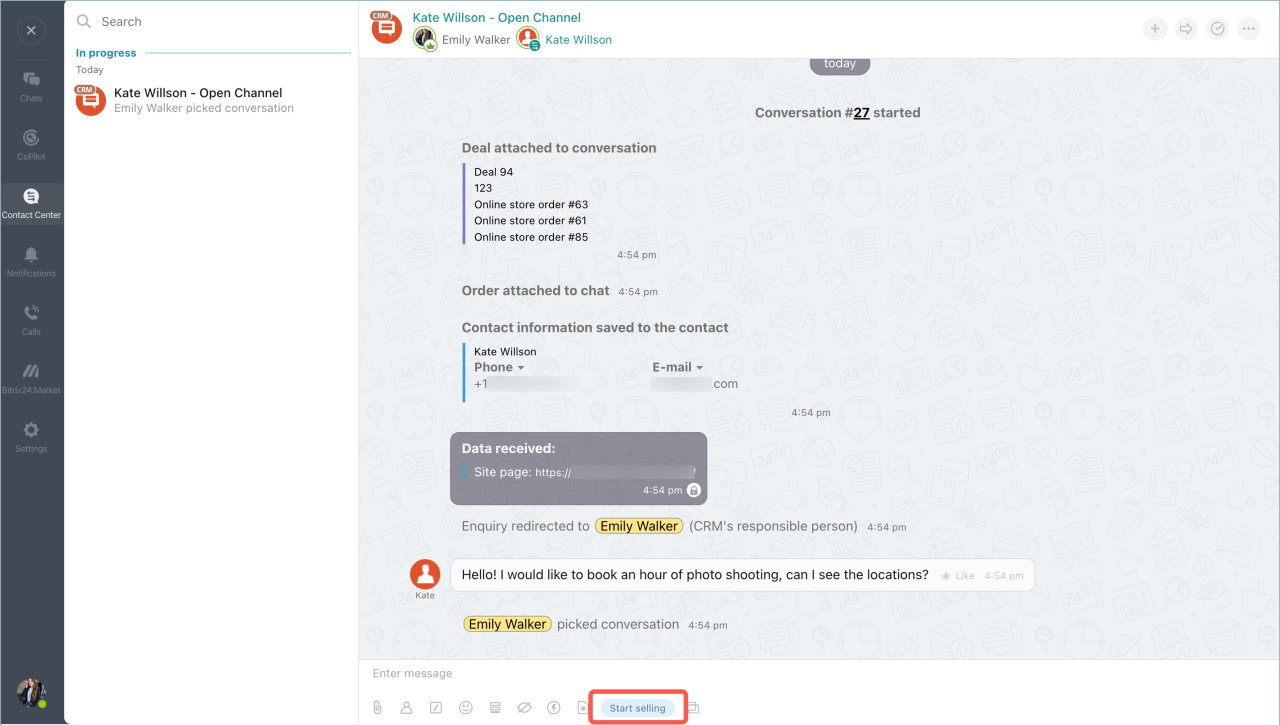
  1. In the conversation with the client, click Start selling to open pages with ready-to-send information.

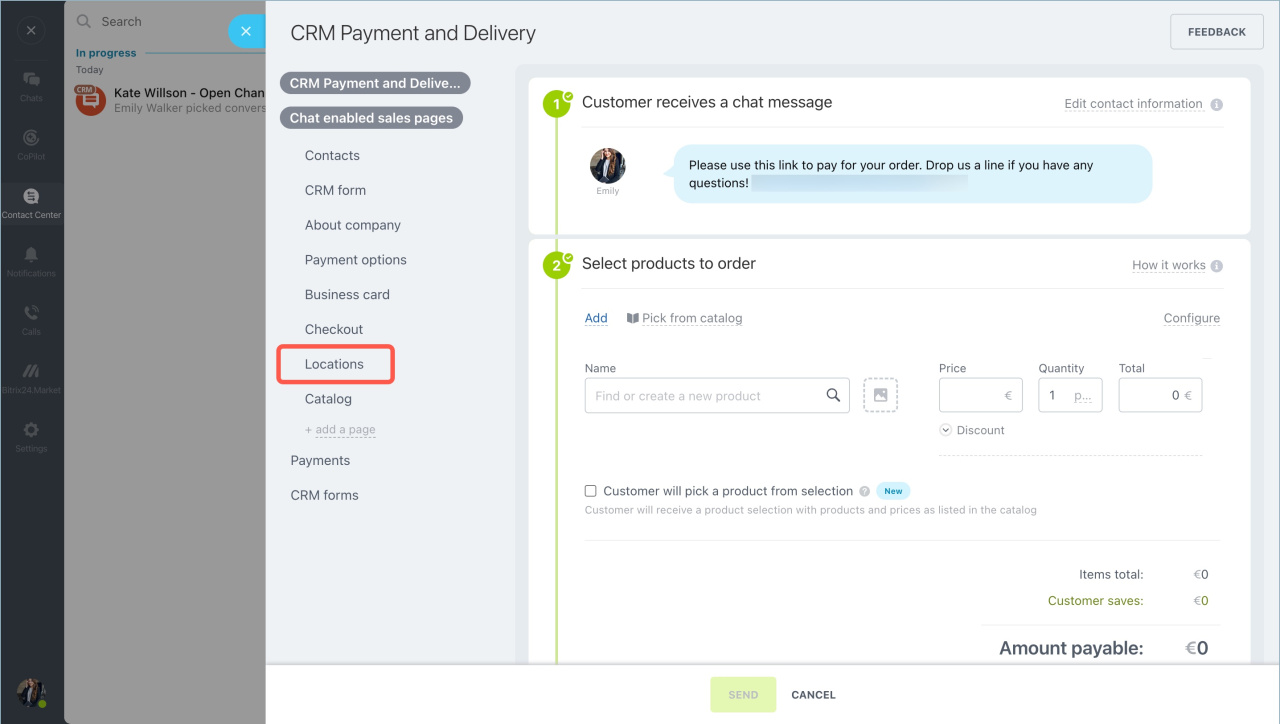
  2. Click Chat enabled sales pages and select a page. In this example, we’ll use the Locations page. You can quickly edit the page before sending it.

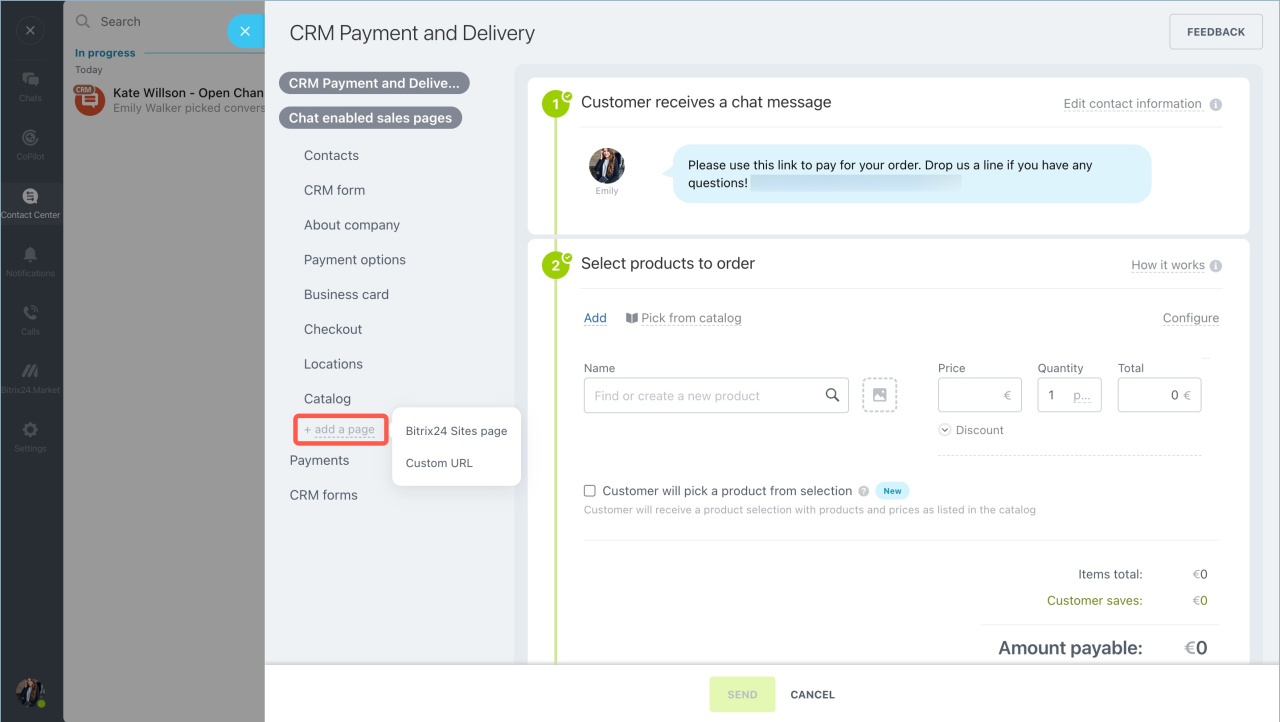
  3. You can also create and send new information pages.

  4. Click Send. The client will receive a link to the webpage.
Go to Bitrix24
Don't have an account? Create for free
Zalo
0943.199.449