


In Bitrix24, you can use custom CSS to control how your website looks.
CSS tutorials
Before you start
Publish your page first. Then select the block you want to edit, right-click it, and choose Inspect.
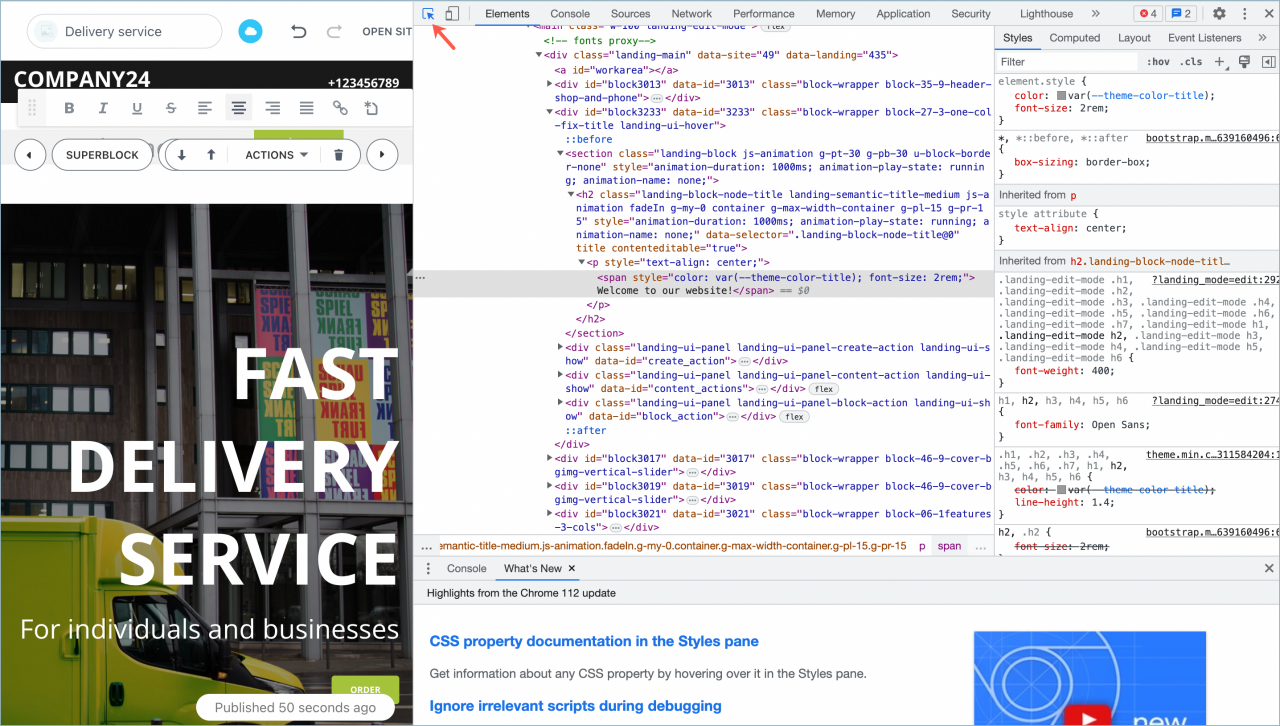
Change element color
Font color
Use the block ID and class:
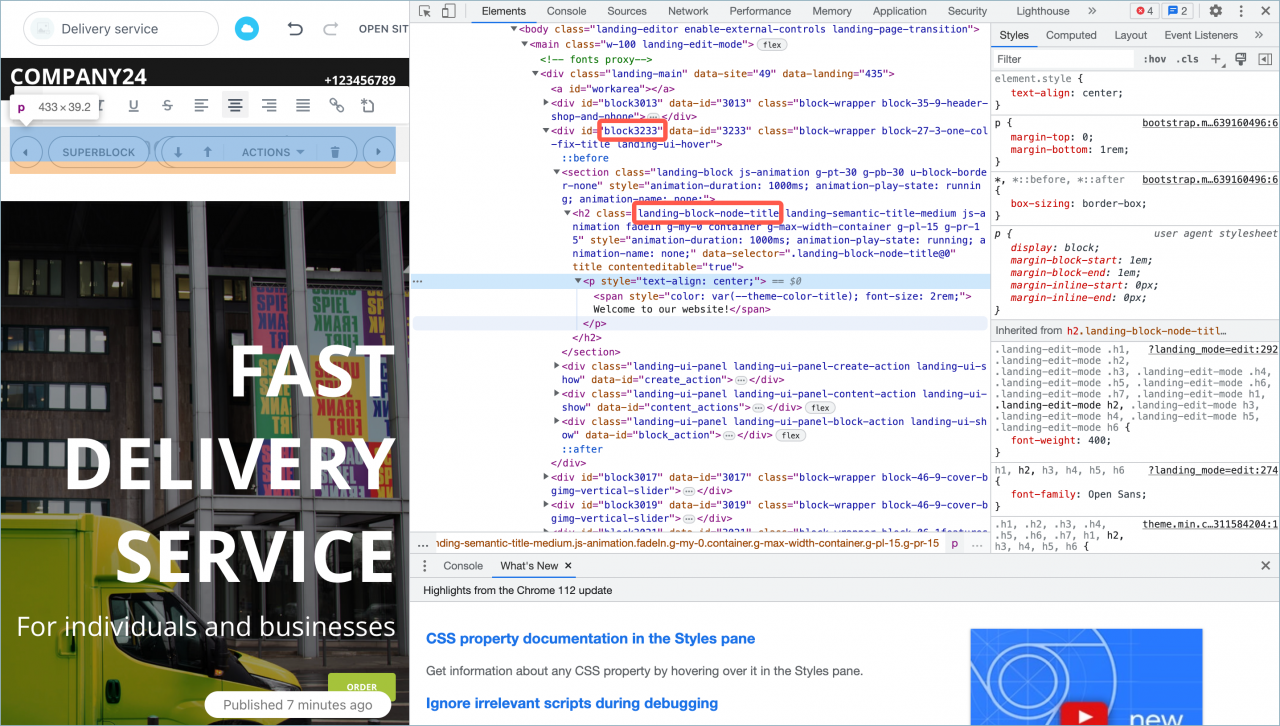
 #block3233 .landing-block-node-title

 {

 color: #FF6347 ;

 }
Background color
Use the block ID and the class for the entire block. Make sure to specify the section tag:
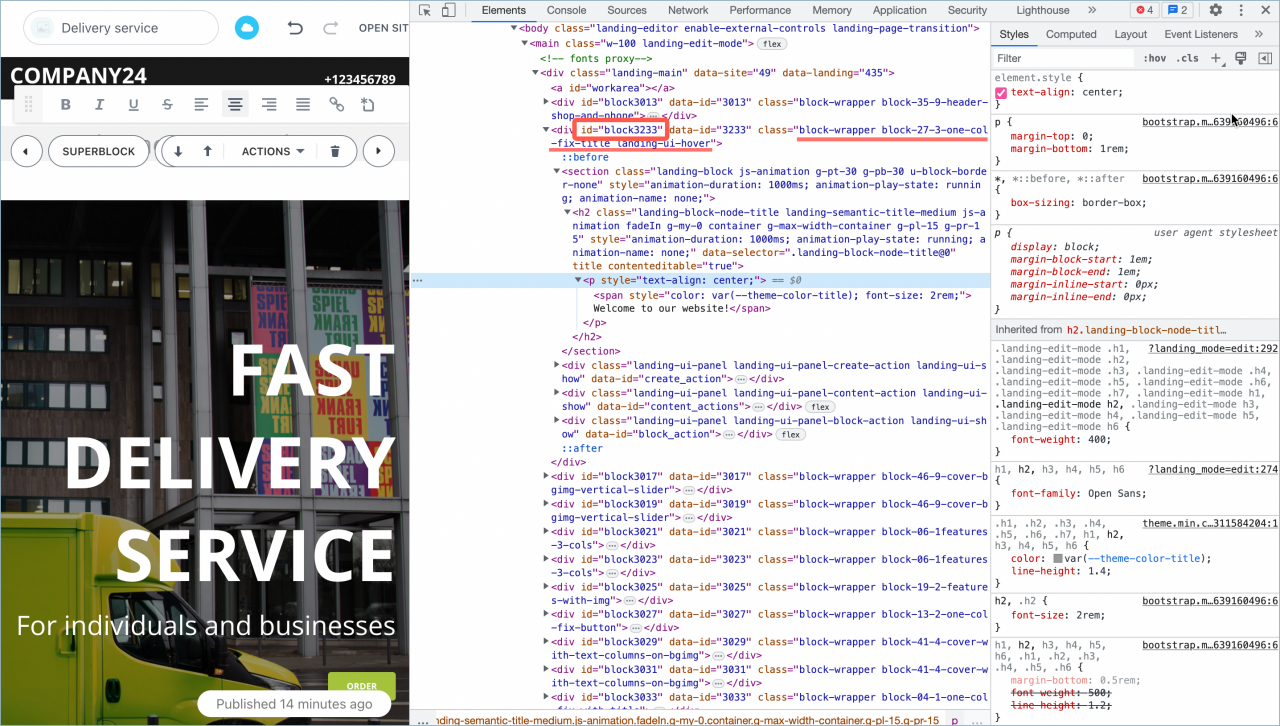
 #block3233.block-27-3-one-col-fix-title section

 {

 background-color: #00FFFF;

 }
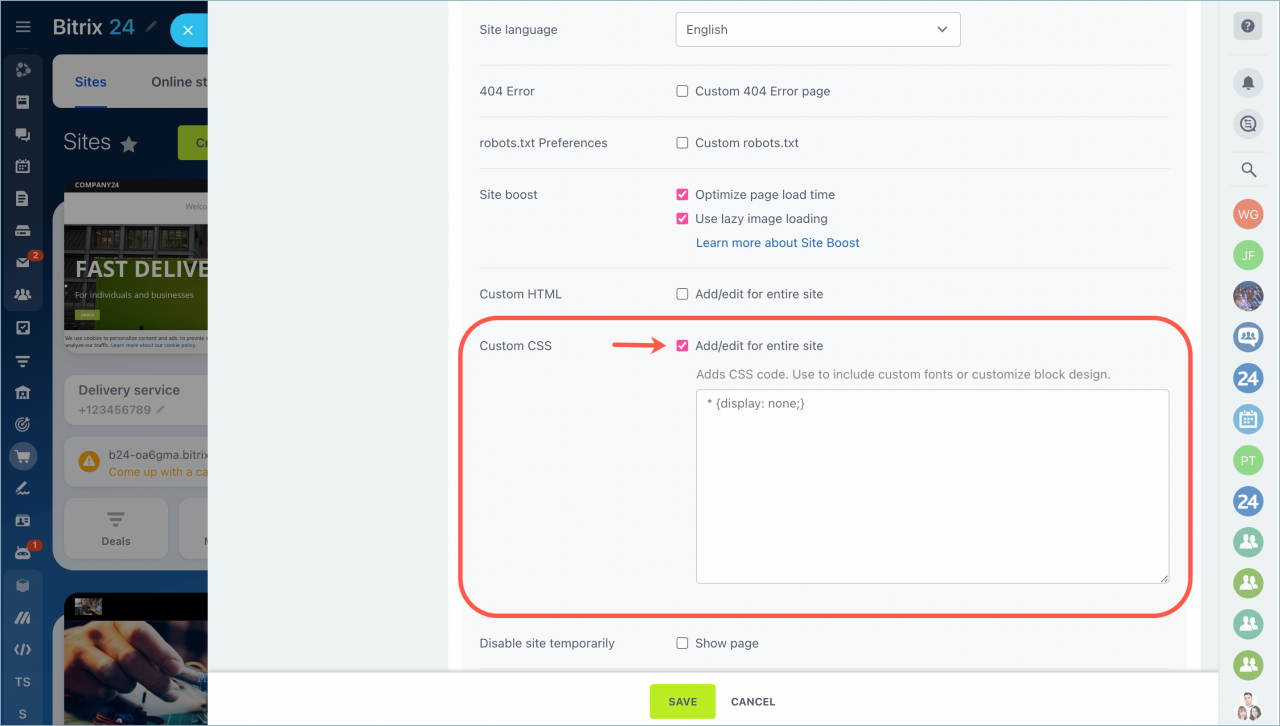
Add custom CSS
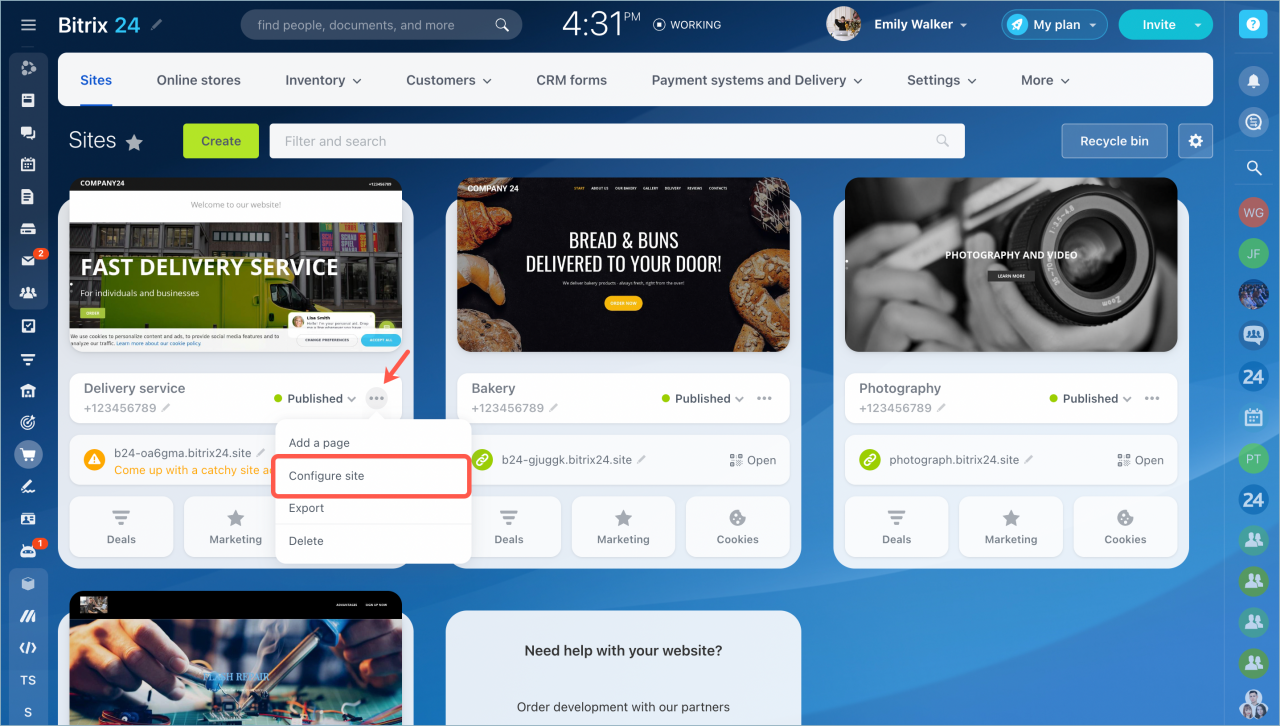
- Open the action menu.
- Select Configure site.
- On the site settings page, find Custom CSS.
- Enable the option, paste your code, and click Save.
You don’t need to publish the site again. Just refresh the page to see the changes.
Use the !important directive
You can force a style to apply by using the !important directive. It overrides standard CSS rules and gives the style higher priority.
Example:
The !important directive overrides the normal rules of the cascade and gives that style very high specificity (e.g., color: FF6347 !important;). [
Hiding block elements
You can hide elements in a block with custom CSS.
- Publish the site.
- Open developer tools and find the block class.
- Add your code in the Custom CSS field:
.landing-block-node-price-button

 {

 display: none;

 }
Save your changes and refresh the page.
In the Bitrix24 On-Premise version, custom CSS is available starting from Sites module version 18.5.8. Make sure your Bitrix24 is up to date before using this feature.



